Cms: [beta 34+ and 3.0.x] Cannot keep Markdown.php file in two different lang folders as it creates garbage in Fieldtypes view
Bug Description
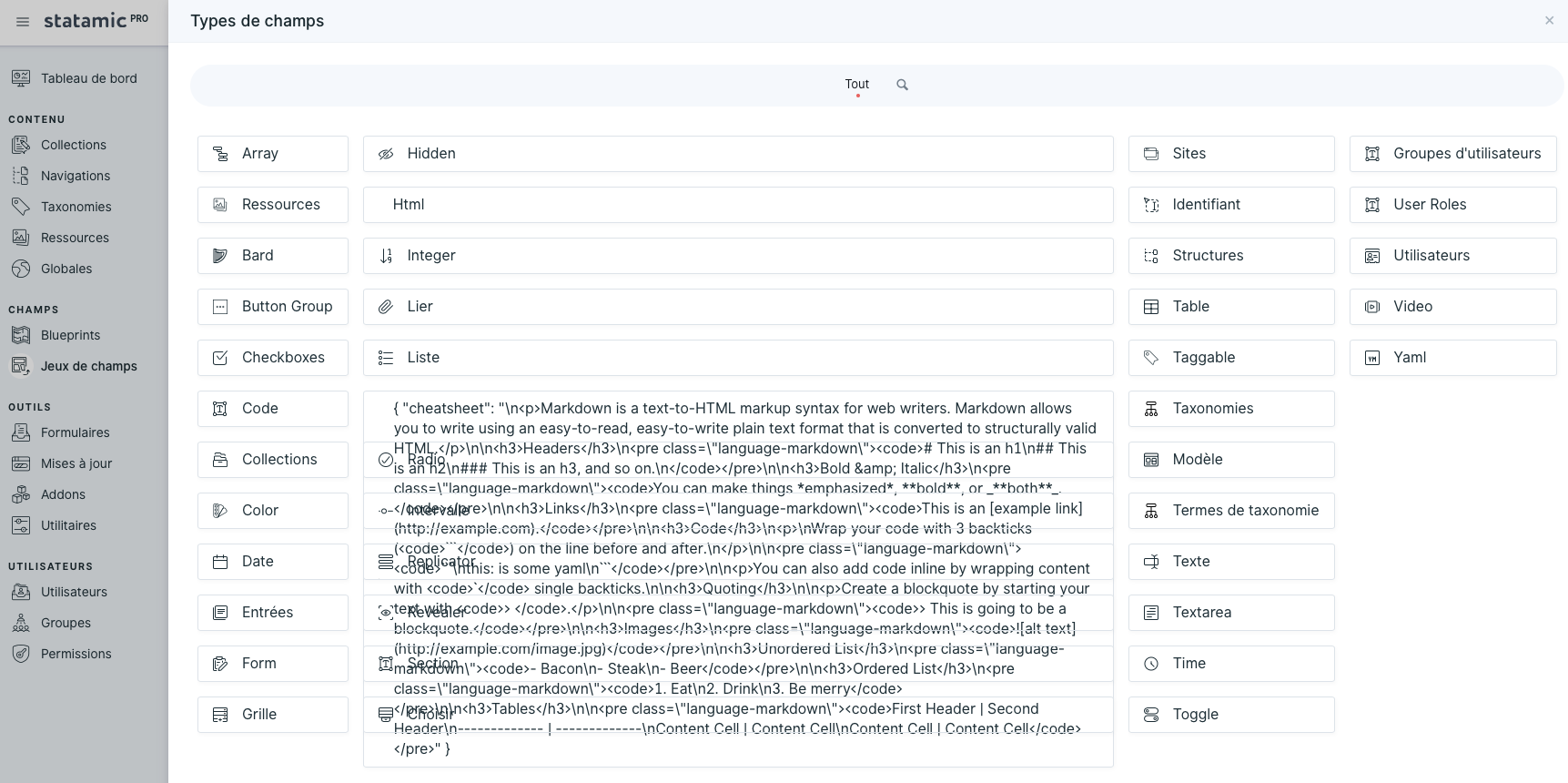
I got some garbage related to Markdown when adding a first field to a new fieldset
How to Reproduce
- in
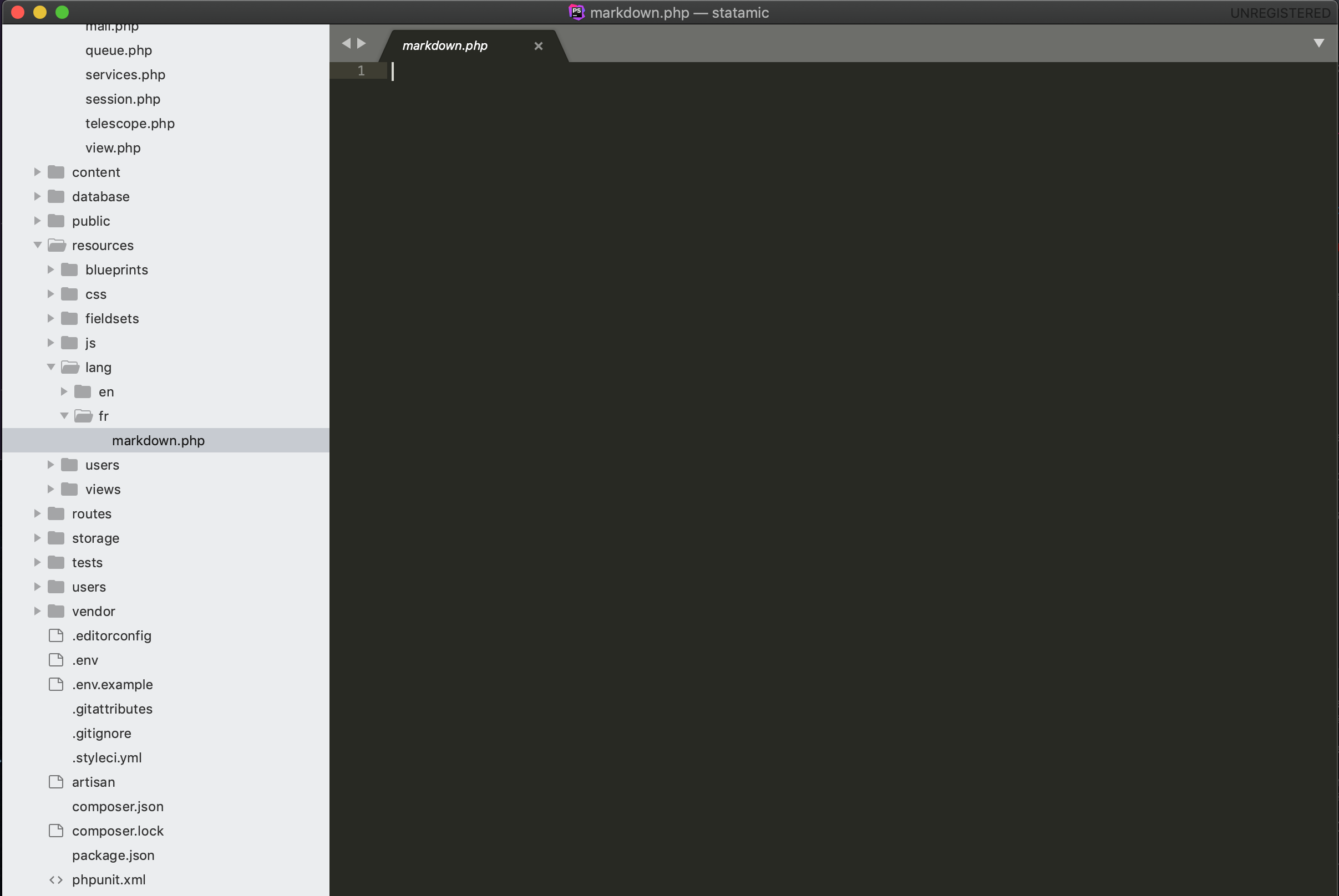
my_base_site_folder/resources/lang/fr/add a file called markdown.php - Create a brand new Fieldset, then click on Create a field OR try to add any field to a blueprint
There isn't any problem when this markdown file is ONLY located in my_base_site_folder/vendor/statamic/cms/resources/lang/fr
Extra Detail
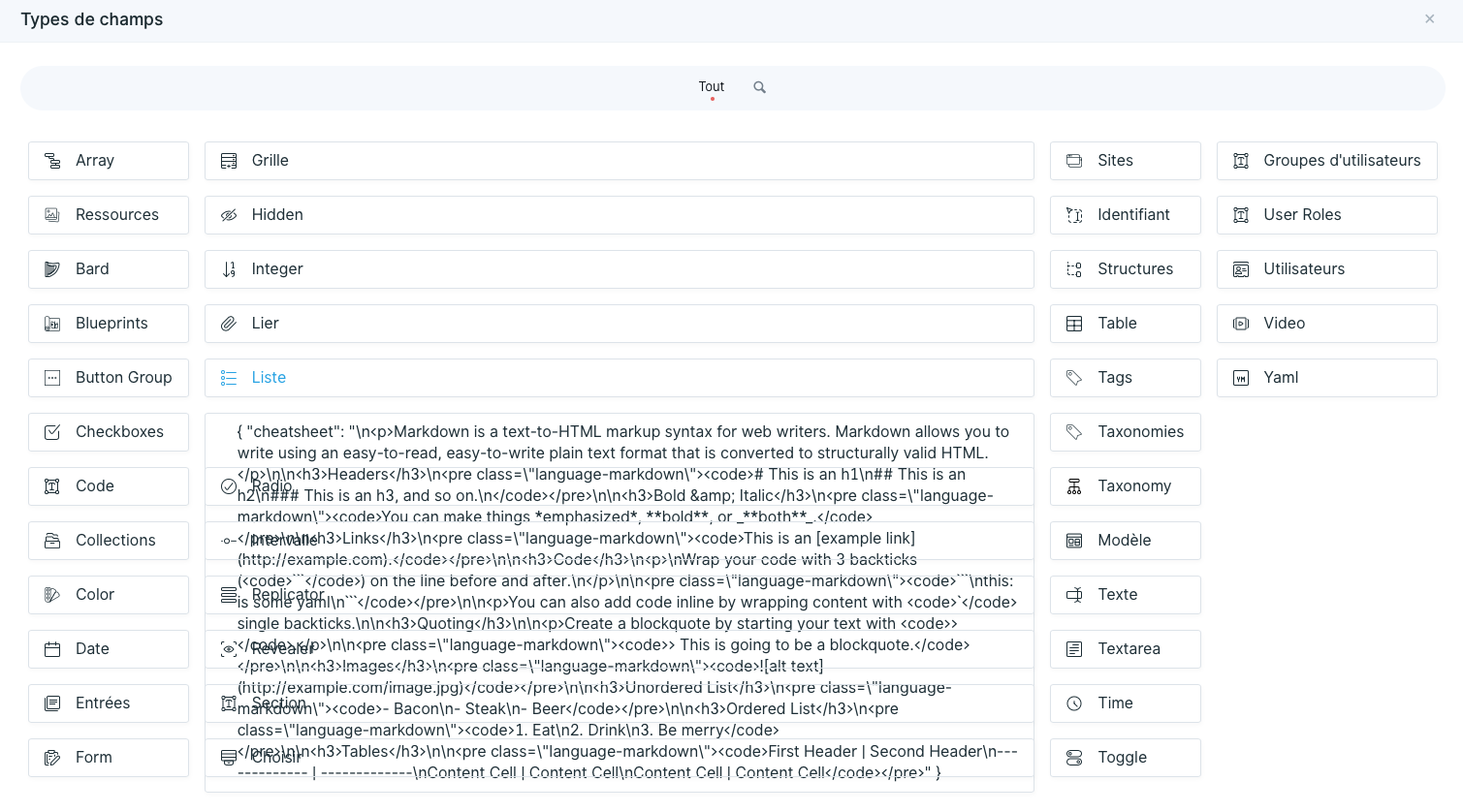
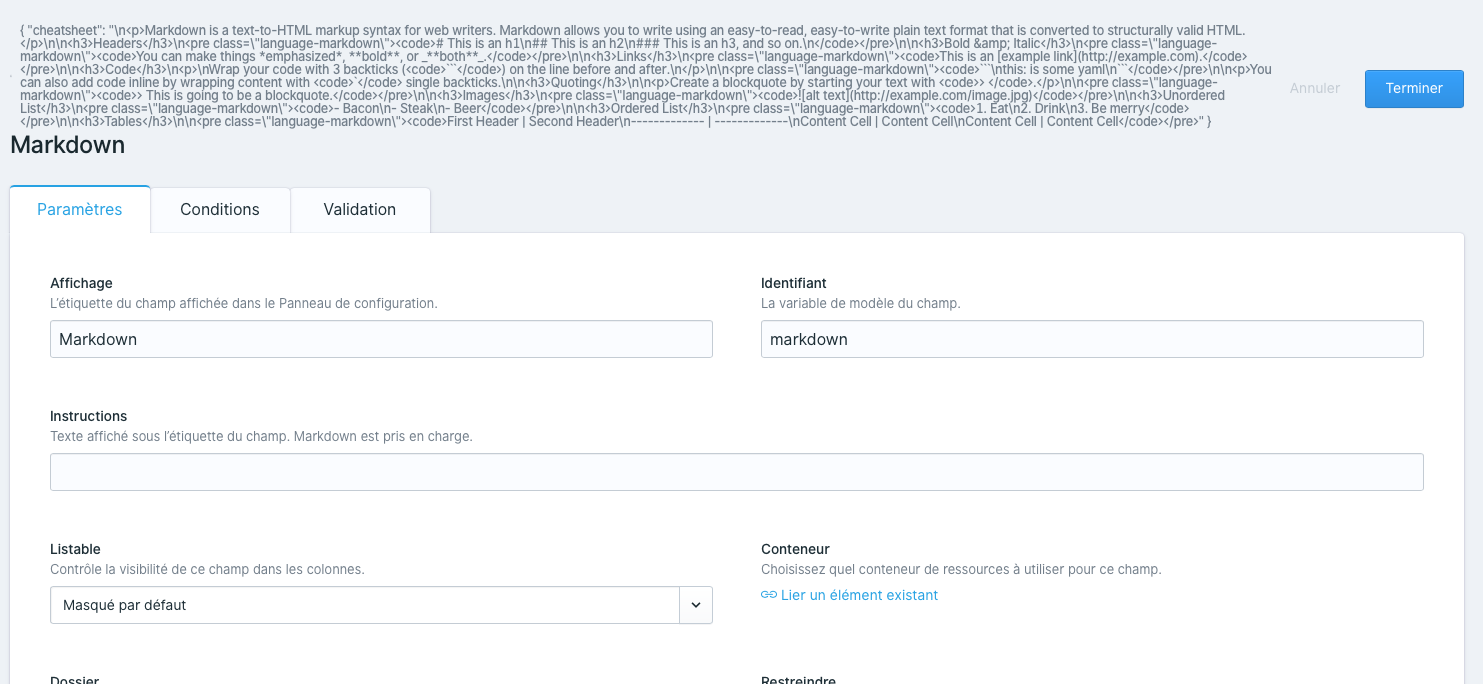
Environment
Statamic version: 3.0.0.-beta-{34}
PHP version: 7.{4.2}
Install method (choose one):
- Fresh install from
statamic/statamic
 ebeauchamps
All 9 comments
Now solved....NOT
ebeauchamps
on 14 Sep 2020
Sorry...It is apparently solved in 3.0.7 but when I update "my" French localisation files for the CP, I get this error back. So I have to reopen it.
And I just don't quite get why I have this problem...
ebeauchamps
on 14 Sep 2020
OK, found the issue: see "How to reproduce" above
ebeauchamps
on 14 Sep 2020
@ebeauchamps I've swapped my fresh Statamic install's locale in config/app.php to fr and created the file ( resources/lang/fr/markdown.php) but I'm unable to replicate the issue.
Should I be doing something else in order to replicate this?
 duncanmcclean
on 14 Sep 2020
duncanmcclean
on 14 Sep 2020
Probably: you should display the CP in French I guess (in your user.yaml file, put
preferences:
  locale: fr
good to know: the markdown.php file I put in this folder is the same as the one found in the vendor folder
I did not have this issue before beta34 but I guess the /resources/lang folder should now remain empty (apart from the en folder)?
ebeauchamps
on 14 Sep 2020
Thanks for your response! Although, I still can't seem to reproduce it... the text Markdown displays, which I think should be the case until something overrides it (correct me if I'm wrong).
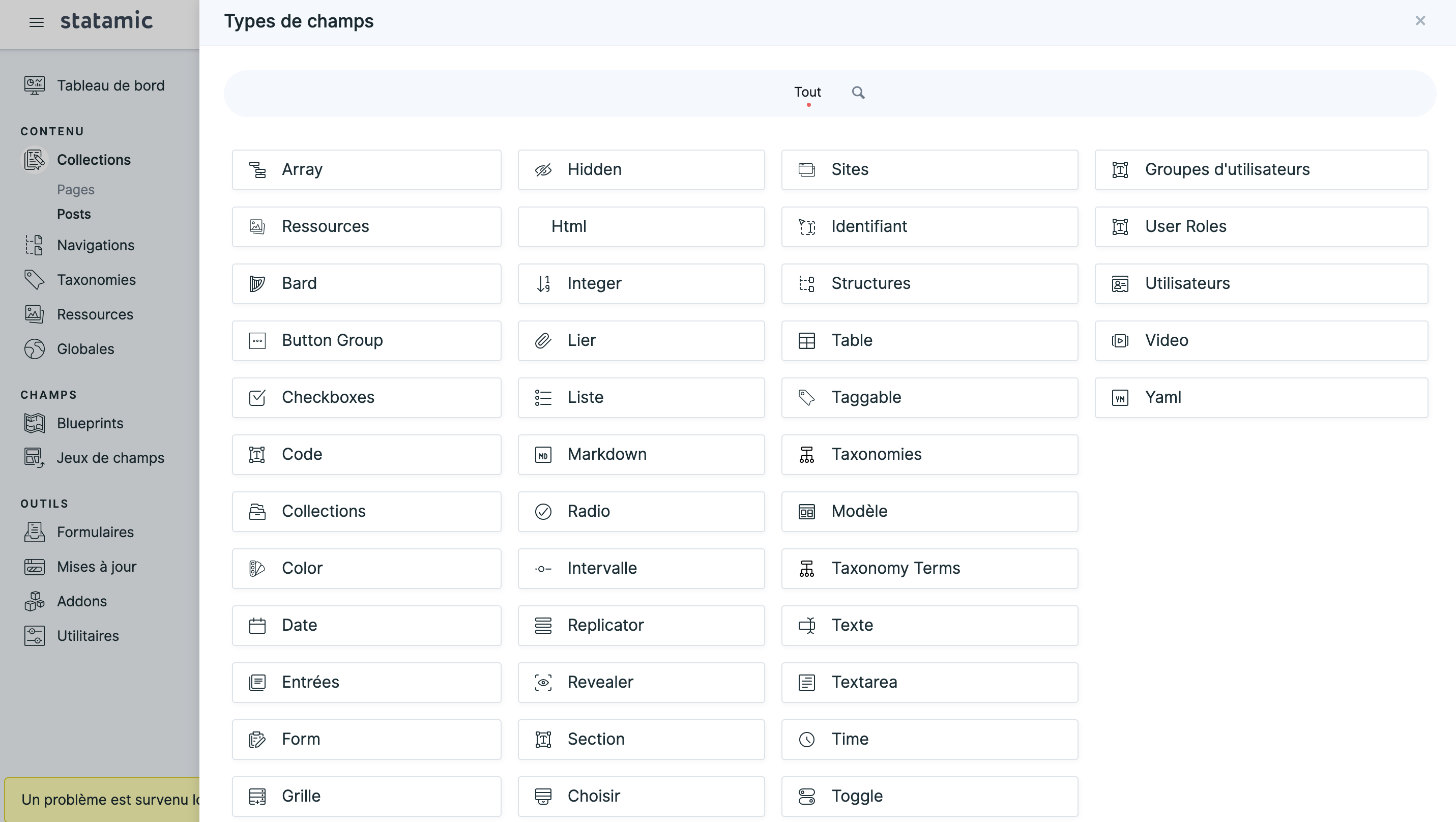
Would you mind creating up a fresh Statamic site to reproduce the issue yourself and let me know if you still encounter the issue.
duncanmcclean
on 14 Sep 2020
Sure! but later on, it's midnight here!! I'll let you know.
ebeauchamps
on 15 Sep 2020
How to Reproduce
- in
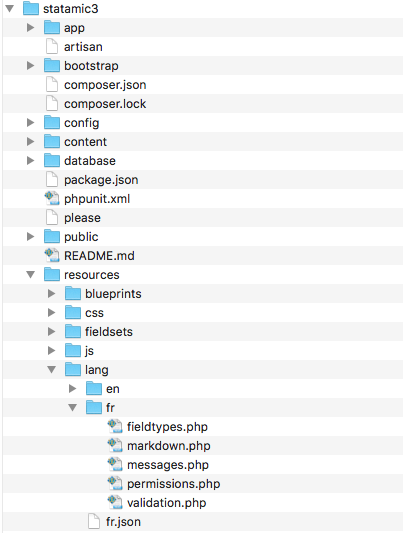
my_base_site_folder/resources/lang/fr/add the markdown.php file already located inmy_base_site_folder/vendor/statamic/cms/resources/lang/fr - Create a brand new Fieldset, then click on Create a field OR try to add any field to a blueprint
There isn't any problem when this markdown.php file is ONLY located in my_base_site_folder/vendor/statamic/cms/resources/lang/fr
My personal analysis
When working on my translation updates, I put the working copy of my files in my_base_site_folder/resources/lang/
That includes my fr.json file and my fr folder
I am doing this in order to check for my translations as it should override the French files located in my_base_site_folder/vendor/statamic/cms/resources/lang/
Actually, I recently discovered that:
- the fr.json file is overrided
- the messages.php file is not overrided
- the markdown.php file (always fully identical between the 2 folders) is creating the above described garbage
My questions
- Is there any reason for keeping this particular folder
my_base_site_folder/resources/lang/in Statamic? - What is it for?
- Why cannot we use it to override translations located in
my_base_site_folder/vendor/statamic/cms/resources/lang/? - As the above described behaviour is somewhat recent (beta34), what could be done?
ebeauchamps
on 15 Sep 2020
The "json" translations are considered global. You can't override them in a vendor directory.
So you need to put it in resources/lang/fr.json. It's just the way Laravel works.
The other php based translation files _are_ specific to the vendor (Statamic), so you need to put them in resources/lang/vendor/statamic/fr/markdown.php.
However, if you're just trying to test out some translations that you plan to PR into Statamic, you could consider editing them in vendor/statamic/cms/resources/lang.
 jasonvarga
on 22 Sep 2020
jasonvarga
on 22 Sep 2020
Related issues
 sauerbraten
·
3Comments
sauerbraten
·
3Comments
 dakisan
·
4Comments
dakisan
·
4Comments
 filipac
·
4Comments
filipac
·
4Comments
 philippgrimm
·
3Comments
philippgrimm
·
3Comments
 austenc
·
3Comments
austenc
·
3Comments