Client: Add "Upgrade all" button to App Center
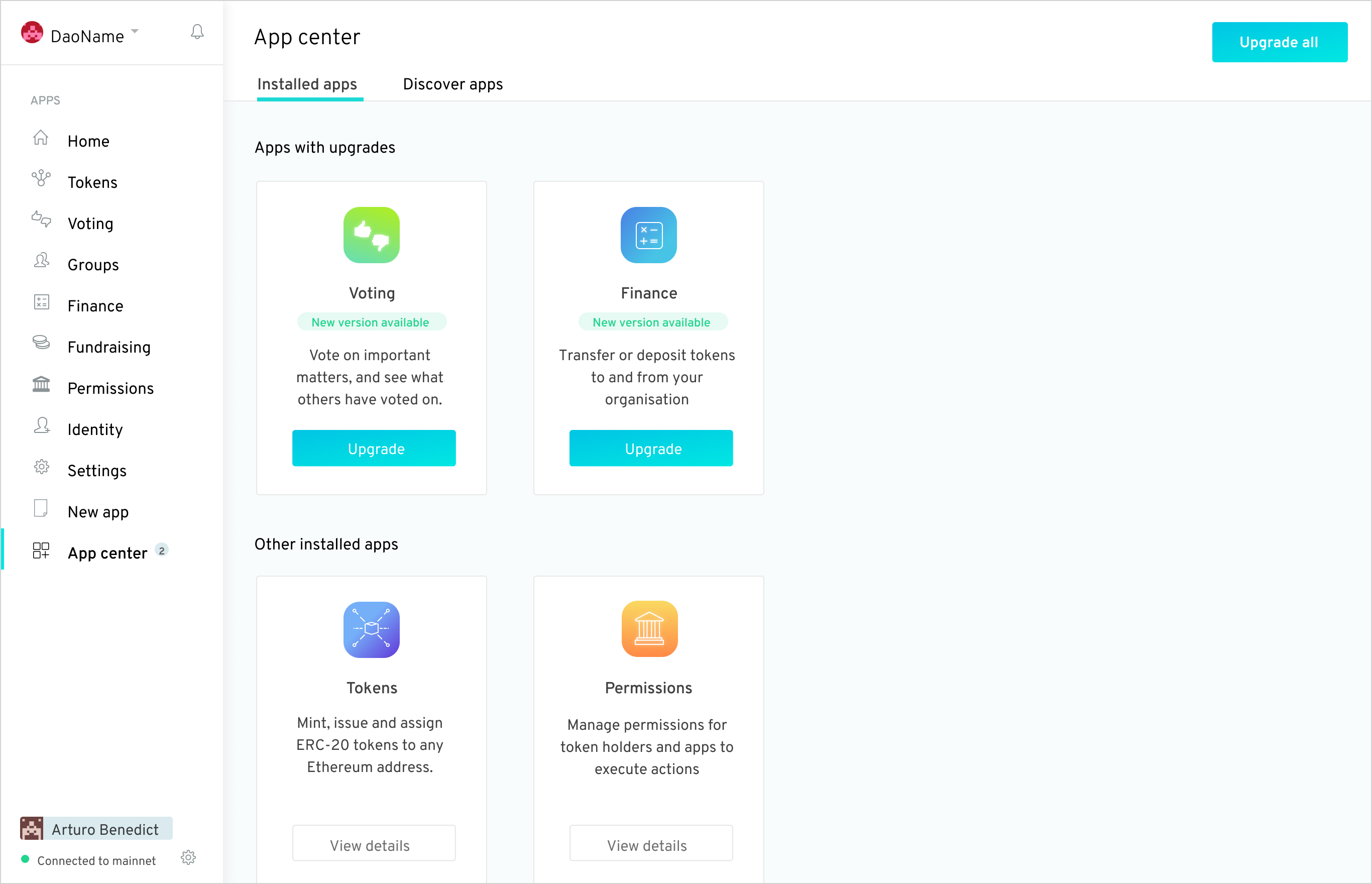
Currently there is a way to upgrade all apps by clicking through a modal that appears if you click a link in the banner at the top of the client. There should also be an "upgrade all" button in the App Center when upgrades are available, so users don't have to find the somewhat hidden way to upgrade all the apps that exists now and also so the button can be clicked even when there's not a modal like there is now.
 john-light
All 7 comments
See designs in https://github.com/aragonone/product/issues/44#issuecomment-482042267.
@dizzypaty did we reach a decision on where and how to place this item?
 sohkai
on 5 May 2019
sohkai
on 5 May 2019
Commented on where it should be in the Figma board, but it seems logical that it should be on the top right of the App Center.
 luisivan
on 6 May 2019
luisivan
on 6 May 2019
CTA button on the App center header to upgrade all apps at once
 dizzypaty
on 6 May 2019
dizzypaty
on 6 May 2019
Should we disable it if there's no upgrades available?
We currently don't do this in any other app, as most of the time this button is for an action that is always available (pending permissions).
sohkai
on 6 May 2019
In this case I wouldn't disable it, I suggest (if feasible) that we don't show it at all if there's not more than one app upgrade available.
dizzypaty
on 6 May 2019
Apparently this has been solved by PR #795 and should be closed. @john-light
 francopetra
on 13 Jul 2019
francopetra
on 13 Jul 2019
Indeed! Thanks for noticing @francopetra
luisivan
on 15 Jul 2019
Related issues
john-light
·
3Comments
john-light
·
3Comments
 ricburton
·
3Comments
ricburton
·
3Comments
 lkngtn
·
3Comments
john-light
·
3Comments
lkngtn
·
3Comments
john-light
·
3Comments
Most helpful comment
In this case I wouldn't disable it, I suggest (if feasible) that we don't show it at all if there's not more than one app upgrade available.