Cli-microsoft365: Bug Report - Code base - Test Coverage is less than 100% for the file src/m365/spo/commands/file/file-add.ts
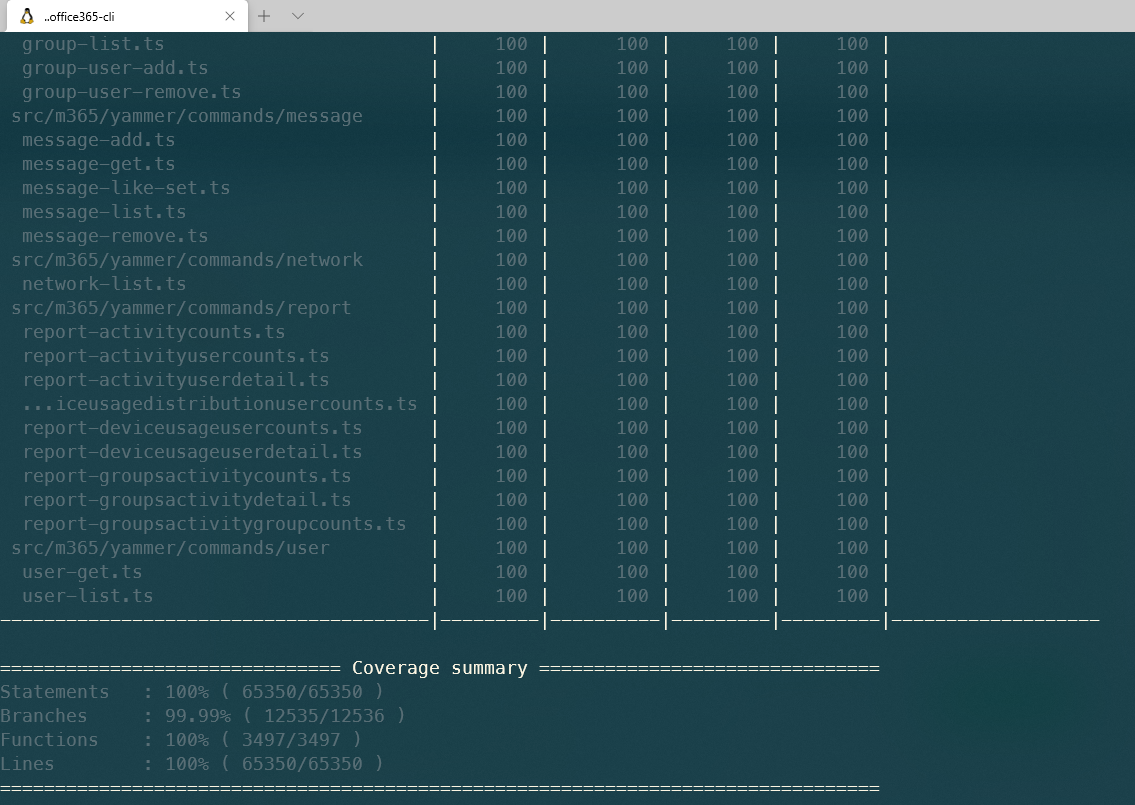
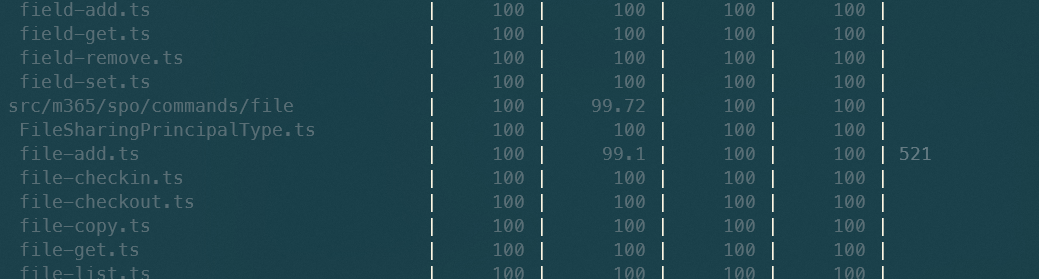
When we run npm test after getting the latest code base from upstream, we are not getting 100% code coverage. Coverage is there only for 99.1 % in the file src/m365/spo/commands/file/file-add.ts.
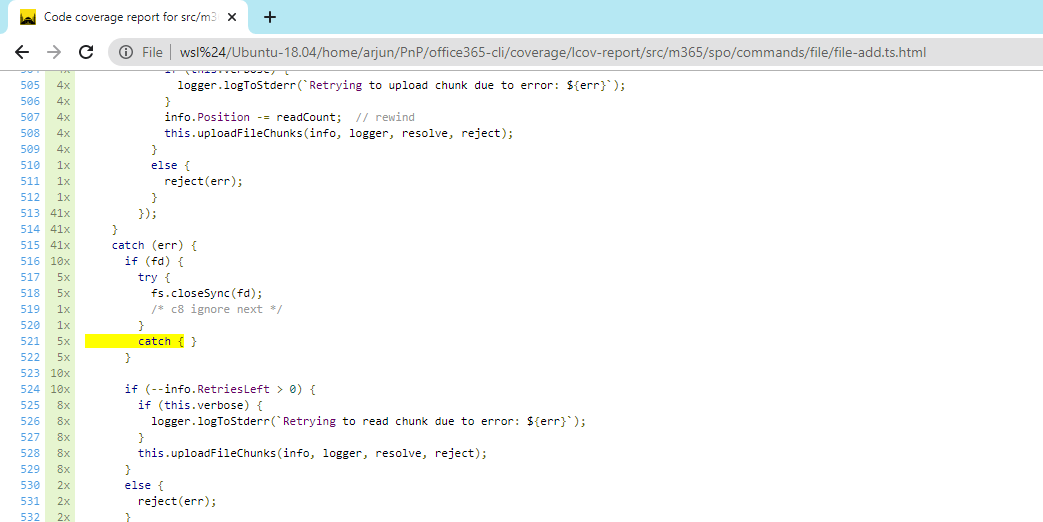
Coverage is missing in the line #
Expected Behavior
Coverage is needed for 100%
Current Behavior
Overall Coverage is available only for 99.99.
Development environment
Tried in following environment.
- Windows 10 - WSL 2 - Node Version : 12.15.0
- Windows 10 - Cmder - Node Version : 12.15.0
Can you let me know if you are able to reproduce the issue from your end. If not, something might have gone wrong in my environment.
 arjunumenon
All 8 comments
Thanks for reporting @arjunumenon 👍🏻
This is an odd one, I don't think we've made any changes to this specific command recently that would cause this drop in coverage.
 garrytrinder
on 23 Dec 2020
garrytrinder
on 23 Dec 2020
Hey @garrytrinder - That is even weirder. Recent timeline does not show any update either.
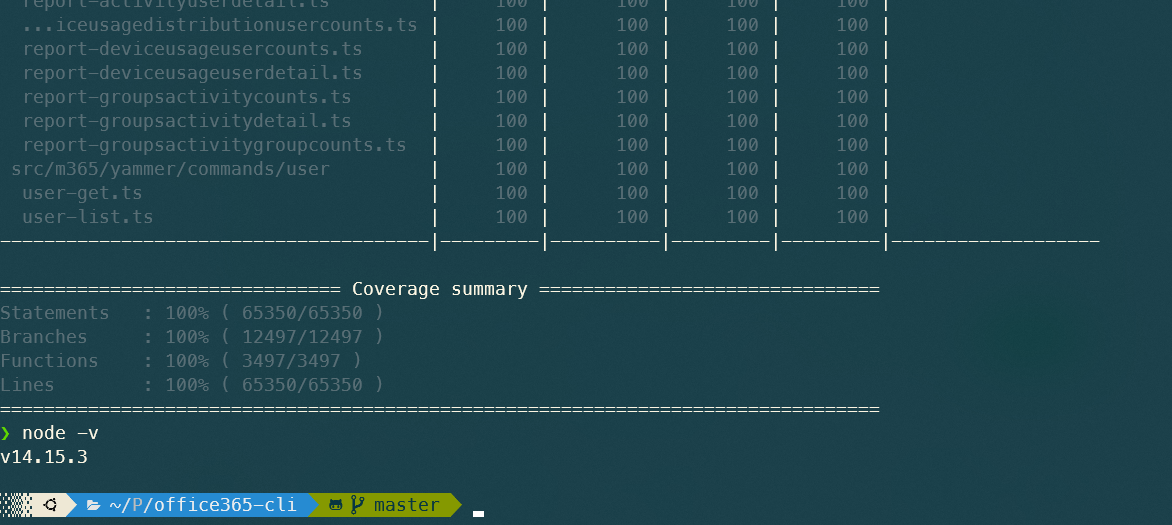
Had tried one more test. Had upgraded node version to 14 confirmed that the Issue is there only for the Node version 12.15.0.
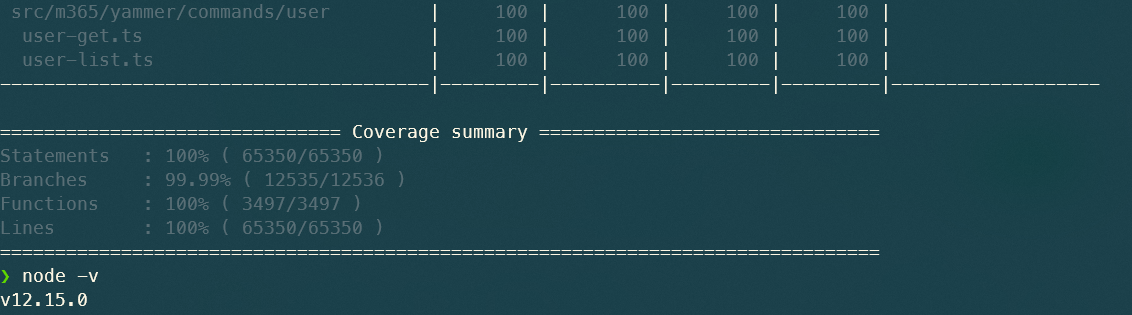
It works well for node version 14.15.3
arjunumenon
on 23 Dec 2020
Thanks for the further research @arjunumenon 👏
We've recently updated the CI pipeline to use node@14, so I would recommend staying with node@14 as the default for now.
Bringing @waldekmastykarz into the loop, we may have to bump the required dev node version up to node@14 for the required coverage.
garrytrinder
on 23 Dec 2020
We've recently updated the CI pipeline to use node@14, so I would recommend staying with node@14 as the default for now.
Thanks @garrytrinder for the update about node version. I guess I had missed that communication. _Still in catching-up mode 👀_
arjunumenon
on 23 Dec 2020
Thanks @garrytrinder for the update about node version. I guess I had missed that communication. _Still in catching-up mode 👀_
It's not something that we had really communicated, so that's on us, sorry.
Again, thanks for raising though, appreciate you taking the time to inquire ❤️
garrytrinder
on 23 Dec 2020
I'm pretty much sure that it's caused by Node@14 like @garrytrinder mentioned.
 waldekmastykarz
on 27 Dec 2020
waldekmastykarz
on 27 Dec 2020
I've just updated the Minimal Path to Awesome to state node@14 for development, this then matches the Build section on the readme.
As you are unblocked @arjunumenon I will close this issue, thanks again for reporting. 👍
garrytrinder
on 30 Dec 2020
Totally fine @garrytrinder. Trying my best to help in whatever way I can.
Wonderful that it is updated in the Minimal Path to Awesome so that new contributors will be aware of that. 🚀
arjunumenon
on 31 Dec 2020
Related issues
 VelinGeorgiev
·
3Comments
VelinGeorgiev
·
3Comments
 vineet2907
·
3Comments
waldekmastykarz
·
3Comments
garrytrinder
·
3Comments
garrytrinder
·
3Comments
vineet2907
·
3Comments
waldekmastykarz
·
3Comments
garrytrinder
·
3Comments
garrytrinder
·
3Comments
Most helpful comment
I'm pretty much sure that it's caused by Node@14 like @garrytrinder mentioned.