Clarity: [WEB] Datagrid initial width not evaluated
Describe the bug
Going to the datagrid page, the grid is not fully initialized.
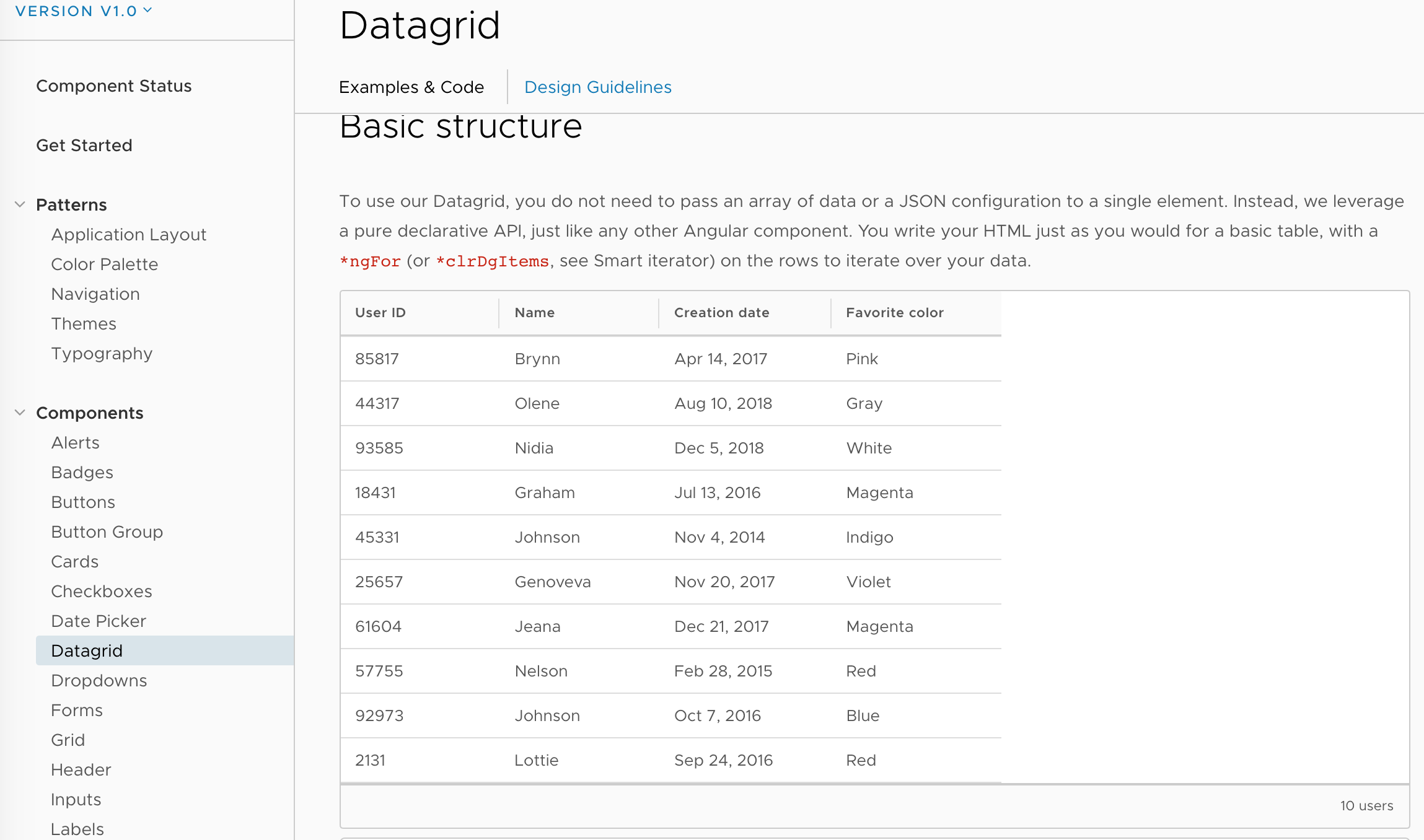
I am still not sure if this is website problem, or datagrid problem, after the initialization is now semi-manual via the resize() method.
How to reproduce
Steps to reproduce the behavior:
- Go to https://vmware.github.io/clarity/documentation/v1.0
- Click on the "Datagrid" nav option
- Verify that the datagrid is as displayed in the screenshot from the description. NOTE: if you go directly to the page, or change through the local datagrid links, the datagrid is fine. You need to navigate to the "Datagrid" from another page.
Expected behavior
Columns should be sized accordingly to the datagrid width
Versions
App
- Angular: 7
- Node: 10.1
- Clarity: 1.0
Device:
- Type: Mac
- OS: OSX
- Browser chrome
- Version 70.0.3538.102
 Jinnie
All 2 comments
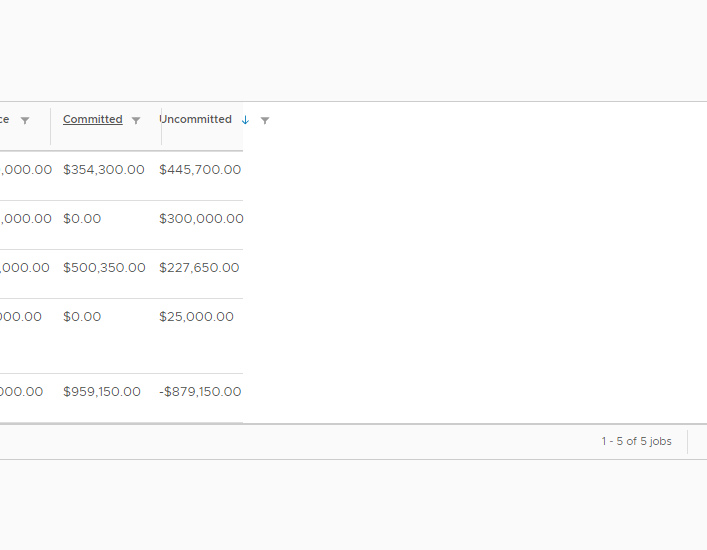
I'm experiencing the same issue within my app after upgrading to 1.0. If i load the site in a broswer window at a smaller size, then resize the window it will do the exact same thing. After refreshing the browser the datagrid will then resize correctly.
 dpcamp
on 10 Dec 2018
dpcamp
on 10 Dec 2018
Hi there 👋, this is an automated message. To help Clarity keep track of discussions, we automatically lock closed issues after 14 days. Please look for another open issue or open a new issue with updated details and reference this one as necessary.
![github-actions[bot] picture](https://avatars.githubusercontent.com/in/15368?v=4&s=40) github-actions[bot]
on 14 Sep 2020
github-actions[bot]
on 14 Sep 2020
Related issues
 dennitsa
·
4Comments
dennitsa
·
4Comments
 reddolan
·
3Comments
reddolan
·
3Comments
 ph55
·
3Comments
ph55
·
3Comments
 amellnik
·
3Comments
amellnik
·
3Comments
 BugsyFTW
·
3Comments
BugsyFTW
·
3Comments
Most helpful comment
I'm experiencing the same issue within my app after upgrading to 1.0. If i load the site in a broswer window at a smaller size, then resize the window it will do the exact same thing. After refreshing the browser the datagrid will then resize correctly.
