Clarity: [UI] Dark theme select options are not visible
Edit
Stackblitz with v2 reproduction: https://stackblitz.com/edit/gh-1853-select-input-dark-theme-issue
Select one ... (check one with "x")
[x] bug
[ ] feature request
[ ] enhancement
Expected behavior
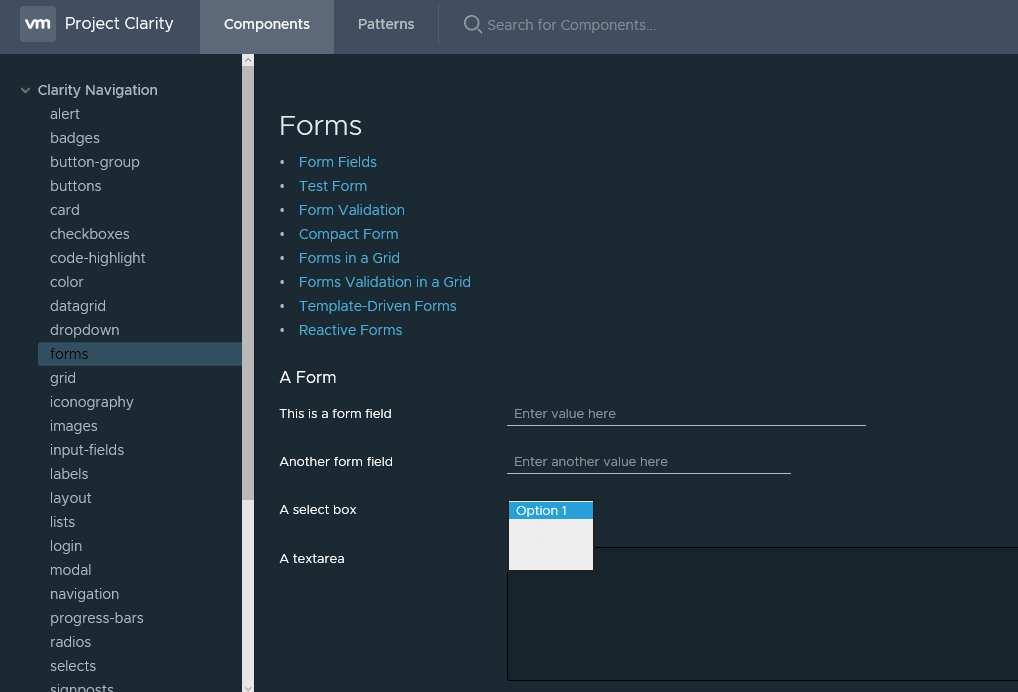
Select option text should be readable
Actual behavior
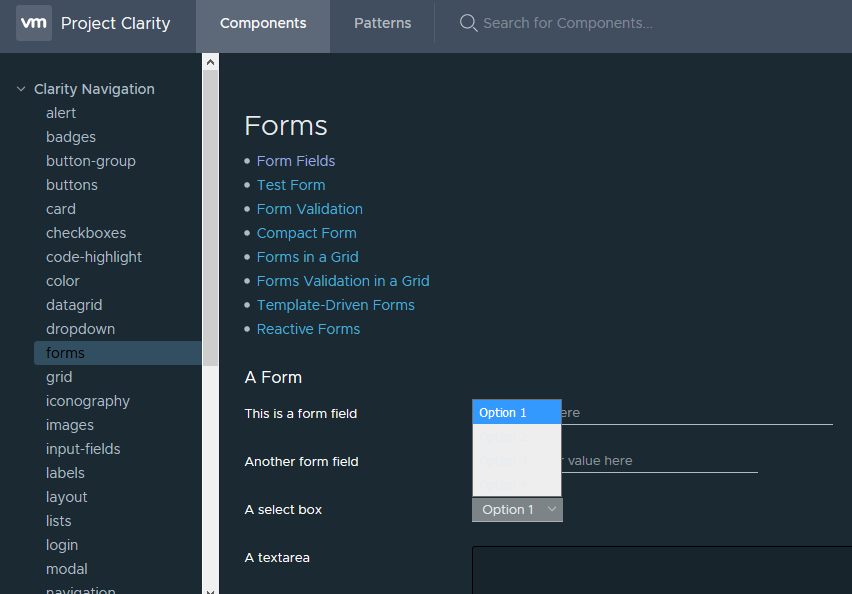
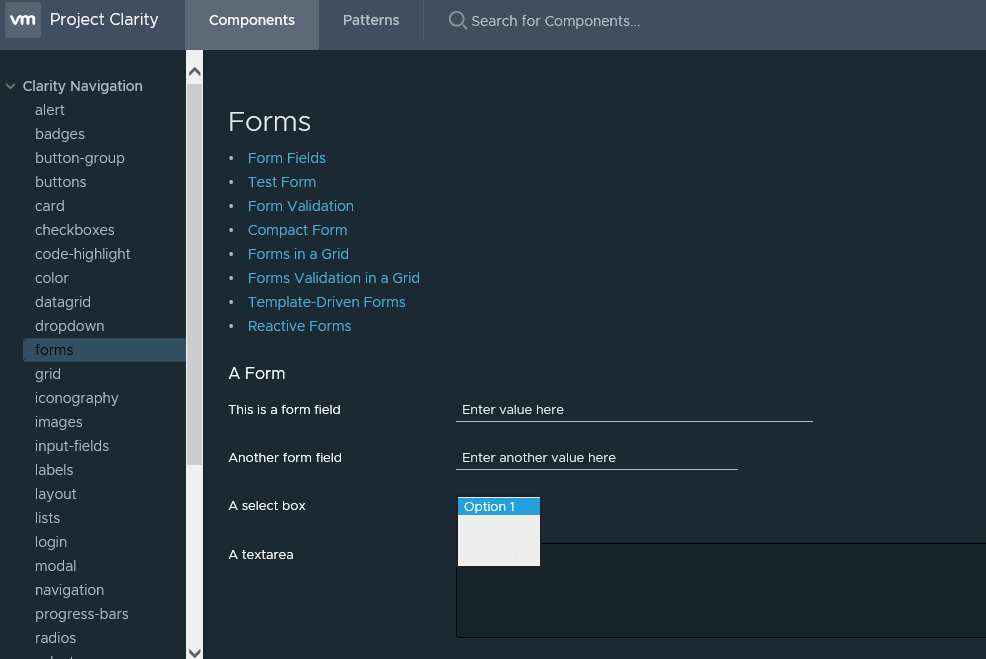
Select option text is not visible
Reproduction of behavior
Environment details
Angular version: 5.x.x
Clarity version:
OS and version: Windows 10
Browser: [ Chrome XX, IE11, Firefox ]
 hippee-lee
All 25 comments
This is still not fixed correctly. Now the text of the options has a white color but the options have no background color so you can't read the text.
 RoelRoel
on 9 Sep 2019
RoelRoel
on 9 Sep 2019
This was fixed but it looks like a regression was introduced since then.
Stackblitz with a reproduction: https://stackblitz.com/edit/gh-1853-select-input-dark-theme-issue
hippee-lee
on 9 Sep 2019
This was fixed via #3941
hippee-lee
on 12 Nov 2019
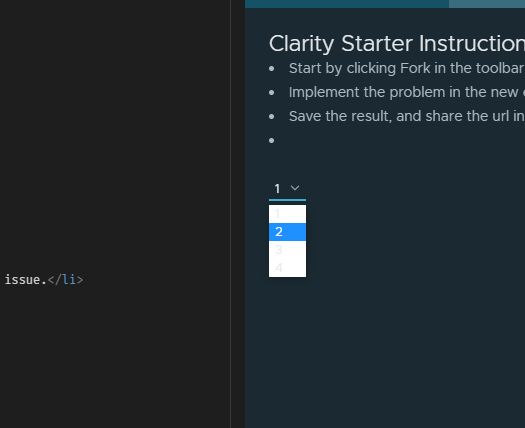
@hippee-lee this is either broken again, or wasn't fixed yet:
https://stackblitz.com/edit/clarity-dark-theme-v2-enzagq?file=src/app/app.component.html
 rogerfar
on 21 Jan 2020
rogerfar
on 21 Jan 2020
- Chrome / Safari work as expected
- Firefox does not work.
- Still need to check IE11 / Edge
NOTE: the stackblitz example with the latest (as of 1/21/2020) Clarity installed: https://stackblitz.com/edit/clarity-dark-theme-v2-dnad9x
hippee-lee
on 21 Jan 2020
Wait, how does Chrome work as expected? My screenshot is from Chrome 79.
rogerfar
on 21 Jan 2020
I updated to the latest versions.
https://stackblitz.com/edit/clarity-dark-theme-v2-dnad9x
hippee-lee
on 21 Jan 2020
Confirmed sill an issue
clarity-v2-dark
FF 77.0.1
OSX: 10.15.4 - dark
 ezekeal
on 8 Jun 2020
ezekeal
on 8 Jun 2020
I don't see this behavior while reviewing this issue. If it persists, please provide an updated demo and details with current versions of Clarity for us to triage. Closing as stale and appearing to be fixed.
 gnomeontherun
on 29 Jan 2021
gnomeontherun
on 29 Jan 2021
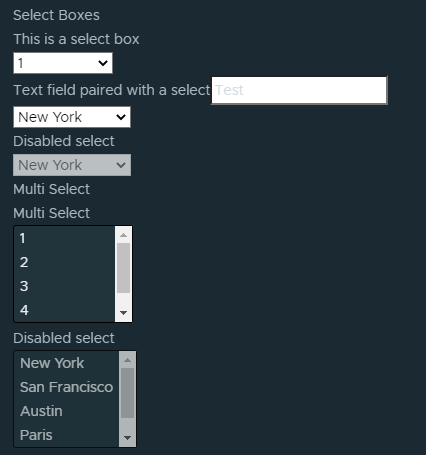
@gnomeontherun it's OK looking I suppose, if this is by spec then yeah, let's leave it. But I still have to add extra hack CSS to make to colors work. At least it's consistent on every browser.
https://stackblitz.com/edit/clarity-v4-dark-theme-abnpwk?file=src%2Fapp%2Fapp.component.html
rogerfar
on 1 Feb 2021
@hippee-lee can you take a look at this this week?
gnomeontherun
on 1 Feb 2021
@rogerfar - can you explain more about what needs a css override? I'm not seeing any css to override the default styles in this example from above.
The issue here is specific to the options in a native select element - originally there was an issue with the font color not being set in dark theme and then there were some regressions that broke that.
I don't see anything broken in the stackblitz or any custom css that applies to the font color in the select menu.
hippee-lee
on 1 Feb 2021
That's correct, the original issue was the font color being wrong in the selects, black on black.
But that's why I said, it's OK working, some of the other selects are now completely missing styling.
rogerfar
on 1 Feb 2021
Ok, which ones? Sorry I don't see any issues in the stackblitz or the screen captures. What am I missing?
hippee-lee
on 1 Feb 2021
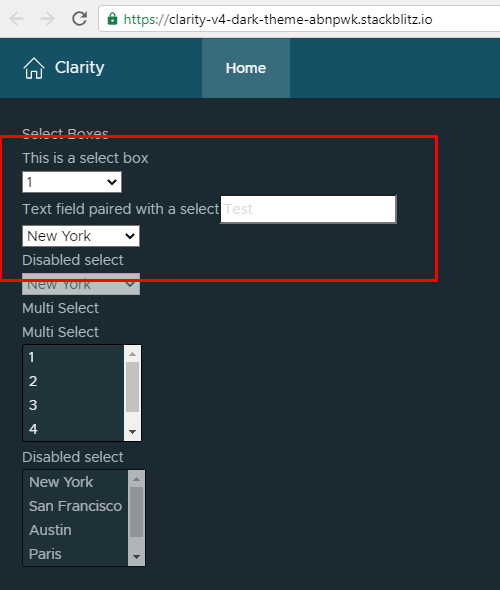
I'm referring to the first 3 selects in the stackblitz:
rogerfar
on 1 Feb 2021
They look like they are working to me:
Edge
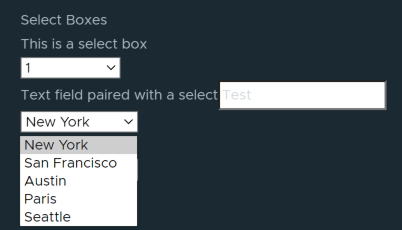
Firefox
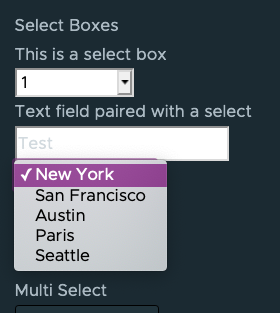
Safari
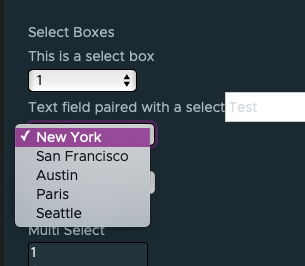
Chrome
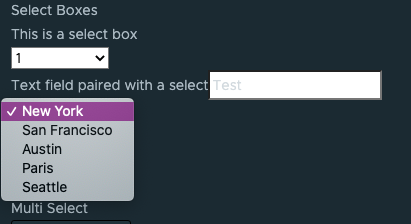
What am I missing?
hippee-lee
on 1 Feb 2021
They are not dark themed.
RoelRoel
on 1 Feb 2021
@hippee-lee I was hoping for something like this, like it was in v3:

rogerfar
on 1 Feb 2021
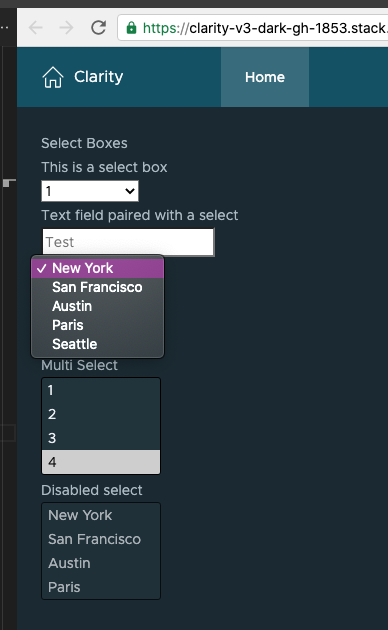
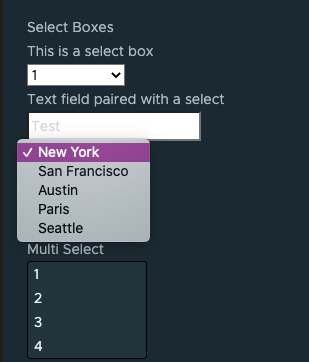
Clarity doesn't set any style for the background color of the options ... that comes from the OS. When I switch my macOS appearance to Dark, this is what a demo with Clarity v3 looks like:
Dark
Light
I didn't go through all of the browsers but expect they will behave similar.
hippee-lee
on 2 Feb 2021
Odd that it does work on the multi selects, it's the same thing but with an added attribute as a regular select.
rogerfar
on 2 Feb 2021
The options dropdown _thing_ (not a technical term) is owned by the OS, not the browser. Some browsers do allow css to set style, others do not. Since it is owned by the OS we let it be.
I'm going to close this as its not something we have control over. Please lmk if you have a reason to keep it open.
hippee-lee
on 2 Feb 2021
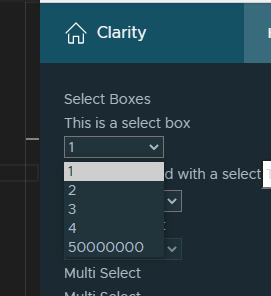
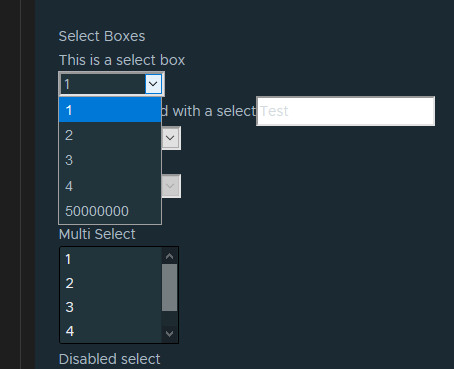
I don't think that's entirely true, why design all other elements to have dark backgrounds, but the select?
This code works fine for all browsers in Windows:
https://stackblitz.com/edit/clarity-v4-dark-theme-dhwreq?file=src%2Fstyles.css
Chrome:
Firefox:
rogerfar
on 2 Feb 2021
That code will not work at all in Safari or chrome on macOS.
hippee-lee
on 2 Feb 2021
Does that matter?
RoelRoel
on 2 Feb 2021
This is a really old issue. In the last discussion about select option backgrounds that I remember, we didn't want to implement styles that were not consistent across all browsers/OSes.
That said, I looked back at v2, v3 and v4 on macOS: Safari, Chrome and Firefox and Windows: Edge, Firefox and Chrome and it doesn't look like we have ever implemented a background-color for select options in any of those versions. We do however have it implemented in the new Core select components.
Since this issue was about option text not being visible I'd like to leave it closed because option text is currently visible in light / dark themes for @clr/ui on all supported OSes and browser combos.
If the request is to have the background color for select options be specific to the themes for the browsers that support it, please open up a new issue and request it there so we can keep this issue separate from the enhancement request.
hippee-lee
on 3 Feb 2021
Related issues
 thojo
·
3Comments
thojo
·
3Comments
 ph55
·
3Comments
ph55
·
3Comments
 clane
·
3Comments
clane
·
3Comments
 Thatkookooguy
·
3Comments
Thatkookooguy
·
3Comments
 reddolan
·
3Comments
reddolan
·
3Comments