Citra: [BUG] Majora's Mask 3D Bloom is rendered by Hardware IR, which bugs it up
I'm unsure if this has been reported, I did use Github's search and found no mention of bloom at all, at least not for Majora's Mask 3D.
I am using Citra Nightly #901, although this bug was there even in the Nightly #880 (somewhere around there) version.
Specs may be irrelevant, but I'll post them;
1920x1080 resolution, 60hz monitor.
Nvidia GTX 660 Ti, provided by EVGA.
Intel i7 2600k, not user modified to be overclocked (meaning it is at 3.40ghz and 3.80ghz, not less or above)
So, just like in Dolphin itself with Twilight Princess (GC and Wii), bloom in this game is broken up when you change the Internal Resolution (IR).
I am unsure if Majora's Mask 3D uses other Post-Process such as sun glares, godrays or the like and if those also get broken, again just like in Twilight Princess.
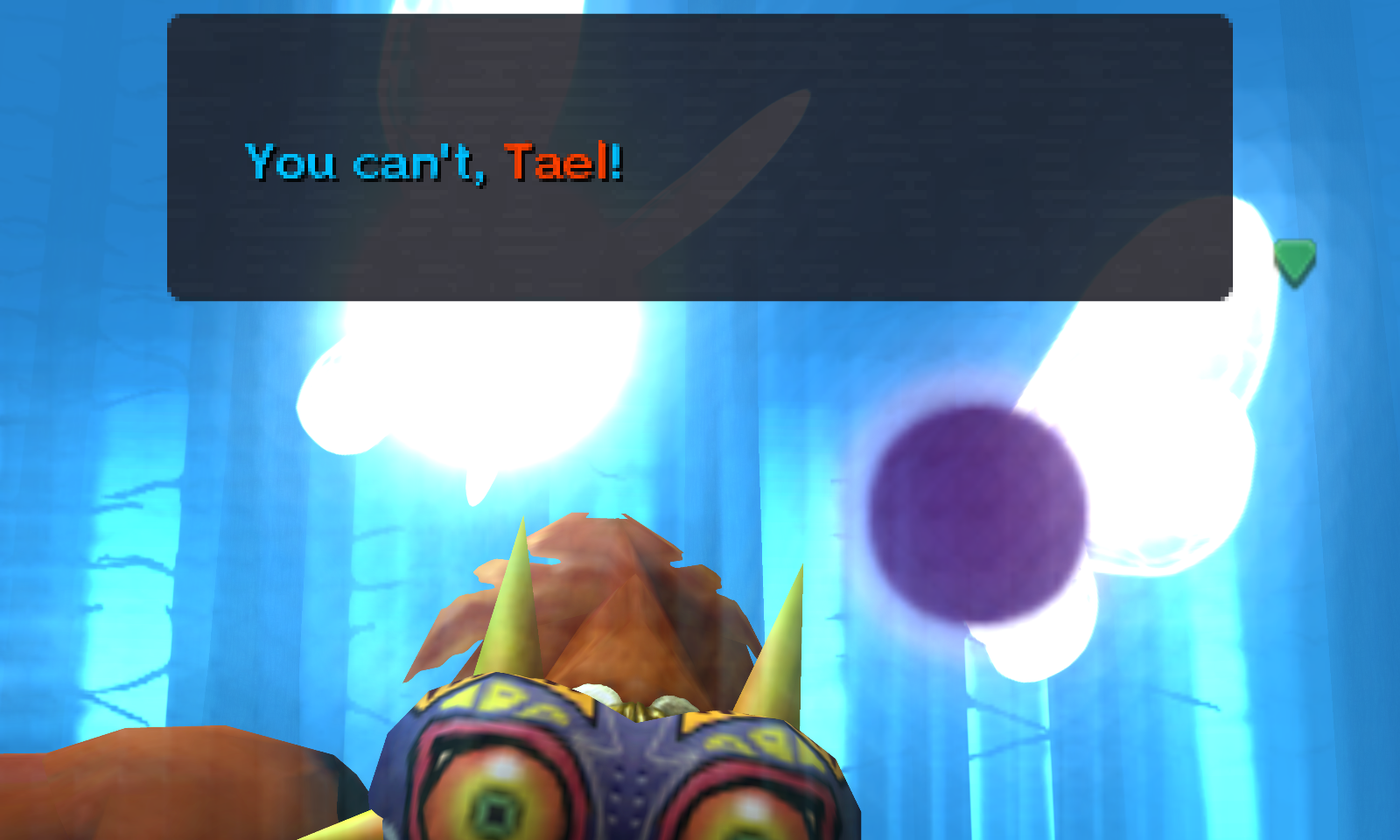
This is a part of Majora's Mask 3D, this one runs at 10x Native Resolution to emphasize on the broken bloom;

Here, same location with almost the same angle (Save for Link's idle animations), at the native resolution;

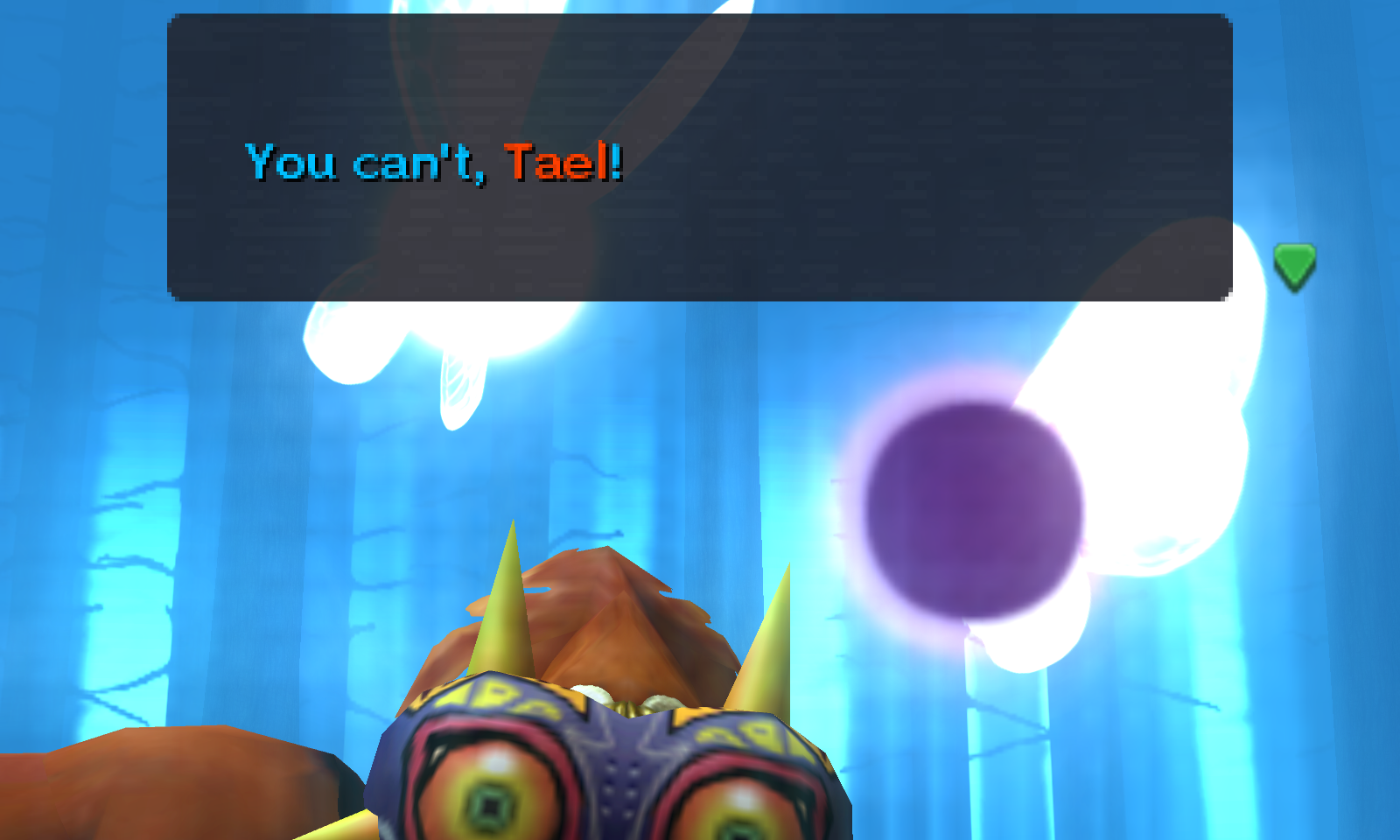
This one is at the IR I'm using right now, which is Auto (3x or 4x, I suppose?)

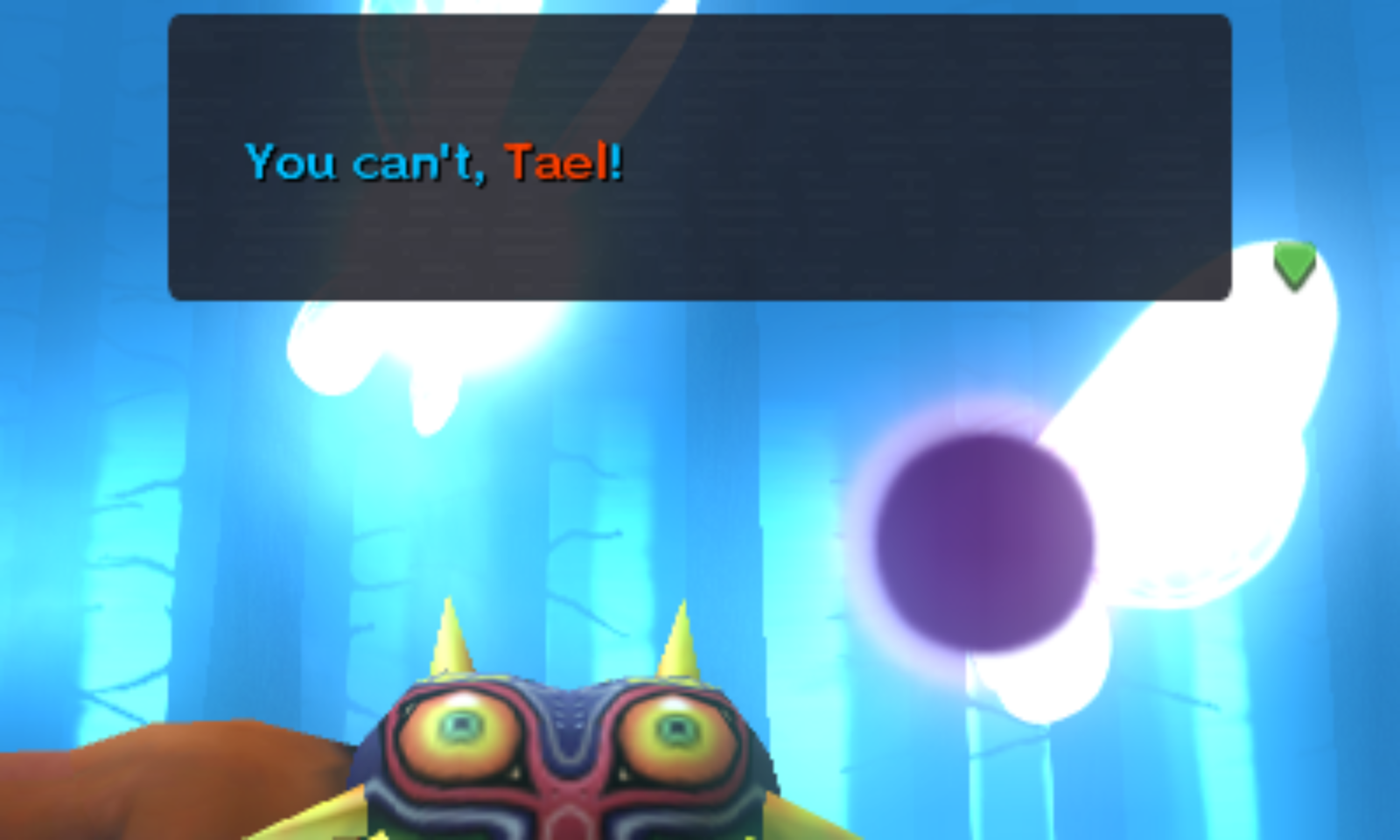
By the way, this can actually be easily seen/tested for those who have MM, too. The bloom appears already from the start, you can see "checkerboards" on the trees, as seen here;
Native
10x
Auto
 Blitzoreo
All 2 comments
This is a side-effect of the sample locations being stretched up. There is very little you can do here; the game was simply programmed and tested at lower IRs only.
 magcius
on 9 Apr 2019
magcius
on 9 Apr 2019
I happens in Pokémon Sun/Moon too. PPSSPP solved this issue with an option called "lower resolution for effects". It upscales everything but some effects, like bloom, that don't cope well with upscaling.
 DonelBueno
on 30 Apr 2019
DonelBueno
on 30 Apr 2019
Related issues
 EddyHg80
·
3Comments
EddyHg80
·
3Comments
 Gamemulatorer
·
4Comments
Gamemulatorer
·
4Comments
 ghost
·
3Comments
ghost
·
3Comments
 Atsuraelu
·
3Comments
Atsuraelu
·
3Comments
 Shuliyey
·
3Comments
Shuliyey
·
3Comments
Most helpful comment
This is a side-effect of the sample locations being stretched up. There is very little you can do here; the game was simply programmed and tested at lower IRs only.