Citra: [GUI Enhancement suggestion] New Input tab concept
Hi everyone, I heard that the input tab is a mess so I wanted to give an idea on how it could be redone.
(sorry for the big images)
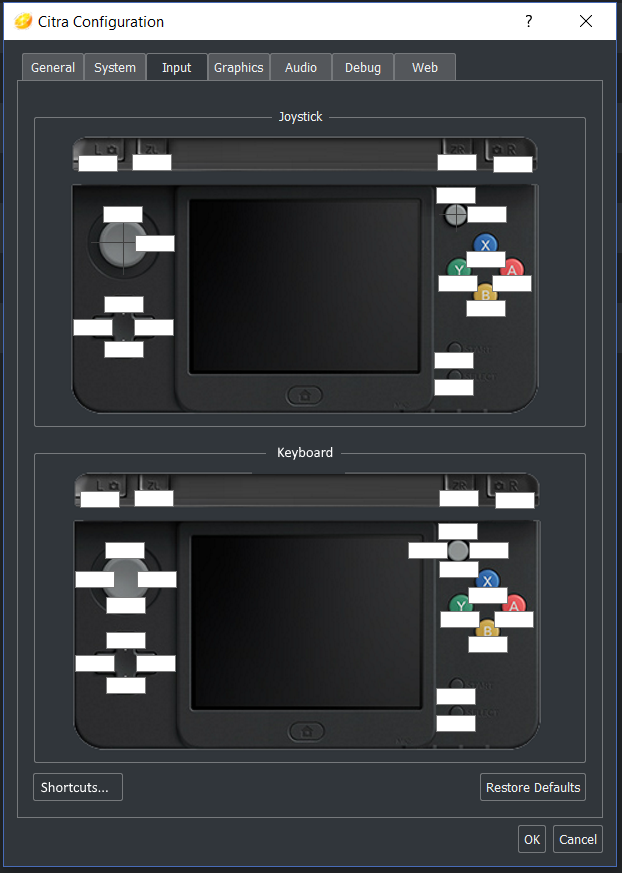
As you can see there are 2 sets of config, one for the keyboard/mouse/whatever, and one for the Joystick. So if you set the joystick but you don't have it near you and you just want to play a quick game you don't have to reset everything (or swap a prepared config file for the keyboard).
This layout is inspired by mGBA'gui, which has also a "shortcut" tab
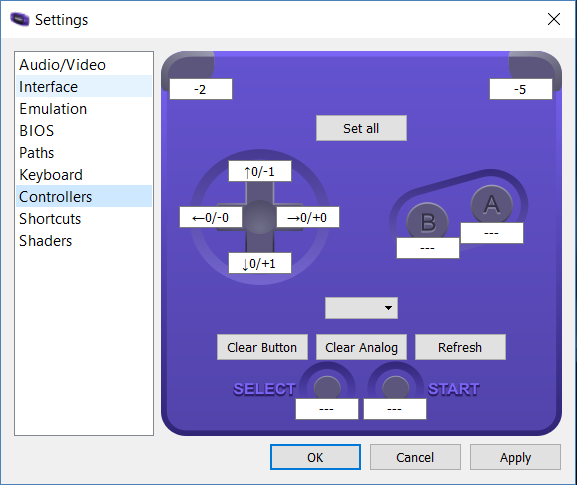
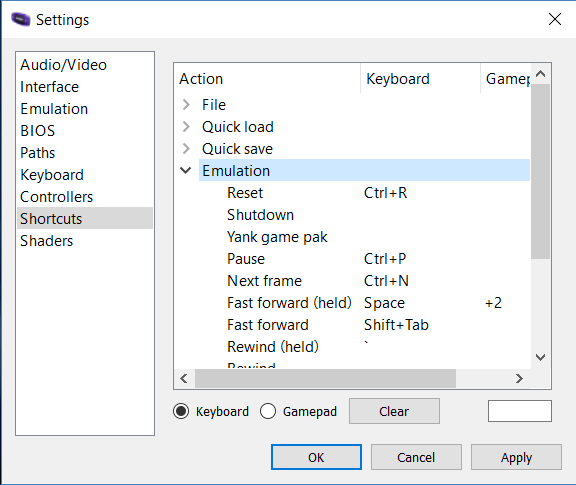
So I added a button in the bottom left corner: this is where you would set all the different shortcuts for File and View actions, as well as hotkey for pull requests like #3594
 EddyHg80
All 3 comments
Thanks for the input. This is on my todo list, but up until today i've been bogged down with multiplayer ui fixes. I've already made a svg for the input configuration page, and redesigned the configuration ui as discussed in https://github.com/citra-emu/citra/issues/1182 . Hopefully I'll have some more to show on this soon, since multiplayer UI is now merged 🎉
 jroweboy
on 19 Apr 2018
jroweboy
on 19 Apr 2018
Just remembered that I have a copy of the n3ds svg that I made here: https://github.com/jroweboy/citra/blob/input-config-2/dist/n3ds_controller_config.svg Instead of over laying the input boxes on the image as mGBA does, I plan to highlight the current binding button in red. For axis binding, I plan to have an arrow to indicate the direction that you are binding.
I'm currently not sure how much of this will end up being possible, as from what I've seen, Qt doesn't have the best svg support, so maybe some of this just won't be possible. Who knows :)
jroweboy
on 19 Apr 2018
It's nice to see that you were already working on this, thanks for sharing with us! And thanks in general for the work you guys do :smile:
EddyHg80
on 19 Apr 2018
Related issues
 zaranrapu
·
4Comments
zaranrapu
·
4Comments
 ANTHENA-CITRA
·
3Comments
ANTHENA-CITRA
·
3Comments
 Atsuraelu
·
3Comments
Atsuraelu
·
3Comments
 Hamburgefonts
·
4Comments
Hamburgefonts
·
4Comments
 Schplee
·
3Comments
Schplee
·
3Comments
Most helpful comment
Thanks for the input. This is on my todo list, but up until today i've been bogged down with multiplayer ui fixes. I've already made a svg for the input configuration page, and redesigned the configuration ui as discussed in https://github.com/citra-emu/citra/issues/1182 . Hopefully I'll have some more to show on this soon, since multiplayer UI is now merged 🎉