Citra: Gravity Falls Legend of the Gnome Gemulets - Crashs With Shader JIT On
I think I have found a problem with the Shader JIT.
I'm using Citra Master-6edb024 and the game is Gravity Falls Legend of the Gnome Gemulets.
If you try to play it with the Shader JIT on, Citra will crash.

Here is what the log in the console window says.

If you turn it off the game will start up and you can get in game, however, the game is still not playable, because all of the characters/enemies are invisible.

Turning the Shader JIT back on while the game is running will cause Citra to crash as well, but no errors are printed to the console window.

When I Debug Citra I get this.

I'm sorry if any of this is not list correctly. It's my first time posting an issue and I'm not completely sure how it's done.
 Kumoashi
All 17 comments
hmm... i remember i play this game without problem not so long time ago
 mailwl
on 10 Dec 2016
mailwl
on 10 Dec 2016
This is also influenced by geometry shaders which probably would make the characters visible (seperate issue). Not sure about the JIT crash though.
 JayFoxRox
on 10 Dec 2016
JayFoxRox
on 10 Dec 2016
I can post the invisible characters as a separate issue if you like, but maybe I should wait until the crash is addressed first, to make sure that doesn't have some sort of affect on it as well.
Kumoashi
on 10 Dec 2016
RSP = 3 yay for stack corruption
 Subv
on 10 Dec 2016
Subv
on 10 Dec 2016
Does this still happen on current master? If it does, then what if with #2520?
 wwylele
on 3 Feb 2017
wwylele
on 3 Feb 2017
now other place of crash:

mailwl
on 3 Feb 2017
@mailwl both master and #2520 crashes at the same place?
wwylele
on 3 Feb 2017
yes, the same (memory addresses always differs, but code equals)
Visible registers:
AL: 15
BL: B0
RAX: 0x0000000000000015
RCX: 0x00007ff79cb236b0
mailwl
on 3 Feb 2017
The game seems to crash quicker now then before. I wish I was able to get the debug working right, so that I could provide more info. What I do get, seems to match what mailwl is getting for the most part.

Kumoashi
on 4 Feb 2017
If you don't run this with interleaved GS invocations the flow could be all wrong..
Also by the nature of the jit, this is as much debugging output as you'll get.
If you want to contribute anything useful to this topic check if this is fixed with the proper GS flow (hard) or by at least dumping the faulty shader (using the interpreter and the pica shader debugger).
JayFoxRox
on 4 Feb 2017
@JayFoxRox may you write little tutorial, how to do it? It will be very useful
mailwl
on 5 Feb 2017
@JayFoxRox I'm sorry, but I don't understand what most of that means. Could you explain it further, or give me a link that can help? I will gladly post my results, if I can figure out how to do what your saying.
Kumoashi
on 6 Feb 2017
Just out of curiosity, has there been any updates on fixing the Shader JIT crashes? I can still try to provide more info if someone can tell me how to get it.
I'm now running Citra on a much better laptop then I was before, so testing games doesn't take as long to do now. I have VisualStudio up and running, but I haven't reinstalled CMake yet.
Kumoashi
on 10 May 2017
I know the problem hasn't been fixed yet, but I figured that I would upload an updated copy of the crash log for this game in the hopes that it will help.
With Citra Canary:
log.txt
Citra Nightly:
log.txt
Edit: Added slightly longer log files.
Kumoashi
on 16 Dec 2017
I think this game has the same issue as https://github.com/citra-emu/citra/issues/3244. They are both Ubisoft titles and both crash before even showing the main menu. The only difference is that https://github.com/citra-emu/citra/issues/3244 shows some loading screens before crashing.
 FearlessTobi
on 16 Dec 2017
FearlessTobi
on 16 Dec 2017
Just a quick update.
Gravity Falls still crashes on latest Nightly build.
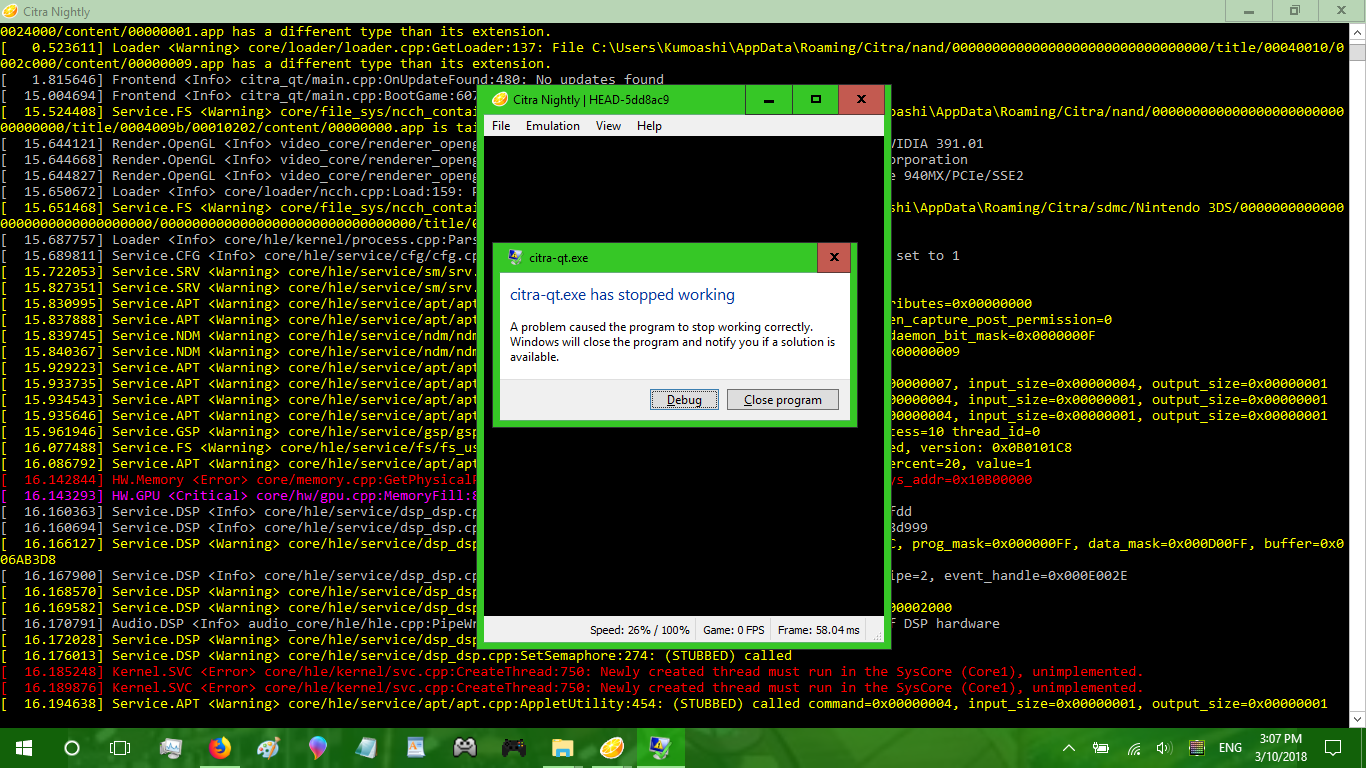
It, however, runs as intended on the latest Canary build.
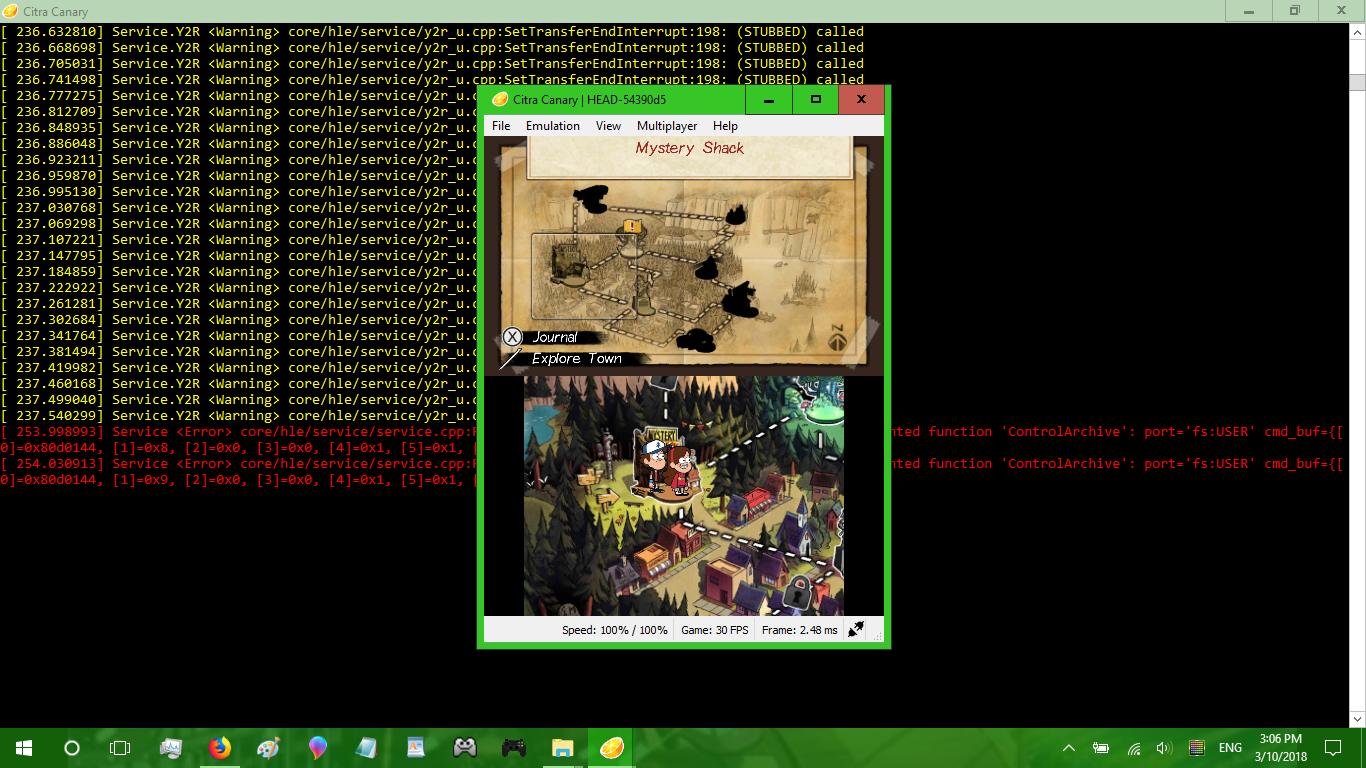
So, it seems that as soon as the new GPU related features are implemented into the Nightlys, then this issue can finally be closed. Of course, it still crashes while using CPU Shaders or the Software Backend, so maybe not.
Kumoashi
on 10 Mar 2018
still happens in the latest nightly
 benderscruffy
on 5 Jan 2019
benderscruffy
on 5 Jan 2019
Related issues
 teogorghin
·
3Comments
teogorghin
·
3Comments
 animekai
·
3Comments
animekai
·
3Comments
 ANTHENA-CITRA
·
3Comments
ANTHENA-CITRA
·
3Comments
 KillzXGaming
·
3Comments
KillzXGaming
·
3Comments
 Schplee
·
3Comments
Schplee
·
3Comments
Most helpful comment
RSP = 3yay for stack corruption