CircuitVerse Doesn't Work on Mobile Devices
Describe the bug
On mobile devices, you can't use the simulator!
To Reproduce
Steps to reproduce the behavior:
- Go to CircuitVerse on a mobile device
- Go to the simulator
- Try to use it
- You'll have a hard time using it
OR
- Go to CircuitVerse on your browser
- Inspect Element
- Change Size to be similar to that of a mobile device
- Go to the simulator
- Try to use it
- You'll have a hard time using the simulator
Expected behavior
I expect that using the simulator on any device should be easy and effortless. However, so much as trying to drag an input onto the circuit is frustrating and incredibly difficult.
Screenshots
I can't really provide screenshots.
Desktop (please complete the following information):
- OS: Android (But this issue should be across all mobile devices)
- Browser: Chrome
- Version: 79.0
Additional context
No additional context.
Are you working on this issue? (Yes/No)
No.
 NumberC
All 21 comments
I suggest just disabling the simulator on mobile and displaying a message to use a desktop. Adding mobile compatability would be a huge job without much of a target audience, and a mobile screen is too small and quite unoptimised for this task
 JoshHeng
on 2 Jan 2020
JoshHeng
on 2 Jan 2020
On our Slack we disused and like a @JoshHeng said there is no point of making simulator mobile-friendly, I will work on blocking it to mobile users
 MrBartusek
on 3 Jan 2020
MrBartusek
on 3 Jan 2020
@MrBartusek Note that the circuit previewing should still work (which is done through an iframe)
JoshHeng
on 3 Jan 2020
@MrBartusek Instead of just disabling the simulator in previews, instead maybe show the circuit image that is saved.
 satu0king
on 5 Jan 2020
satu0king
on 5 Jan 2020
@satu0king this page triggers only when edit.html.erb is requested, did it broke something?
MrBartusek
on 5 Jan 2020
@satu0king Does the circuit preview need to be interactive? Because then the image method wouldn’t work (or we could do one image per combination of inputs)
JoshHeng
on 5 Jan 2020
@satu0king this page triggers only when
edit.html.erbis requested, did it broke something?
Oh my bad
satu0king
on 5 Jan 2020
A better option could maybe be to show the user the interactive/embedded version of the circuit on mobile devices, which doesn't have the controls.
(For example showing this https://circuitverse.org/simulator/embed/42961 with a message at the top saying the circuit is only editable if a larger screen or computer is used)
JoshHeng
on 5 Jan 2020
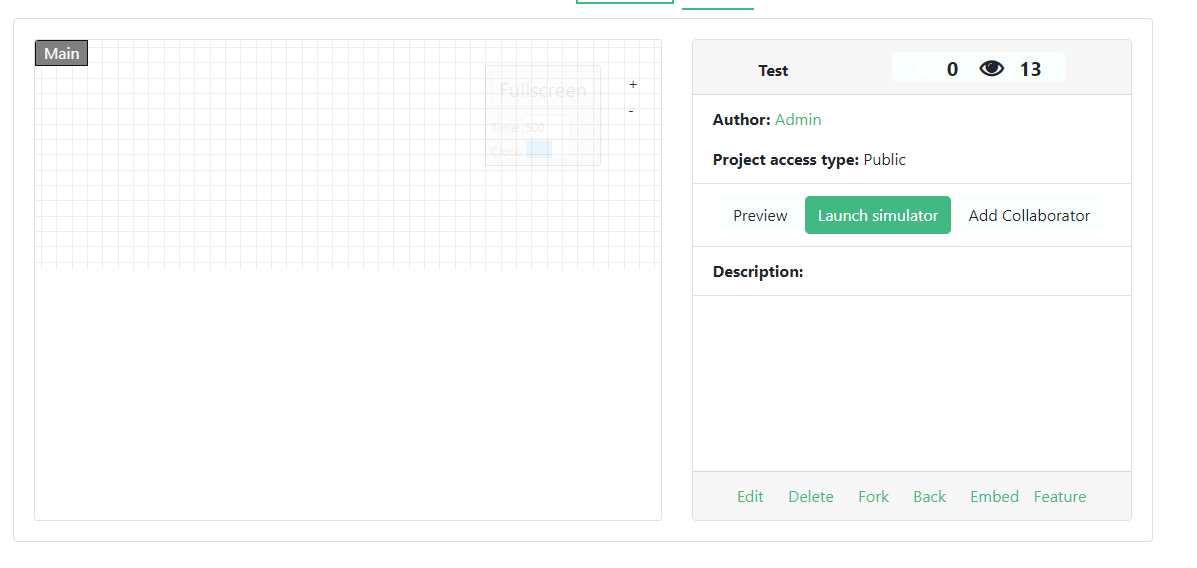
@JoshHeng edit.html.erb (the file where detection is triggered) is renderd only when user request:
/simulator which is rendering SimulatorController#new
/simulator/edit/:id which is rendering SimulatorController#edit
So user is blocked only when he click Edit or Launch Simulator on the project page (which have a preview build-in) or when he creates completely empty project so I don't see any sense in this change
MrBartusek
on 5 Jan 2020
What about instead of redirecting them to another page, you just forbid them from clicking on any of the circuits (Inputs, Outputs, Gates, etc.)?
NumberC
on 5 Jan 2020
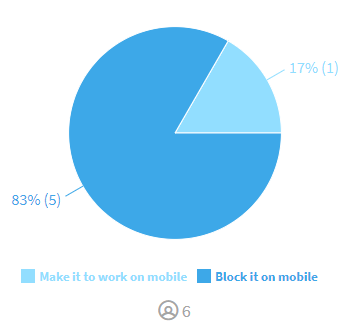
@NumberC The whole simulator on small screens is broken so I don't think there is any sense of doing that. For this moment we don't have plans to support simulator as slack poll says
MrBartusek
on 5 Jan 2020
Currently, is the embeded view working? I thought it wasn't working.
NumberC
on 5 Jan 2020
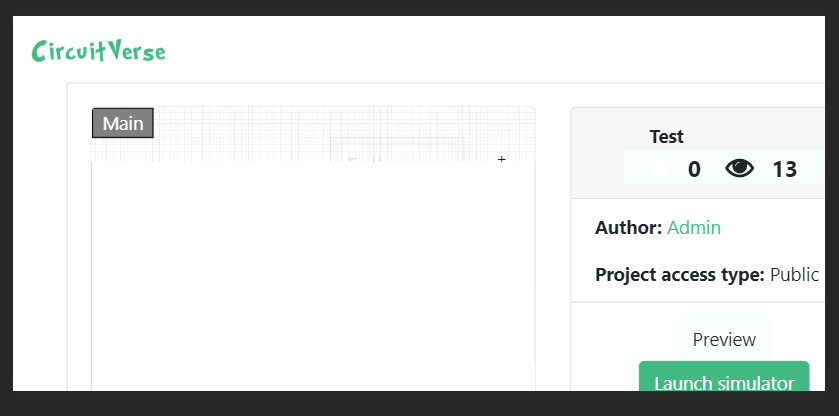
@NumberC all photos made on chrome dev tools phone emulator
Simulator - Blocked
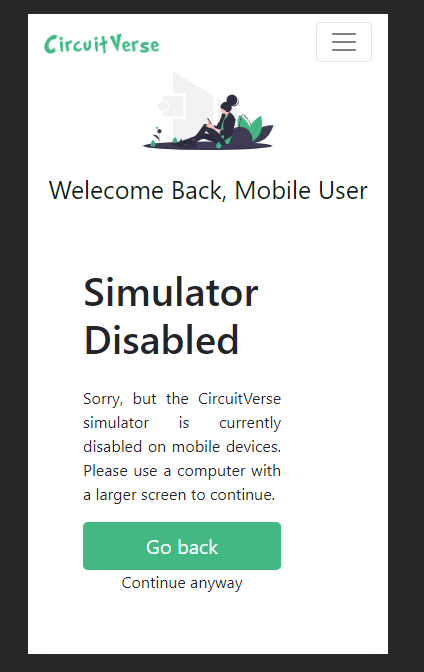
Embed - Working

Project View - Working but, not related UI issues
MrBartusek
on 5 Jan 2020
Oh, ok. Sorry, disregard my suggestion. I thought the project view wasn't working due to a change
NumberC
on 5 Jan 2020
No problem
MrBartusek
on 5 Jan 2020
I would change the buttons to:
Go back to View Circuit
Continue anyway to Go back
View Circuit should go to the full screen, read-only embed page that I mentioned earlier. If you want, you can make another route (something like /simulator/view) which calls the same controller and does exactly the same thing.
Completely remove the ability to bypass the message as there is no need to give users access. So remove the cookies and all that code as it is unneeded and gives more things for the user's computer and server to do (such as requesting a completely new library from that CDN).
JoshHeng
on 5 Jan 2020
@JoshHeng I moved it to Slack
MrBartusek
on 5 Jan 2020
No activity on this issue for a prolonged duration, will be closed if no further activities in next 7 days
![github-actions[bot] picture](https://avatars.githubusercontent.com/in/15368?v=4&s=40) github-actions[bot]
on 6 Mar 2020
github-actions[bot]
on 6 Mar 2020
Should not close this issue. Once someone removes conflict in #810 by rebasing, then merging will automatically close this issue.
 ciphereck
on 6 Mar 2020
ciphereck
on 6 Mar 2020
Should not close this issue. Once someone removes conflict in #810 by rebasing, then merging will automatically close this issue.
@JoshHeng
MrBartusek
on 6 Mar 2020
No activity on this issue for a prolonged duration, will be closed if no further activities in next 7 days
github-actions[bot]
on 10 May 2020
Related issues
 tachyons
·
7Comments
tachyons
·
7Comments
 ankitkataria
·
4Comments
ankitkataria
·
5Comments
ankitkataria
·
4Comments
ankitkataria
·
5Comments
 ryuk156
·
4Comments
satu0king
·
5Comments
ryuk156
·
4Comments
satu0king
·
5Comments