Cht-core: Show locale selector on login page
What feature do you want to improve?
Currently on first run we show the login page in the instance default locale because we don't know what user is looking at the page yet. Once they've logged in we show a modal in the webapp to pick a language. If they change the language then we update the user settings doc so it'll be persisted for future sessions. Because the user settings doc is updated it needs to be replicated down which then prompts the user to refresh to get any changes. This is not a nice user experience.
Describe the improvement you'd like
If we give users a way to set their language before logging in then we can update the user settings doc before they've replicated it and do away with the in app modal _and_ the update app modal.
Describe alternatives you've considered
Alternatively you could leave the modal where it is and attempt to detect when the user settings doc hadn't changed in any important way, but this is more technically complex and only removes one of the two modals.
Additional context
Once #5954 is done then it'll be possible to translate the login page dynamically when the user changes their language which will help if they don't understand the default language.
 garethbowen
All 16 comments
Low priority because it only affects first run experience.
garethbowen
on 9 Mar 2020
@michaelkohn @n-orlowski I prototyped a solution to this while stuck in an airport somewhere and would love some feedback on if you think this is an improvement on the current workflow and if there are further improvements that could be made.
Current process
- Login
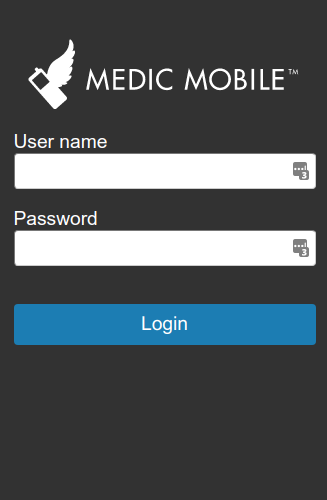
- Select Hindi from the modal dialogue
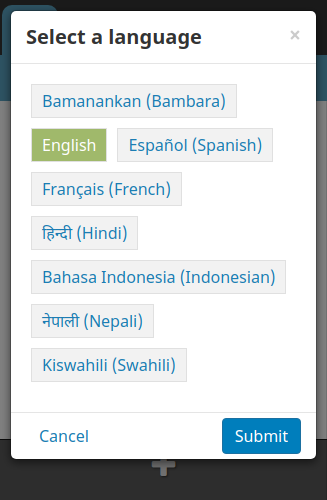
- See tour options
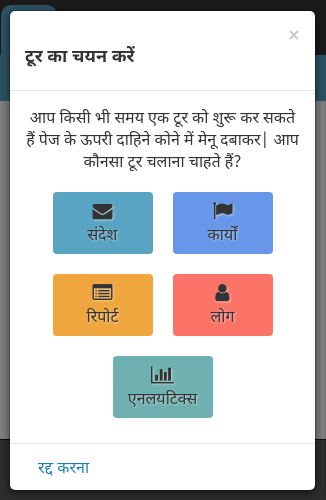
Prototype
- Select language and login
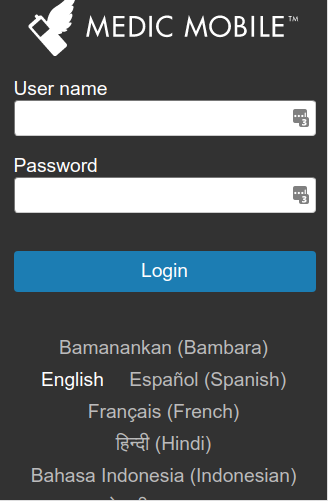
- Go straight to the tour select modal with your selected language
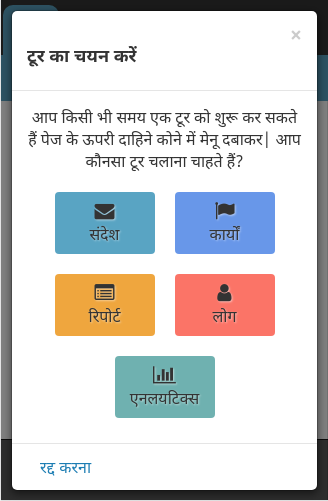
I think this is a better process because...
- There is one fewer modal dialogue.
- The app loading messages are translated into the user's selected language rather than default.
- Once #5954 is done even the login page elements will be able to be translated to the user's language pre-login.
- Once #6281 is done there will likely only be a couple of options to choose from rather than the eight shown in the screenshot above. If there is only one available language then the selector isn't shown.
One downside is if the user forgets to select a language then it's more difficult to find out how to set the language in the app, however this applies to if the user dismisses the dialogue in the current implementation.
garethbowen
on 16 Mar 2020
Cool! I like the idea of one less modal but do think that it seems easier for a user to miss the selection as it's below the login CTA. A couple of solutions could be to include languages in a dropdown above the button or if there are less than 3 options then maybe something like this
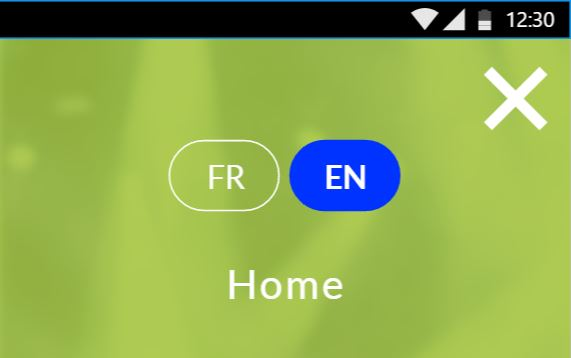
that could also update the language of the login text fields and button as an initial demonstration of its function
 n-orlowski
on 16 Mar 2020
n-orlowski
on 16 Mar 2020
that could also update the language of the login text fields and button as an initial demonstration of its function
That's being worked on in #5954
include languages in a dropdown
I thought about that but wanted to show the user's language up front so they would see something they recognised and click it. For example, if the default is English then the dropdown will show "English" (or "EN") which may not mean much to someone who speaks Swahili.
I took the Facebook login page for inspiration, which looks like this:

garethbowen
on 16 Mar 2020
Are we able to detect the language of the user's browser/device? It could be nice to automatically set the language of the app to the language that the user has already set on their browser or device (but still let them change it if they want). If the language they have set in their browser or device doesn't exist in the app, set the app language t to English but let them choose others.
 michaelkohn
on 17 Mar 2020
michaelkohn
on 17 Mar 2020
It is possible, but does not necessarily match one to one with the locale codes we use in the app. I think the default language for the project is likely to be a better default than the language configured on the device as most projects only fully support one language anyway.
garethbowen
on 17 Mar 2020
For example, if the default is English then the dropdown will show "English" (or "EN") which may not mean much to someone who speaks Swahili.
Makes sense; my thoughts were that the default would be blank and that a user would need to open the dropdown to make a selection and recognize their language. Also not opposed to the list of languages all displayed but think they should look more like a selection instead of links (if the links don't change the language of the log in, similar to the Facebook example).
I would still suggest placement above the button so the order of actions taken is chronological to the specific elements.
n-orlowski
on 17 Mar 2020
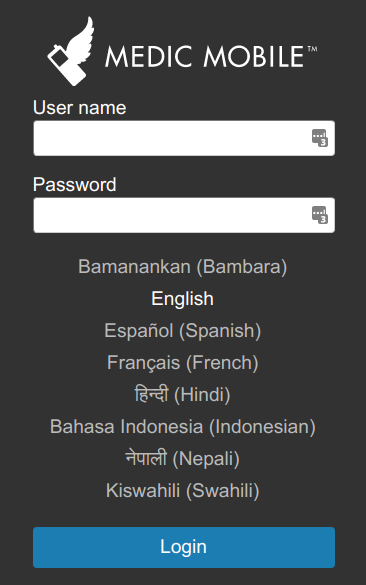
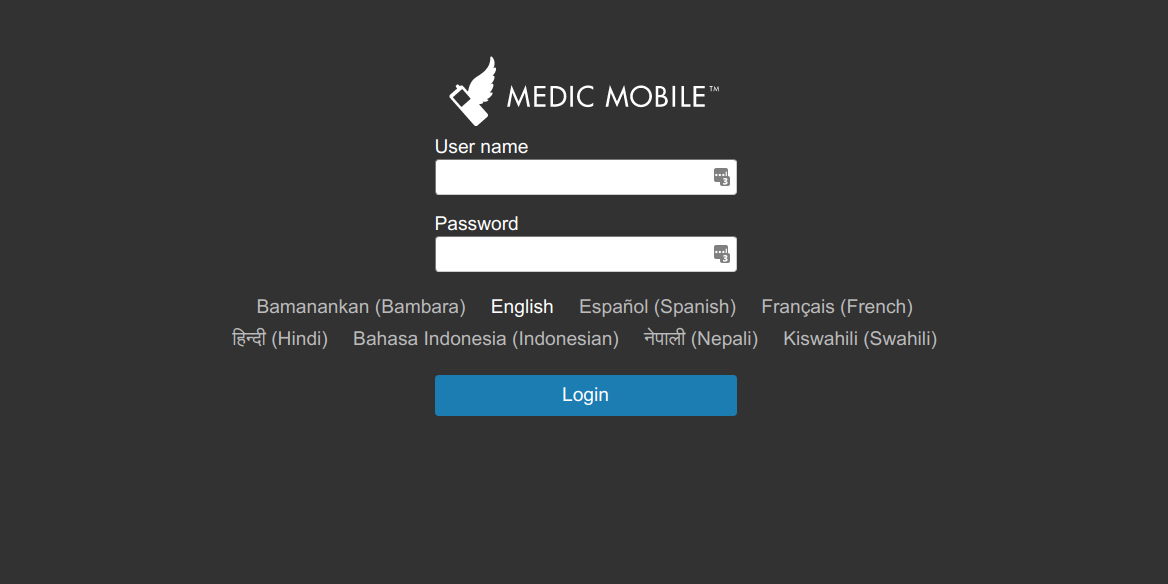
@n-orlowski Updated design, please let me know what you think!
Mobile
Desktop
garethbowen
on 17 Mar 2020
Confirming I misunderstood this and the initial layout makes sense, sorry @garethbowen !
n-orlowski
on 18 Mar 2020
Looks great!
michaelkohn
on 18 Mar 2020
Ready for AT in 6280-locale-selector-on-login
garethbowen
on 25 Mar 2020
This PR also implements the dynamic translation on the login page so if the user selects their language then the entire form will be immediately translated.
garethbowen
on 25 Mar 2020
LGTM
One little thing @garethbowen, should this Bambara translation be shipped with the app or it is to be configured?
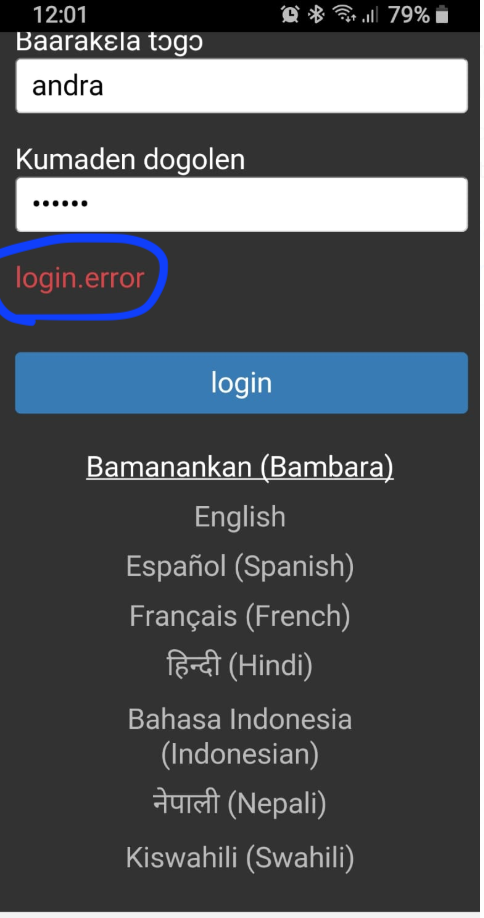
 ngaruko
on 15 Apr 2020
ngaruko
on 15 Apr 2020
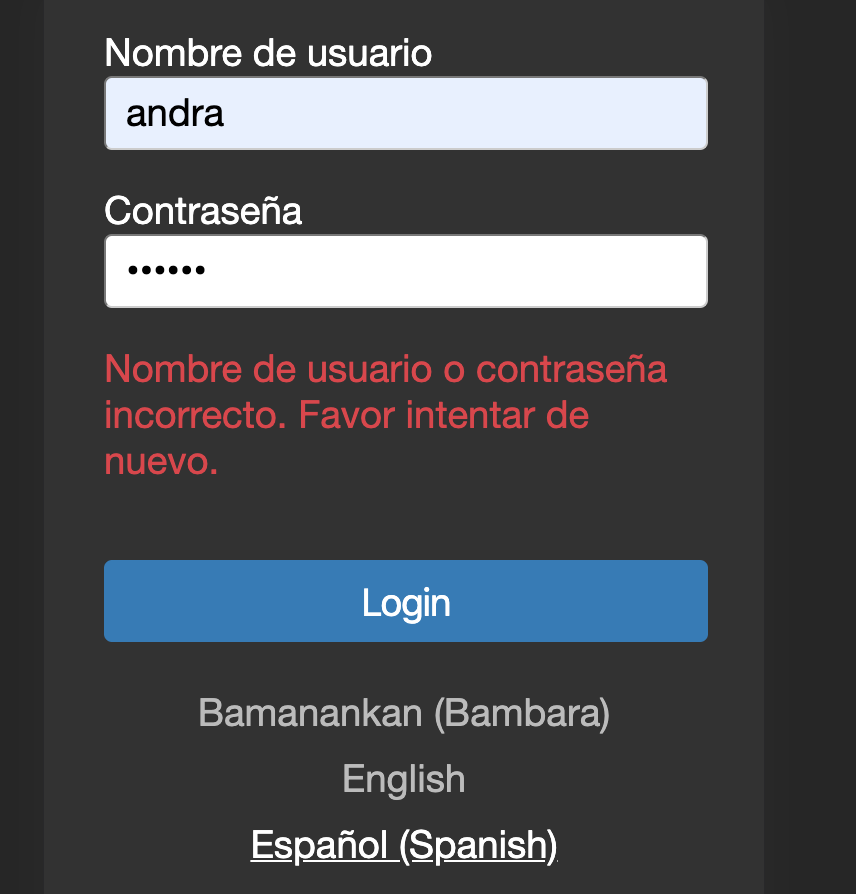
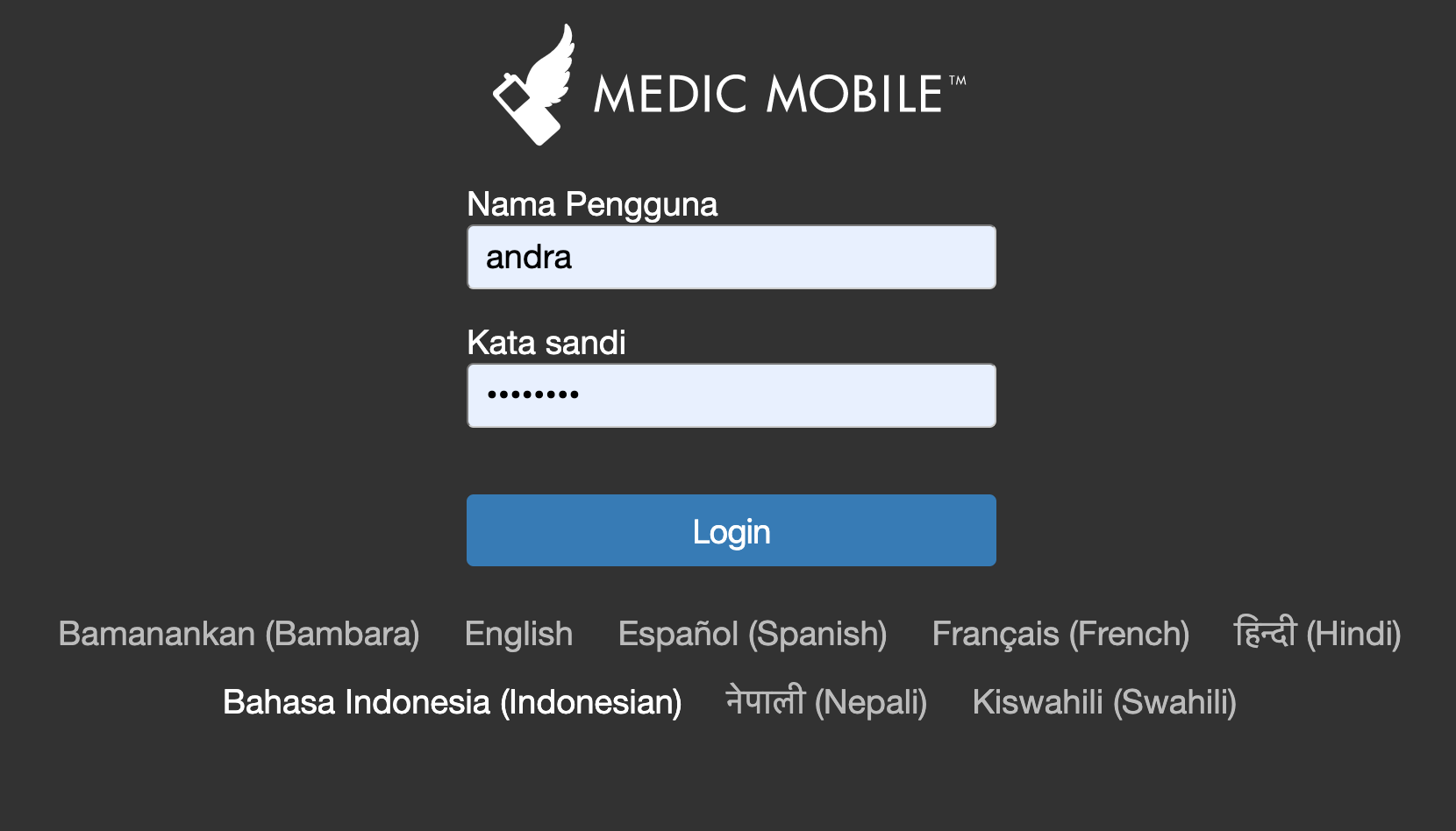
The login button translation seems also inconsistent :
*Not translated in Bambara
<br />
ngaruko
on 15 Apr 2020
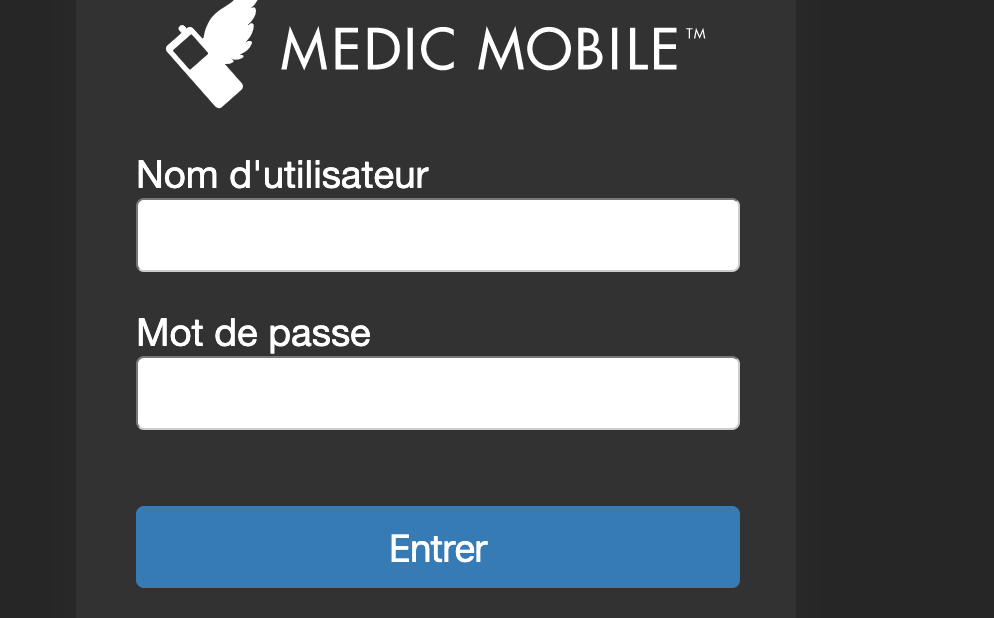
That's all configurable. Try setting the translations and make sure the login page is updated. NB: Make sure you clear your service worker cache fully before checking - until #6338 is done the cache doesn't clear automatically when config is changed.
garethbowen
on 15 Apr 2020
Good to merge then @garethbowen ...
ngaruko
on 15 Apr 2020
Related issues
 alxndrsn
·
31Comments
alxndrsn
·
31Comments
 sglangevin
·
35Comments
sglangevin
·
35Comments
 MaxDiz
·
31Comments
MaxDiz
·
31Comments
 mrjones-plip
·
37Comments
mrjones-plip
·
37Comments
 amandacilek-zz
·
39Comments
amandacilek-zz
·
39Comments
Most helpful comment
This PR also implements the dynamic translation on the login page so if the user selects their language then the entire form will be immediately translated.