Cherrytree: (0.99.14 Linux) Tables disappear and reappears when I switch nodes or when I restart the app
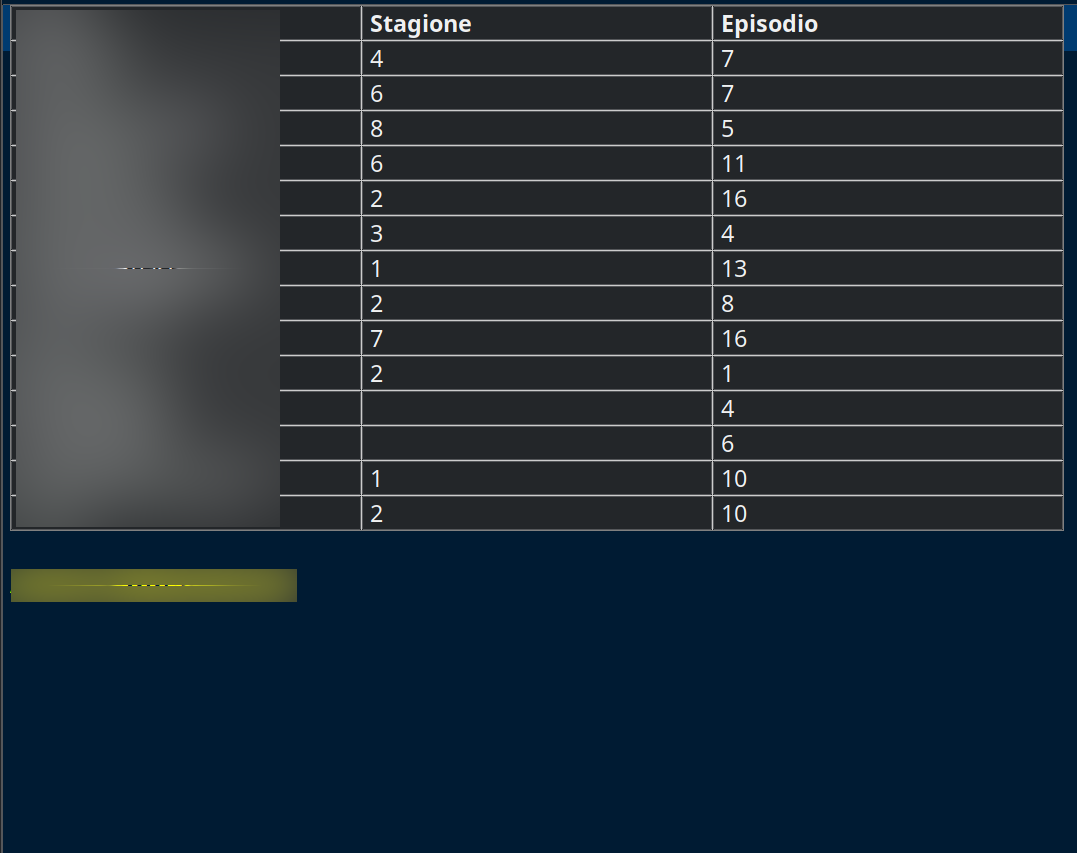
Tables appear and disappear when I switch nodes or when I restart the app
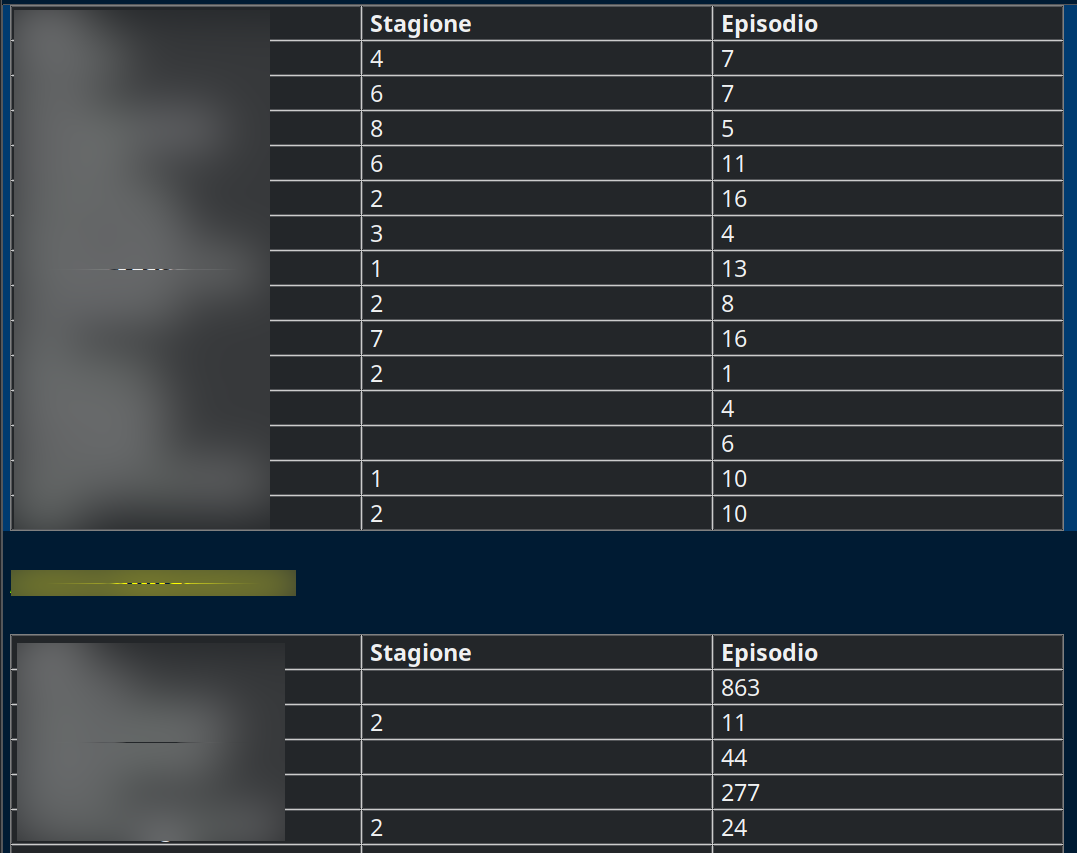
When I restart it disappears
If then I restart again it reappears again
 Salvaju29ro
All 37 comments
I cannot reproduce with 0.99.14 in linux/KDE.
To be confirmed.
Which linux distribution ?
 ciranus
on 2 Oct 2020
ciranus
on 2 Oct 2020
I cannot reproduce with 0.99.14 in linux/KDE.
To be confirmed.Which linux distribution ?
Operating System: Arch Linux
KDE Plasma Version: 5.19.5
KDE Frameworks Version: 5.74.0
Qt Version: 5.15.1
Kernel Version: 5.8.12-arch1-1
OS Type: 64-bit
It is not something that happens every time I restart the software
Salvaju29ro
on 2 Oct 2020
Then https://aur.archlinux.org/packages/cherrytree/ .
Are you the only Arch user observing this issue ? (tbc on arch forum ?).
It looks like a drawing issue because the table data is not lost.
ciranus
on 2 Oct 2020
Quindi https://aur.archlinux.org/packages/cherrytree/ .
Sei l'unico utente di Arch a osservare questo problema? (da confermare su arch forum?).
Sembra un problema di disegno perché i dati della tabella non vengono persi.
Yes, I installed it from aur
I honestly don't know if other Arch users have this problem
They are not lost
It happened to me that the bottom table ended up behind the top one
But that's not a serious problem, because they reappear when the app is restarted
Salvaju29ro
on 2 Oct 2020
Can you try with a different theme ? (see Preferences).
Or reset the gtk3 default settings ?
~/.config/gtk-3.0/
Or even with a fresh CT configuration ?
~/.config/cherrytree/
ciranus
on 2 Oct 2020
@Salvaju29ro , i saw the issue a few times, though usually switching between nodes puts tables in their places. I'll take a look
 txe
on 2 Oct 2020
txe
on 2 Oct 2020
Puoi provare con un tema diverso? (vedi Preferenze).
O ripristinare le impostazioni predefinite di gtk3?
~/.config/gtk-3.0/O anche con una nuova configurazione CT?
~/.config/cherrytree/
Thanks for the suggest, first of all.
I tried with a new cherrytree configuration and the problem reappeared, BUT as @txe said, switching from one node to another the table reappears
I also tried to change the theme (I changed the theme from Breeze to Default) and the problem returns.
But, as I said, it's not that bad because when you change the node the tables comes back
Salvaju29ro
on 2 Oct 2020
I definitively cannot reproduce this at all is my environment (currently ubuntu groovy / KDE).
Strange.
ciranus
on 2 Oct 2020
I definitively cannot reproduce this at all is my environment (currently ubuntu groovy / KDE).
Strange.
Honestly, I don't know what the reason is
@txe Do you have arch linux too? Maybe it's a problem that exists only on Arch
Although I don't see what "weird" Arch might have for being the only distro to have this problem
Salvaju29ro
on 2 Oct 2020
Yeah, I have Arch(manjaro) with XFCE
txe
on 2 Oct 2020
@Salvaju29ro
If you create a 100% new instance, create a table (no copy/paste from previous table), can you reproduce this issue ?
ciranus
on 2 Oct 2020
@Salvaju29ro
If you create a 100% new instance, create a table (no copy/paste from previous table), can you reproduce this issue ?
Trying with a new session and with new tables they don't seem to disappear
I will try for longer
Salvaju29ro
on 2 Oct 2020
These tables with problems, did you create them within cherrytree, or from some copy/paste from somewhere outside CT ?
ciranus
on 2 Oct 2020
These tables with problems, did you create them within cherrytree, or from some copy/paste from somewhere outside CT ?
With Cherrytree, but with the old version written in gtk2
Salvaju29ro
on 2 Oct 2020
What you can do for investigation, is to export the two nodes with tables (old&new) as Cherrytree document > XML format, open the xml file in a text editor, and see you don't find differences which could explain the gtk2/gtk3 table difference (if any).
Maybe useless investigation, but who knows....
ciranus
on 2 Oct 2020
What you can do for investigation, is to export the two nodes with tables (old&new) as Cherrytree document > XML format, open the xml file in a text editor, and see you don't find differences which could explain the gtk2/gtk3 table difference (if any).
Maybe useless investigation, but who knows....
Sorry for my incompetence, but when I export an xml file (archive type) it saves it to me in .ctd, is this normal or am I wrong something?
Salvaju29ro
on 3 Oct 2020
Yes that's normal, but it does not prevent you to open this file with a text editor.
ciranus
on 3 Oct 2020
These are the tables created with the old version (I opened the CTD file with Kate)
<?xml version="1.0" encoding="UTF-8"?>
<cherrytree>
  <node name="Serie in Corso" unique_id="1" prog_lang="custom-colors" tags="" readonly="0" custom_icon_id="0" is_bold="0" foreground="" ts_creation="1579528353" ts_lastsave="1601716318">
    <rich_text justification="left"></rich_text>
    <rich_text>

</rich_text>
    <rich_text scale="h2" foreground="#ffffffff0000" weight="heavy">Anime in Corso</rich_text>
    <rich_text>

</rich_text>
    <rich_text justification="left"></rich_text>
    <rich_text>


</rich_text>
    <table char_offset="0" justification="left" col_min="300" col_max="300">
      <row>
        <cell>The Good Doctor</cell>
        <cell>3</cell>
        <cell>20</cell>
      </row>
      <row>
        <cell>Gomorra</cell>
        <cell>4</cell>
        <cell>12</cell>
      </row>
      <row>
        <cell>Better Call Saul</cell>
        <cell>4</cell>
        <cell>10</cell>
      </row>
      <row>
        <cell>The 100</cell>
        <cell>6</cell>
        <cell>13</cell>
      </row>
      <row>
        <cell>Stranger Things</cell>
        <cell>3</cell>
        <cell>8</cell>
      </row>
      <row>
        <cell>Narcos: Messico</cell>
        <cell>2</cell>
        <cell>10</cell>
      </row>
      <row>
        <cell>Elite</cell>
        <cell>3</cell>
        <cell>8</cell>
      </row>
      <row>
        <cell>Sex Education</cell>
        <cell>2</cell>
        <cell>8</cell>
      </row>
      <row>
        <cell>Love, Victor</cell>
        <cell>1</cell>
        <cell>10</cell>
      </row>
      <row>
        <cell>Prison Break</cell>
        <cell>1</cell>
        <cell>22</cell>
      </row>
      <row>
        <cell>Blu Notte</cell>
        <cell>2</cell>
        <cell>1</cell>
      </row>
      <row>
        <cell>Skam</cell>
        <cell>4</cell>
        <cell>10</cell>
      </row>
      <row>
        <cell>Superstore</cell>
        <cell>2</cell>
        <cell>7</cell>
      </row>
      <row>
        <cell>Serie</cell>
        <cell>Stagione</cell>
        <cell>Episodio</cell>
      </row>
    </table>
    <table char_offset="19" justification="left" col_min="300" col_max="300">
      <row>
        <cell>Ace of Diamond Act II</cell>
        <cell>3</cell>
        <cell>46</cell>
      </row>
      <row>
        <cell>Haykyuu</cell>
        <cell>4</cell>
        <cell>13</cell>
      </row>
      <row>
        <cell>Major 2nd</cell>
        <cell>1</cell>
        <cell>25</cell>
      </row>
      <row>
        <cell>Boku no Hero Academia</cell>
        <cell>4</cell>
        <cell>25</cell>
      </row>
      <row>
        <cell>Detective Conan</cell>
        <cell></cell>
        <cell>495</cell>
      </row>
      <row>
        <cell>Chihayafuru</cell>
        <cell>3</cell>
        <cell>5</cell>
      </row>
      <row>
        <cell>Oreigaru</cell>
        <cell>3</cell>
        <cell>6</cell>
      </row>
      <row>
        <cell>Serie</cell>
        <cell>Stagione</cell>
        <cell>Episodi</cell>
      </row>
    </table>
  </node>
</cherrytree>
These are the tables created with the new version
<?xml version="1.0" encoding="UTF-8"?>
<cherrytree>
  <node name="Serie in Corso" unique_id="4" prog_lang="custom-colors" tags="" readonly="0" custom_icon_id="0" is_bold="0" foreground="" ts_creation="1601715990" ts_lastsave="1601716344">
    <rich_text justification="left"></rich_text>
    <rich_text>

</rich_text>
    <rich_text scale="h2" foreground="#ffffffff0000" weight="heavy">Anime in Corso</rich_text>
    <rich_text>

</rich_text>
    <rich_text justification="left"></rich_text>
    <table char_offset="0" justification="left" col_min="300" col_max="300">
      <row>
        <cell>The Good Doctor</cell>
        <cell>3</cell>
        <cell>20</cell>
      </row>
      <row>
        <cell>Gomorra</cell>
        <cell>4</cell>
        <cell>12</cell>
      </row>
      <row>
        <cell>Better Call Saul</cell>
        <cell>4</cell>
        <cell>10</cell>
      </row>
      <row>
        <cell>The 100</cell>
        <cell>6</cell>
        <cell>13</cell>
      </row>
      <row>
        <cell>Stranger Things</cell>
        <cell>3</cell>
        <cell>8</cell>
      </row>
      <row>
        <cell>Narcos: Messico</cell>
        <cell>2</cell>
        <cell>10</cell>
      </row>
      <row>
        <cell>Elite</cell>
        <cell>3</cell>
        <cell>8</cell>
      </row>
      <row>
        <cell>Sex Education</cell>
        <cell>2</cell>
        <cell>8</cell>
      </row>
      <row>
        <cell>Love, Victor</cell>
        <cell>1</cell>
        <cell>10</cell>
      </row>
      <row>
        <cell>Prison Break</cell>
        <cell>1</cell>
        <cell>22</cell>
      </row>
      <row>
        <cell>Blu Notte</cell>
        <cell>2</cell>
        <cell>1</cell>
      </row>
      <row>
        <cell>Skam</cell>
        <cell>4</cell>
        <cell>10</cell>
      </row>
      <row>
        <cell>Superstore</cell>
        <cell>2</cell>
        <cell>7</cell>
      </row>
      <row>
        <cell>Serie </cell>
        <cell>Stagione</cell>
        <cell>Episodio</cell>
      </row>
    </table>
    <table char_offset="19" justification="left" col_min="300" col_max="300">
      <row>
        <cell>Ace of Diamond Act II</cell>
        <cell>3</cell>
        <cell>46</cell>
      </row>
      <row>
        <cell>Haykyuu</cell>
        <cell>4</cell>
        <cell>13</cell>
      </row>
      <row>
        <cell>Major 2nd</cell>
        <cell>1</cell>
        <cell>25</cell>
      </row>
      <row>
        <cell>Boku no Hero Academia</cell>
        <cell>4</cell>
        <cell>25</cell>
      </row>
      <row>
        <cell>Detective Conan</cell>
        <cell></cell>
        <cell>495</cell>
      </row>
      <row>
        <cell>Chihayafuru</cell>
        <cell>3</cell>
        <cell>5</cell>
      </row>
      <row>
        <cell>Oreigaru</cell>
        <cell>3</cell>
        <cell>6</cell>
      </row>
      <row>
        <cell>Serie</cell>
        <cell>Stagione</cell>
        <cell>Episodi</cell>
      </row>
    </table>
  </node>
</cherrytree>
The old version has 132 lines, while the new one has 128
Salvaju29ro
on 3 Oct 2020
I have imported your "old" table (saved as old-table.ctd), and don't have any problem with it.
The tables are finally maybe not the problem.
About how many tables do you have in your CT document ?
ciranus
on 3 Oct 2020
Two tables in one nodes
Now I have tried to delete the node with the tables created with the old version and replaced it with the node with the tables created with the new version. Just to try.
Salvaju29ro
on 3 Oct 2020
Only 2 tables ??? Then if creating new table does not reproduce this issue, you have an easy solution.
A problem impossible to reproduce cannot be solved.
ciranus
on 3 Oct 2020
I tried to create a new node with two tables
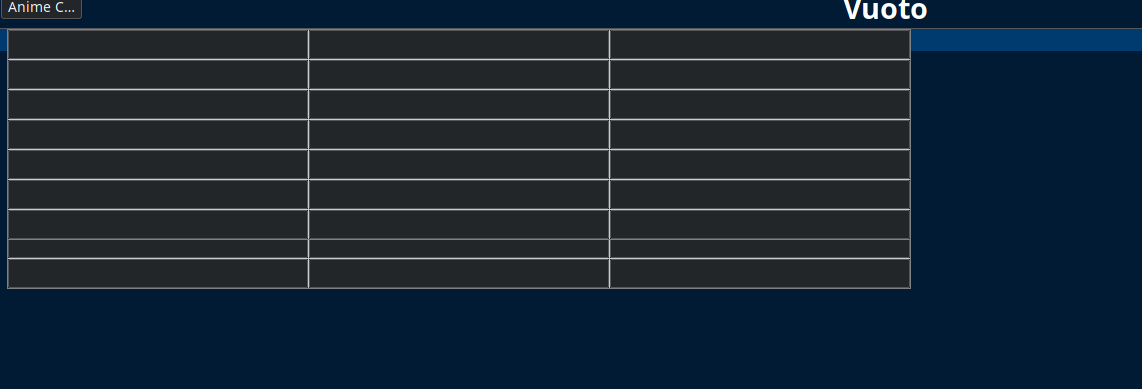
When the program starts, the tables overlap:
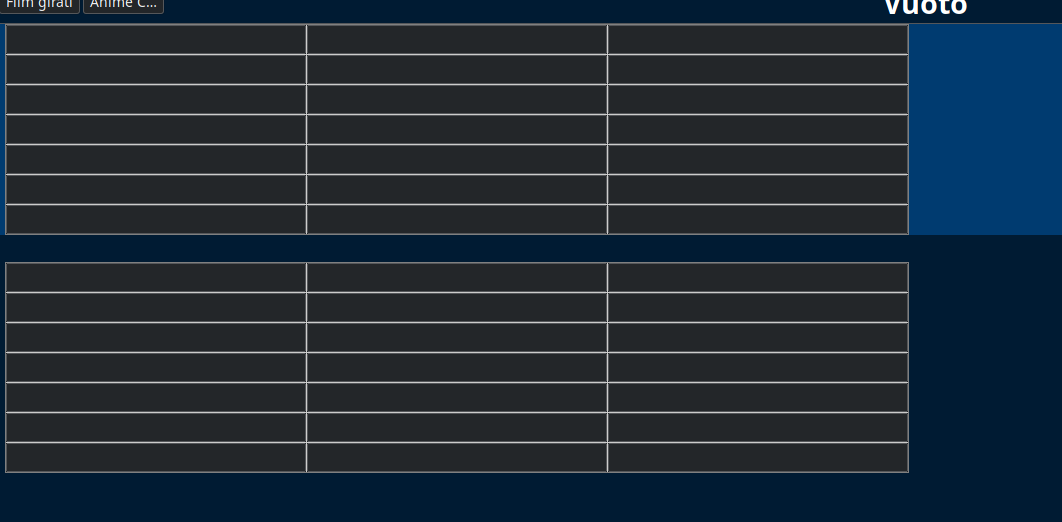
When I change node and return to the one with tables, it returns to normal:
If it's my problem and it's not a bug, it's not a problem, because I can live with it without problems
It's not that bad, because the tables don't disappear permanently
Salvaju29ro
on 3 Oct 2020
Weird.
Can you try to separate the two tables with a line (Ctrl+r)
ciranus
on 3 Oct 2020
I tried:
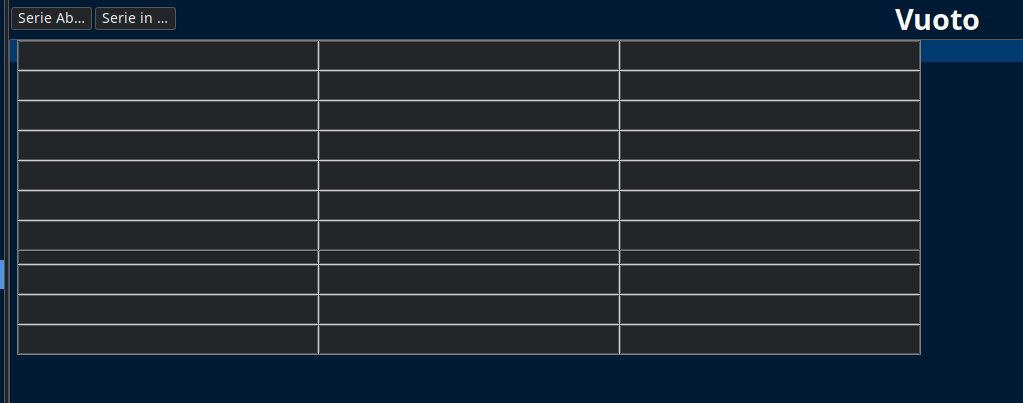
However, I made a mistake
The tables overlap when the app opens on another node and then I move to the one with the tables
If Cherrytree opens with the node with tables, they are normal
Salvaju29ro
on 3 Oct 2020
So let's see if some-else can reproduce (I really cannot), then maybe specific to Arch ?
Just to see: which libgtk-3-0 version ?
ciranus
on 3 Oct 2020
Do you believe me when I tell you that I probably haven't installed it? (The red ones are installed, the blue ones aren't)
Perhaps the package on Arch is named differently
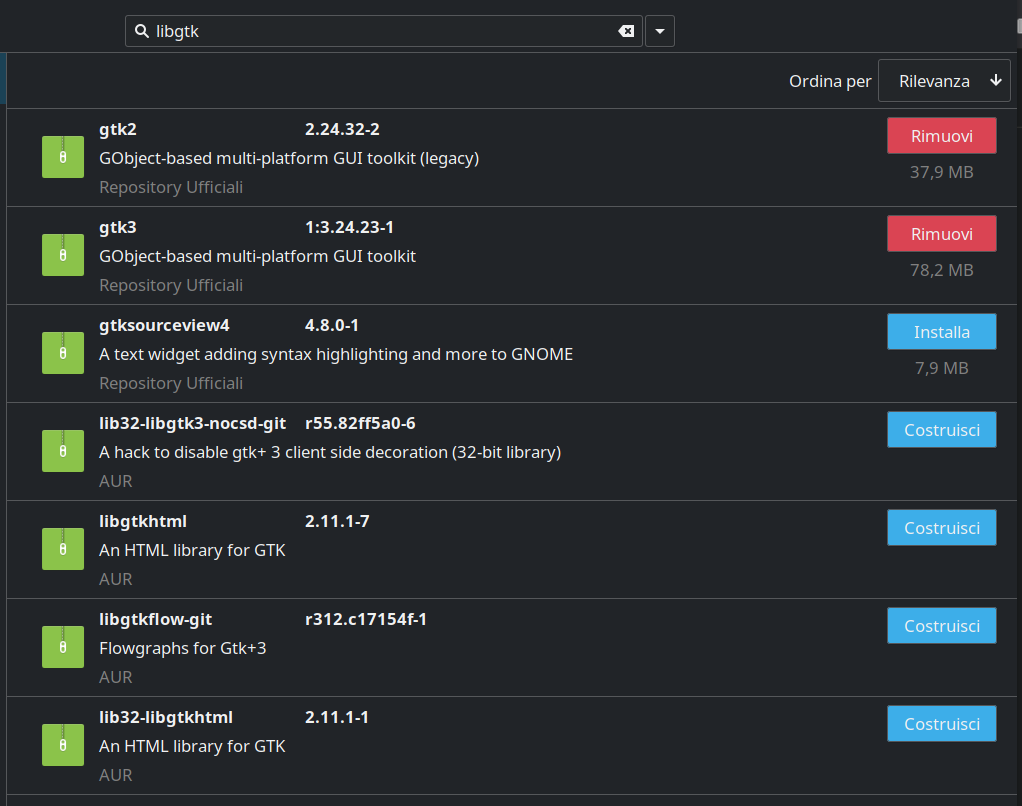
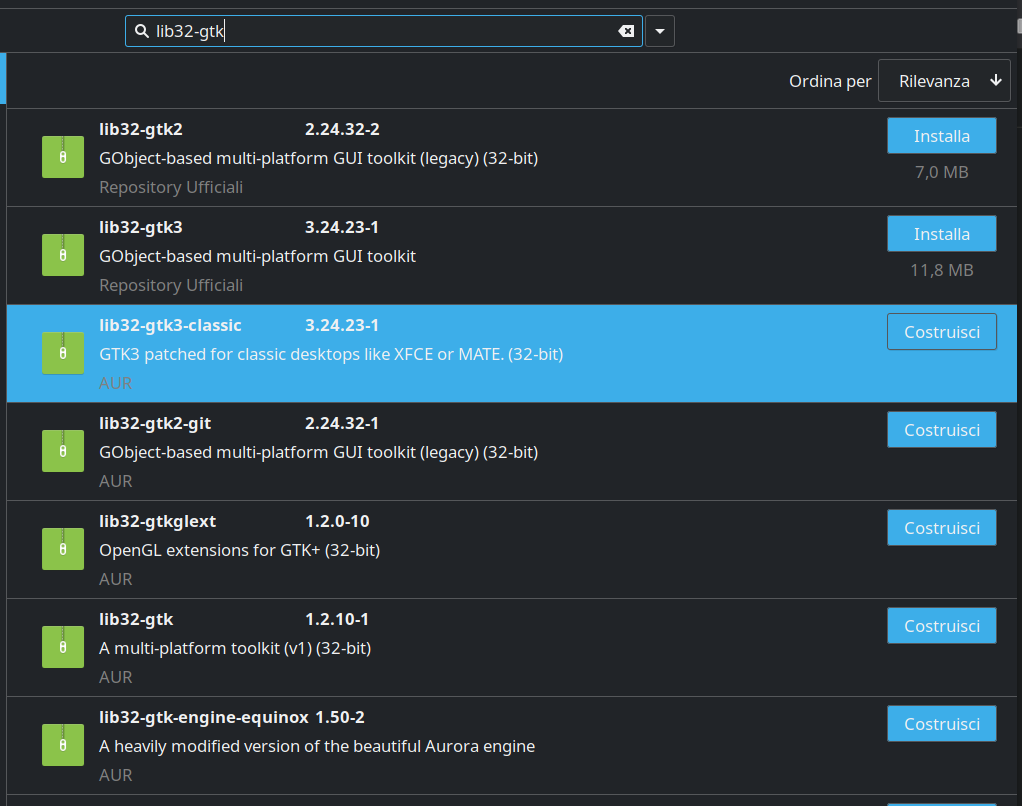
If so, which one should I install?
Maybe that's the ""problem""
Salvaju29ro
on 3 Oct 2020
lib32-gtk3 which is installed is probably same as libgtk-3-0.
gtk3 package of Arch is maybe just a meta-package.
I don't know Arch, then cannot help here.
ciranus
on 3 Oct 2020
lib32-gtk3 which is installed is probably same as libgtk-3-0.
gtk3 package of Arch is maybe just a meta-package.
I don't know Arch, then cannot help here.
I honestly don't know what else to say.
For me it is a negligible "problem", since the notes and tables are not permanently lost.
At this point I'd wait for TXE, who said it happened to him too (and coincidentally he's on Arch too).
@Ciranus Thank you so much for your help, you have been very kind
Salvaju29ro
on 3 Oct 2020
I have to say I saw such weirdness in the past on my Ubuntu 20.04 when closing the table edit dialog by pressing the return key (which is clicking the button OK) but it went away when I moved the focus to the button before clicking it (button.grab_focus()), I haven't seen it since. This is just to help @txe in case he can see it again in Arch Linux.
 giuspen
on 3 Oct 2020
giuspen
on 3 Oct 2020
Maybe a side effect of Archlinux which is a "_Cutting-Edge_" Distribution....
Cannot be as robust as Debian, or even ubuntu or derivates.
gtk3 in Arch... Good luck to identify the good gtk3 package.
gtk3-adwaita-3-32-git
gtk3-classic
gtk3-cosy
gtk3-donnatella
gtk3-git
gtk3-libwinmenu
gtk3-mushrooms
gtk3-nocsd-git
gtk3-patched-filechooser-icon-view
gtk3-typeahead
gtk3-ubuntu
lib32-libgtk3-nocsd-git
lib32-gtk
lib32-gtk-engines
lib32-gtkglext
ciranus
on 4 Oct 2020
@giuspen , the issue is really stable on Arch, it looks like drawing glitch because when tables are placed wrong
- you can start selecting text in a node and see the selected text are misplaced too. It starts redrawing and changing.
- if you move focus from the app, the tables instantly jump into right places. (looks similar to the case with button focus you mention before)
I tried to remove all code or add more redrawing code but there is no difference at all. @giuspen , can you install arch and help me with that, I don't see what I can do else.
txe
on 4 Oct 2020
Arch Maintainer: PrinceMachiavell (morgenstern) should maybe introduced in the loop of investigation to clarify if it is a CT issue, or an Archlinux gtk3 lib issue already identified on other applications.
ciranus
on 4 Oct 2020
@txe I'll install Arch on a VM and have a go
giuspen
on 4 Oct 2020
For info, there is also ArchBang live Iso which can potentially be helpful for Arch tests/investigations.
ciranus
on 4 Oct 2020
This is probably NOT related, but many many years ago, inserting tables in to MS Word and MS Works documents had the same type of issue. The problem turned out to be an overrun issue in the drawing routine. If I recall, There was some math issue where zooming it at precisely the wrong zoom level. or trying to draw it at precisely the wrong number of pixels mucked up the entire table. Try to do things like make the window smaller, zoom in / out, set the table size to a smaller number of pixels, maybe even shrink down the column sizes. Try each of these repetedly and see if the disapearing table issue stops occurring at some point.
Again, I kind of doubt if this is the exact same issue, but you never know. Good luck!
 crogonint
on 8 Oct 2020
crogonint
on 8 Oct 2020
I experienced a similar glitch with an automatically expanding codebox wider than the cherrytree window, so with an horizontal scrollbar at the bottom of the rich text content. When moving the cursor below the codebox weirdnesses are displayed like duplicated lines of text, but it's just a glitch in the visualisation
giuspen
on 10 Oct 2020
should be fixed in upcoming 0.99.17
giuspen
on 24 Oct 2020
Related issues
 codingo
·
7Comments
codingo
·
7Comments
 casainho
·
7Comments
casainho
·
7Comments
 Thmyris
·
5Comments
Thmyris
·
5Comments
 kharaktur
·
9Comments
kharaktur
·
9Comments
 zauberparacelsus
·
7Comments
zauberparacelsus
·
7Comments