Caseflow: Editing AMA appeal data | Editing AOD status
When Veterans send in AOD motions for reasons other than age, Board users need to be able to edit the AOD field and mark the case AOD, so the case can be advanced on the docket later in the appeals process.
The proposed workflow for this is as follows (work in progress) and included for context. The crux of this github issue is the mechanism for changing the AOD field, recognizing the Veteran is now AOD.
- Veteran sends in Motion to Advance on the Docket
- Caseflow recognizes a document has been added to VBMS and routes the case to a Caseflow user to review the document
- Caseflow user reviews the document and recognizes it is a motion for AOD
- If necessary, Caseflow user sends the motion via email to a judge to approve
- Caseflow user, in Case details, clicks to edit the AOD field
- Caseflow user updates AOD field to reflect that the Veteran is now AOD
Updated 8/30/2018:
- We're building an AOD table with the following fields (see #6274 )
reasoncreated_bycreated_atveteran_idactive(<- to enable a toggle back and forth? is this necessary?)
Assumptions
- Editing the AOD field in Case details will suffice for October RAMP appeals pilot, rather than a more fully fledged flow.
- Editing the AOD field should be behind a feature flag, because not every user with access to Caseflow will be able to edit this.
AC
- Create AOD editing feature flag (perhaps
decide_aod) - Users with AOD editing feature flag can select "Decide AOD Motion" from the Actions dropdown of case details.
- Create edit AOD screen
- User navigates to the edit AOD screen after clicking "Decide AOD Motion"
- Per mocks, user can grant or deny the AOD motion.
- Per mocks, user can select an AOD reason:
- age
- serious illness
- financial distress
- other
- When a user clicks continue at the bottom of the page, the following fields are updated:
created_bycreated_at
Mocks
See https://github.com/department-of-veterans-affairs/caseflow/issues/6257#issuecomment-422108911
Resources
 laurjpeterson
All 24 comments
laurjpeterson
on 31 Aug 2018
Open questions about editing from design sync up about editing across Caseflow: @mdbenjam
- Advantages of editing AOD in a modal versus opening a new screen to edit AOD?
- Accessibility of editing in modals?
- When you edit AOD in a modal, what part of the screen would it refresh? Load time?
- Level of difficulty in including editing permissions (for AOD, for example)?
 allyceh
on 6 Sep 2018
allyceh
on 6 Sep 2018
Discussed AOD editing with @mdbenjam
Open questions:
- How is displaying the reason for being AOD useful to Caseflow users or to the board? Is this more for reporting reasons? ( @cmgiven )
- How would displaying the timestamp for AOD effective date helpful to Caseflow users? Is this a must have? ( @cmgiven )
- Depending on the date on which AOD was granted, any newer appeals might not be AOD. Why?
Notes from convo:
- Currently, editing AOD exists at the appeal rather than at the claim level. So, when updating AOD for veterans and appellants at the appeal level, we will have to make sure it updates at the claim level, or across appeals.
UI needs:
- A way to edit AOD in Case Details
- A way for users to action on AOD tasks assigned to them (like co-located admin actions)
- Potentially, a way to display AOD in Case Details that's not in the Type section; rather, editing AOD is grouped with similar tags, like SCT, hearing, etc.
allyceh
on 6 Sep 2018
I don't have answers to the questions I'm tagged in. I can't think of a clear reason why either of those would be needed, and they also don't exist in VACOLS, but I haven't participated in any attorney research in more than a year, so I defer to those who have. (Edited to add: this is not to say we shouldn't store that data; I feel strongly that we should, it's just I don't know that there's a user need to see it.)
As for the question I'm _not_ tagged in (🙄), the reason is that if a motion for AOD is granted, it applies to all pending appeals. But if an appeal comes in afterwards, it wouldn't have been covered by that motion. Imagine a Veteran applied for AOD because they were being foreclosed upon. Were they to submit a new appeal a couple years later, it's possible their financial situation has changed. But even if it hasn't improved, they'd need to submit a new motion for AOD.
 cmgiven
on 7 Sep 2018
cmgiven
on 7 Sep 2018
@cmgiven though you did mention here: https://github.com/department-of-veterans-affairs/caseflow/issues/6274#issuecomment-416718657 that it'd be interesting to capture the reason. Do you still think that, and what would the use be?
 mdbenjam
on 7 Sep 2018
mdbenjam
on 7 Sep 2018
Yes. I think it's important to capture so we can do reporting on how many AODs we're seeing by type, something that we can't easily break down today.
cmgiven
on 7 Sep 2018
Are there a set of types the user can choose from? I was thinking it was free text.
mdbenjam
on 7 Sep 2018
If there were to be types, they would be:
- age
- serious illness
- financial distress
- other
cmgiven
on 7 Sep 2018
Types would be preferable, because they'll be more useful for analysis later.
cmgiven
on 7 Sep 2018
@mdbenjam @laurjpeterson @sneha-pai @mkhandekar: Below is my first take at "editing AOD", which, for now, is more like granting or denying AOD status. This is based on our design for co-located admin tasks. Since we are going to put granting/denying AOD in the "Actions" drop down for now, I felt like it should mirror the patterns and flow we have for co-located tasks rather than opening in a separate modal over the Case Details page.
Note for @sneha-pai @mkhandekar : I think we can still explore modals in the future when we're actually editing or changing something in Case Details rather than when we're going through a task flow.
Please provide feedback on UI or copy.
Step 1: User clicks "Decide AOD motion" in the actions drop down on Case Details.
Step 2: Selects "Grant" or "Deny"
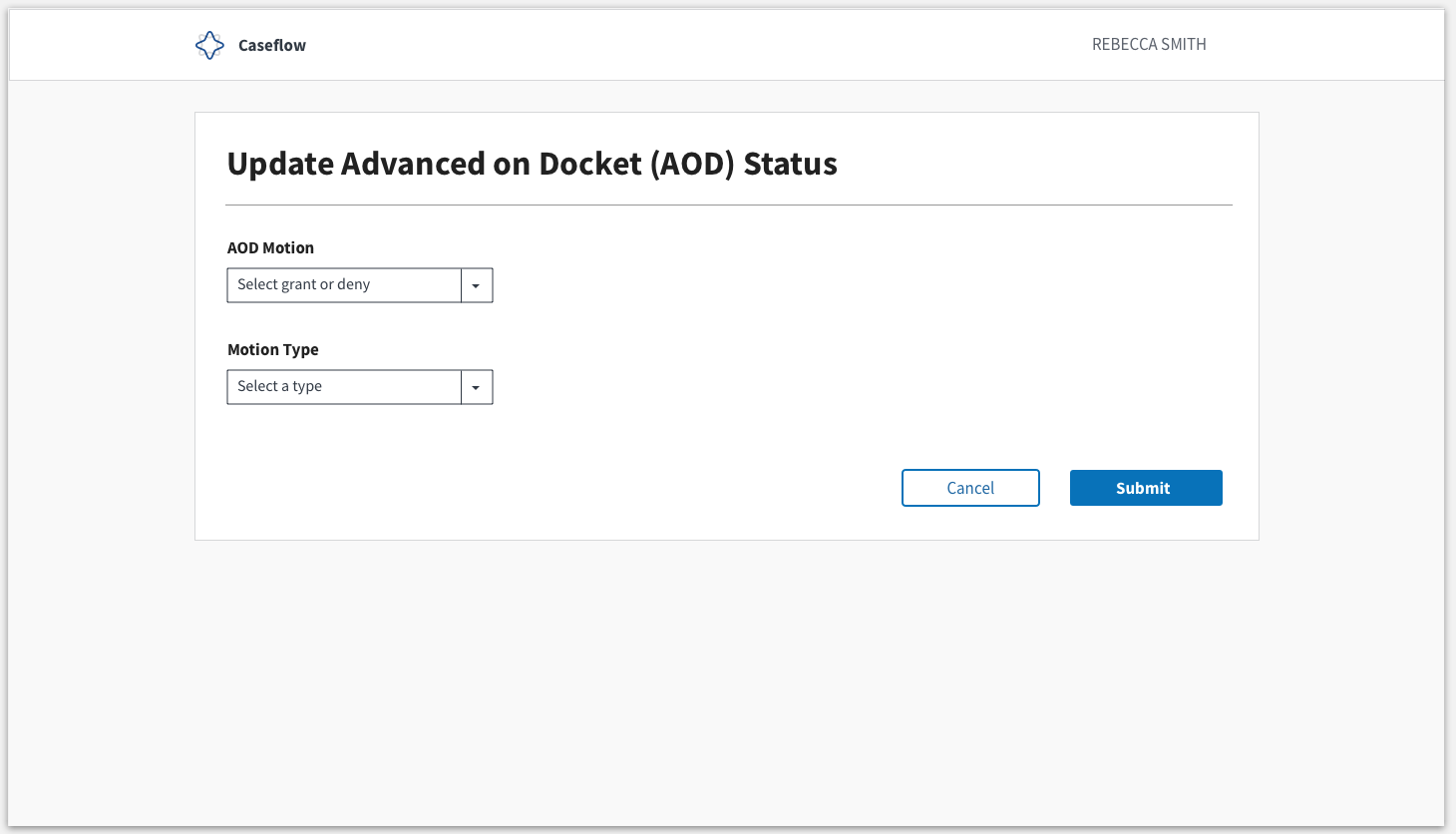
Step 3: Selects "Financial Distress, Age, Serious Illness, Other"
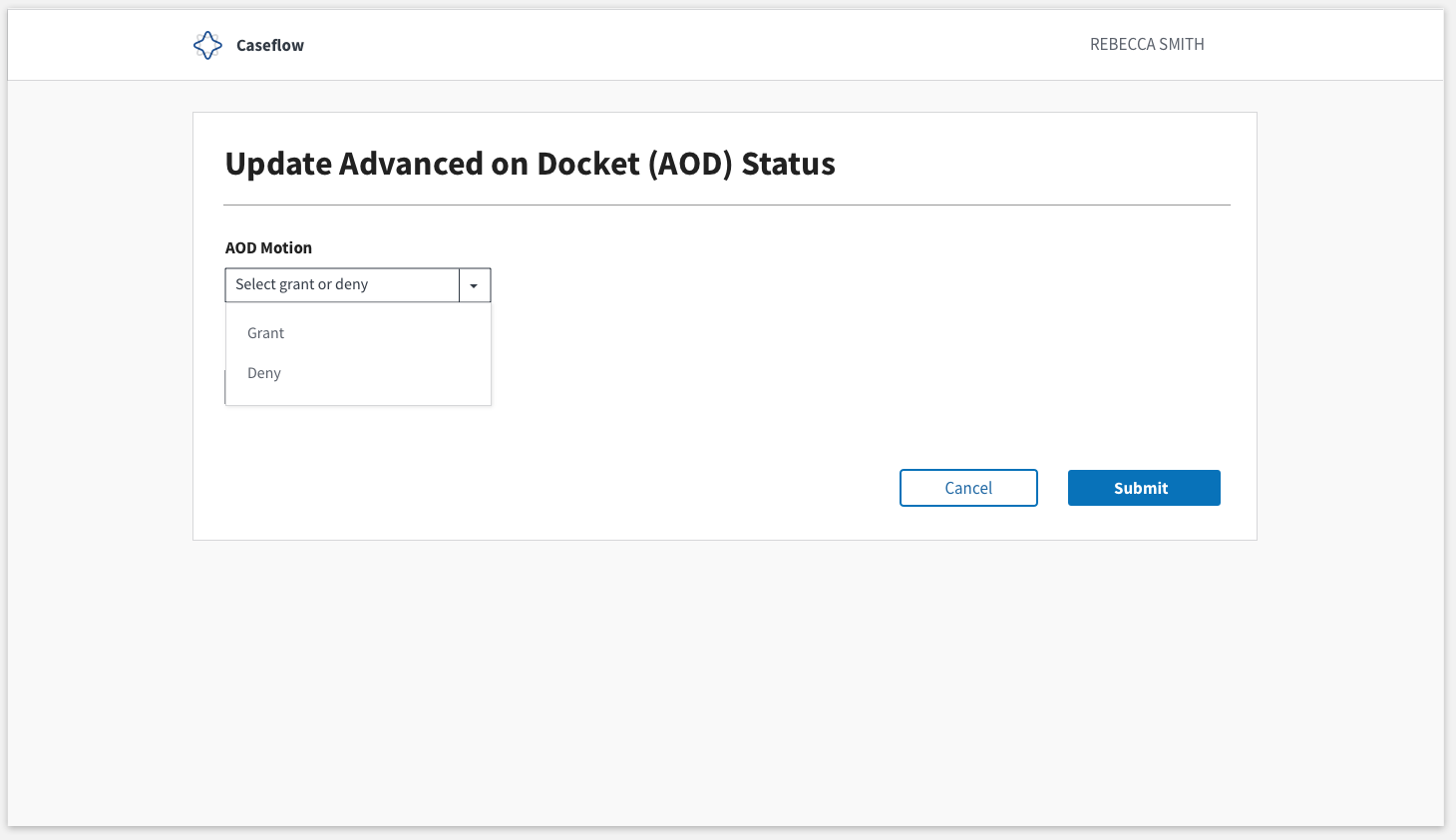
What we're not showing in the UI:
- Today's date. We're operating on the assumption that when the user clicks "Submit", we capture today's date and log it in the background.
- Created by. Assuming we can capture this depending on the user that's logged into Caseflow and record it in the background.
allyceh
on 13 Sep 2018
Do we need to track denials? Or just grants? Denials don't actually change anything for the Veteran, but maybe we want them for reporting purposes?
mdbenjam
on 13 Sep 2018
Thanks for mocking this up - looks great!
My two cents about copy:
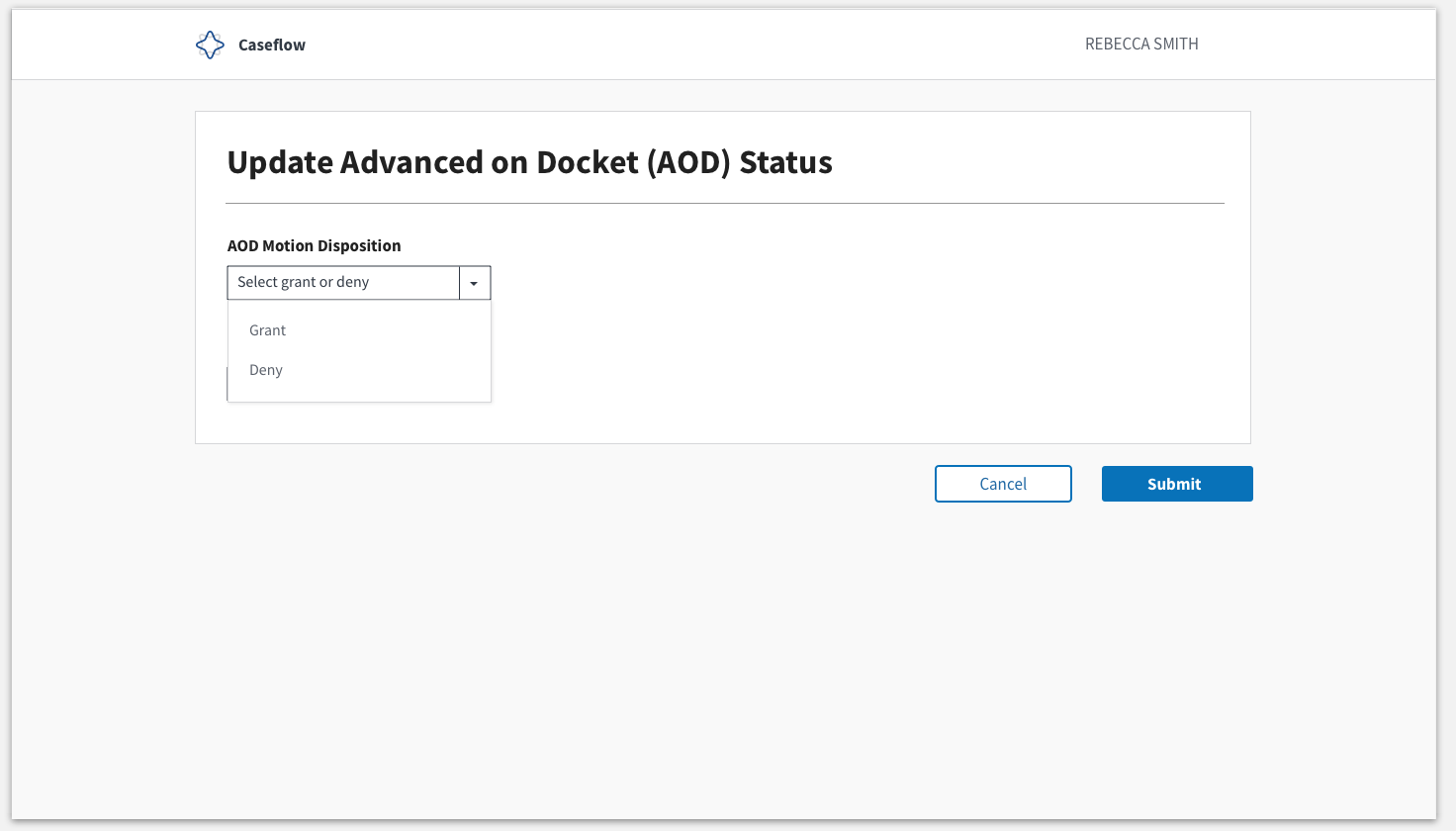
- "AOD Motion" - how about "AOD Motion disposition"? Grant/deny are issue dispositions, so maybe that would language makes sense
- Change "Motion type" to simply "Reason". The motion type = AOD motion.
I agree with your assumptions!
Since you just met the AOD lead this week, I wonder if you could stop by her desk tomorrow or early next week to verify the wording too? (if we don't think it'd be too confusing)
laurjpeterson
on 13 Sep 2018
@mdbenjam I honestly haven't heard of a time when an AOD motion has been denied, so I'm not 100% sure of the answer to your question. @allyceh maybe this is something we could quickly ask Charlene about too?
laurjpeterson
on 13 Sep 2018
🎉 @allyceh!
Adding on to Mark's question, would a "denial" mean... for instance, the Veteran is now not in extreme financial need?
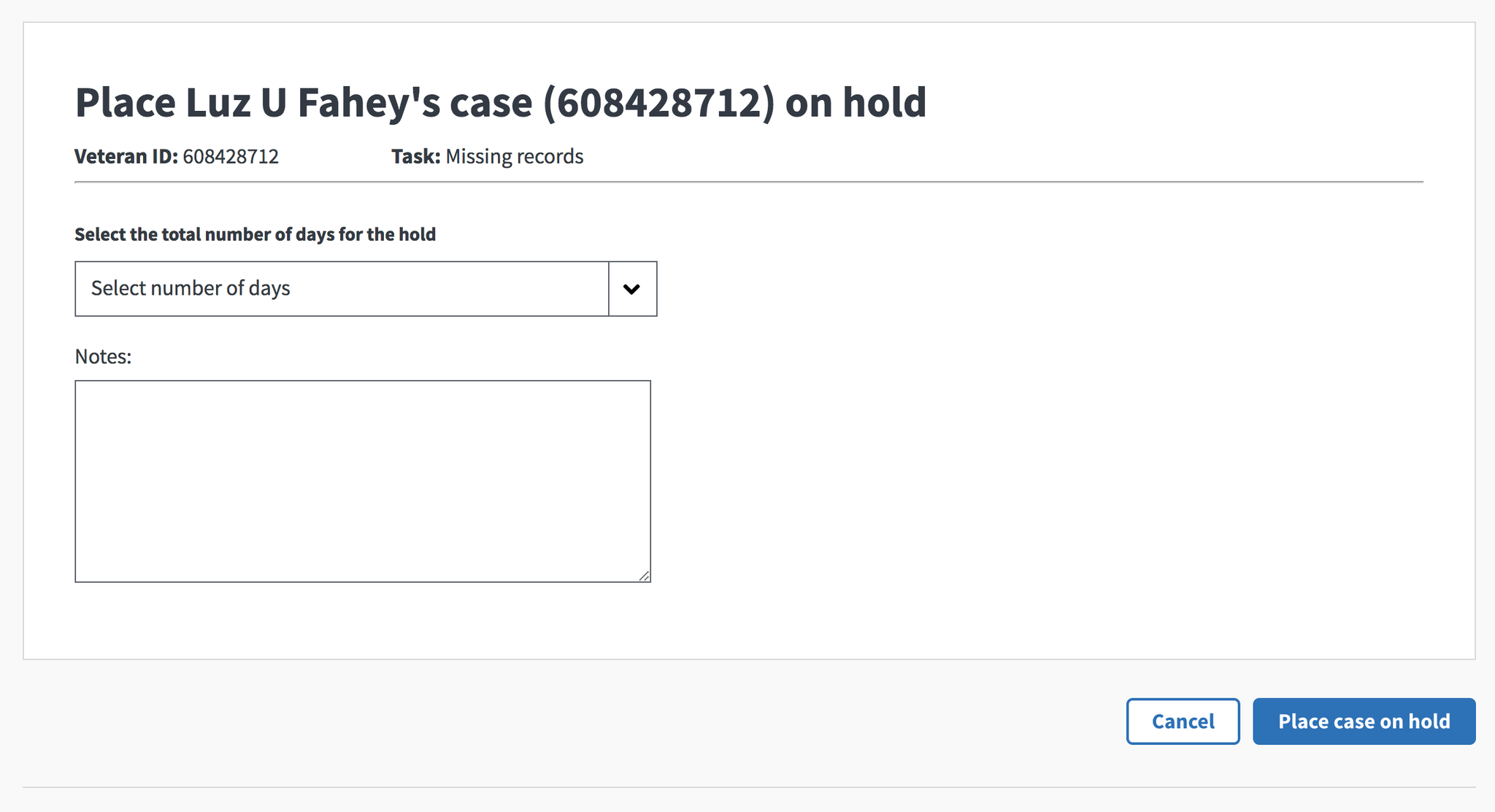
Quick note on the back/submit buttons, I think currently our code is structured in a way that requires us to keep buttons outside of the white box, like this:
And we can surface these in case timeline if it makes sense:
Today's date. We're operating on the assumption that when the user clicks "Submit", we capture today's date and log it in the background.
Created by. Assuming we can capture this depending on the user that's logged into Caseflow and record it in the background.
 mkhandekar
on 13 Sep 2018
mkhandekar
on 13 Sep 2018
I think a "denial" would mean that the Veteran submitted a motion to be AOD, let's say for financial hardship, but there wasn't evidence in the eFolder to prove that the Veteran was in financial hardship (based on some standard that the judge knows, because judges grant or deny AOD motions when there isn't obvious evidence in the eFolder such that the AOD employee is authorized to grant). We'll need to confirm that this actually happens.
+1 on Case timeline if it makes sense!
laurjpeterson
on 14 Sep 2018
Thank you! I will update all of these accordingly and plan to swing by Charlene's desk for input next week. She is only in on Thursdays, so I will plan to chat with her then so that I can see her interact with it in person. If that's going to be a blocker for anyone, I will set something up with her sooner via Skype.
allyceh
on 14 Sep 2018
Updates are below:

allyceh
on 17 Sep 2018
@mbenjam @sneha-pai @laurjpeterson
Charlene is good with this lingo.
She mentioned date was important, but I mentioned how we could aim to capture that in the background. She did not say that she would need to ability to select a "granted" date that's anything other than today's date, so that keeps things simple.
I'd say we're ready for front end dev unless anyone has additional feedback or avenues to explore.
allyceh
on 20 Sep 2018
Thanks @allyceh! Adding @dannysellers to the chain, too.
laurjpeterson
on 20 Sep 2018
@allyceh What should the text in the actions dropdown be, for an AOD user to initiate this editing? In this Mural, we brainstormed "Decide AOD Motion". Does that work?
I'll add it to the AC above, please feel free to change if you have other language!
laurjpeterson
on 20 Sep 2018
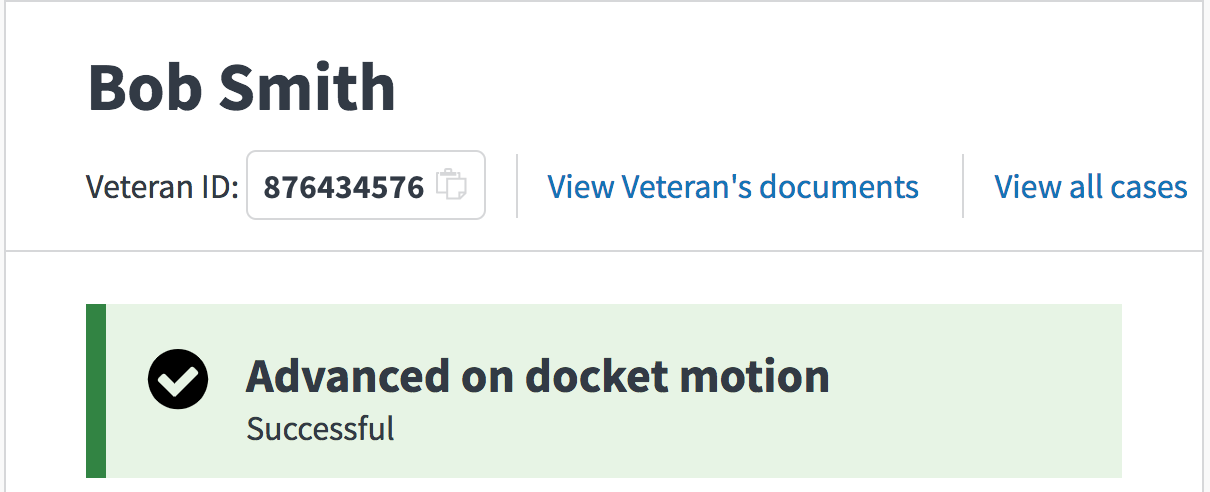
Could I get some copy for success?
mdbenjam
on 21 Sep 2018
@laurjpeterson @dannysellers @mdbenjam cc: @sneha-pai @mkhandekar for design feedback.
Mark and I chatted this morning, and based on our convo, it's best for the "edit AOD" feature to live near the AOD label as an edit link rather than in the task dropdown (at least in the interim). I have updated designs to reflect this:
1) 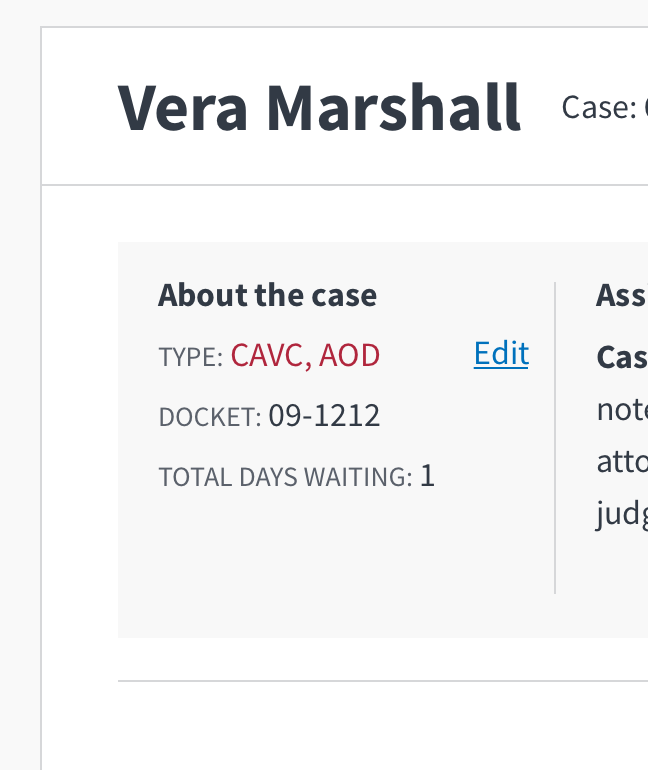
I put an "edit" link next to "Type". I put it next to "Type" rather than About the Case because it's the only item in this section that the user will be able to edit. @mdbenjam , if there is more than one type, can we switch the order so that AOD appears second in the list?
2) 
@sneha-pai @mkhandekar , we talked about doing a modal for quick edits rather than taking the user to a new page. I pulled this template from Caseflow Style guide and took a look at the modal that Intake is using so that we could mirror it as closely as possible.
allyceh
on 24 Sep 2018
@mdbenjam For the success status, let's stay "AOD status updated". Do we need a second line? We use this space to tell the user anything else they need to know, but I can't think of anything else to tell them about AOD. If they want to reverse the action they just did, they'd just go to "edit" again, and they can do it themselves (rather than having to email anyone). If this is true, let's go with one line. If there's anything else we have to communicate here, let me know and I can draft a second line.
allyceh
on 24 Sep 2018
looks/works well from my perspective! 👍
mkhandekar
on 24 Sep 2018
Related issues
 hschallhorn
·
5Comments
hschallhorn
·
5Comments
 lomaxap
·
3Comments
lomaxap
·
3Comments
 yoomlam
·
5Comments
laurjpeterson
·
4Comments
yoomlam
·
5Comments
laurjpeterson
·
4Comments
 lomky
·
3Comments
lomky
·
3Comments
Most helpful comment
@laurjpeterson @dannysellers @mdbenjam cc: @sneha-pai @mkhandekar for design feedback.
Mark and I chatted this morning, and based on our convo, it's best for the "edit AOD" feature to live near the AOD label as an edit link rather than in the task dropdown (at least in the interim). I have updated designs to reflect this:
1)
I put an "edit" link next to "Type". I put it next to "Type" rather than About the Case because it's the only item in this section that the user will be able to edit. @mdbenjam , if there is more than one type, can we switch the order so that AOD appears second in the list?
2)
@sneha-pai @mkhandekar , we talked about doing a modal for quick edits rather than taking the user to a new page. I pulled this template from Caseflow Style guide and took a look at the modal that Intake is using so that we could mirror it as closely as possible.