Caseflow: Document list | Sort/comment icons: missing svgs
Noticed that some of the icons on the document list view are still in font awesome instead of svg.
AC
- Verify that the following mockups need to be replaced by appropriate svg files
- Get rid of the double ended arrow icon and replace it with double arrow icon
Mockups

^ this has got to go.



 gnakm
gnakm
All 9 comments
@gnakm and @abbyraskin I can't seem to find a corresponding arrow-up.svg in the design/icon repo.

We only have the Arrow-down svg. I am currently blocked.

 Sjones352
on 22 Jun 2017
Sjones352
on 22 Jun 2017
@Sjones352 updated above ^
gnakm
on 22 Jun 2017
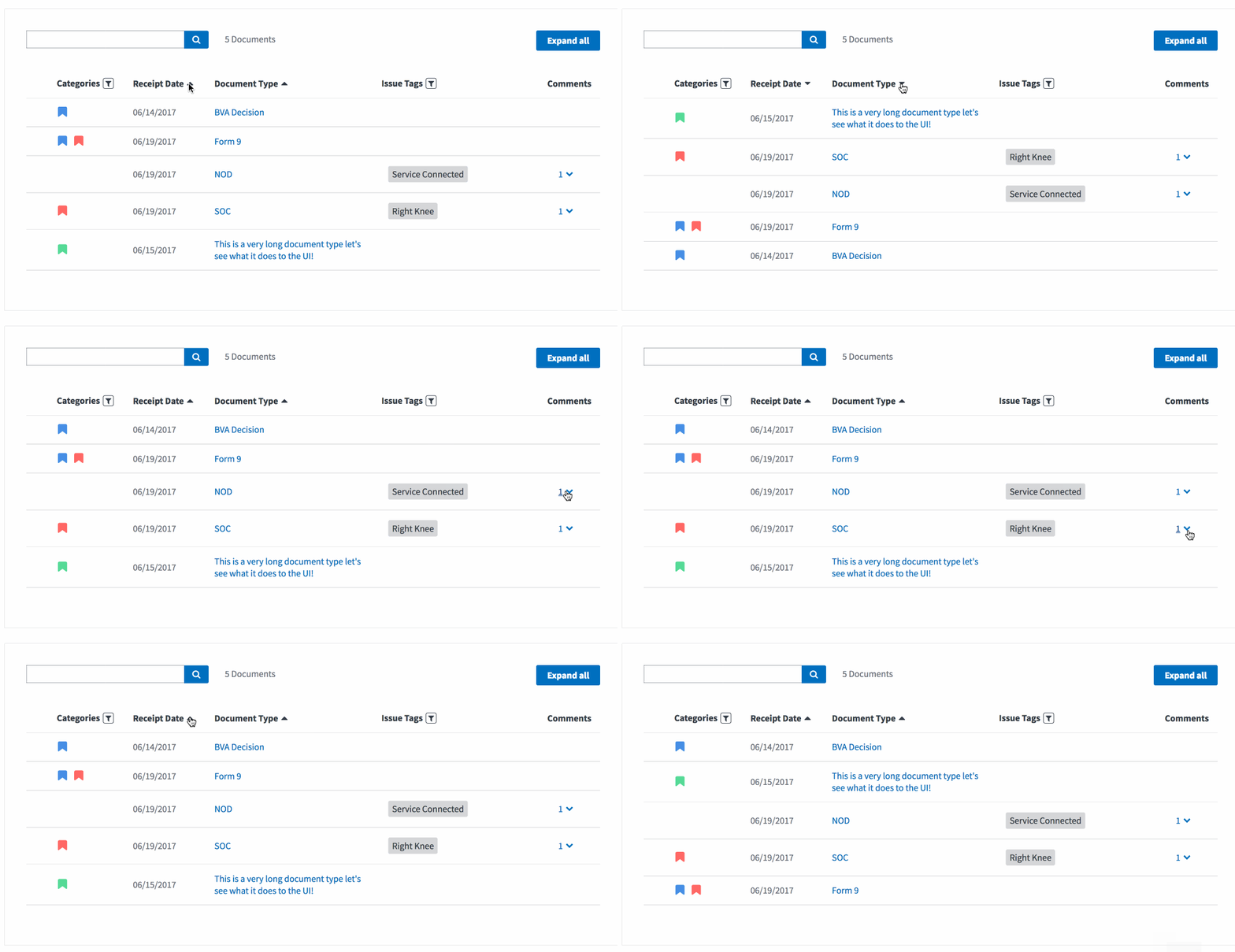
@gnakm and @abbyraskin Currently It looks like this. The arrows point in the same direction regardless of which column you click. Please advice if I need to change anything.
Sjones352
on 23 Jun 2017
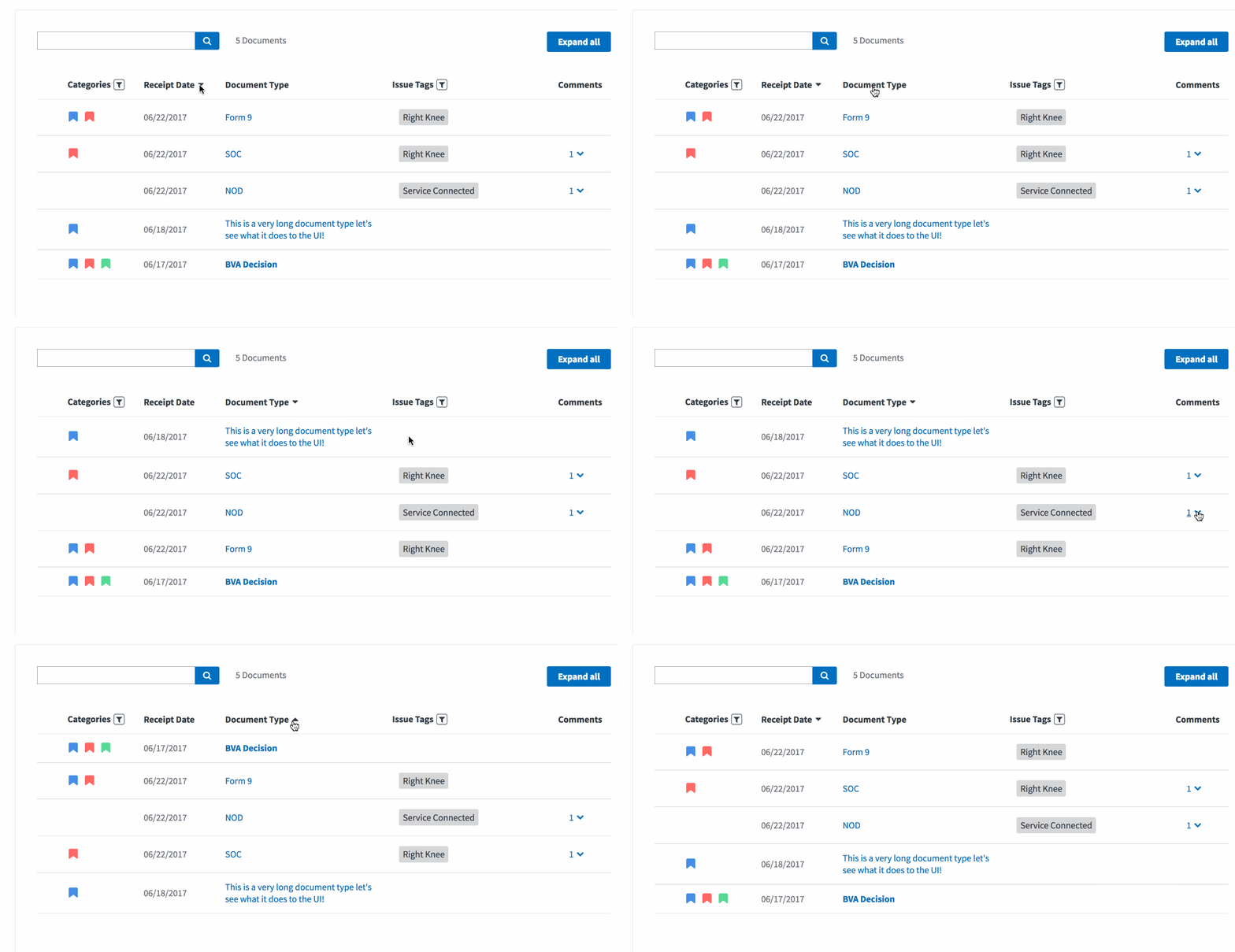
Currently looks like this.
Sjones352
on 26 Jun 2017
@Sjones352 Yes! That's exactly how we wanted it to look like :)
gnakm
on 26 Jun 2017
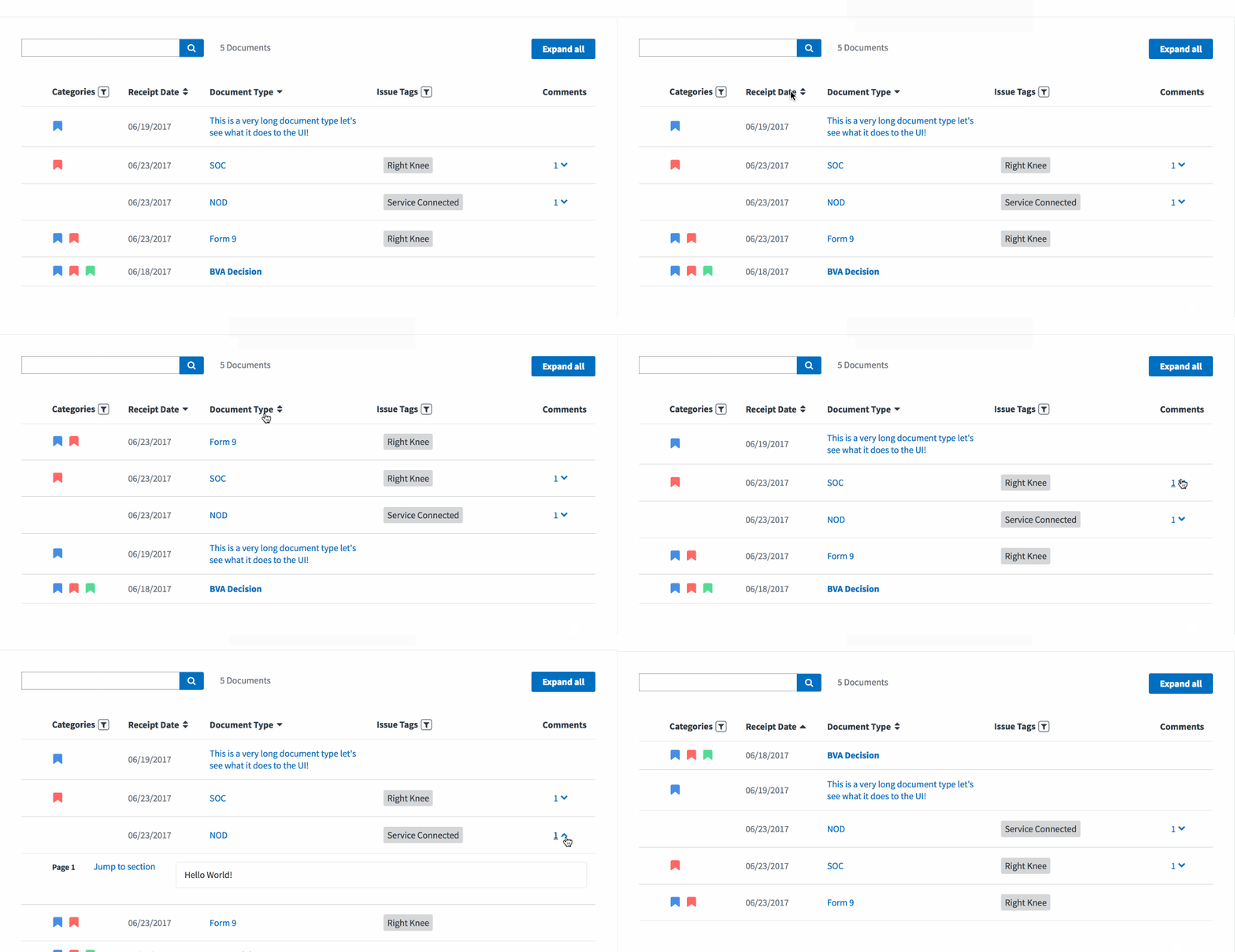
@Sjones352 So the problem we discussed in person is that without an icon, it's hard to tell if one of the sortable headers is clickable. I added a new icon to replace the previous icon we had.
gnakm
on 26 Jun 2017
@gnakm updated
Sjones352
on 26 Jun 2017
@Sjones352 sorry i re-uploaded the double arrow svg file (it's updated in the AC) because the space between the two arrows looked too tight. https://github.com/department-of-veterans-affairs/appeals-design-research/blob/master/Projects/Styleguide/Design%20files/Icons/Double%20arrow.svg
gnakm
on 26 Jun 2017
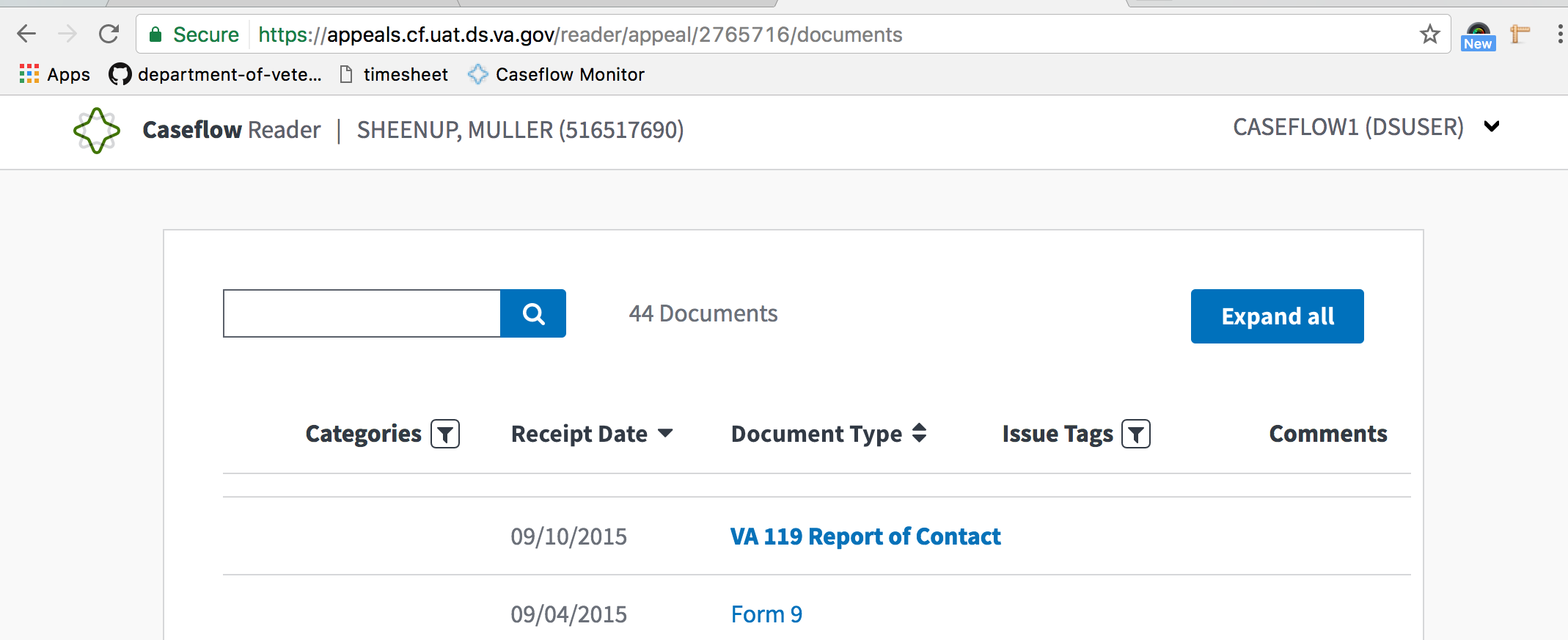
PASSED
Validated in: UAT
Browsers: FF and Chrome
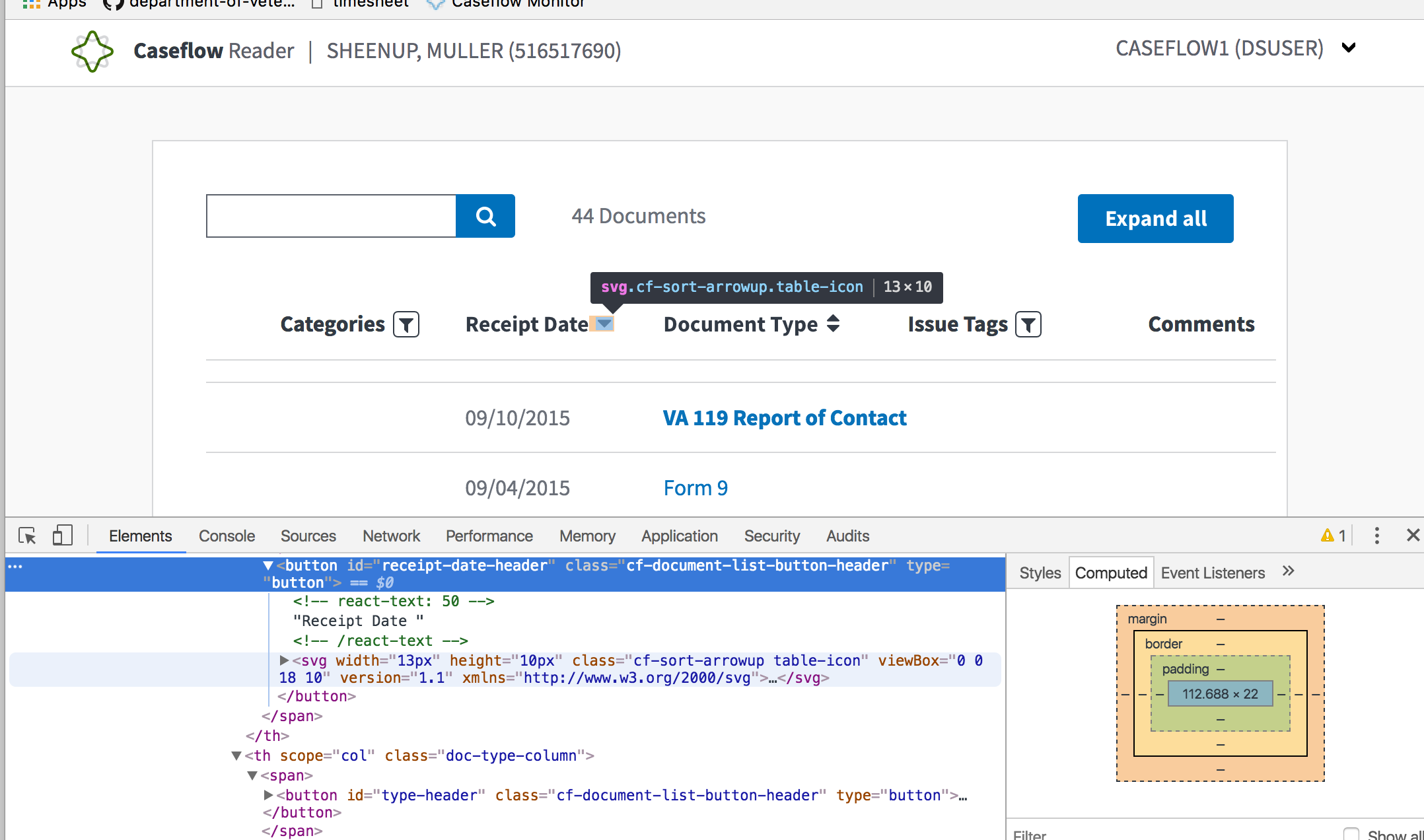
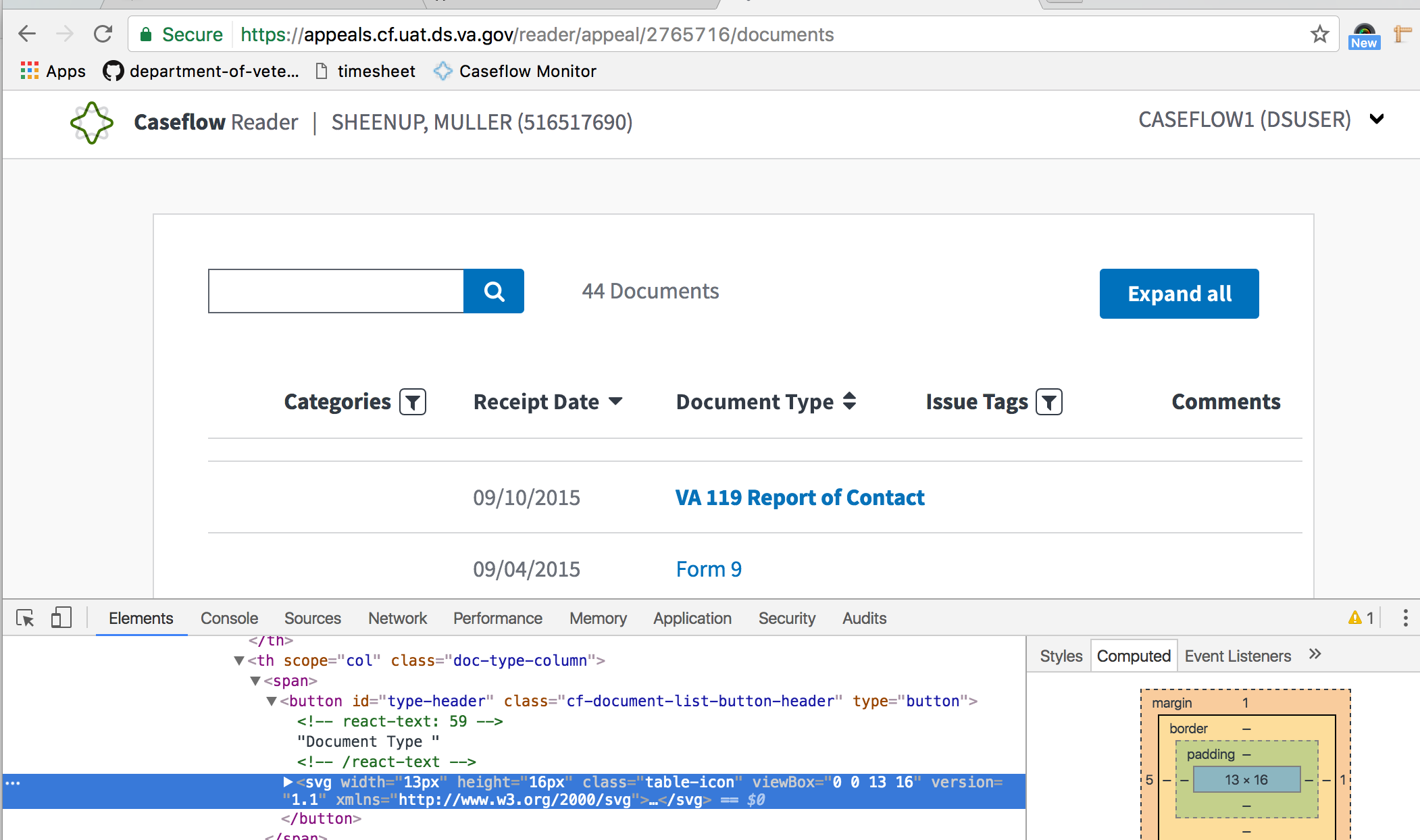
Steps to Validate:
- Access Reader
- Navigate to the sorting columns in the Document List view.
- Validate that the headers indicated have been changed from font awesome to svg files.
Screenshots:
 astewarttistatech
on 28 Jun 2017
astewarttistatech
on 28 Jun 2017
Related issues
 laurjpeterson
·
5Comments
laurjpeterson
·
5Comments
 marvokdolor-gov
·
3Comments
marvokdolor-gov
·
3Comments
 lowellrex
·
5Comments
lowellrex
·
5Comments
 hschallhorn
·
5Comments
hschallhorn
·
4Comments
hschallhorn
·
5Comments
hschallhorn
·
4Comments
Most helpful comment
Currently looks like this.
