Cartodb: Option to choose another category ramp
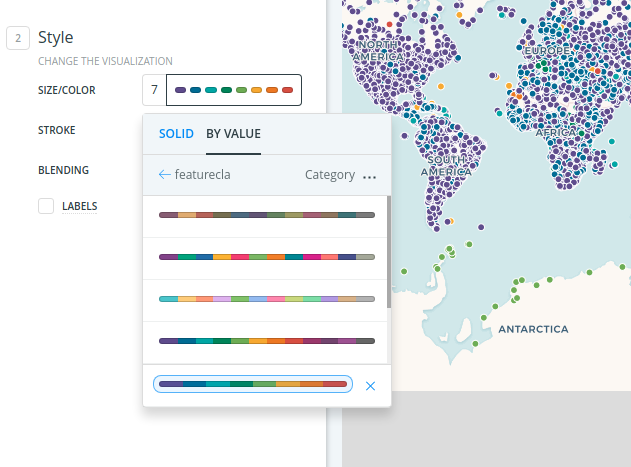
We will need the option to change the category ramp from default to another one in our list.
Right now, I don't see a way to access the color ramps once I've made the selection of Category on a non-numeric field.

SMOKE_MG17
SMOKE_MG21
 makella
All 29 comments
Cc/ @urbanphes
 saleiva
on 20 Jul 2016
saleiva
on 20 Jul 2016
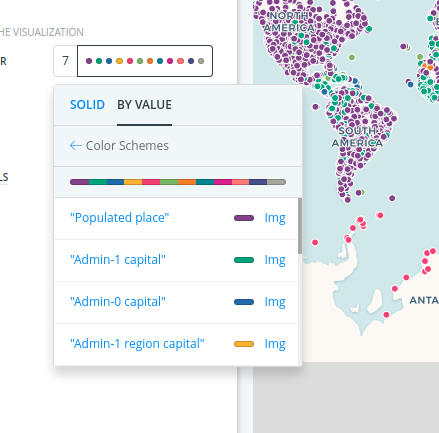
Hey! I upload here the complete flow for category ramp selection.
Basically the idea is to replicate the behaviour of the others ramp selection:
- You select column
- You select color ramp
- You need to adjust colors? Then go to custom color set.
- Edit
To go back you have a back arrow on the column name. I also added a "Category" distribution but disabled due you cannot change it
UPDATE
Changed "back" labels to its own name, so it can act as a REAL sequential back:

 josecruz
on 27 Jul 2016
josecruz
on 27 Jul 2016
Updated back label ^
josecruz
on 27 Jul 2016
VAMOS NENO.
saleiva
on 27 Jul 2016
nice, @josecruz!
makella
on 27 Jul 2016
This was a common question/request at the Builder training last week in NYC. Just a heads-up. Think it is really important!
makella
on 24 Aug 2016
It is already implemented and working.
 xavijam
on 4 Oct 2016
xavijam
on 4 Oct 2016
it is? I'm not able to see the other category ramps. Am I missing something?

makella
on 4 Oct 2016
Ahh, wait, you can change the color of any category, and that "ramp" will be stored until you changed to any other column. But yes, definitely not the thing you were requesting.
xavijam
on 4 Oct 2016
Ey @CartoDB/design if I push this to RT, are the assets ready to add the other category ramps to BUILDER?
 ramiroaznar
on 18 Dec 2017
ramiroaznar
on 18 Dec 2017
nop, push it :)
 piensaenpixel
on 18 Dec 2017
piensaenpixel
on 18 Dec 2017
@ramiroaznar do we have a ramp list?
 IagoLast
on 3 Jan 2018
IagoLast
on 3 Jan 2018
Yes, you can find a wiki here. But I suppose, there will be another one in cartocolors repo. Here, for instance.
ramiroaznar
on 3 Jan 2018
adding @arianaescobar to the loop in case you need a hand from design
ramiroaznar
on 3 Jan 2018
Hey @matallo can any of Bravo team give a hand to @IagoLast?
ramiroaznar
on 4 Jan 2018
First working version:

IagoLast
on 5 Jan 2018
Got the defaults!
@IagoLast please can you change the defaults:
- For numbers:
PurpOr[BONUS] - For categories:
Vivid
As explained in this issue https://github.com/CartoDB/cartodb/issues/8857
@arianaescobar can you confirm that PurpOr color ramp for gradient/choropleth maps works for Voyager too?
ramiroaznar
on 5 Jan 2018
It does :)
 arianaescobar
on 5 Jan 2018
arianaescobar
on 5 Jan 2018
Oops, I might have spoken too soon. The lightest color of that ramp is quite similar to Voyager's land color so the contrast is not ideal. Could we put this one on hold until @makella returns so she can review it first?
By the way, we are also applying this change to lines and polygons, right?
arianaescobar
on 5 Jan 2018
The defaults can wait until Mamata is back (today). :-)
ramiroaznar
on 8 Jan 2018
hello all this is so great and a big step forward :)
before I go into the default selections, I am wondering if it is a global default for all geometries (points,lines,polys) or if we have the option to modify the default color scheme based on geometry type.
the old issues that are referenced here (with default selections) are specific to geometry/map types.
let me know that and then i'll provide answers depending on what we are doing.
thanks!
makella
on 12 Jan 2018
hi @makella! :-) :heart:
We can use this issue to implement the right default ramps by geometry. So please can you tell us the default cartocolors schemes for this cases?
Quantitative ramps:
a. Points
b. Lines
c. Polygons
Qualitative ramps:
a. Points
b. Lines
c. Polygons
?
Looping @alonsogarciapablo
ramiroaznar
on 15 Jan 2018
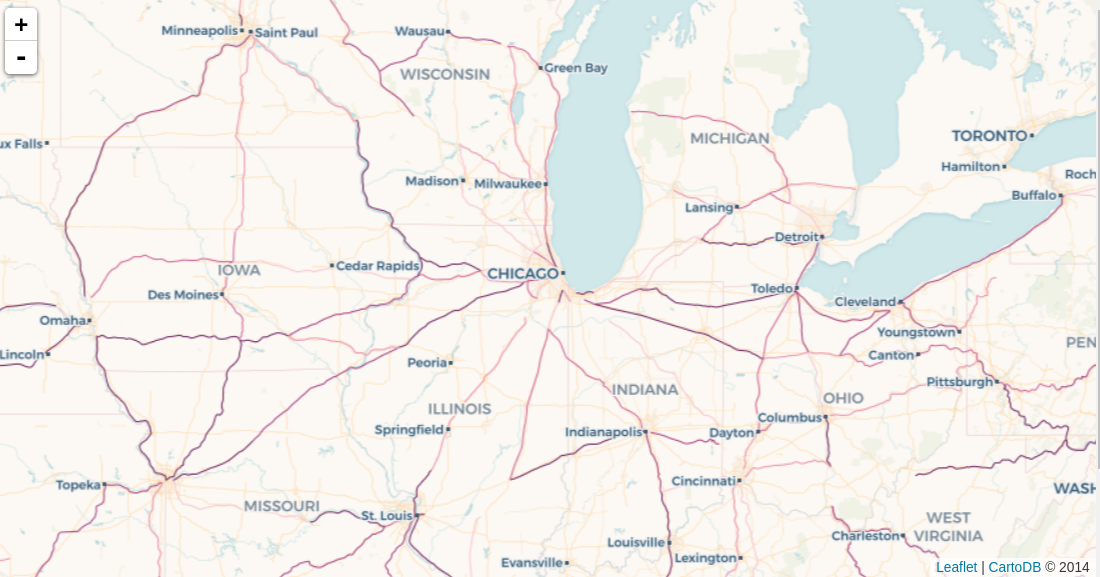
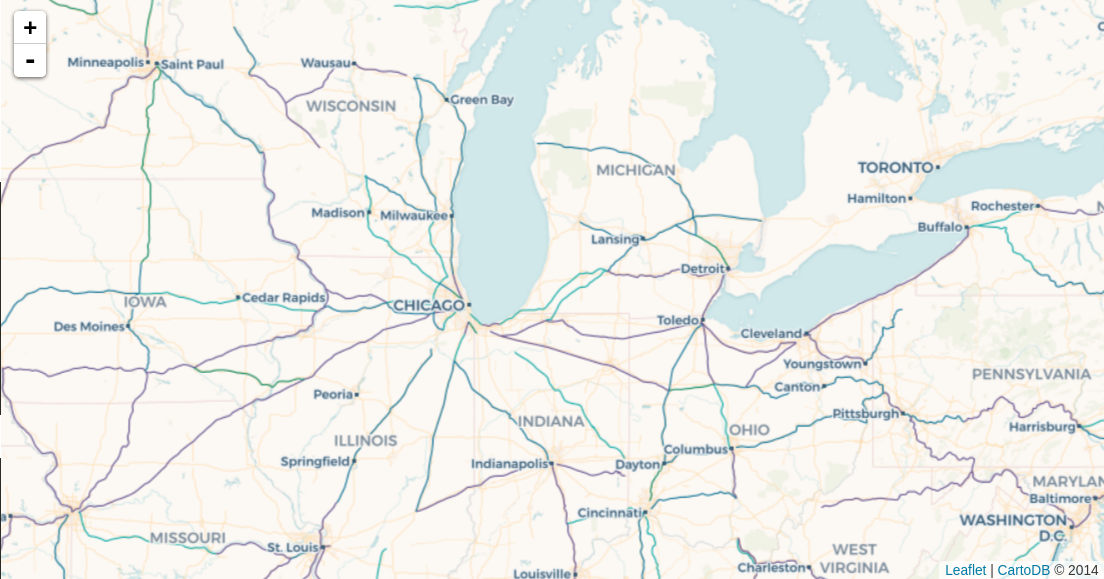
After talking with @makella these are the default color ramps:
Quantitative ramps:
a. Points: Burg
b. Lines: Magenta
c. Polygons: Purp
Qualitative ramps:
a. Points: Prism
b. Lines: Prism
c. Polygons: Prism
The logic behind these changes was:
- We needed to adapt the default ramps to the new default basemap (Voyager).
- They needed to work also on topo of Positron and Dark Matter basemaps.
- (Secondary) Points and lines ramps should work on top of polygons.
Mamata selected the default ramps for points and polys. I took the decision on lines because Steph is on vacations.
@dv343 @elenatorro you can go ahead! Let me know when the acceptance is ready.
ramiroaznar
on 29 Jan 2018
@dv343 @elenatorro ping me if you need help :)
IagoLast
on 29 Jan 2018
VAMOS!!!! @IagoLast @elenatorro @davidmanzanares @jesusbotella @matallo
ramiroaznar
on 19 Feb 2018
VAMOS!! Well done, team! ❤️❤️❤️
 elenatorro
on 19 Feb 2018
elenatorro
on 19 Feb 2018
non era sen tempo 😂
IagoLast
on 19 Feb 2018
in production! 🚀
 matallo
on 19 Feb 2018
matallo
on 19 Feb 2018
HUGE and been waiting a long time for this!!
thanks to all!!!
makella
on 20 Feb 2018
Related issues
makella
·
3Comments
 noguerol
·
5Comments
ramiroaznar
·
4Comments
noguerol
·
5Comments
ramiroaznar
·
4Comments
 santisaez
·
5Comments
saleiva
·
4Comments
santisaez
·
5Comments
saleiva
·
4Comments
Most helpful comment
HUGE and been waiting a long time for this!!
thanks to all!!!