Carthage: Downloaded Binaries are not copied from Carthage Cache directory to working directory
- carthage install method: [ ] .pkg, [x] homebrew, [ ] source
which carthage:/usr/local/bin/carthagecarthage version:0.36.0xcodebuild -version: Xcode 12.3 Build version 12C33- Are you using
--no-build? No - Are you using
--no-use-binaries? No - Are you using
--use-submodules? No - Are you using
--cache-builds? No - Are you using
--new-resolver? No
Cartfile
github "BranchMetrics/ios-branch-deep-linking"
binary "https://api.mapbox.com/downloads/v2/carthage/mobile-maps/mapbox-ios-sdk-dynamic.json"
Carthage Output
$ carthage bootstrap --use-netrc
*** Checking out ios-branch-deep-linking at "0.36.0"
*** Cloning ios-branch-deep-linking
*** Downloading binary-only framework mapbox-ios-sdk-dynamic at "https://api.mapbox.com/downloads/v2/carthage/mobile-maps/mapbox-ios-sdk-dynamic.json"
*** xcodebuild output can be found in /var/folders/d0/v6pnb6p12dd8l4xlmrtfrll9m3cttn/T/carthage-xcodebuild.hZwoO7.log
*** Downloading mapbox-ios-sdk-dynamic.framework binary at "6.3.0"
*** Downloading ios-branch-deep-linking.framework binary at "Branch iOS SDK 0.36.0"
Actual outcome
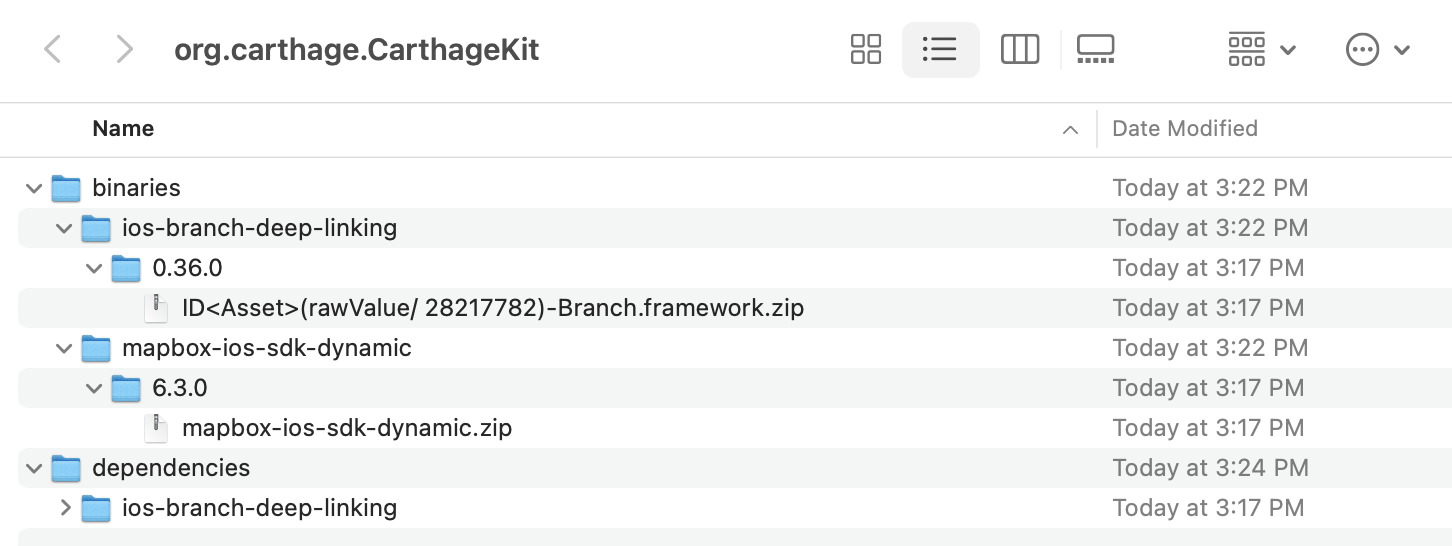
Binaries are downloaded but they're not copied to the local directory. They remain only in the Carthage cache directory .
~/Library/Caches/org.carthage.CarthageKit/binaries
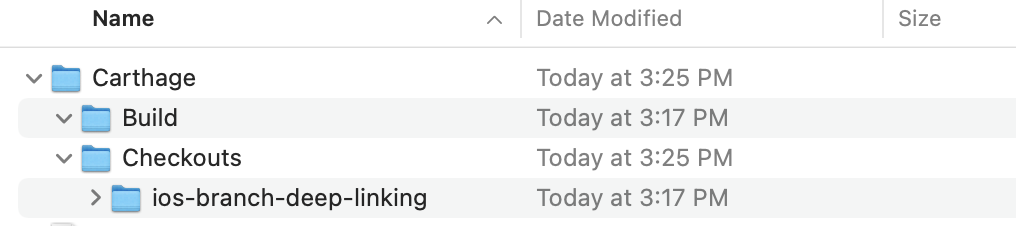
Working Directory
Expected outcome
Carthage should copy the resolved binaries from the cache directory into the working directory.
 rcedwards
All 2 comments
Not sure if it's related to your issue @rcedwards, but I had a similar issue, related to the wrong framework typeIdentifiers on my machine: https://github.com/Carthage/Carthage/issues/3093 (see comments for what fixed my issue)
 chriscomeau
on 27 Dec 2020
chriscomeau
on 27 Dec 2020
🎉2
@chriscomeau wow crazy issue and yes this was also causing my problem! Thanks so much for linking me to your issue!!!
Duplicate of #3093
rcedwards
on 4 Jan 2021
🎉2
Was this page helpful?
0 / 5 - 0 ratings
Related issues
 billypchan
·
3Comments
billypchan
·
3Comments
 faustperic
·
3Comments
faustperic
·
3Comments
 chrislconover
·
3Comments
chrislconover
·
3Comments
 itinance
·
3Comments
itinance
·
3Comments
 jdecarlo
·
3Comments
jdecarlo
·
3Comments
Most helpful comment
@chriscomeau wow crazy issue and yes this was also causing my problem! Thanks so much for linking me to your issue!!!
Duplicate of #3093