Carthage: 'copy-frameworks' command fails when archiving an macOS application
- carthage install method: [ ] .pkg, [x] homebrew, [] source
which carthage: /usr/local/bin/carthagecarthage version: 0.32.0xcodebuild -version: Xcode 10.1 Build version 10B61- Are you using
--no-build? No - Are you using
--no-use-binaries? No - Are you using
--use-submodules? No - Are you using
--cache-builds? No - Are you using
--new-resolver? No
Cartfile
github "CocoaLumberjack/CocoaLumberjack"
I am able to run project via xcode but archive is failing with below error
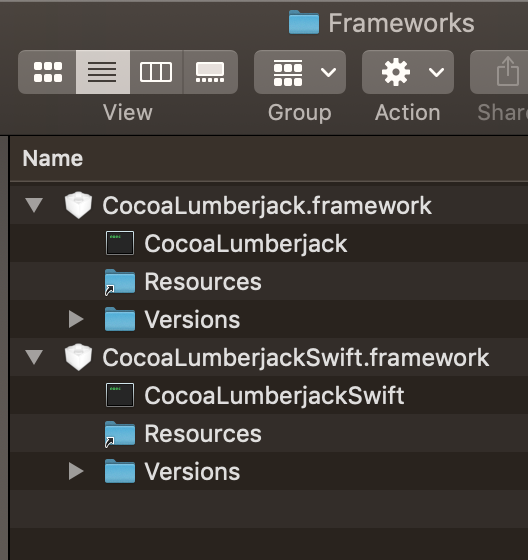
A shell task (/usr/bin/xcrun codesign --force --sign  --preserve-metadata=identifier,entitlements Path/myApp.app/Contents/Frameworks/CocoaLumberjack.framework) failed with exit code 1:
Path/myApp.app/Contents/Frameworks/CocoaLumberjack.framework: bundle format is ambiguous (could be app or framework)

Command PhaseScriptExecution failed with a nonzero exit code
 bafnaparag
All 2 comments
You don't need copy-frameworks for macOS application at all.
https://github.com/Carthage/Carthage/blob/master/README.md#if-youre-building-for-os-x
 ikesyo
on 29 Mar 2019
ikesyo
on 29 Mar 2019
👍3
Its Friday.
bafnaparag
on 29 Mar 2019
Was this page helpful?
0 / 5 - 0 ratings
Related issues
 yonaskolb
·
3Comments
yonaskolb
·
3Comments
 itinance
·
3Comments
itinance
·
3Comments
 faustperic
·
3Comments
faustperic
·
3Comments
 chrislconover
·
3Comments
chrislconover
·
3Comments
 akaffenberger
·
3Comments
akaffenberger
·
3Comments
Most helpful comment
You don't need copy-frameworks for macOS application at all.
https://github.com/Carthage/Carthage/blob/master/README.md#if-youre-building-for-os-x