Carla: Randomized vehicle license plates not working
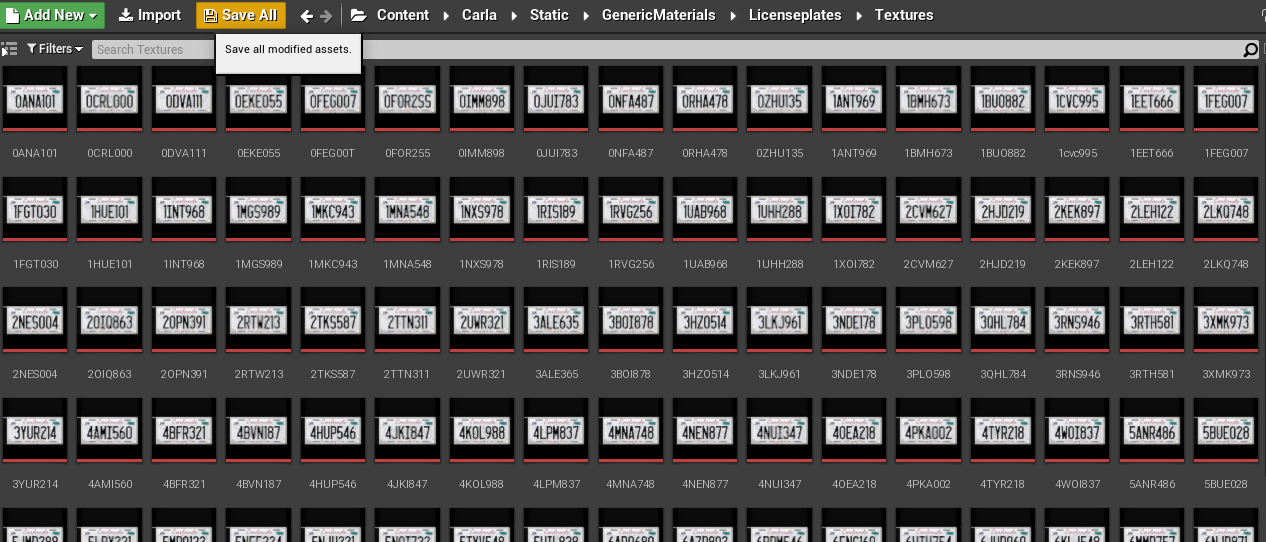
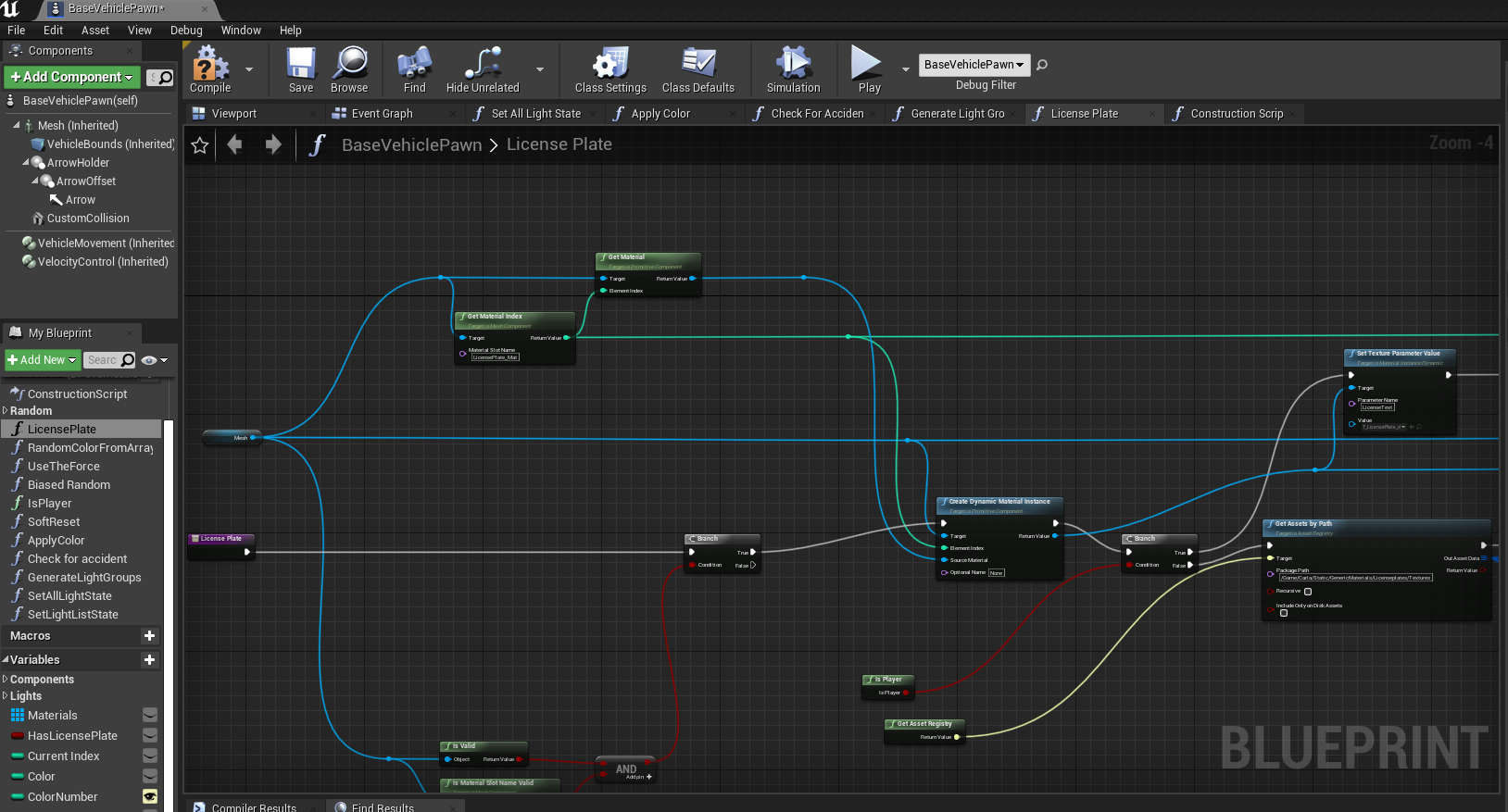
The randomized license plate feature is not working. According to CARLA 0.4.1 Changelog, the "randomized vehicle license plates" is supported since 0.4.1. The documentation for vehicle modeling also mentions license plate texture and there is a blueprint (BaseVehiclePawn > License Plate) defined for license plates. There are license plate textures assets accessible from /Content/Carla/Static/GenericMaterials/LicensePlates/Textures/ however I cannot find any documentation that explains how the default license plate can be changed.
 ebadi
ebadi
All 4 comments
Hi @ebadi, I will look into it. I'll let you know if I find something.
 Madecu
on 14 Oct 2020
Madecu
on 14 Oct 2020
It is very much appreciated @Madecu.
I don't have much experience in unreal engine and 3D modelling but I would be glad to contribute as much as I can, if pointers/references are provided.
ebadi
on 15 Oct 2020
Hi @ebadi, I found that we had had this feature disabled for a while. If you want to enable it, you just need to do the next two steps:
First, connect the LicensePlate function to the EventGraph

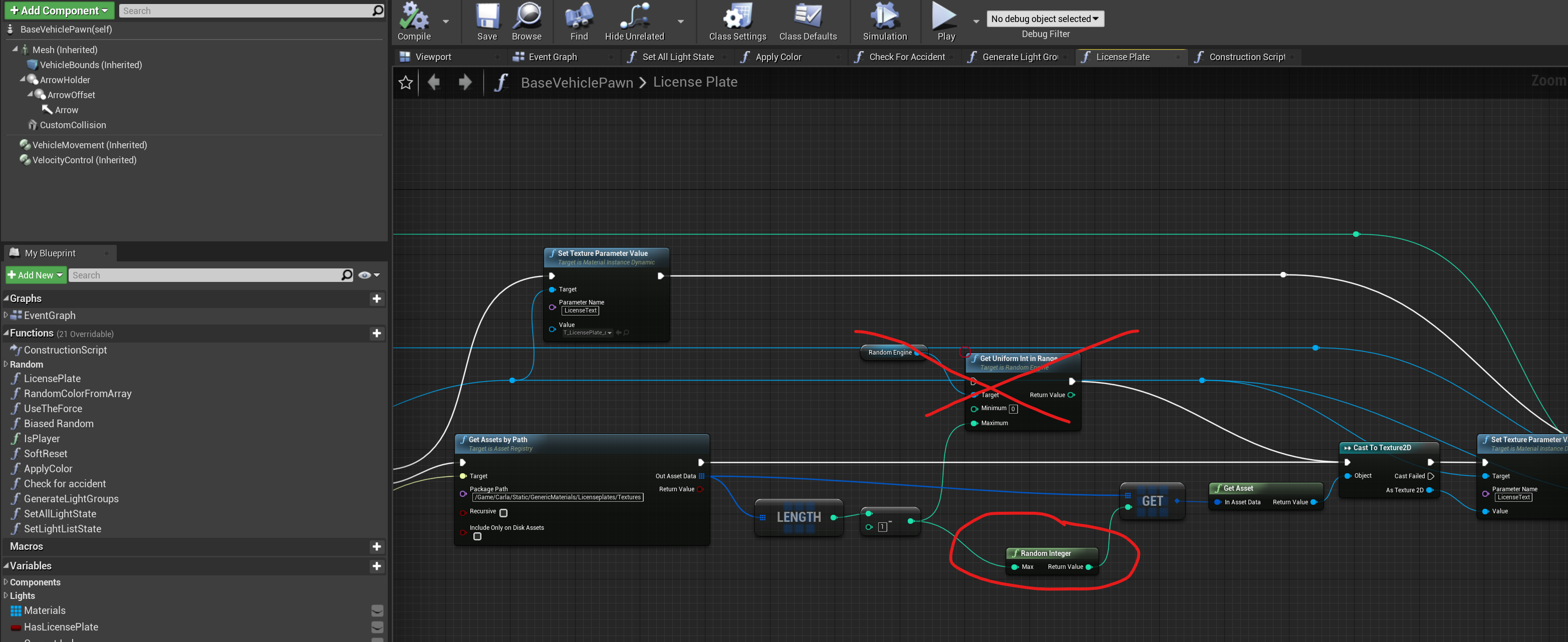
Second, you need to delete a node that is no longer functioning and replaced it with "Random Integer"
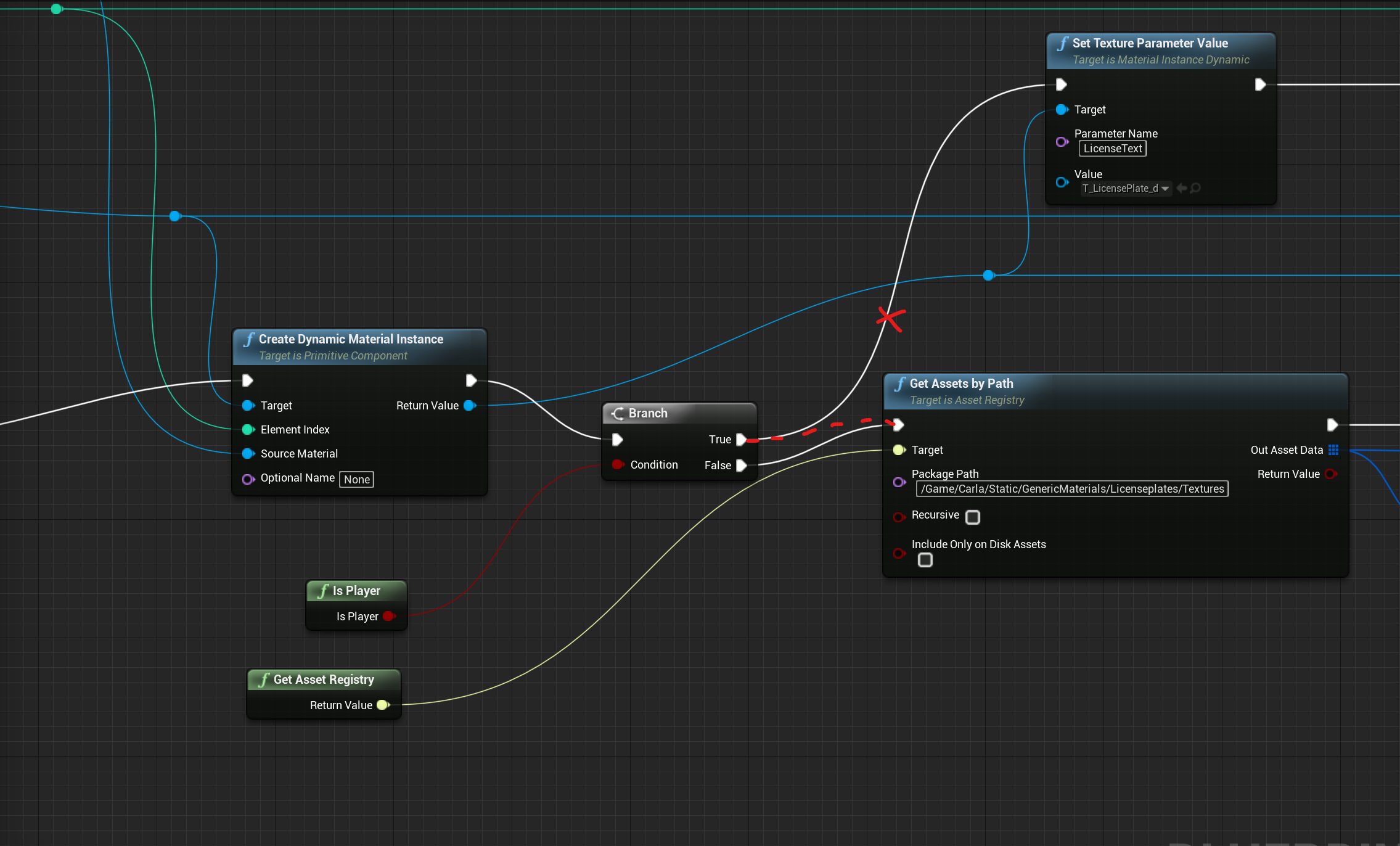
Bonus track. If you want to change the player's license plate too, connect the "True" output to this node:
I hope this helps you
Madecu
on 15 Oct 2020
Thank you. I tried it and it works now. :)
I think there are other issues like some license plates keeping their default values. I close this issue and try to look deeper later. If it was relevant to this issue, I reopen this, otherwise I report a new issue and tag you there.
Thank you so much @Madecu .
ebadi
on 16 Oct 2020
Related issues
 metaluga145
·
4Comments
metaluga145
·
4Comments
 NYJiaxing
·
3Comments
NYJiaxing
·
3Comments
 jinfagang
·
3Comments
jinfagang
·
3Comments
 imran514
·
3Comments
imran514
·
3Comments
 kartikye
·
3Comments
kartikye
·
3Comments