Carla: How to create a map step by step?
Hello, I am new to Carla. Now I want to create a new map by RoadRunner and Unreal Engine 4.
I really appreciate there are so many contributors to this topic. I mainly focus on these two tutorials for building my own map.
Guide#1: https://github.com/carla-simulator/carla/issues/1015 and
Guide#2: https://carla.readthedocs.io/en/latest/how_to_make_a_new_map
I find it's pretty hard to follow these instructions to build my own map. One reason is that I do not know how to check each step is correct or not so it also takes me a lot of time to figure out this. There are my steps and questions:
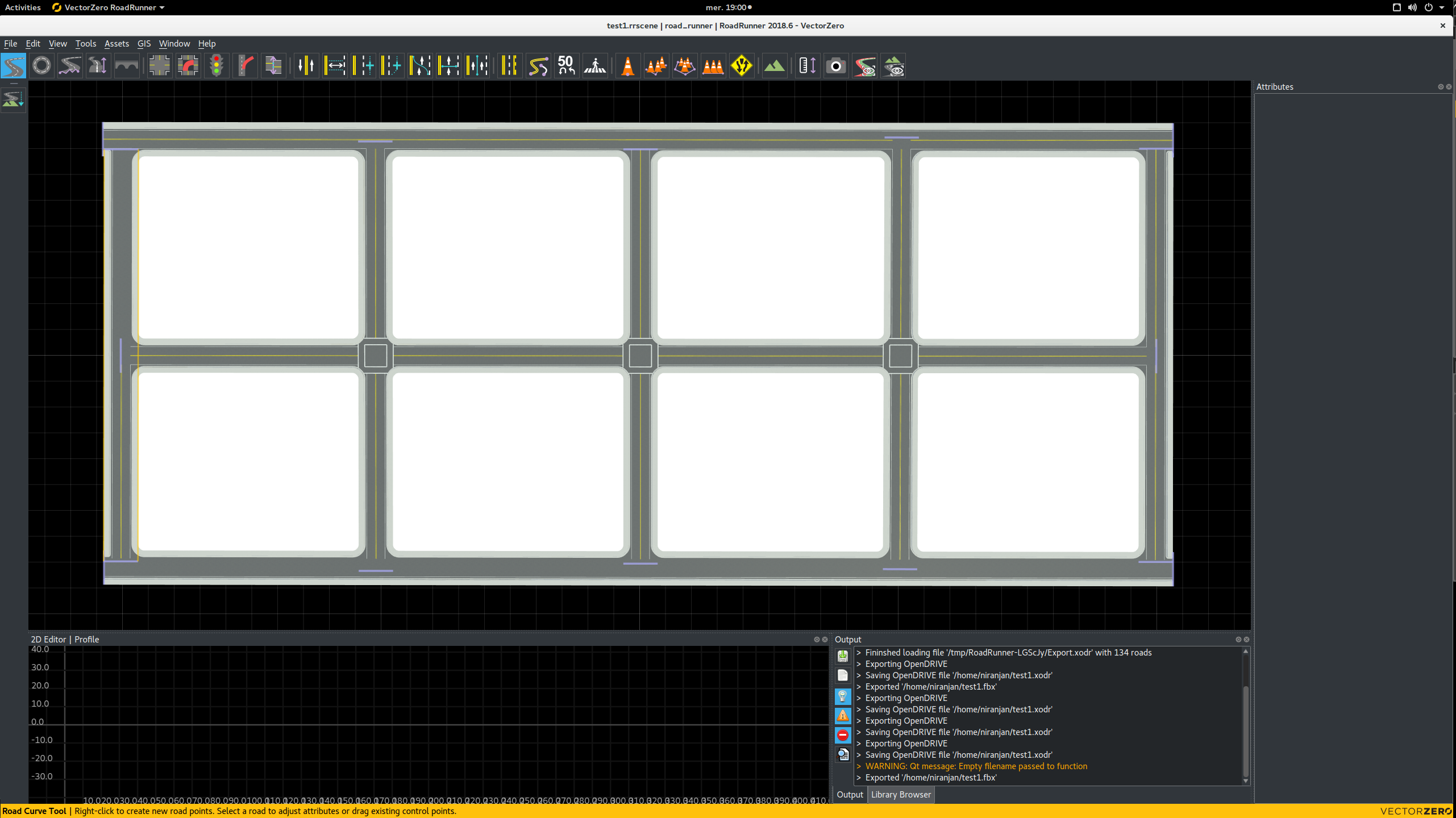
- created a map on RoadRunner. Firstly, I changed the Rotation to 180 degree followed by guide#2. Then drew my map, just a simple one. I do not know what is OpenDRIVE Preview Tool, does this step help? I simply created my map and exported as fbx and opendrive files. Saved using same name, test1.fbx and test1.xodr.
- I copied the opendrive file to
/home/dong/carla/Unreal/CarlaUE4/Content/Carla/Maps/OpenDrive/test1.xodr. - open the unreal engine and create a new level and saved it to
Maps/test. Then imported the fbx file to a newly created folder but I got some warinings. Changed the roation to (0, 0, 0).

I got the RoadRunner plugins installed. I do not know why I cannot see the results just like this video shows. https://www.youtube.com/watch?v=cu_IwFZhvhI, I need to drag the meshes to the levele by myself.

- I just continued to create my own map. I dragged all the items to the level and deleted the floor in the newly created level. Then I searched the OpenDrive actor / CarlaMapGenerator and dragged them to the level. Check "generate routes" and then get

I found it's difficult to move the route to the road I generated. Later I tried another created road by the same way, I found I cannot see the route anymore after clicking "generate routes" .
Also a log informationLogCarla: Loading OpenDrive file '../../../../carla/Unreal/CarlaUE4/Content/Carla/Maps/OpenDrive/test1.xodr' WARNING: cannot parse georeference: ''. Using default values.
I want to know which step may I make mistakes?

Thank you for your help!!
 Derekabc
All 11 comments
@XGodina hi, I still need your help. thanks
Derekabc
on 30 Apr 2019
@Derekabc i have used generate_map.py as they explain on this page (https://github.com/carla-simulator/carla/blob/master/Docs/generate_map_from_fbx.md) and have done the whole process without doing anything. It is easier than doing the manual process.
 eloy96vg
on 2 May 2019
eloy96vg
on 2 May 2019
@eloy96vg Thank you for your reply ! In this method, can we add new spawn points and path?
Derekabc
on 2 May 2019
Hi @Derekabc , how do you generate the route manually? I drag OpenDriveActor and CarlaMapGenerator, but I didn't see any route show up. You mentioned "clicking 'generate routes'", is there a button in UnrealEditor? I couldn't find it.
About your issue, I think the map need at least one junction (I run into the same issue when my map only has one straight road. It works when there is at least one junction). Try to make one junction in road runner and import it again
 hieunguyen88
on 3 Jun 2019
hieunguyen88
on 3 Jun 2019
@hieunguyen88 @Derekabc I'm also looking for the generate routes button. Could you point me to it?
 athreyasridharan
on 7 Jun 2019
athreyasridharan
on 7 Jun 2019
hi, @athreyasridharan, you see the last picture of my first comment. You can find the generate route button when you choose the CarlaMapGenerate label.
Derekabc
on 7 Jun 2019
@eloy96vg the link is not working
could you please update the link
 RehabHsn
on 26 Jul 2019
RehabHsn
on 26 Jul 2019
Hello, I am new to Carla. Now I want to create a new map by RoadRunner and Unreal Engine 4.
I really appreciate there are so many contributors to this topic. I mainly focus on these two tutorials for building my own map.
Guide#1: https://github.com/carla-simulator/carla/issues/1015 and
Guide#2: https://carla.readthedocs.io/en/latest/how_to_make_a_new_map
I find it's pretty hard to follow these instructions to build my own map. One reason is that I do not know how to check each step is correct or not so it also takes me a lot of time to figure out this. There are my steps and questions:
- created a map on RoadRunner. Firstly, I changed the Rotation to 180 degree followed by guide#2. Then drew my map, just a simple one. I do not know what is OpenDRIVE Preview Tool, does this step help? I simply created my map and exported as fbx and opendrive files. Saved using same name, test1.fbx and test1.xodr.
- I copied the opendrive file to
/home/dong/carla/Unreal/CarlaUE4/Content/Carla/Maps/OpenDrive/test1.xodr.- open the unreal engine and create a new level and saved it to
Maps/test. Then imported the fbx file to a newly created folder but I got some warinings. Changed the roation to (0, 0, 0).
I got the RoadRunner plugins installed. I do not know why I cannot see the results just like this video shows. https://www.youtube.com/watch?v=cu_IwFZhvhI, I need to drag the meshes to the levele by myself.
- I just continued to create my own map. I dragged all the items to the level and deleted the floor in the newly created level. Then I searched the OpenDrive actor / CarlaMapGenerator and dragged them to the level. Check "generate routes" and then get
I found it's difficult to move the route to the road I generated. Later I tried another created road by the same way, I found I cannot see the route anymore after clicking "generate routes" .
Also a log informationLogCarla: Loading OpenDrive file '../../../../carla/Unreal/CarlaUE4/Content/Carla/Maps/OpenDrive/test1.xodr' WARNING: cannot parse georeference: ''. Using default values.
I want to know which step may I make mistakes?
Thank you for your help!!
What if we don't have Roadrunner? what is the best option?
 mehrdad-moradi
on 5 Aug 2019
mehrdad-moradi
on 5 Aug 2019
Hello,
I followed the guide mentioned here here
to create my custom environment map. I did not get any error, however, after importing the .fbx file into unreal engine the objects in the environment have no textures.
Why are not the material textures/colors visible in unreal?
Road Runner map:
Unreal engine map:


 ndeshp2s
on 21 Aug 2019
ndeshp2s
on 21 Aug 2019
Hello, i want to ask where did u get the RoadRunner install file? Because i've contacted the Vectorzero and gotten no response yet.
 Kingsman1995
on 8 Oct 2019
Kingsman1995
on 8 Oct 2019
This issue has been automatically marked as stale because it has not had recent activity. It will be closed if no further activity occurs. Thank you for your contributions.
![stale[bot] picture](https://avatars.githubusercontent.com/in/1724?v=4&s=40) stale[bot]
on 7 Dec 2019
stale[bot]
on 7 Dec 2019
Related issues
 phzeller
·
3Comments
phzeller
·
3Comments
 jinfagang
·
3Comments
jinfagang
·
3Comments
 chankim
·
3Comments
chankim
·
3Comments
 NYJiaxing
·
3Comments
NYJiaxing
·
3Comments
 cstamatiadis
·
3Comments
cstamatiadis
·
3Comments
Most helpful comment
What if we don't have Roadrunner? what is the best option?