Capacitor: Capacitor beta.17 update causing so 17 errors
Since I update to capacitor.beta.17 I am seeing lot of errors . Are there any breaking changes?

 stripathix
All 5 comments
It has been updated to swift 4.2.
What’s your swift version?
What’s your Xcode version?
 jcesarmobile
on 29 Jan 2019
jcesarmobile
on 29 Jan 2019
Updated to swift 4.2.
Xocde version: Version 10.1 (10B61)
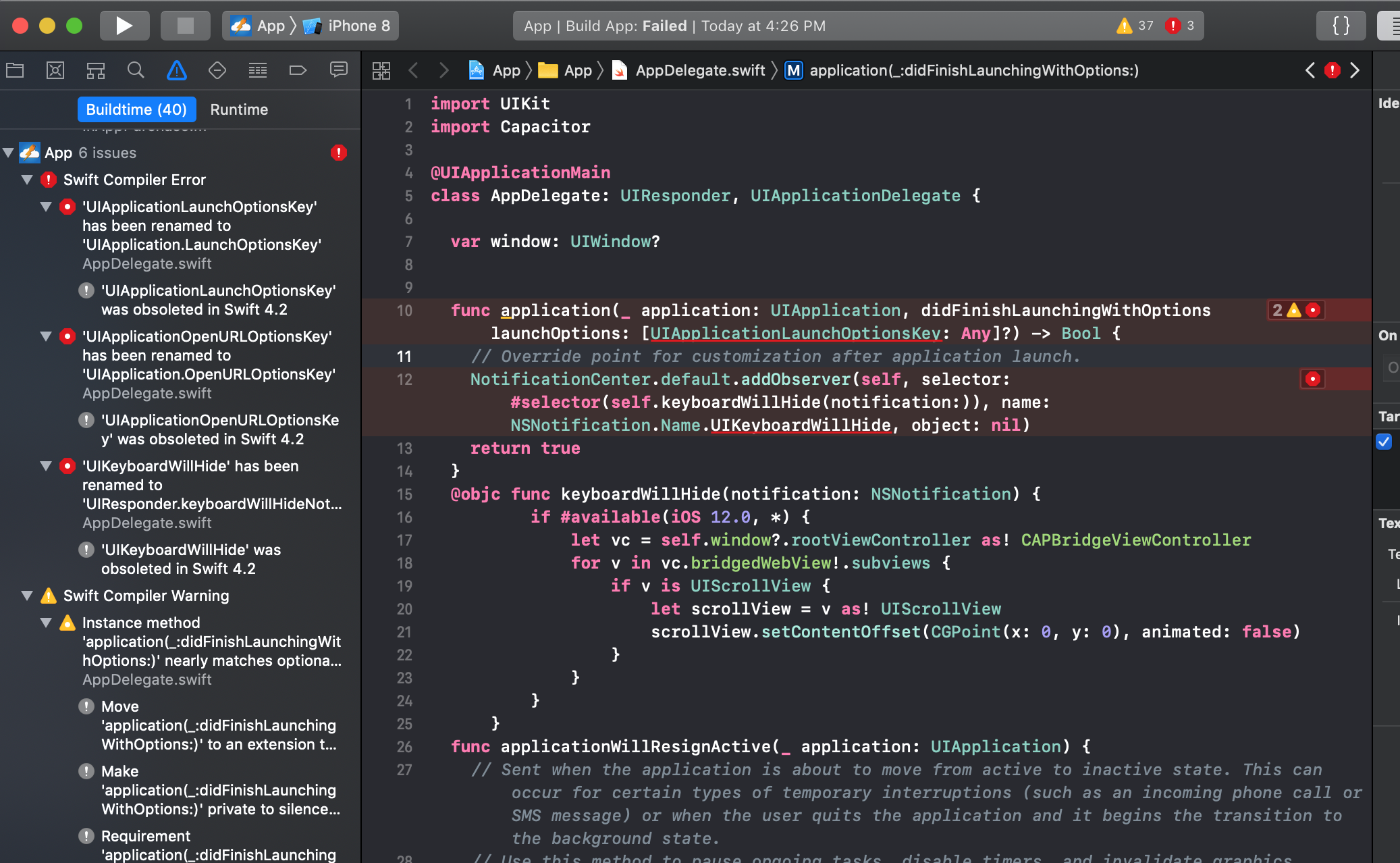
After updating to swift 4.2 now I am getting three errors.
stripathix
on 29 Jan 2019
Updated swift version is xCode under Build Settings. Do I need to change it anywhere else also?

Shashwats-MacBook-Pro:app-vue shashwat$ xcrun swift -version
Apple Swift version 4.2.1 (swiftlang-1000.11.42 clang-1000.11.45.1)
Target: x86_64-apple-darwin18.2.0
Shashwats-MacBook-Pro:app-vue shashwat$
If you manually changed ti to 4.2 then you weren't using 4.2. You have to do a migration. Do a Edit -> Convert -> To current Swift syntax.
It should only ask you to convert the target "App".
In case Capacitor target also appears for Conversion, check the Swift version that appears there and also provide your CocoaPods version.
jcesarmobile
on 29 Jan 2019
@jcesarmobile Thanks :-) .
To fix this what I did was to move back to beta.14 then convert the app to swift 4.2 and after that, I updated capacitor modules to beta.17.
All good now. :-)
stripathix
on 29 Jan 2019
Related issues
 codedge
·
24Comments
codedge
·
24Comments
 BerkeAras
·
44Comments
BerkeAras
·
44Comments
 peterpeterparker
·
37Comments
peterpeterparker
·
37Comments
 GuilhermeBCC
·
20Comments
GuilhermeBCC
·
20Comments
 sneko
·
19Comments
sneko
·
19Comments
Most helpful comment
If you manually changed ti to 4.2 then you weren't using 4.2. You have to do a migration. Do a Edit -> Convert -> To current Swift syntax.
It should only ask you to convert the target "App".
In case Capacitor target also appears for Conversion, check the Swift version that appears there and also provide your CocoaPods version.