Capacitor: [Camera] On Android devices width and height inverted
[X] I would to submit a bug
Current behavior
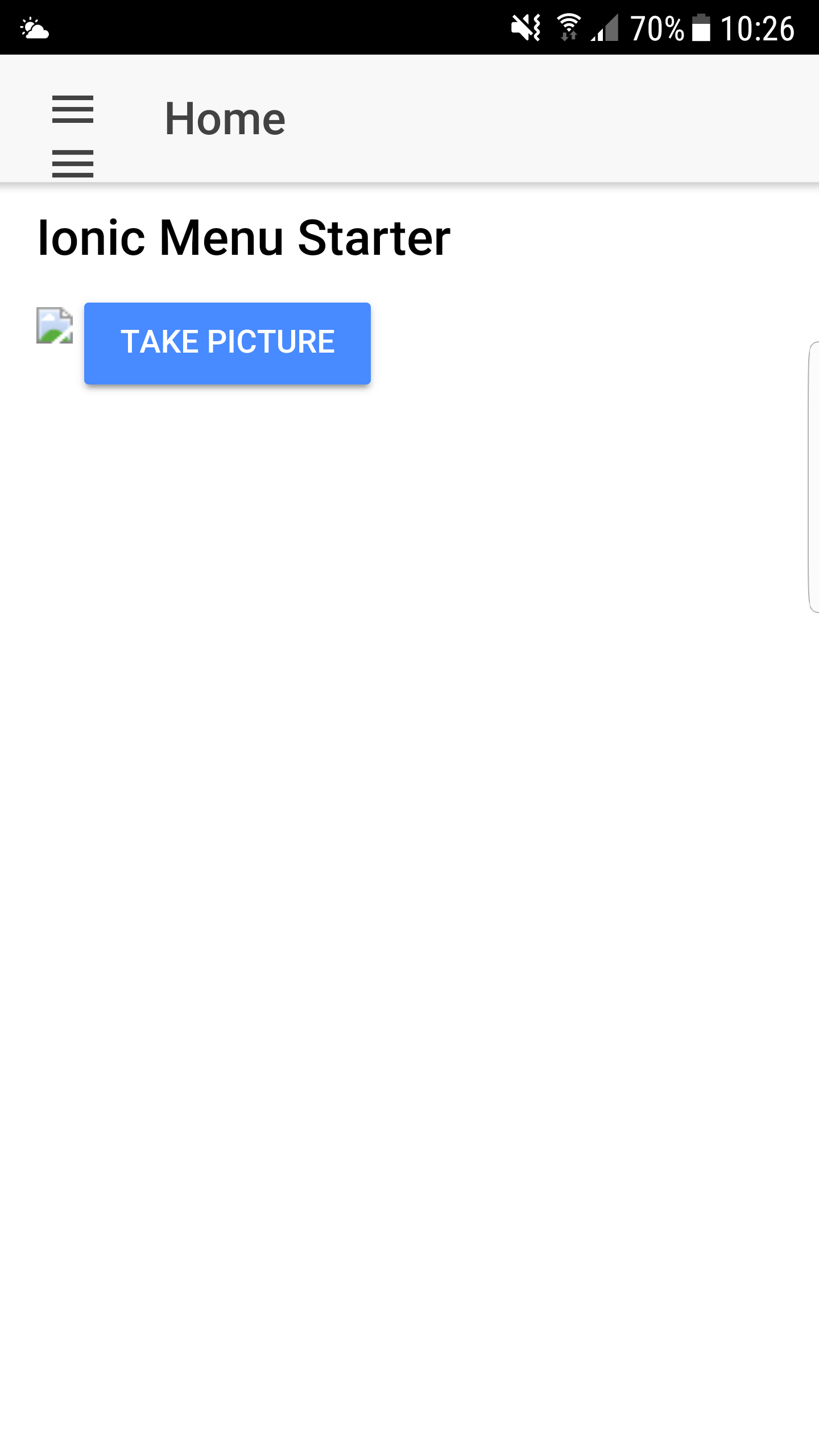
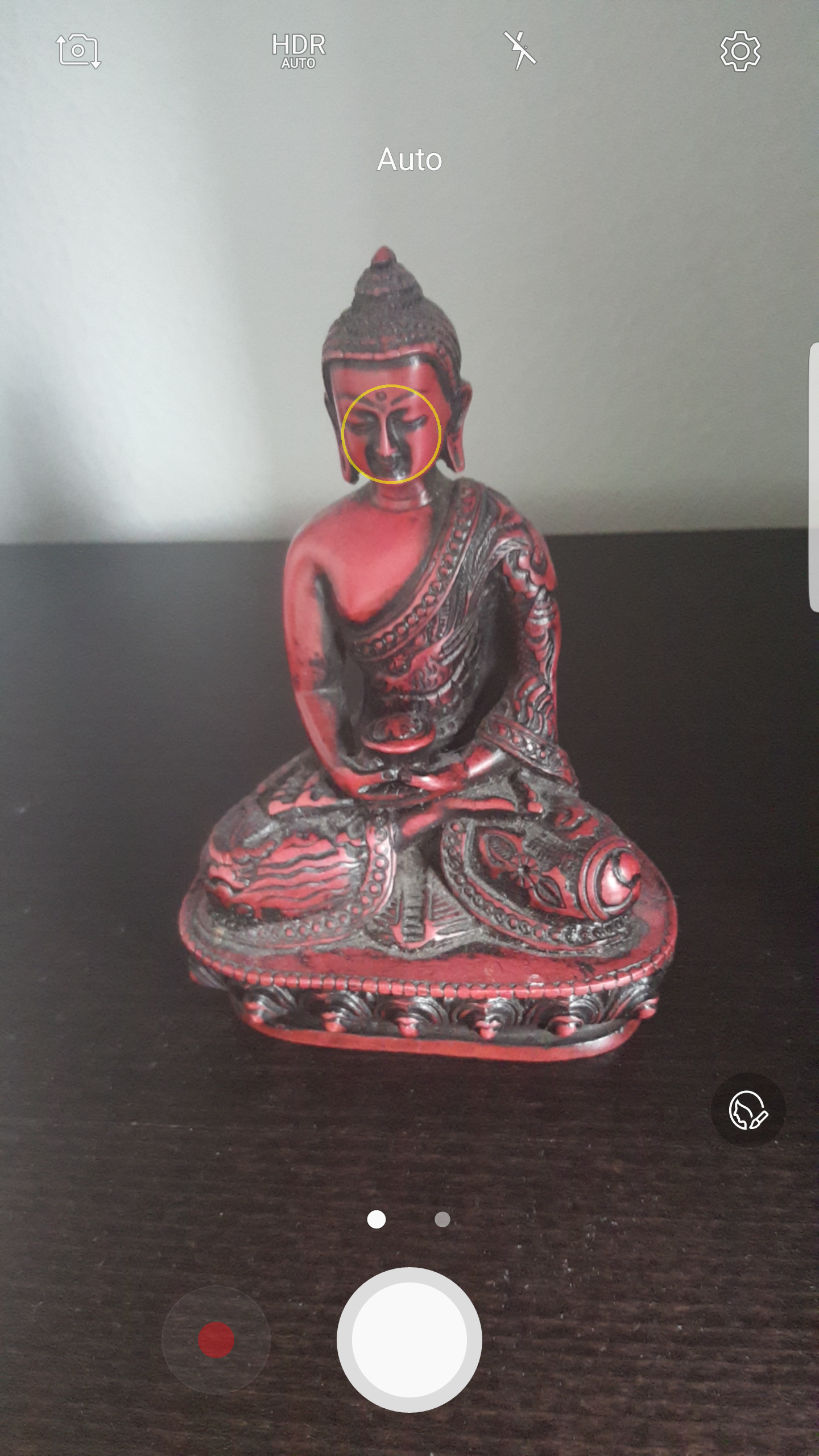
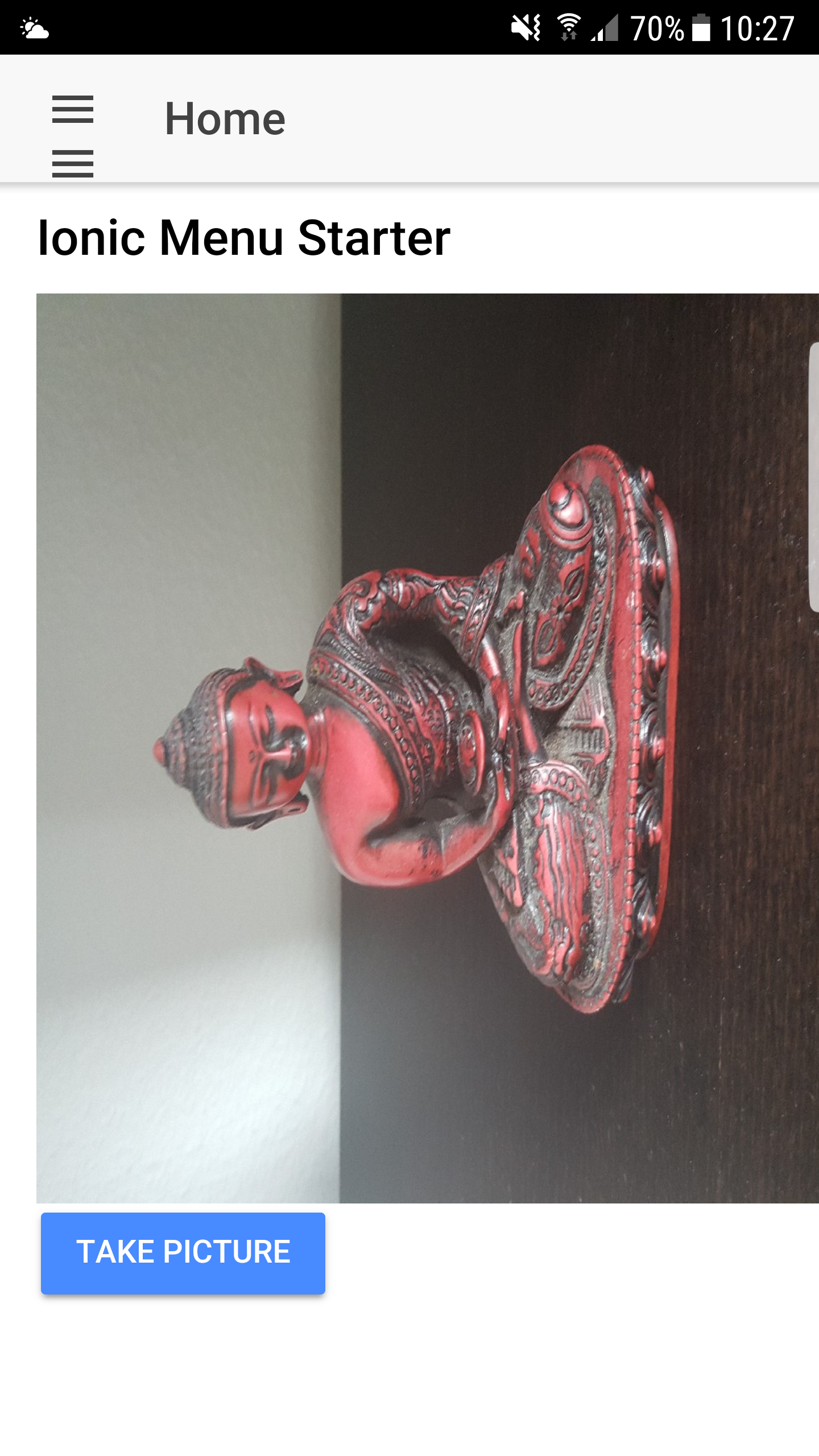
When I take a picture with the Capacitor camera plugin on my Android device (Samsung Edge) the result is kind of inverted (see pictures behind)
Expected behavior
A not inverted picture ;)
Note: This doesn't happen on iOS, everything alright there
Code
ts:
async takePicture() {
    const { Camera } = Plugins;

    const imageUrl = await Camera.getPhoto({
      allowEditing: false,
      correctOrientation: false,
      height: 1080,
      width: 1080,
      quality: 90,
      resultType: CameraResultType.Base64,
      saveToGallery: false
    });

    this.image = this.sanitizer.bypassSecurityTrustResourceUrl(imageUrl && (imageUrl.base64_data));
  }
html:
    <img [src]="image" />
   <button (click)="takePicture()" ion-button color="primary">Take Picture</button>
scss:
    img {
      max-width: 400px;
      max-height: 400px;
    }
Side notes
A side effect of https://github.com/ionic-team/capacitor/issues/217 maybe?
Screenshots
 peterpeterparker
All 37 comments
Okay can't reproduce in the simulator. Can you try something: set saveToGallery to true and share the image that was saved in the gallery when you take the photo?
Will test on a real device tomorrow
 mlynch
on 12 Mar 2018
mlynch
on 12 Mar 2018
I may have resolved this if you can test 1.0.0-alpha.12
mlynch
on 12 Mar 2018
@mlynch sorry for my late answer, it was a loooong day
anyway unfortunately even with 1.0.0-alpha.13 I still face the same problem on the same phone
but, I don't face it on another phone and I don't face it when I import a photo from the gallery (congrats for the new feature btw.)
maybe something related to the Android version?
Samsung Edge / Android 7.0 / take photo => result image inverted
Samsung Edge / Android 7.0 / from gallery => no problem
Nexus 5X / Android 8.1 => no problem
I also tried to set correctOrientation and saveToGallery to true, no success neither
Do you want me to publish my all test project inclusive the platforms on GitHub?
peterpeterparker
on 12 Mar 2018
Thanks for the info. Can you share the image file you took? Possibly email it to me at [email protected]? I'd like to dig into the exif data to see if we're thinking it needs to be rotated.
mlynch
on 13 Mar 2018
Awesome! I can reproduce, thanks for sending that photo along. Should be fixed shortly
mlynch
on 14 Mar 2018
@mlynch awesome, thx a lot for your perseverance!!!
peterpeterparker
on 14 Mar 2018
Also I think I'm going to move to where you live 😂
mlynch
on 14 Mar 2018
Super bizarre, Android thinks the orientation of that image is 90 degrees to the left, but the orientation data in exif is normal. Found a few cases online with the same issue, hmm.
mlynch
on 14 Mar 2018
So weird, maybe an Android <= 7.0 bug? With Android 8.1 I wasn't able to reproduce it
peterpeterparker
on 14 Mar 2018
Okay I just checked another tool and it confirms it's rotated, so I think I'll be able to fix this here shortly
mlynch
on 14 Mar 2018
Cool, fixed, and was able to simplify the code a bit. Will be fixed in alpha.16
mlynch
on 14 Mar 2018
Removing code is the best 👍
Thx for the fix, looking forward to next steps of these camera tests ;)
peterpeterparker
on 14 Mar 2018
@mlynch unfortunately even with Capacitor 1.0.0-alpha.20 the problem remains
I tried to uncomment options after options and both URI and Base64 results but I was still always able to reproduce the problem
BUT, there is hope. I noticed something interesting. The problem only happens if I took a photo holding my phone in portrait mode. If I do take a photos holding my phone in landscape mode, the problem doesn't appears
Does this comment helps you?
Should I do more, like trying to debug? Where should I begin, what could be useful? never did that in Studio but there is a first step for everything ;)
peterpeterparker
on 17 Mar 2018
I think it's possible that gradle is not picking latest version of the Android library, we had the same problem with iOS. On Monday we will update it to use a local version installed from NPM. So wait for next release and if the problem persists, then we will reopen the issue.
 jcesarmobile
on 17 Mar 2018
jcesarmobile
on 17 Mar 2018
Cool sounds good to me
peterpeterparker
on 17 Mar 2018
@jcesarmobile did you do the update yesterday to use a local version installed from npm?
just tried again, still face the issue
I did:
npm install --save @capacitor/core @capacitor/cli
rm -r android
ionic build --prod
npx cap add android
npx cap sync
npx cap open android
then build an apk, remove previous app on my Android 7 test phone, install new apk, take photo
=> same result. when I shot a photo in portrait mode, I end up with a photo rotated
peterpeterparker
on 20 Mar 2018
Yeah, we released 1.0.0-alpha.23 yesterday.
Check your settings.gradle, if it has this:
include ':capacitor-android'
project(':capacitor-android').projectDir = new File('../node_modules/@capacitor/android/capacitor/')
Then it's loading capacitor from npm and you should have latest version.
jcesarmobile
on 20 Mar 2018
@jcesarmobile it's the case
include ':app'
include ':capacitor-android'
project(':capacitor-android').projectDir = new File('../node_modules/@capacitor/android/capacitor/')
include ':capacitor-android-plugins'
project(':capacitor-android-plugins').projectDir = new File('../node_modules/@capacitor/cli/assets/capacitor-android-plugins/')
Ok, reopening then cc @mlynch
jcesarmobile
on 20 Mar 2018
@peterpeterparker what do you see if you run npm ls @capacitor/android?
I did test it with your image and it worked, I wonder if the code path from straight-from-camera is causing a difference
mlynch
on 20 Mar 2018
[email protected] /Users/me/Documents/projects/lab/capacitor-camera-v2
  └── @capacitor/[email protected]
I just tried to rm node_modules and package-lock.json, proceed with a all fresh npm install and repeat the steps described above...same result
peterpeterparker
on 20 Mar 2018
Okay thanks, debugging...
mlynch
on 20 Mar 2018
I try to too
peterpeterparker
on 20 Mar 2018
Are you setting correctOrientation to true? It needs to be true not false
mlynch
on 20 Mar 2018
I don't so per default correctOrientation is true
I've to go away from keyboard soon, but if you want I will continue debugging it tomorrow. I'm currently trying to play with ImageUtils.correctOrientation.
I think this post is related to the problem https://github.com/google/cameraview/issues/22
peterpeterparker
on 20 Mar 2018
@mlynch I think my modification of ImageUtils.correctOrientation seems ok, the height of the resulting bitmap is bigger than the width (I could test more and submit a PR for that if you want...)
But, you correct me, is it possible that there is another problem with the result of type CameraResultType.URI? If I understand following code, the source image is returned not the bitmap with was just processed. Should the bitmap overwrite the source image or be saved separately in order to be returned?
} else if (resultType == CameraResultType.URI) {
  JSObject ret = new JSObject();
  ret.put("path", contentUri.toString()); // <-- contentUri = src image
  ret.put("webPath", FileUtils.getPortablePath(getContext(), contentUri));
  call.resolve(ret);
}
@peterpeterparker 🙈you're right, it's just returning the original. I can fix that up quick
mlynch
on 20 Mar 2018
Cool
Just document the following in case we would need it later. My modification/test of ImageUtils.correctOrientation which is I thinkonly compatible with API level 24
public static Bitmap correctOrientation(Context c, Bitmap bitmap, Uri imageUri) {
    final int orientation = getOrientation(c, imageUri);

    if (orientation != 0) {
      Matrix matrix = new Matrix();
      matrix.postRotate(orientation);

      return transform(bitmap, matrix);
    } else {
      return bitmap;
    }
  }

  private static int getOrientation(Context c, Uri imageUri) {
    int result = 0;

    try {
      final InputStream iStream = c.getContentResolver().openInputStream(imageUri);
      final ExifInterface exifInterface = new ExifInterface(iStream);

      final int orientation = exifInterface.getAttributeInt(ExifInterface.TAG_ORIENTATION, 1);

      if (orientation == ExifInterface.ORIENTATION_ROTATE_90) {
        result = 90;
      } else if (orientation == ExifInterface.ORIENTATION_ROTATE_180) {
        result = 180;
      } else if (orientation == ExifInterface.ORIENTATION_ROTATE_270) {
        result = 270;
      }

    } catch (IOException e) {
      e.printStackTrace();
    }

    return result;
  }
P.S.: Exception handling and stream close should still be handled in that piece of code
peterpeterparker
on 20 Mar 2018
Okay this should be fixed now. Also gave me the chance to refactor 😎
Can you try 1.0.0-alpha.24?
mlynch
on 20 Mar 2018
@mlynch unfortunately it still doesn't work. correctOrientation in ImageUtils detect no cursor (cur == null)
BUT, with the above method, using ExifInterface it works respectively I was able to solve the problem :)
I have prepared a PR for this purpose (also did a bit of refactoring, changed the default quality to 90 and closed all InputStreams)
Before I submit it, I just have a question. Shouldn't we, is it ok if we, include Apache Commons in the project? IOUtils contains really handy to work with IO streams or you rather like to keep the project without any such external references?
Let me know if I should submit the PR with or without Apache Commons, as you rather like
peterpeterparker
on 21 Mar 2018
Okay I'll take a look at your code and adopt that. As for commons, I'd prefer to keep that out if we can help it. Fewer dependencies is less stuff for us to think about. I don't yet feel a big pain to do that but will keep an open mind as we go
mlynch
on 21 Mar 2018
@mlynch here you go https://github.com/ionic-team/capacitor/pull/359
I'm not sure about the compatibility. I know ExifInterface is only available on Android API >= 24, that's why I tried to add that piece of code behind a if which test the API level. This should work at runtime my only question is if the import of ExifInterface itself my break at runtime or don't compile on an Android API level < 24...I did add a TODO about it. Would like to hear your thought about it
No problem about Apache Commons, I understand your point of view. I'm so used to StringUtils, CollectionUtils and IOUtils that I almost always de facto import this lib in any projects, there are really handy, that's why I asked but sure no worries make sense
peterpeterparker
on 21 Mar 2018
Just tested v1.0.0-alpha.25 which solves this issue for me 🎉
Thx @mlynch @jcesarmobile 👍
peterpeterparker
on 21 Mar 2018
Basically I'm having the same issue on Xiaomi Black Shark, Android 8.1.0, but only for browser
 Monomachus
on 20 May 2019
Monomachus
on 20 May 2019
This package fixes image orientations for me: https://www.npmjs.com/package/fix-orientation-capacitor
I was having an issue with Samsung Galaxy S5 Android 6.0.1
 andrew-motorcentral
on 27 May 2019
andrew-motorcentral
on 27 May 2019
Any update on this?
Die camera is still being mirrored and photo is 90" rotated.
Switched to HTML input (file) for now and it's working fine
 DeanWilliamMills
on 11 Jul 2019
DeanWilliamMills
on 11 Jul 2019
@DeanWilliamMills Do you have camera via file-input working on an Android device?
 sandstrom
on 30 Oct 2019
sandstrom
on 30 Oct 2019
Related issues
 danielsogl
·
3Comments
danielsogl
·
3Comments
 Hansel03
·
3Comments
Hansel03
·
3Comments
 moberwasserlechner
·
3Comments
moberwasserlechner
·
3Comments
 bogdbo
·
3Comments
bogdbo
·
3Comments
 json-derulo
·
3Comments
json-derulo
·
3Comments