Canvasblocker: site-specific settings do not initially appear when options are opened in a separate tab
To reproduce:
- Open about:addons, go to CanvasBlocker prefs, and create some site-specific settings. Close about:addons.
- Open about:addons again in a new tab, go to CanvasBlocker prefs, and click "Open in separate tab."
- Go to the new prefs tab and click the triangle to open any site-specific settings. The only thing shown is the box to create new settings; the settings created in step 1 are missing.
- Go back to about:addons and change one of the site-specific settings there.
- Go back to the separate prefs tab and voila, the site-specific settings have magically appeared.
My environment/settings: See #243
 practik
All 8 comments
I'm not able to reproduce your problem. Can you please increase the logging level to "message" and look at the console in the "separate tab" (click F12).
 kkapsner
on 6 Sep 2018
kkapsner
on 6 Sep 2018
I did that, but the only message that appeared was:
- [CanvasBlocker] [2018-09-06 12:19:53.566] settings loaded
Maybe try to reproduce again? About one time out of seven the bug does not appear for me.
Here's a screen recording of what happens for me the other six out of seven times: https://www.dropbox.com/s/n6c0gjk84mn1jqo/CanvasBlockerPrefsBug.mov?dl=0
practik
on 6 Sep 2018
Thanks for the video. Maybe I spotted a thing there... let's see if I can reproduce with the additional information.
kkapsner
on 6 Sep 2018
No... still not able to reproduce. But it's weird because there should be
[CanvasBlocker] options page: [2018-09-06 20:37:19.632] settings loaded
Can you please create a fresh profile and test with that?
kkapsner
on 6 Sep 2018
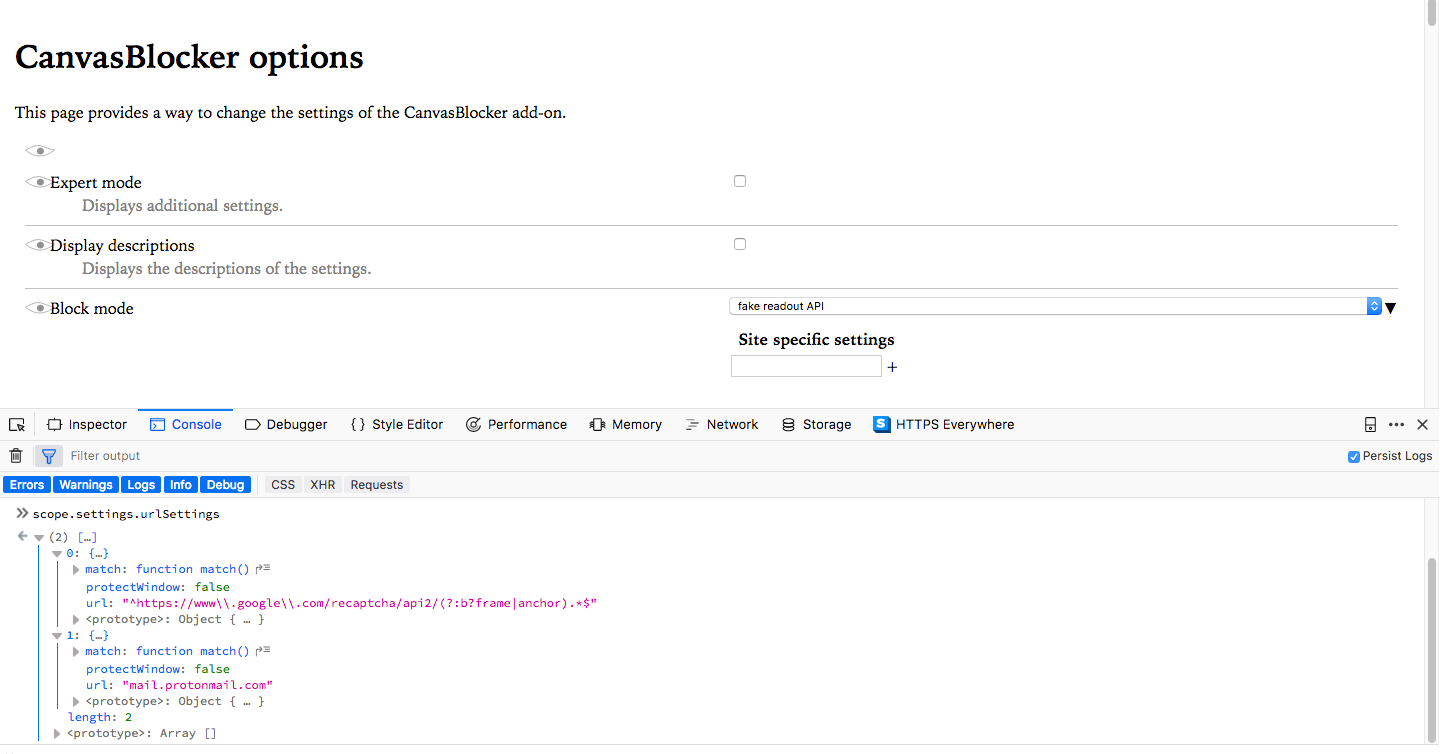
Another thing we should check:
- go to the console (F12)
- type "scope.settings.urlSettings"
- expand the given result
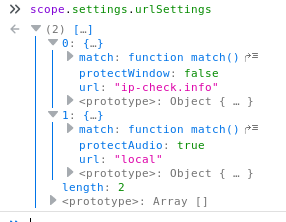
kkapsner
on 6 Sep 2018
Weird. Yes, I can do the fresh profile – will let you know what happens.
In the meantime:
practik
on 6 Sep 2018
OK, I just tested 10 times with a fresh profile with only CanvasBlocker and no other extensions. I can't reproduce the bug there either, and the console message includes "options page" the way it's supposed to. So I guess the bug is peculiar to my regular setup. Because of that, and because it's a very minor bug, I'm going to close this. But I'm happy to help if you want to keep investigating and need more info from me – just let me know.
practik
on 6 Sep 2018
Thanks for checking.
But I'm happy to help if you want to keep investigating and need more info from me – just let me know.
No - I have enough to do.
kkapsner
on 6 Sep 2018
Related issues
 hotx
·
3Comments
hotx
·
3Comments
 kekukui
·
7Comments
kekukui
·
7Comments
 MPeti1
·
4Comments
MPeti1
·
4Comments
 prog-amateur
·
8Comments
prog-amateur
·
8Comments
 ghost
·
4Comments
ghost
·
4Comments