Canvasblocker: Navigator API value faking is not authentic
Description
In the addon's settings page at the APIs tab if protection of the navigator API is enabled, the user can specify how to fake the different values that are provided by the navigator API.
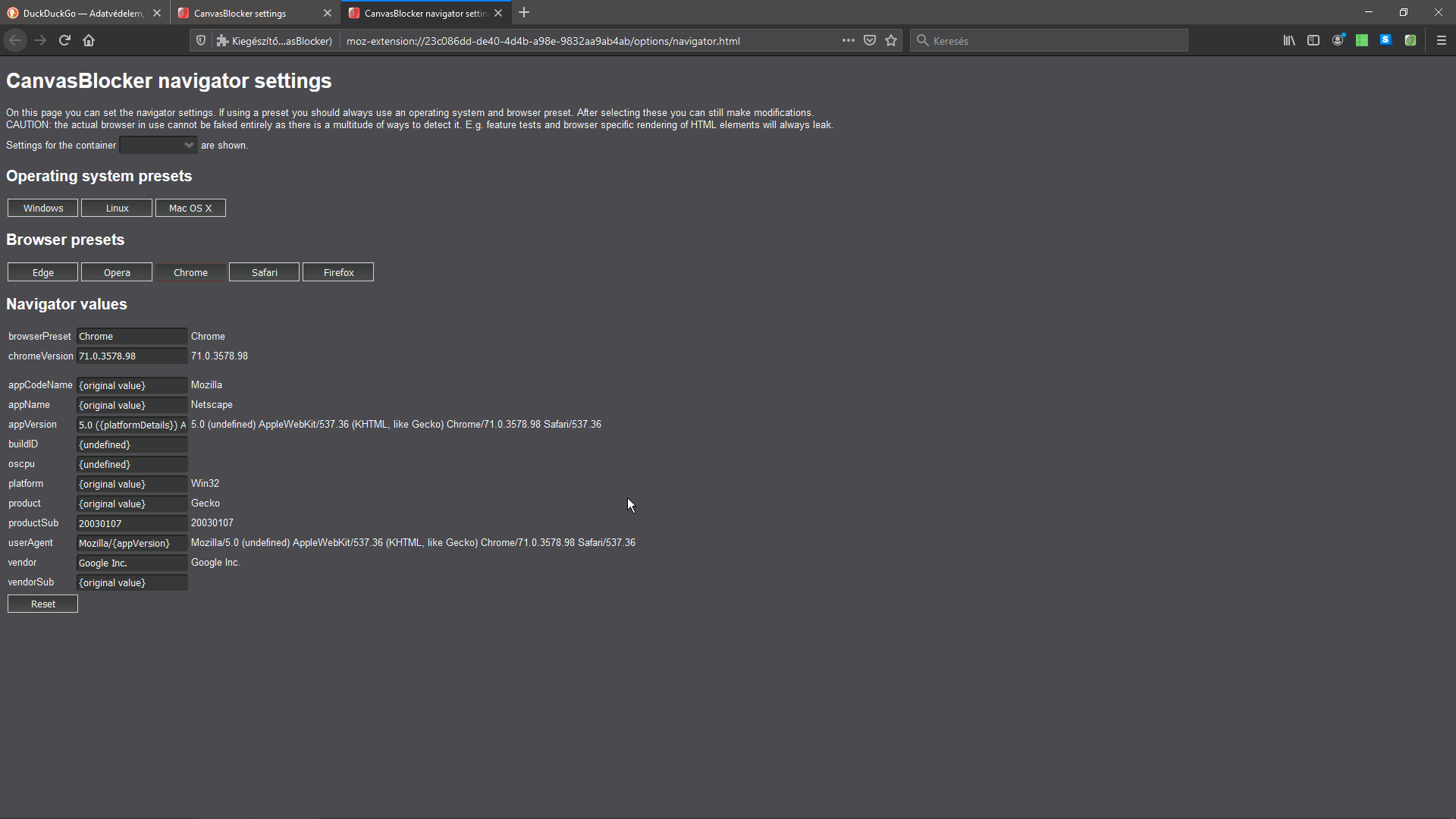
After choosing a preset (e.g. Windows and Chrome) not all values are modified correctly, like both the appCodeName, the appName, the appVersion, the product and the userAgent string will reflect that it's a chrome-firefox(-safari ???) mutant something
I consider it a bug because this way spoofing the navigator API's values are worthless. The website currently being browsed will either won't be able to decide if it's a firefox or a chrome and try do do things for both browsers, or it will detect that something isn't right.
Also, why is Safari and it's version number included in the appVersion string?
Expected Behavior
Not exactly sure if it's a bug, or if it works correctly, but in a bad way, but what I think should happen there is that it should totally replicate the values of a chrome browser on Windows.
Current Behavior
Currently, it includes a few of chrome's values, but it's appended to the inside of the default user agent string, along with the safari browser's values:
userAgent: Mozilla/5.0 (undefined) AppleWebKit/537.36 (KHTML, like Gecko) Chrome/71.0.3578.98 Safari/537.36
Also it doesn't overwrite the following values at all:
- appCodeName: Mozilla
- appName: Netscape
- product: Gecko
Possible Solution
The values should be changed appropriately. I don't use chrome, so I currently don't know the exact values that are to be used.
Steps to Reproduce (for bugs)
- Open the settings of CanvasBlocker
- switch to the APIs tab
- tick the box named "Protect navigator API" at the "Navigator API" category
- click the newly appeared "open" button in the line of "Navigator settings"
- choose a preset (e.g. Chrome)
Context
I'm trying to make a website (LogMeIn GoToMeeting) believe that I'm browsing from a chrome browser. I don't see why it shouldn't work in Firefox, considering that they intermittently did support it 1 and 2 years ago, and that such a big company would make use of web standard technologies to build such a simple service
Yes, see screenshot below
Your Environment
- CanvasBlocker Version used: 1.2
- Firefox version incl. 32- or 64-bit: 74.0 64 bit
- Operating System and version (desktop or mobile): Windows 10 1903 desktop
- Installed addons: in the new profile: CB, dark reader, fb container, https everywhere, uMatrix
Your Settings
https://gist.github.com/MPeti1/0214669cb1320c6cb8037b731e0e64c3
 MPeti1
All 4 comments
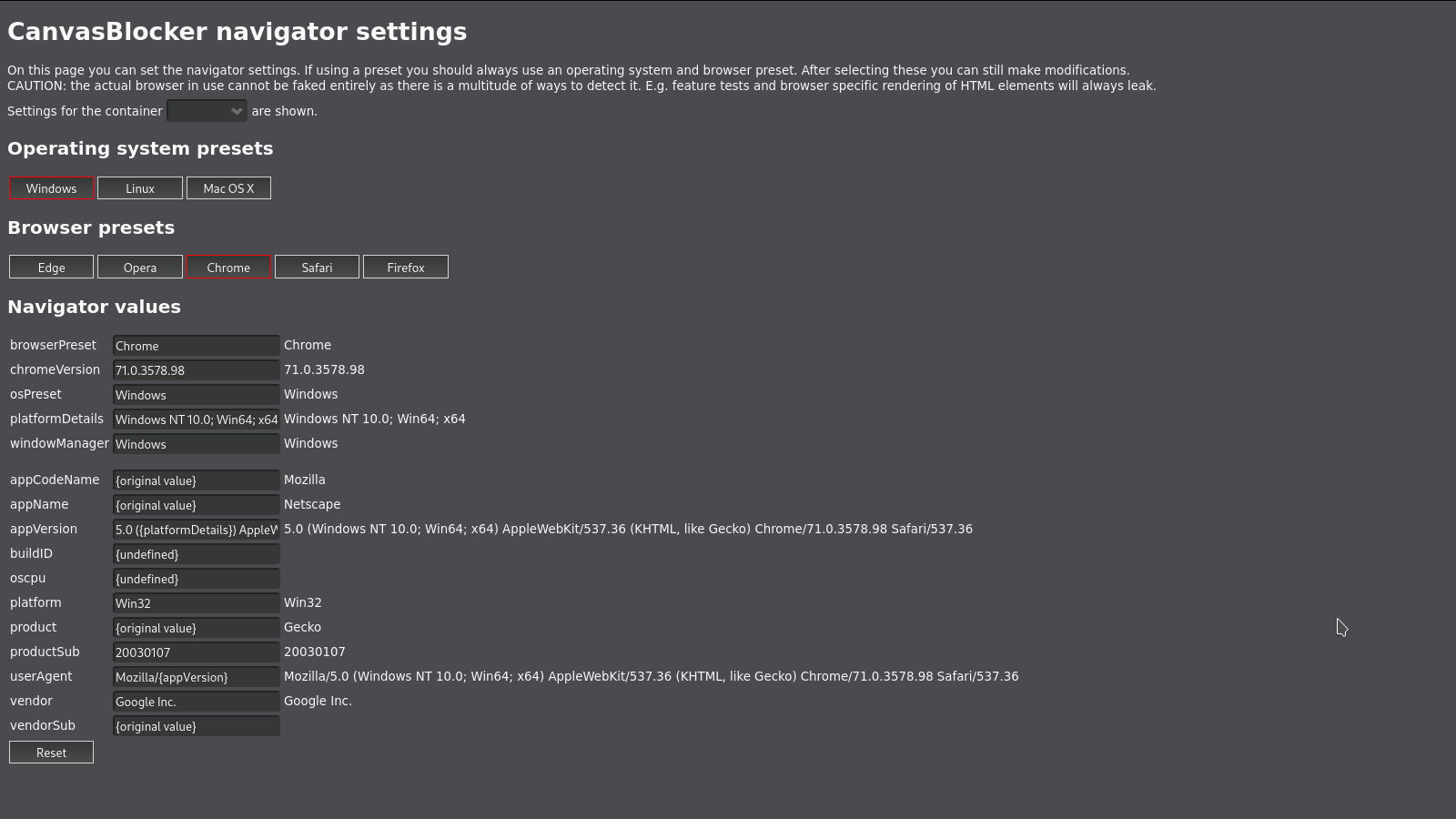
As stated in the navigator settings page: "If using a preset you should always use an operating system and browser preset." If you select "Windows" as well you get rid of the "undefined".
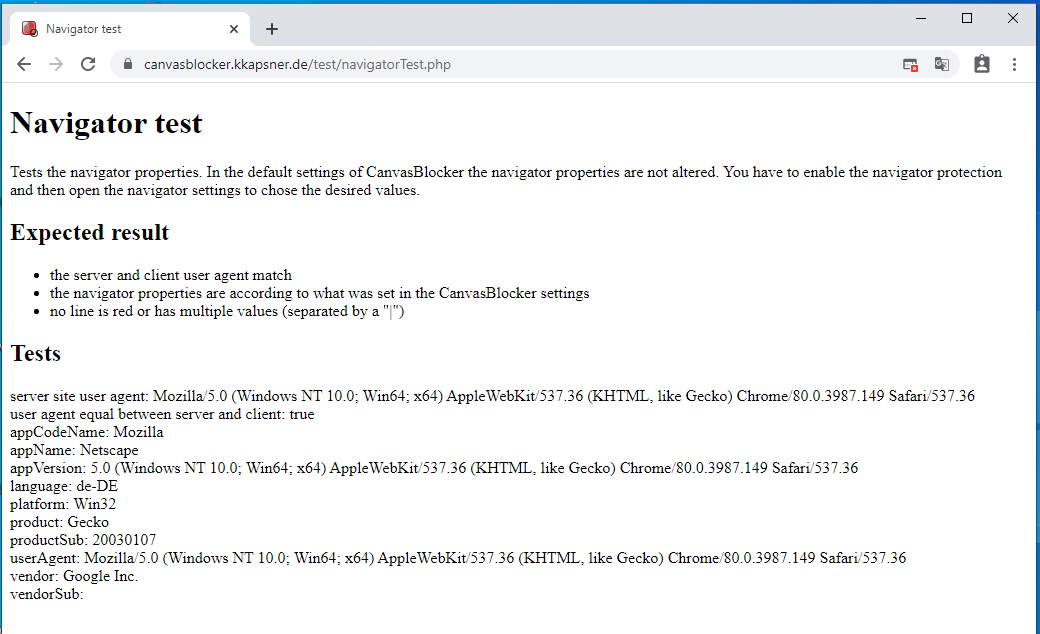
All the other values are taken from a Chrome installation and they are that weird. The userAgent and the other navigator properties have a very weird history and therefore weird values.
Navigator test page on chrome:
Navigator test page on Firefox with CB pretending Chrome on Windows:
->
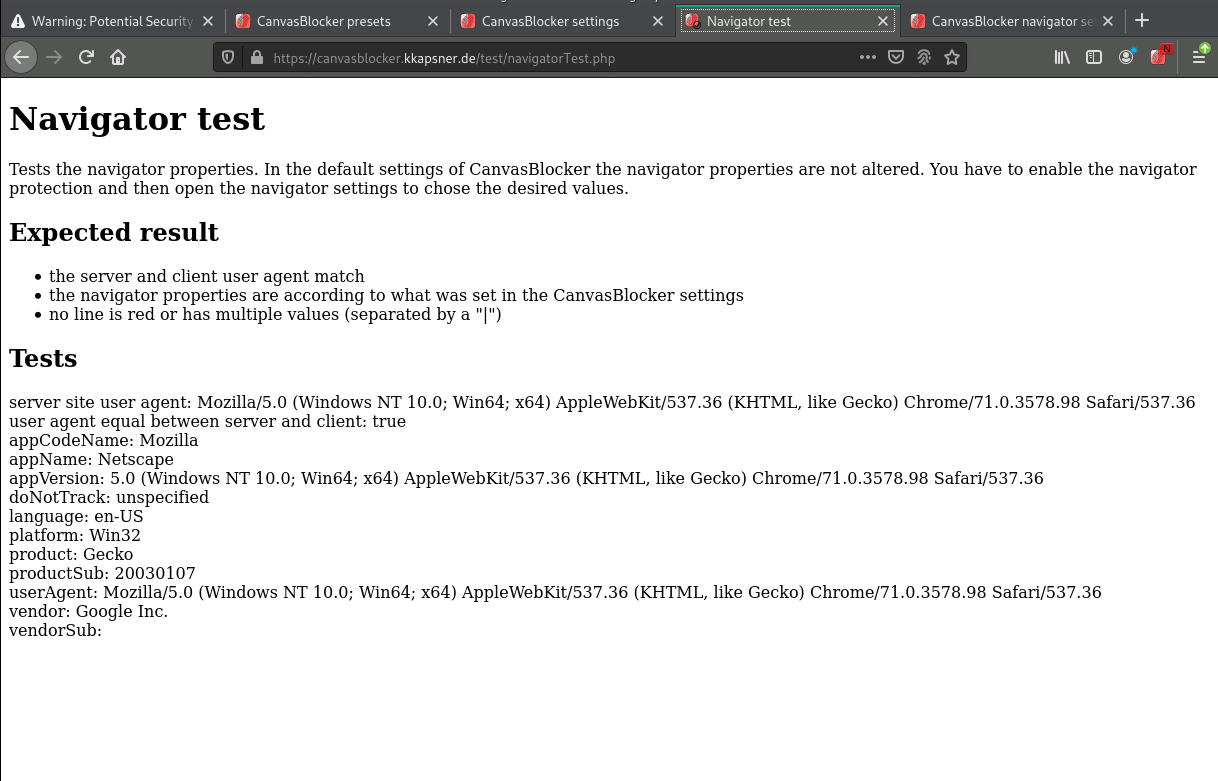
The main difference is the Version of Chrome which can be adjusted in the navigator settings.
 kkapsner
on 24 Mar 2020
kkapsner
on 24 Mar 2020
Well, thank you for pointing this out, and sorry for wasting your time, this is really weird but true. I just tried out chrome in a VM, and the values are really this mixed. I think I've read about it earlier and I was just as confused about the why's as now, but I totally forgot it since
MPeti1
on 27 Mar 2020
No problem. It wasn't that much time.
Better to have a false alarm than having a bug that is not reported.
kkapsner
on 27 Mar 2020
@MPeti1 read and behold .... https://webaim.org/blog/user-agent-string-history/ .. it's a short read and funny as F (and true)
 Thorin-Oakenpants
on 29 Mar 2020
Thorin-Oakenpants
on 29 Mar 2020
Related issues
 kekukui
·
7Comments
kkapsner
·
8Comments
kekukui
·
7Comments
kkapsner
·
8Comments
 spodermenpls
·
4Comments
kkapsner
·
5Comments
spodermenpls
·
4Comments
kkapsner
·
5Comments
 Aq32
·
4Comments
Aq32
·
4Comments
Most helpful comment
@MPeti1 read and behold .... https://webaim.org/blog/user-agent-string-history/ .. it's a short read and funny as F (and true)