Calcite-components: calcite-popover disappears when moving mouse over other elements
Popover disappears and reappears when moving mouse over other elements.
Using beta33, I can't reproduce it with beta31. In both cases I use calcite-app-components 6.1.1 and 4master.
http://devext.arcgis.com/apps/mapviewer/index.html?url=https://services1.arcgis.com/4yjifSiIG17X0gW4/arcgis/rest/services/FatalAccidents2017/FeatureServer/0
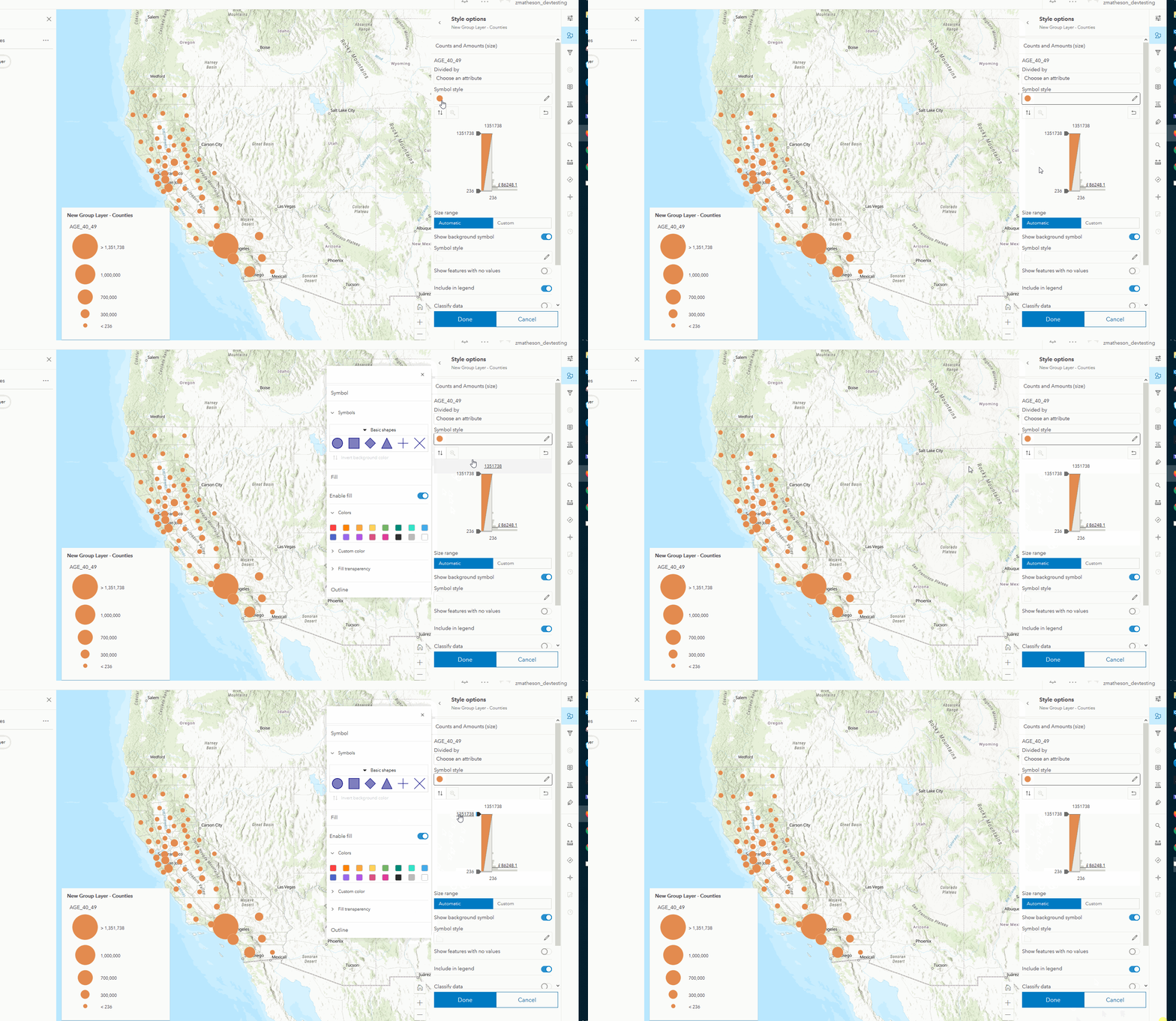
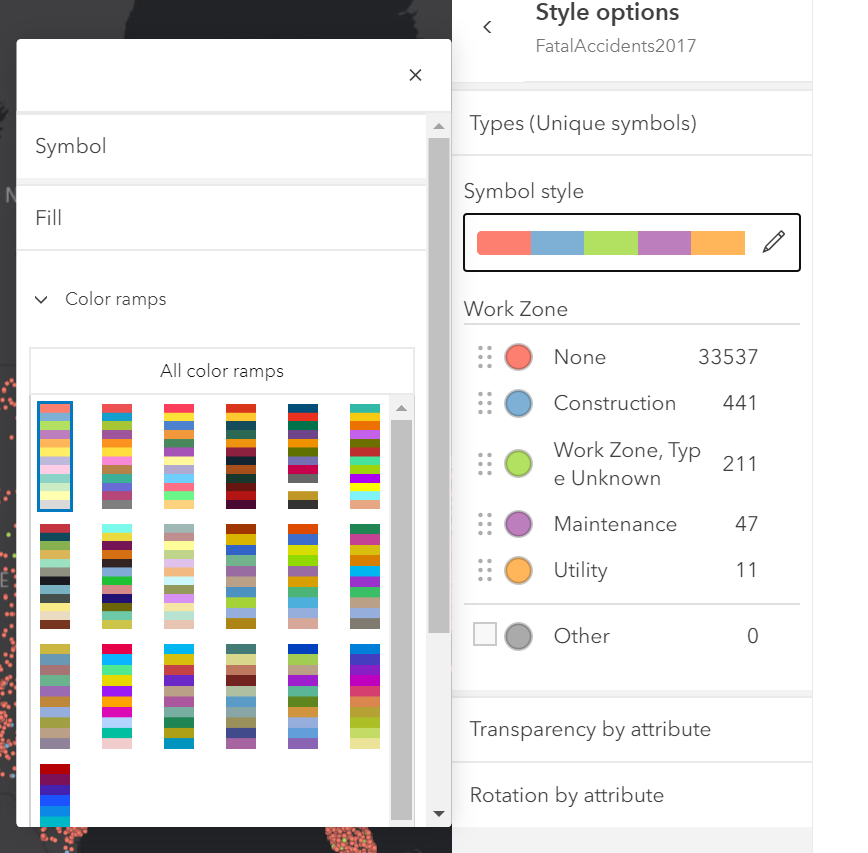
Click on the layer name on the left to make it active, open smartMapping by clicking Styles on the right, click on Location tile, open transparency block and enable it (you need stuff in the UI to see it), click on the orange dot symbol to open the symbol styler. Now move your mouse slowly down the side panel (not over the styler).
cc @jcfranco
 AdelheidF
All 11 comments
 zaramatheson
on 22 Jul 2020
zaramatheson
on 22 Jul 2020
Seems like an app issue. Only happens when the vertical slider is showing and when I move the mouse it seems to remove the popover being open.
 driskull
on 24 Jul 2020
driskull
on 24 Jul 2020
@AdelheidF let me know if I can close this. Otherwise, we would need some kind of repro case using just components.
driskull
on 24 Jul 2020
Neither the popover or popover-manager have any mouse events so this must be something in the app messing with it.
driskull
on 25 Jul 2020
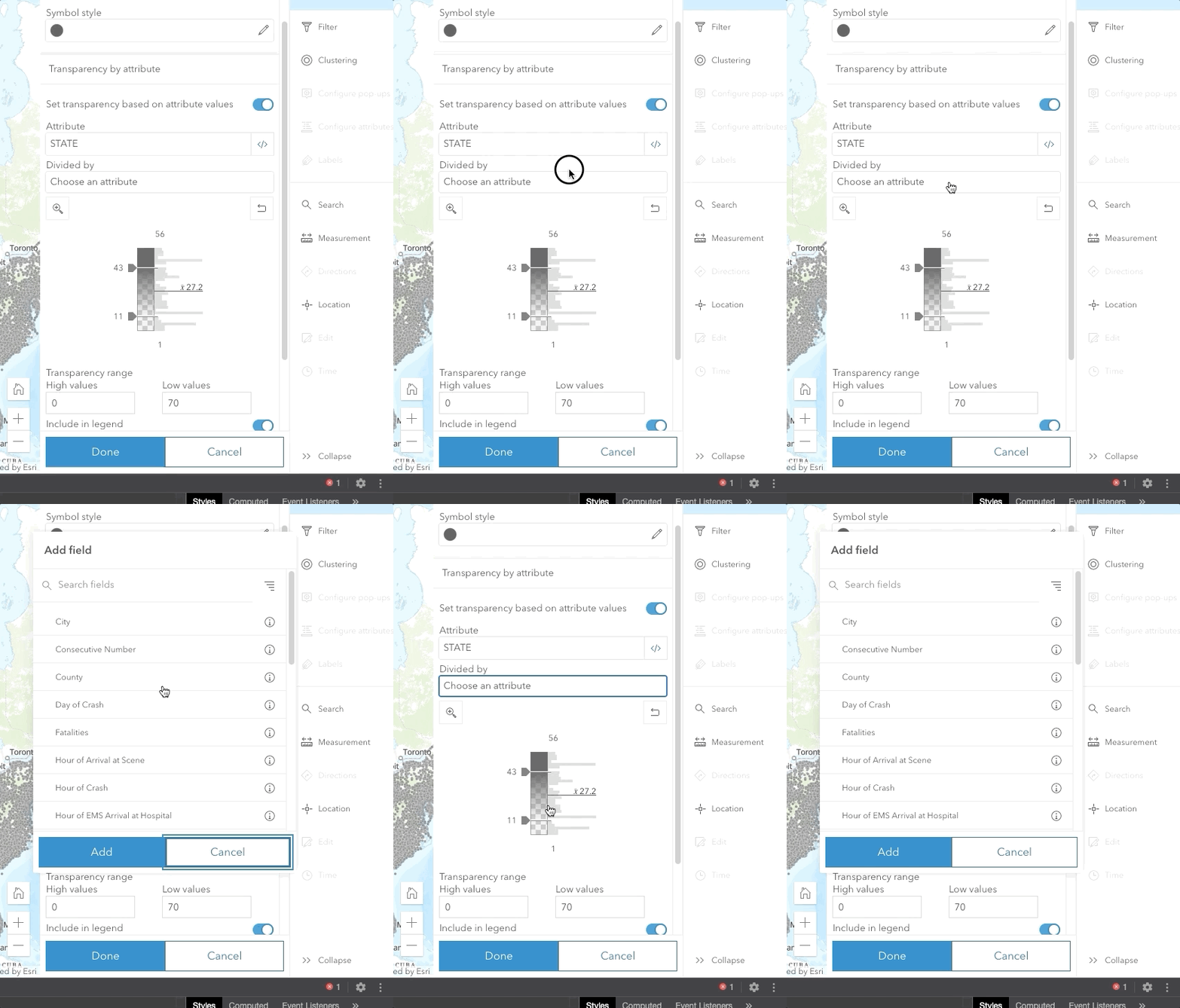
choosing an attribute also does a pretty crazy popover flicker.
Lets try to open issues in the MapViewer before opening them here until we know it's an issue with the component itself.
driskull
on 25 Jul 2020
It worked fine with beta 31. And if I only change to beta 33 _and leave everything else as is_ I see the issue. Something must have changed there.
I can reproduce this outside of the map viewer beta with my smartMapping test app.
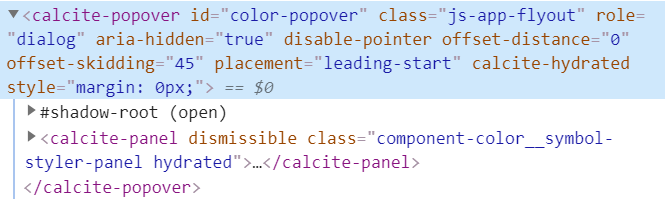
hidden state - beta 33:
showing state beta 33:
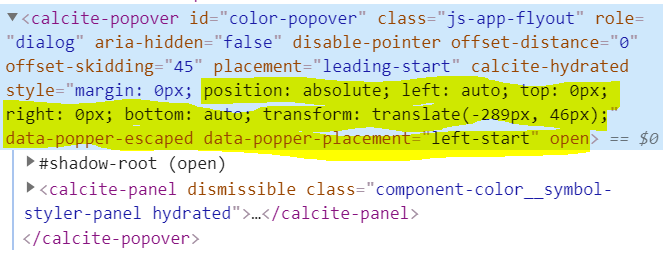
beta 31:
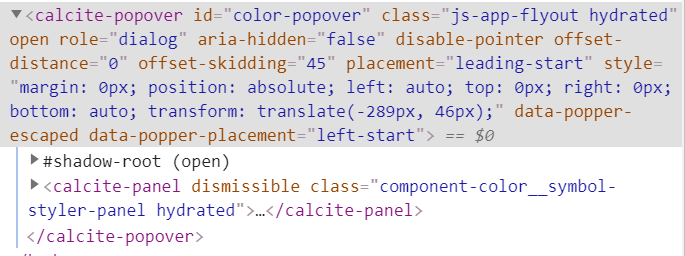
I also see this issue on a panel without a slider.
AdelheidF
on 25 Jul 2020
I would check what mouse events you have on those items and see why they might be causing a rerender
driskull
on 25 Jul 2020
OK, seems to happen only if I'm using <calcite-tooltip-manager> inside the panel. If I comment that out it works fine.
AdelheidF
on 25 Jul 2020
yep! that helps. I see the bug.
driskull
on 25 Jul 2020
Installed
driskull
on 25 Jul 2020
looks good, tested locally with beta.35
AdelheidF
on 29 Jul 2020
Related issues
 ethanbdev
·
4Comments
ethanbdev
·
4Comments
 jcfranco
·
4Comments
AdelheidF
·
4Comments
jcfranco
·
4Comments
AdelheidF
·
4Comments
 bstifle
·
3Comments
bstifle
·
3Comments
 capeoples
·
5Comments
capeoples
·
5Comments