Calcite-components: Popover - make pointer off by default
What do we think about making the pointy pointer thing on Popover off by default?
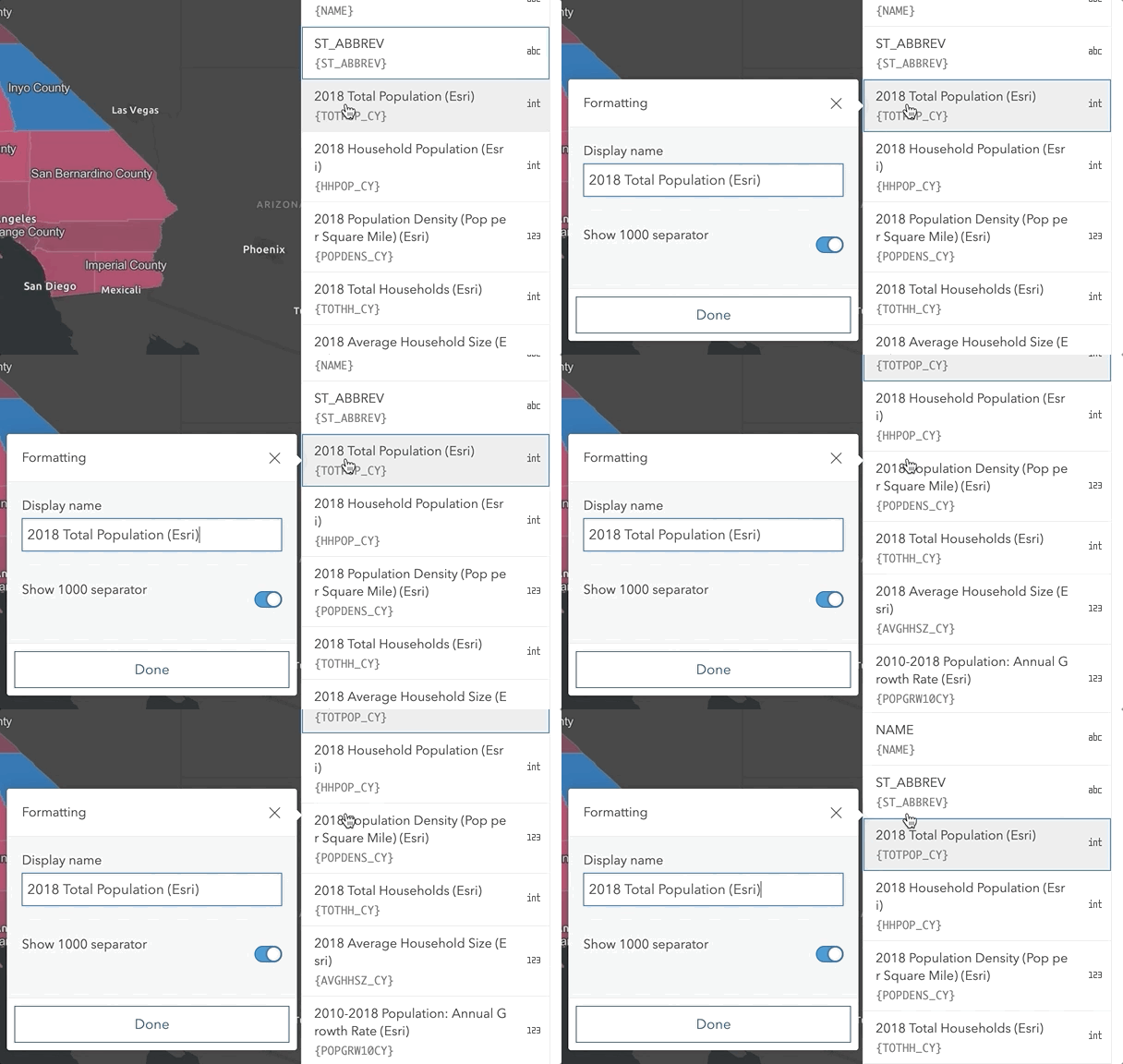
Use case: most times we're using it MVB, the pointy bit is not needed. Also the thing it's pointing to is often in a scrolling panel, so if scrolling happens, Pointy-Pete is now lying.
Pointy-Pete of course still works nicely for Tooltip.
@macandcheese @paulcpederson @bstifle
 asangma
All 31 comments
asangma
on 20 Mar 2020
I'm good with that. IMO the indicator is superfluous and could be completely removed.
 paulcpederson
on 20 Mar 2020
paulcpederson
on 20 Mar 2020
Makes sense, only comment would be the functionality should IMO be the same between the popover and tooltip, just make both off by default and opt-in with the same attribute.
 macandcheese
on 20 Mar 2020
macandcheese
on 20 Mar 2020
Or, like Paul said, just remove altogether...
macandcheese
on 20 Mar 2020
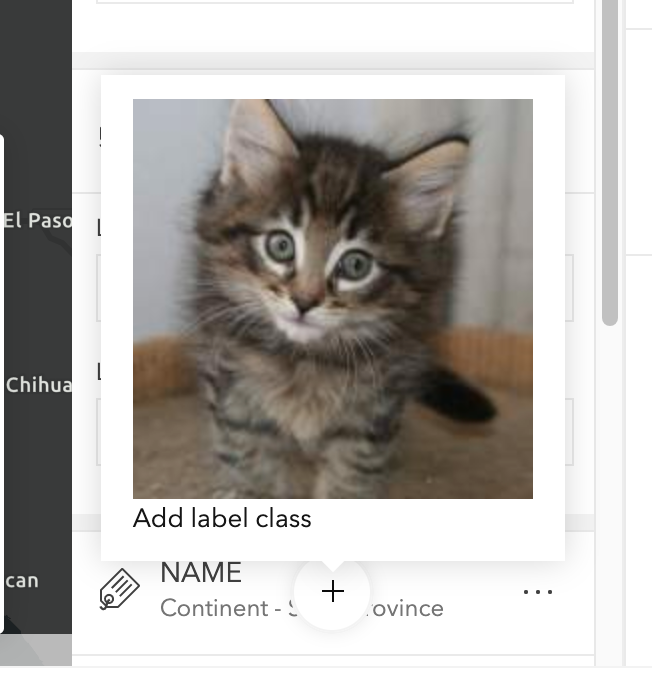
I will trust y'all. I do think it's nice for tooltips tho...especially with cats.
asangma
on 20 Mar 2020
I’m good with hiding it by default.
 julio8a
on 20 Mar 2020
julio8a
on 20 Mar 2020
im fine with hiding it. i think we should keep it in tho
 bstifle
on 20 Mar 2020
bstifle
on 20 Mar 2020
Works for me. Can we just make them the same though? Feels weird to have to opt in in one place and opt out in another for two similar components IMO.
macandcheese
on 20 Mar 2020
@macandcheese 👍
asangma
on 20 Mar 2020
Thanks y'all.
asangma
on 20 Mar 2020
yeah lets default them out @macandcheese fine with me
bstifle
on 20 Mar 2020
IMO it should be optional for Popovers and mandatory for tooltips. Its more important for tooltips to point to a reference for what they are offering a tooltip for.
I still think its useful to be on by default for Popovers.
 driskull
on 20 Mar 2020
driskull
on 20 Mar 2020
i also am fine with that.... i guess i dont mind either way. ill back away slowly...
bstifle
on 20 Mar 2020
FYI Bootstrap's popover and tooltip both have a pointer and don't allow them to be turned off via JS.
Another note, the popover should move with the reference element, Adelheid might be using a fixed position for the reference.
driskull
on 20 Mar 2020
OK, yeah I guess I don't really have a strong preference other than making whatever we do consistent 😅. Seems like both on by default is how we have it now?
macandcheese
on 20 Mar 2020
I'm not sure that it's a problem to have Popover pointer off by default and Tooltip on by default. They're two different UXs and one of them benefits from having the pointer (Tooltip) and the other benefits from not having it.
asangma
on 20 Mar 2020
Could we just them as they are now and turn off the pointer if desired in MVB? Seems easiest and wouldn't require any changes...
macandcheese
on 20 Mar 2020
Making the change here will set a standard. And having three developers go through all their popovers and turn off the pointer...might be more work. And we'd have to manage that each time a new popover is created in MVB.
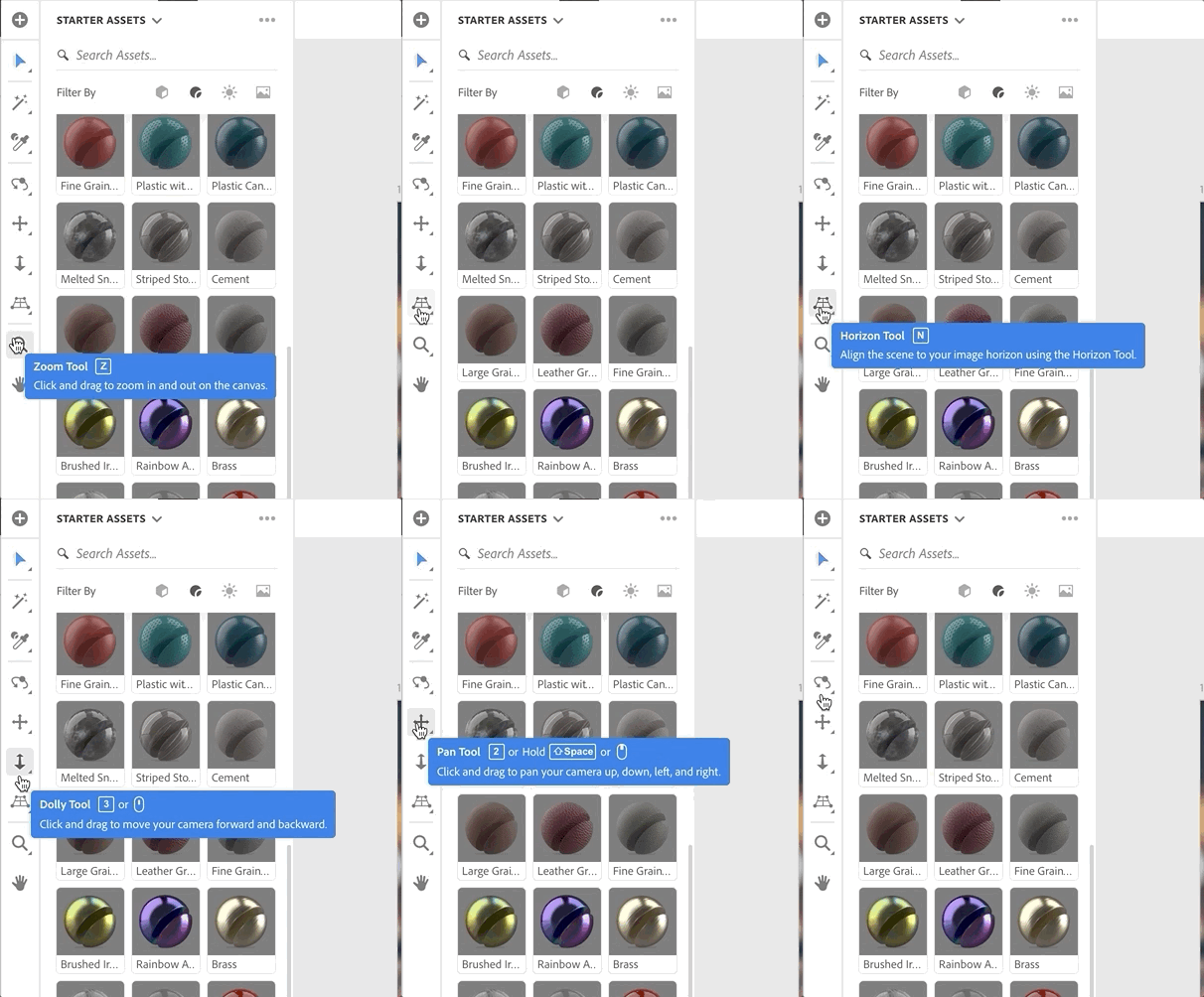
That being said, I was just looking at an interface that doesn't use pointers for the Tooltips, and it seems to work fine (contrary to what I was saying earlier).
asangma
on 20 Mar 2020
So...I think turning the pointer off by default in both tooltip and popover would be good.
asangma
on 20 Mar 2020
So we want to just remove it for both? Breaking change? :)
driskull
on 20 Mar 2020
just default off, leave the points in if needed
bstifle
on 20 Mar 2020
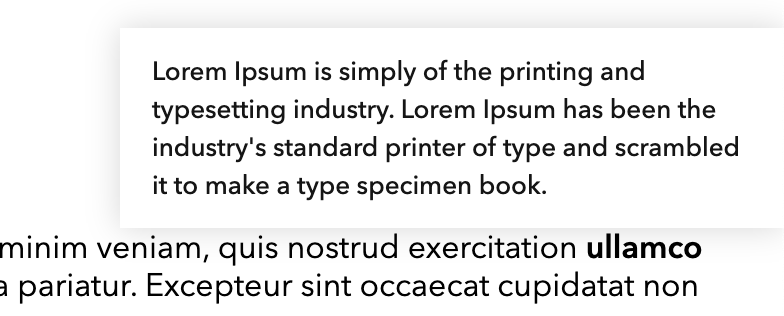
I think you guys should test this before we do anything. It's really odd using the tooltip test page without pointers. The tooltips are off centered from what they should be pointing at and it looks odd.
What do we gain by turning them off? It seems like a UX disadvantage for the user.
I pushed a branch dris0000/no-arrows for testing.
driskull
on 20 Mar 2020
Can you tell what the above tooltip is referencing? Its the bold text but you can't tell without an arrow.
driskull
on 20 Mar 2020
The static example makes it weird.
In practice the user will have either set the pointer on the thing of interest or focused the element.
See the example above.
As a note, I'm not against keeping the pointer on the tooltip. I don't have a strong feeling about that.
I do however think that our Popover should have it off by default.
I also think it's fine to have it on by default for Tooltips and off by default for Popovers.
asangma
on 21 Mar 2020
It looks like the popover position is already dynamic based on the parent element location (as much as the vertical space allows) when that element is clicked.
Given the above, this may be worth considering...
- Keep the pointer initially.
- When scrolling happens, let the popover follow the parent element until that element goes off screen? When the element goes off-screen, then remove the pointer from the popover?
Con: it may be distracting to the user if the popover moves while scrolling happens.
I'm suggesting this alternative since I feel it is good to have the pointer as much as possible as long as the parent element is in-view.
 pspraveenkr
on 23 Mar 2020
pspraveenkr
on 23 Mar 2020
Thanks @pspraveenkr !
I agree that the moving popover can be distracting. And as for now, if the user scrolls, any pointer will no longer be accurate.
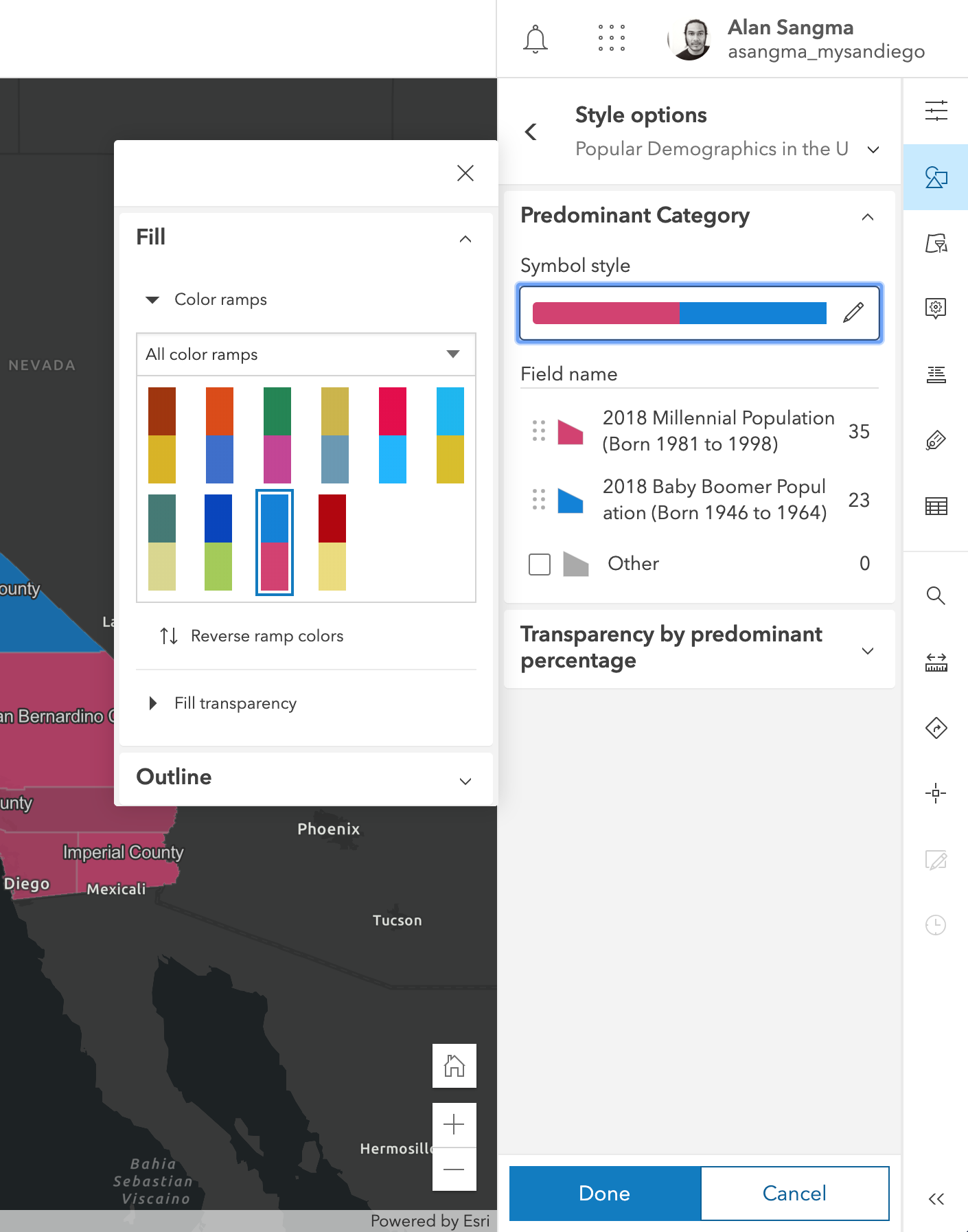
As such, we are generally showing a selected state or some sort of highlight on the thing that is selected especially if the popover is to the side. This makes the connection between the selected thing and its popover. Granted this is a UX that is implemented at the app level, but (as seen in the Configure attributes UX, the parent to popover relation is pretty clear.
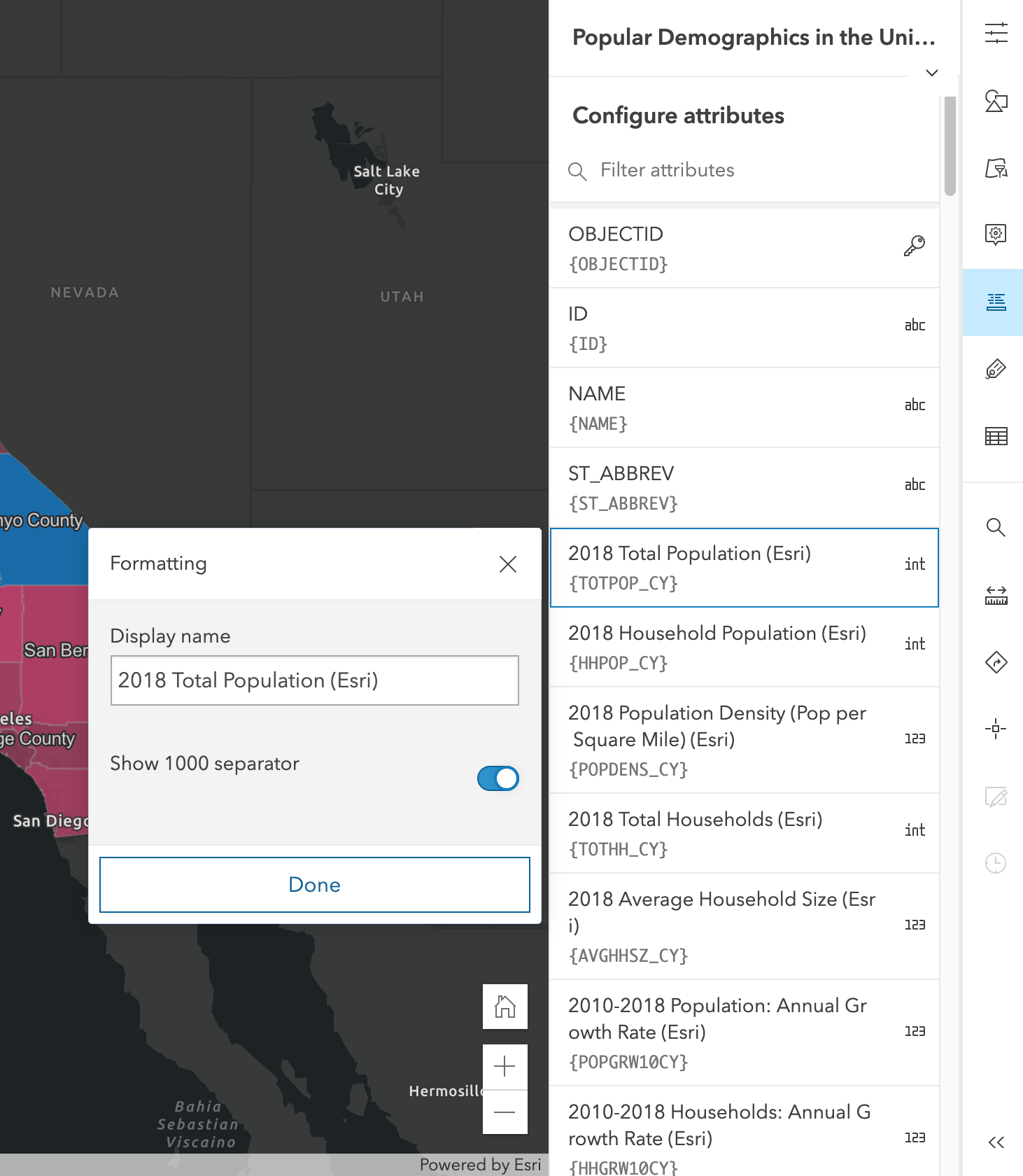
We're also already turning off the pointer in Smart Mapping. I don't know of any issues with users losing the connection between parent and popover.
asangma
on 24 Mar 2020
I think we should leave the pointer on by default.
The issues brought up are all issues specific to the map viewer usage. They are using a reference element that isn't what was clicked.
driskull
on 24 Mar 2020
Yeah this seems like a simple solution, leave as-in and just turn it off if you want to 😆
macandcheese
on 24 Mar 2020
I think we should leave the pointer on by default.
👍
The issues brought up are all issues specific to the map viewer usage.
Yes - depends on usage. If the parent element is not in a scrollable container, then feels like pointer is ok to have most of the times. Otherwise, user has a choice of removing it.
They are using a reference element that isn't what was clicked.
What do you mean @driskull? I thought the reference element was the field node that was clicked.
pspraveenkr
on 24 Mar 2020
I thought the reference element was the field node that was clicked.
I don't think Adelheid set it up like that. For some of these she sets the reference element to the whole panel because she doesn't want it to scroll with the element.
driskull
on 24 Mar 2020
This seems to be resolved per last discussion... Closing for now, re-open if need be.
macandcheese
on 1 Apr 2020
Related issues
driskull
·
3Comments
 AdelheidF
·
4Comments
driskull
·
4Comments
AdelheidF
·
4Comments
driskull
·
4Comments
 kevindoshier
·
4Comments
AdelheidF
·
4Comments
kevindoshier
·
4Comments
AdelheidF
·
4Comments
Most helpful comment
I think we should leave the pointer on by default.
The issues brought up are all issues specific to the map viewer usage. They are using a reference element that isn't what was clicked.