Calcite-components: Bug: calcite-input type=number inside calciteInputInput event the value on the node is not updated
Summary
In the calciteInputInput event the input changes visually but node.value has the old value. The event detail looks right.
Example
https://devext.arcgis.com/apps/mapviewer/index.html?url=https://services1.arcgis.com/4yjifSiIG17X0gW4/arcgis/rest/services/FatalAccidents2017/FeatureServer/0
Click layer to select it, open Styles tool on right. Click Add field and select Fatalities. Click on Counts and Amounts (color), click on the tile again, toggle on Classify data. Click up arrow to see value 5 in input. The 4 dots below that input should change to 5 dots, but it stays at 4. If you click up again the number changes to 6 and the dots count changes to 5. It's always one behind.
https://devtopia.esri.com/WebGIS/arcgis-components/blob/master/src/smartMapping/support/Classify/index.tsx#L174
https://devtopia.esri.com/WebGIS/arcgis-components/blob/master/src/smartMapping/support/Classify/index.tsx#L566
Actual Behavior
Expected Behavior
Reproduction Steps
1.
Relevant Info
 AdelheidF
All 4 comments
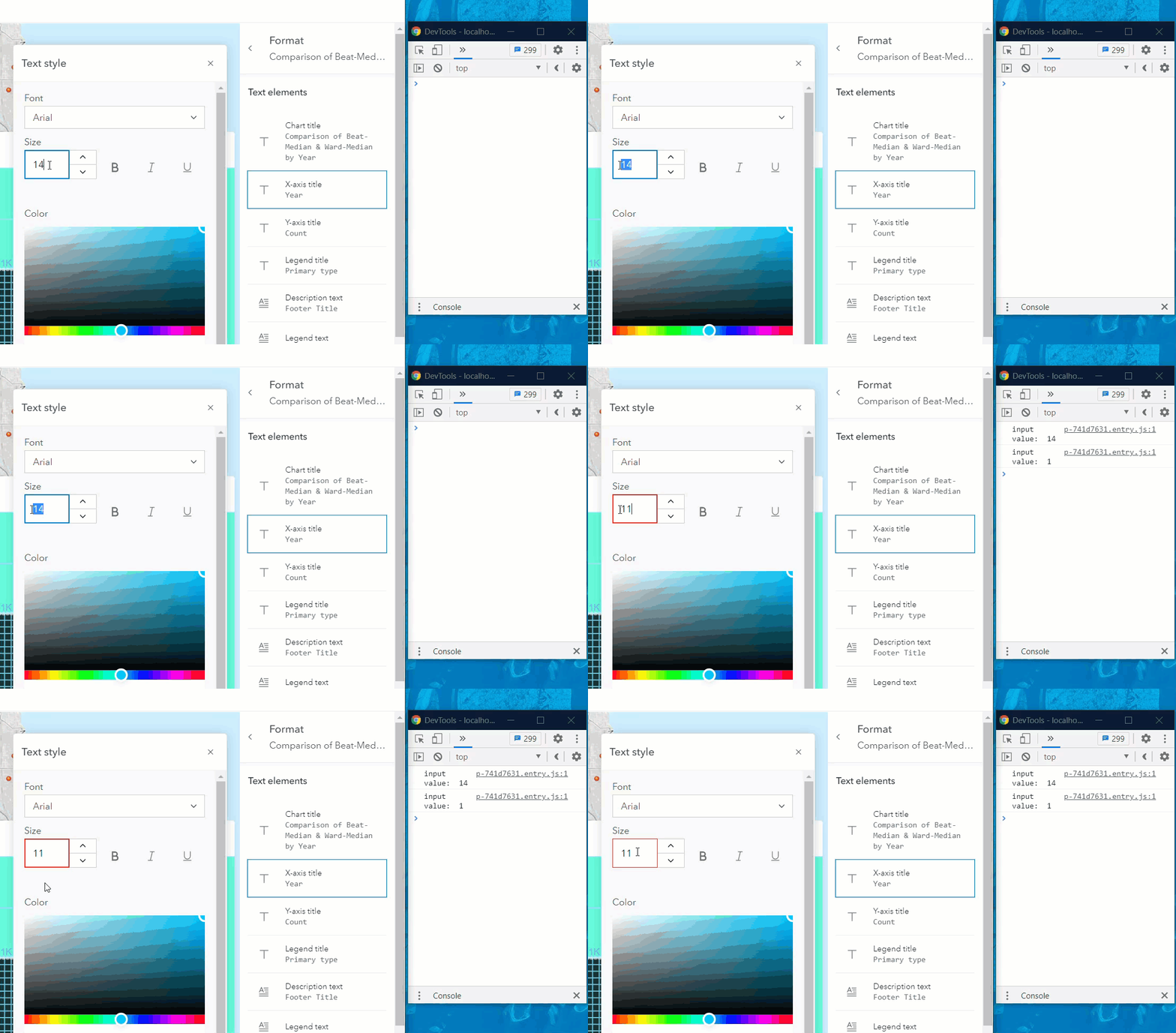
I think a fix went into next for this. It seems better, but now it seems to be stripping the last digit when I get the value, even though it looks correct in the display.
 ethanbdev
on 15 Apr 2021
ethanbdev
on 15 Apr 2021
I can still repo it with next.164 in that original test case.
Only up clicks...
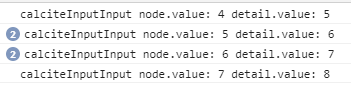
You can also see that I have to click twice 'up' to get a new value in the event. Maybe this is related to the issue here, so let's wait until it is fixed before investigating that 'twice click' one.
AdelheidF
on 15 Apr 2021
This looks good now. Tested with next.165
AdelheidF
on 19 Apr 2021
Looks okay to me too 👍
ethanbdev
on 19 Apr 2021
Related issues
 joeyHarig
·
4Comments
joeyHarig
·
4Comments
 jcfranco
·
3Comments
jcfranco
·
3Comments
 capeoples
·
5Comments
capeoples
·
5Comments
 eriklharper
·
5Comments
jcfranco
·
3Comments
eriklharper
·
5Comments
jcfranco
·
3Comments
Most helpful comment
This looks good now. Tested with next.165