Buttercup-desktop: Can't add shared file from Google Drive
First, I cannot add shared files directly because "Shared With Me" folder it's not present in the Google Drive folder list.
Because of that, I'm using "Add Shortcut to Drive" option to create a shortcut that it's visible from ButterCup folder list.
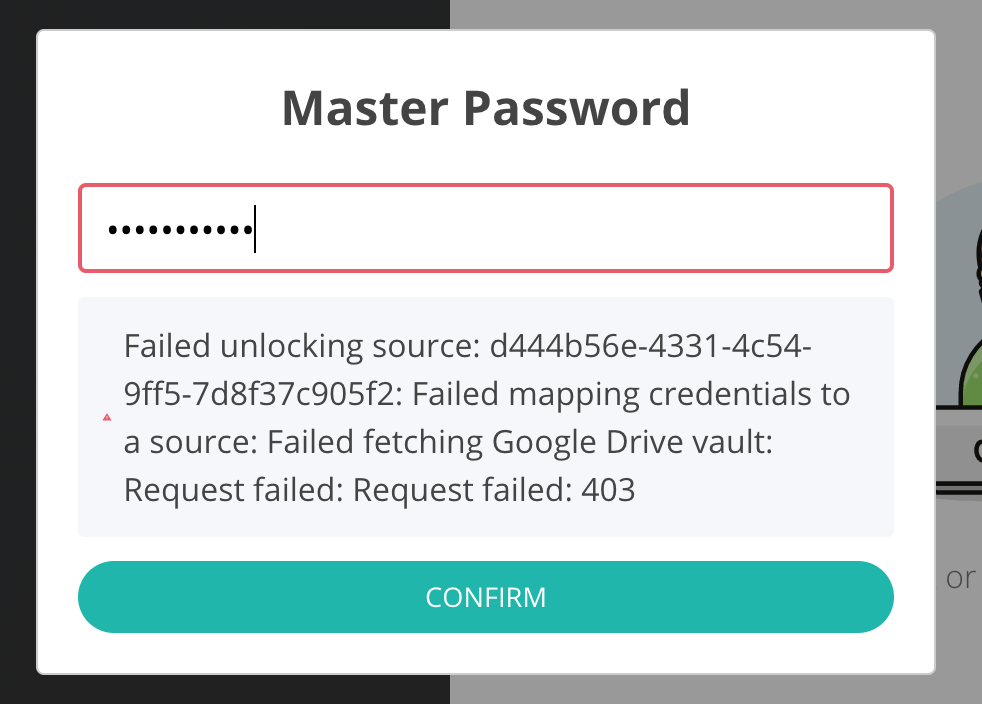
When trying to add the 'shared' file, it prompts for the password, validates but after that I'm greeted with a error "Failed mapping credentials to a source”
 kimus
kimus
All 5 comments
Same. I was looking for an open solution for sharing some creds amongst a team. This not a way to do it.
 apelly
on 16 Jun 2020
apelly
on 16 Jun 2020
Sorry about this. Google Drive authentication is super complicated and we’ve had a lot of issues with it. I’ll mark this as a bug.
 sallar
on 16 Jun 2020
sallar
on 16 Jun 2020
I have similiar issue: when trying to connect to GDrive, I'm redirected to browser, and then after granting buttercup access nothing happens in desktop app.
I can connect to GDrive archive that I added some time ago though.
 Kryszak
on 23 Jun 2020
Kryszak
on 23 Jun 2020
Hi guys! You guys rock :). Don't worry, I know gdrive is a bit tricky sometimes. We will wait for next release. Keep this great work!
 cruizba
on 13 Jul 2020
cruizba
on 13 Jul 2020
Should be addressed in the new v2 pre-release.
 perry-mitchell
on 5 Apr 2021
perry-mitchell
on 5 Apr 2021
Related issues
 frigaut
·
6Comments
frigaut
·
6Comments
 jokeyrhyme
·
6Comments
perry-mitchell
·
5Comments
jokeyrhyme
·
6Comments
perry-mitchell
·
5Comments
 fmommeja
·
6Comments
perry-mitchell
·
6Comments
fmommeja
·
6Comments
perry-mitchell
·
6Comments