Buttercup-desktop: Can't type more than one caracter at a time in Version 0.24.0 (0.24.0)
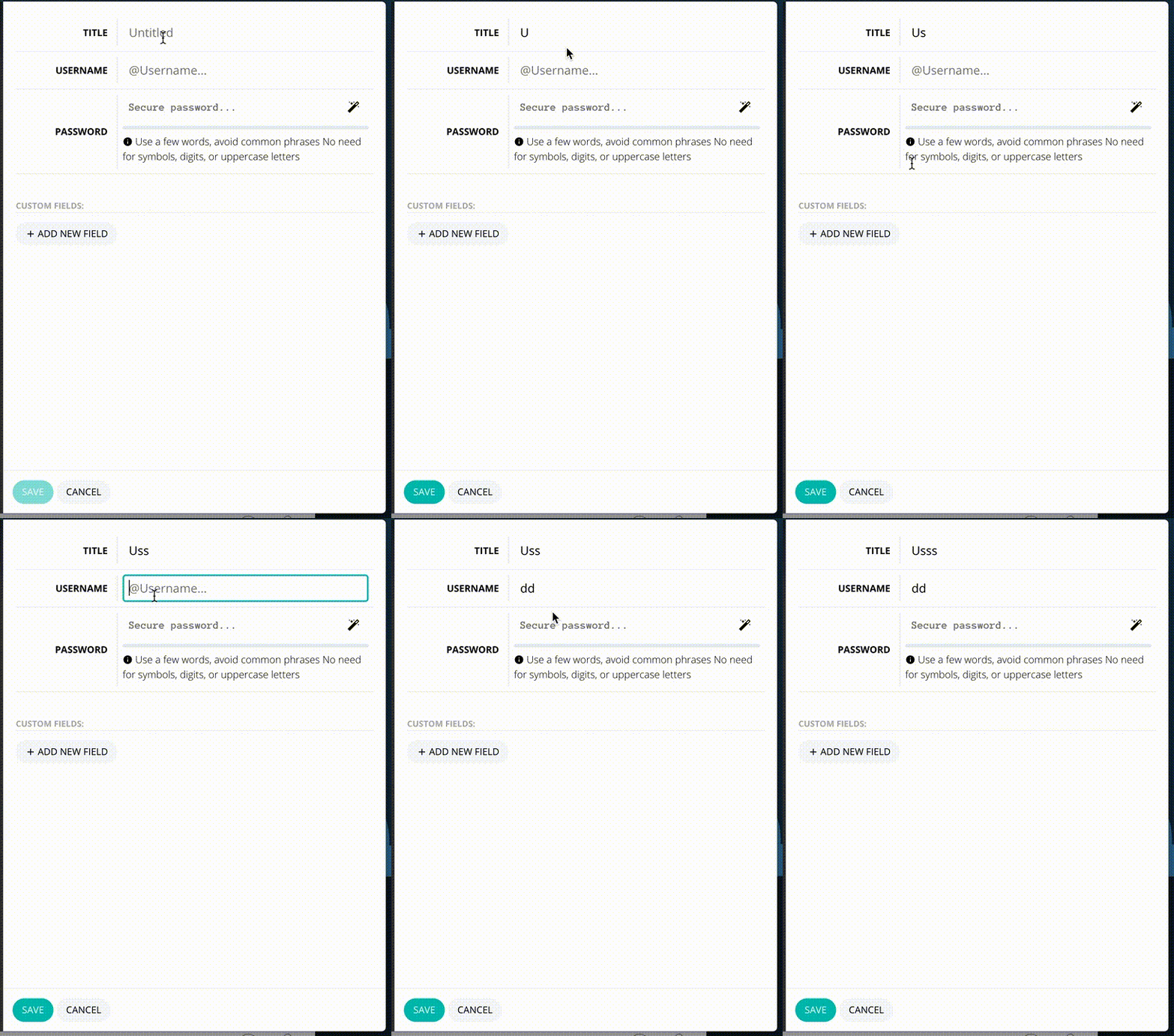
Hi, after you merged my translation contribution, I updated to Version 0.24.0 (0.24.0) and since then every time I want to type something in any input field, I can't type more than one caracter at a time.
I have to clik on the field again to be able to type a second one and so on…
Buttercup Version 0.24.0 (0.24.0) on MacOSX 10.9.5 Build 13F1911 - Intel Core i7 RAM 16 Go
Thanks
Frederic
 fmommeja
All 6 comments
Yes, just saw this:
When typing info into a new entry, focus is lost immediately:
 perry-mitchell
on 16 Nov 2017
perry-mitchell
on 16 Nov 2017
I did notice this on 0.23.0 as well, so I'm not sure when it was introduced..
perry-mitchell
on 16 Nov 2017
It might be to do with the react-intl package and the redux forms. There's a couple of issues hinting towards that.
Seems it was Uglify which was breaking.. we'll switch back to babel minify.
perry-mitchell
on 16 Nov 2017
Fast fix: Comment out uglifyJs and build it again.
 ph1p
on 16 Nov 2017
ph1p
on 16 Nov 2017
@ph1p That's what we did. Thanks guys!!
perry-mitchell
on 16 Nov 2017
Fixed in 0.24.1
perry-mitchell
on 16 Nov 2017
Related issues
 kimus
·
5Comments
kimus
·
5Comments
 jokeyrhyme
·
6Comments
jokeyrhyme
·
6Comments
 wtsiamruk
·
6Comments
wtsiamruk
·
6Comments
 julianpoemp
·
6Comments
julianpoemp
·
6Comments
 frigaut
·
6Comments
frigaut
·
6Comments