Brave-browser: [Desktop] move brave://adblock/ to brave://settings/shields
Description
Move brave://adblock/ to brave://settings/shields.
- [ ] Remove Brave Adblock from hamburger menu.
- [ ] Redirect brave://adblock to brave://settings/trackingfilters
- [ ] New design for Ad Block page in brave://settings
Designs
In the Shields panel on the Settings page:
Look & feelsection is moved to the top to include choosing Shields default viewShow the number of blocked items on the Shields iconis moved above choosing Shields default viewCustomize tracking filtersis added as a line item underneathBlock cross-site trackers
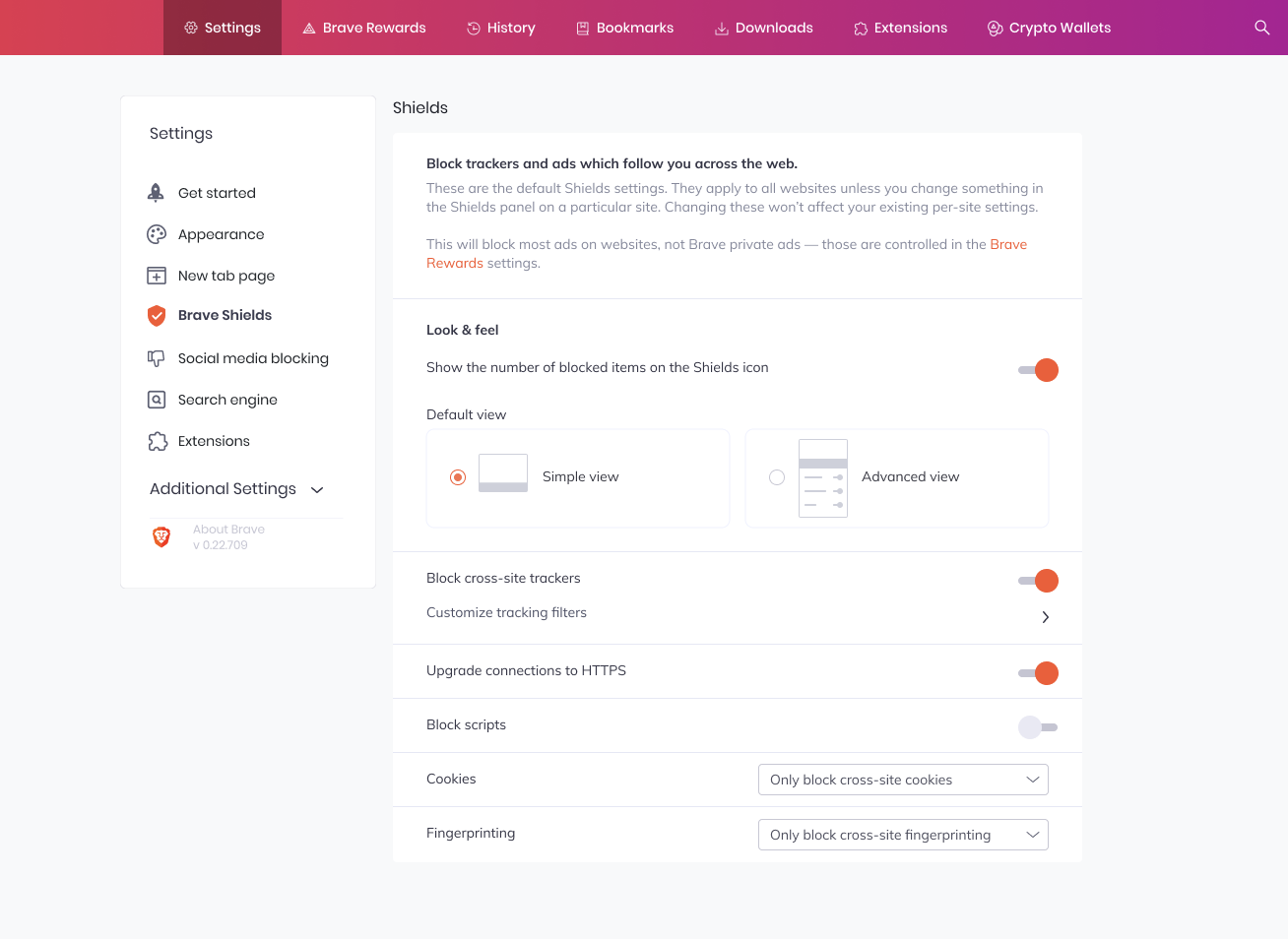
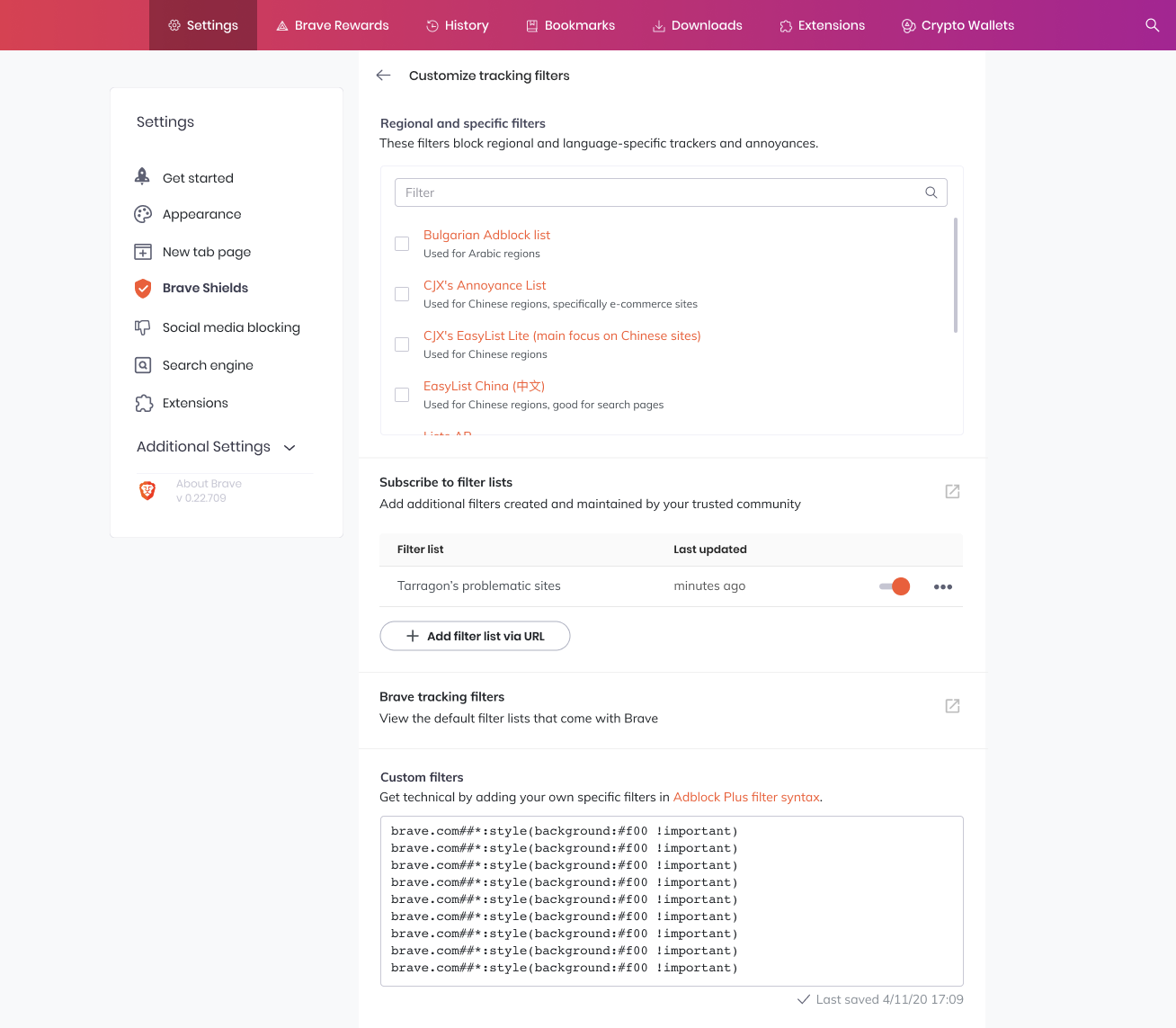
Clicking on Customize tracking filters shows a drill-down page that contains the functionality of the previous brave://adblock page:
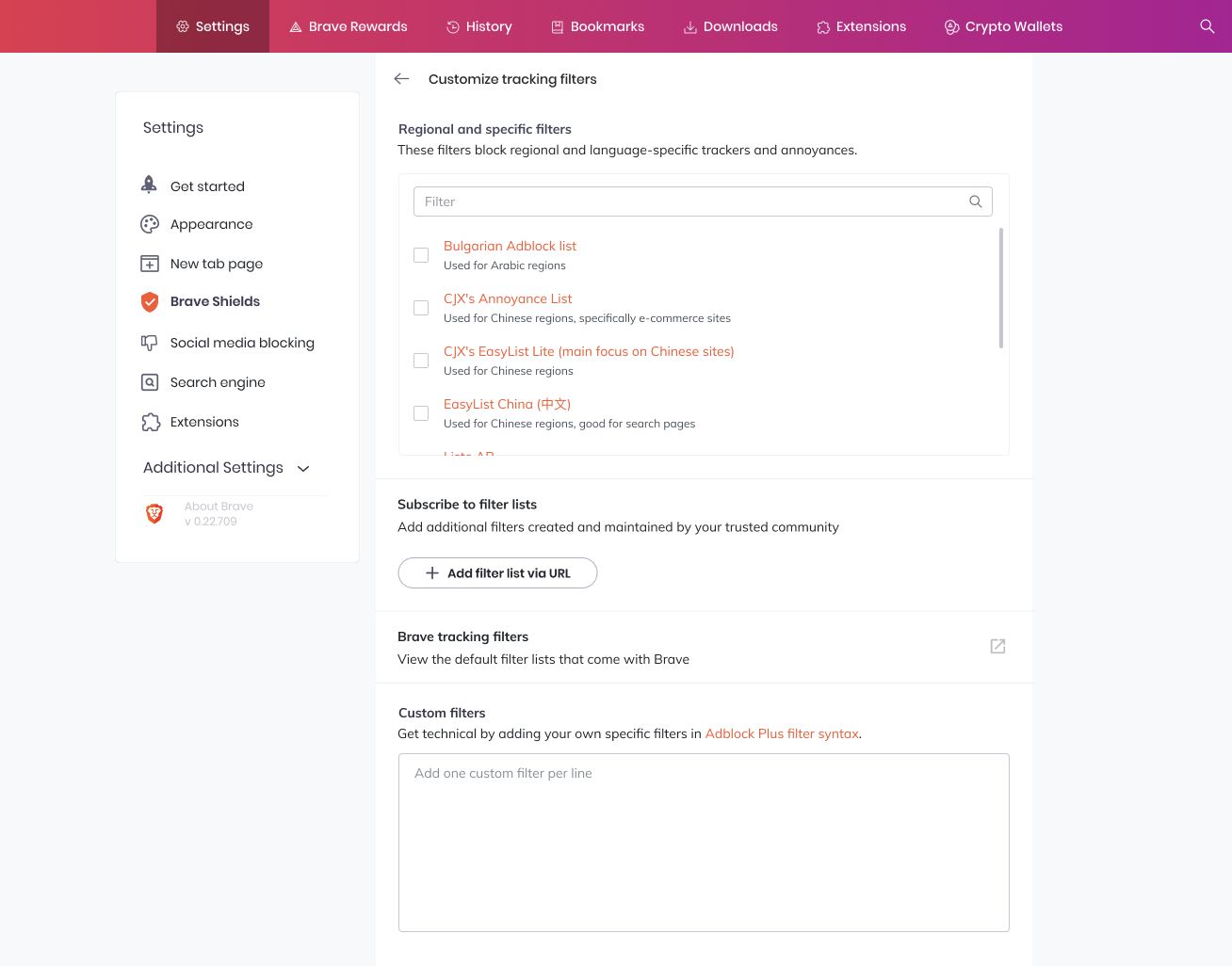
Regional and specific filtersnow have a one-line description underneathCustom filtersnow have a one-line description underneath whereAdblock Plus syntaxlinks to https://adblockplus.org/filter-cheatsheet- The name of each filter links to the direct URL or support page
- Each filter now has a one-line description underneath
Brave tracking filterslinks to our adblock wiki page https://github.com/brave/brave-browser/wiki/Blocking-goals-and-policy#lists-used
Filter list content will be cleaned up in https://github.com/brave/adblock-rust/pull/79
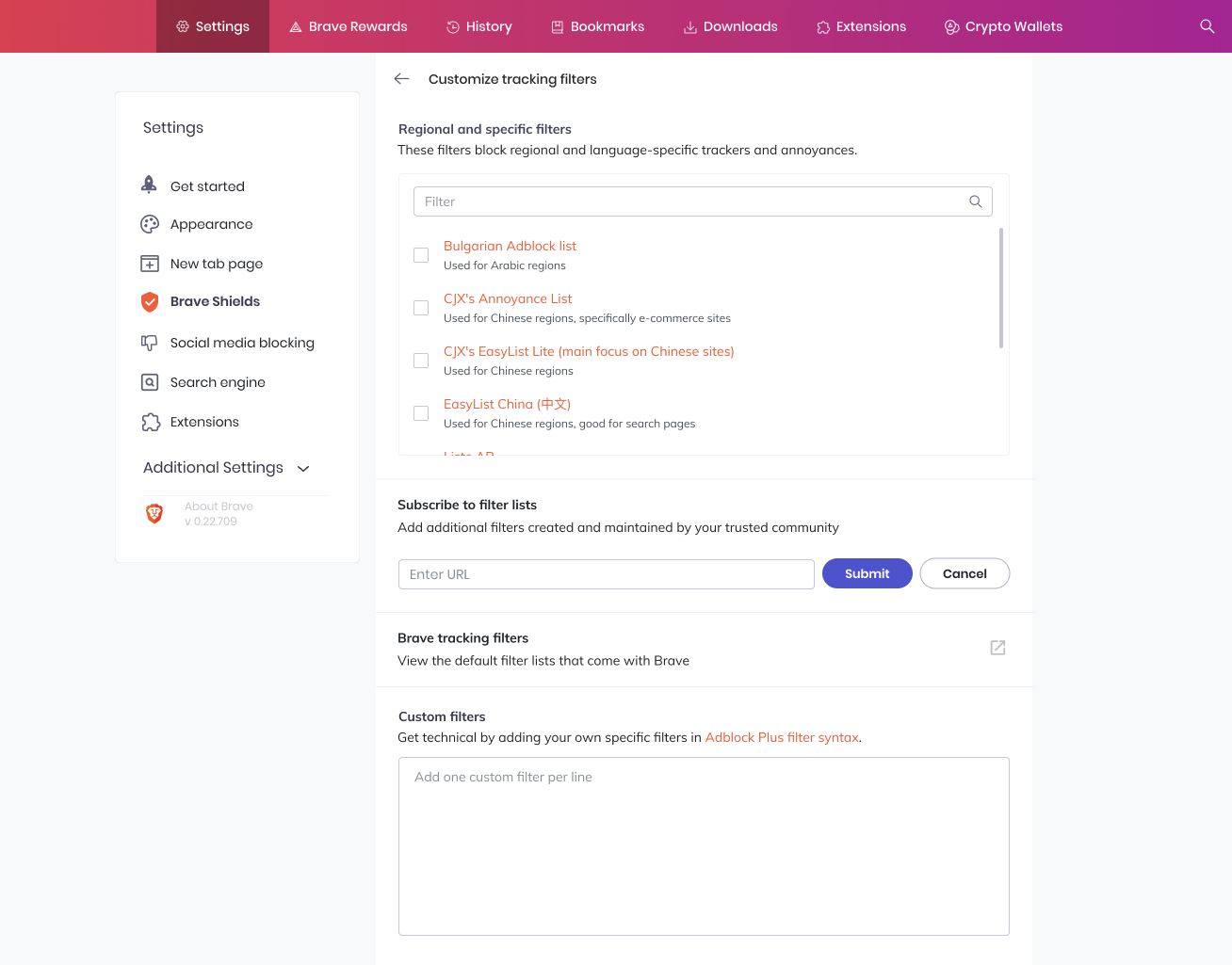
Subscribe to filter lists
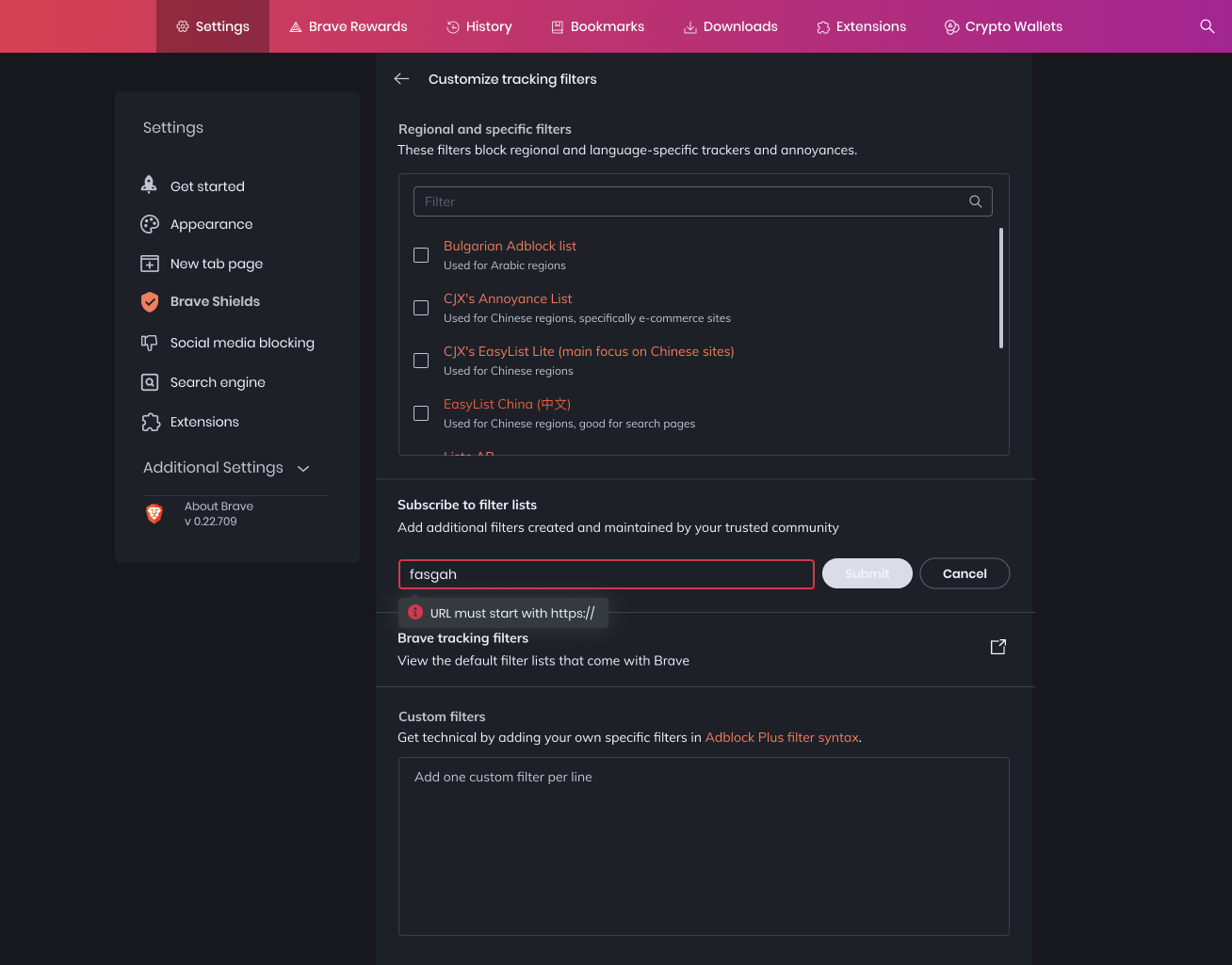
After the user clicks on "Add filter list via URL", a form field appears with "Submit" and "Cancel":
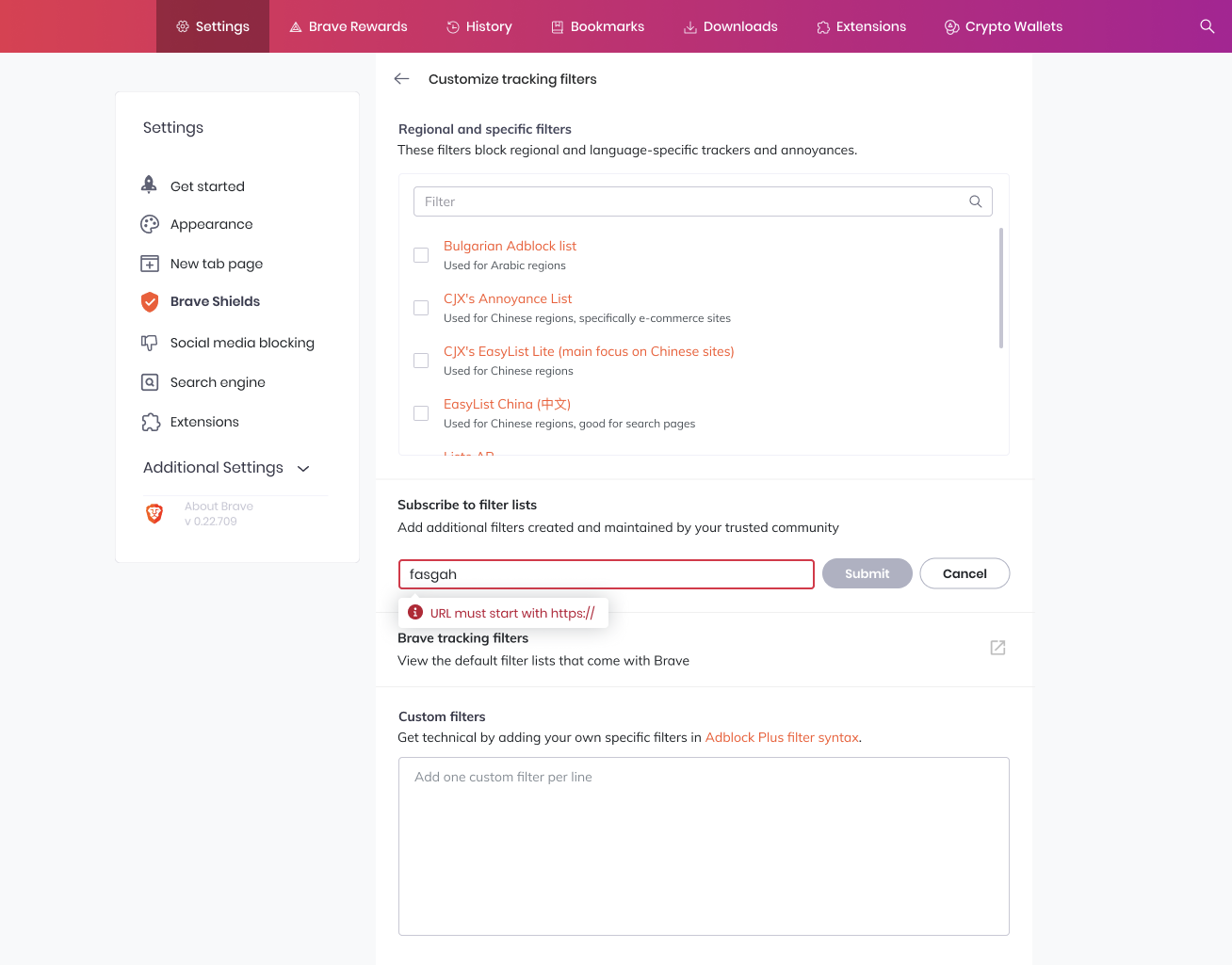
Built-in error validation for the field specifies entry must start with https://
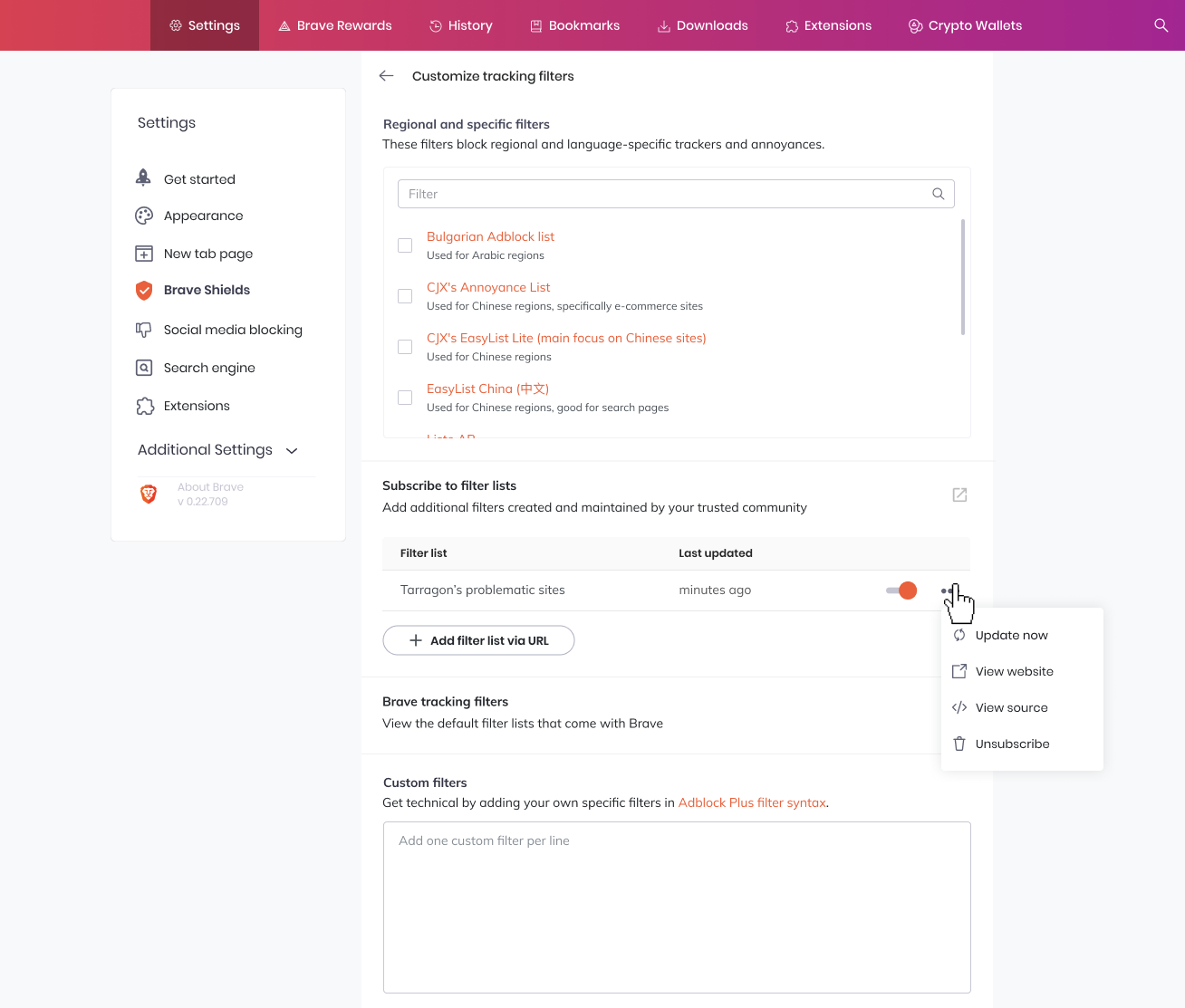
Submitting the filter list URL will add the filter list to a table with a toggle to enable/disable and available actions:
- Update now
- View website
- View source
- Unsubscribe
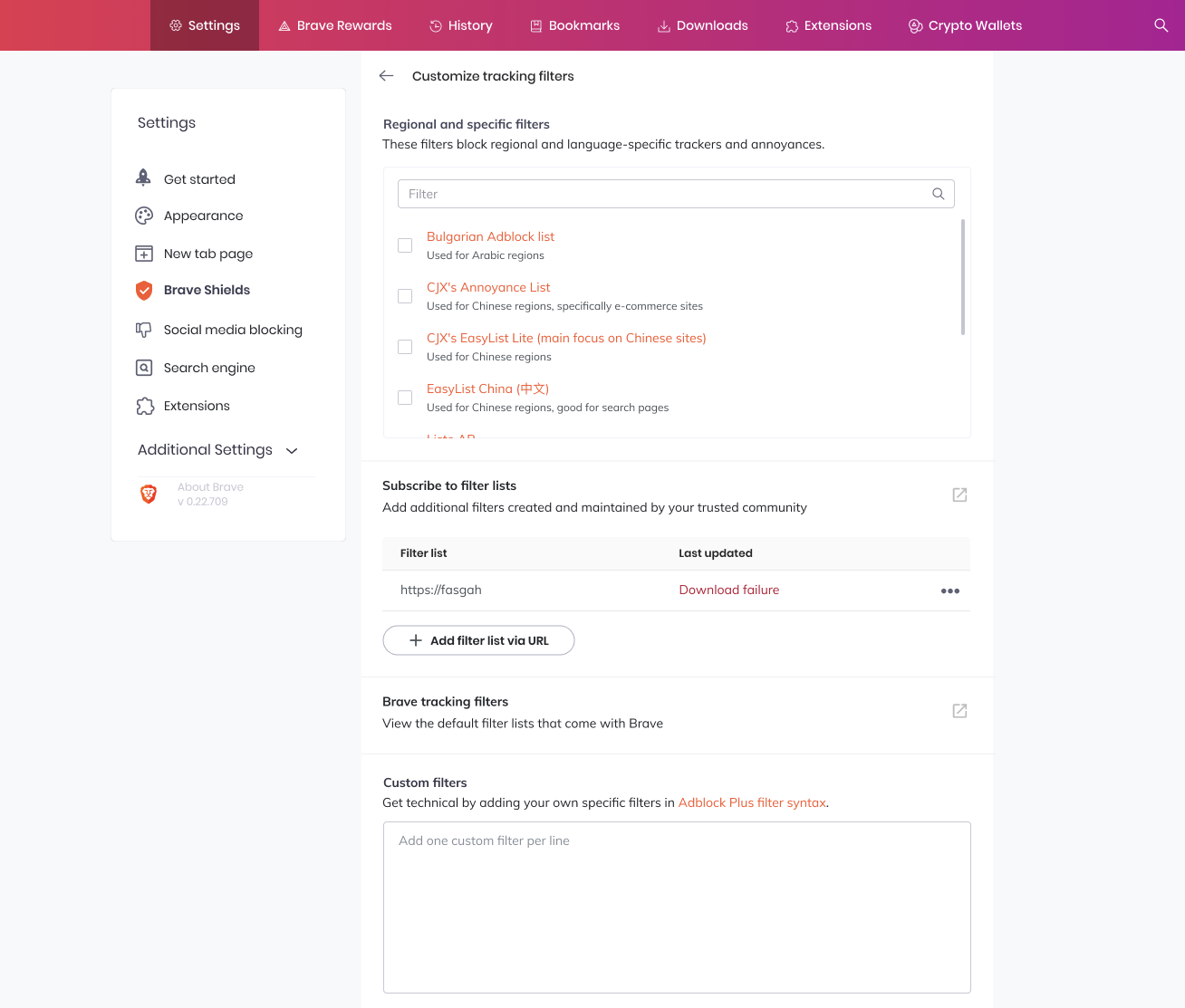
If the user enters a filter list that is invalid or unavailable, the table entry shows the filter as Download failure with no toggle available:
Custom filters
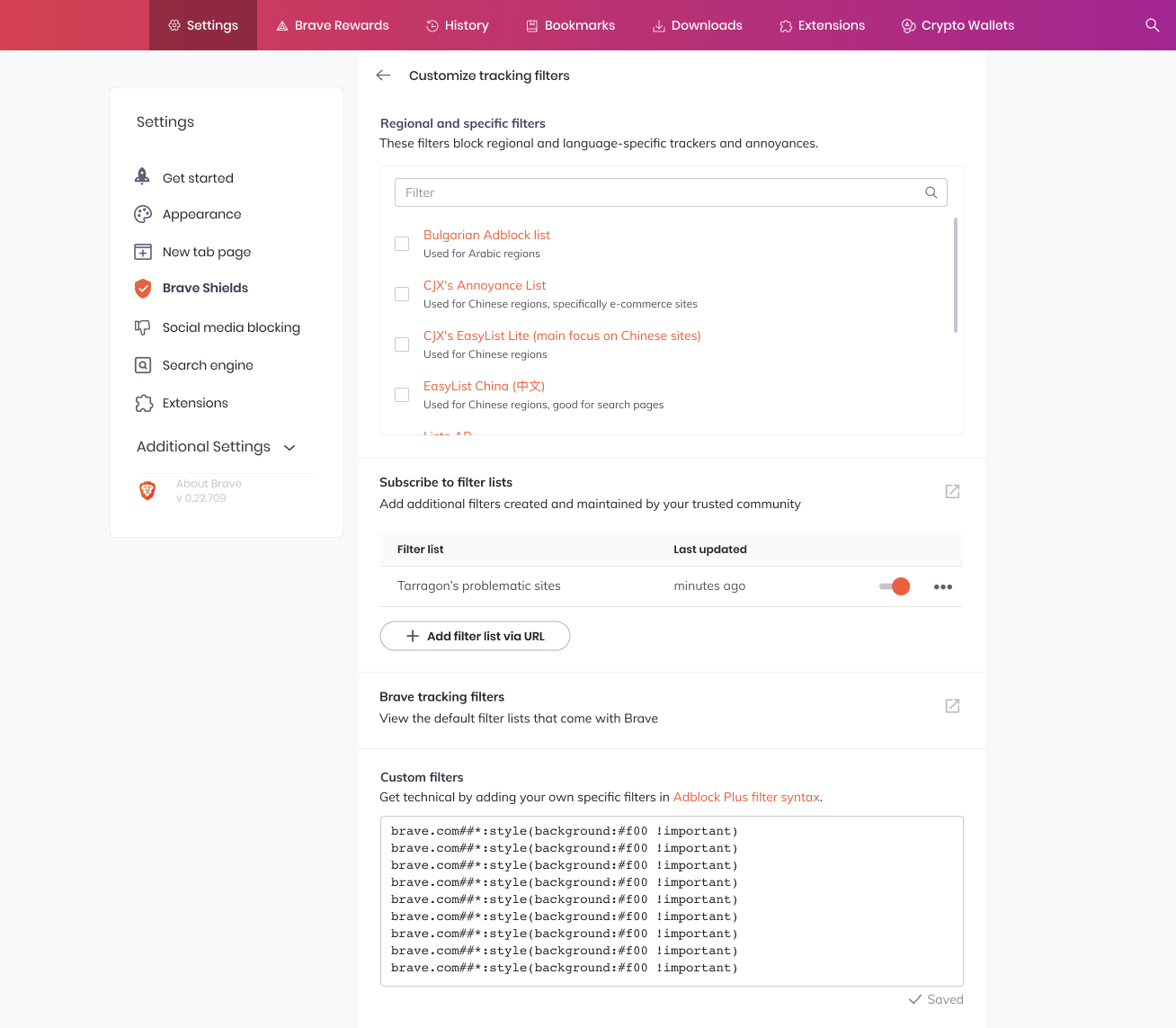
After the user enters a custom filter in the textbox, a saved timestamp appears when the custom filters textbox loses focus:
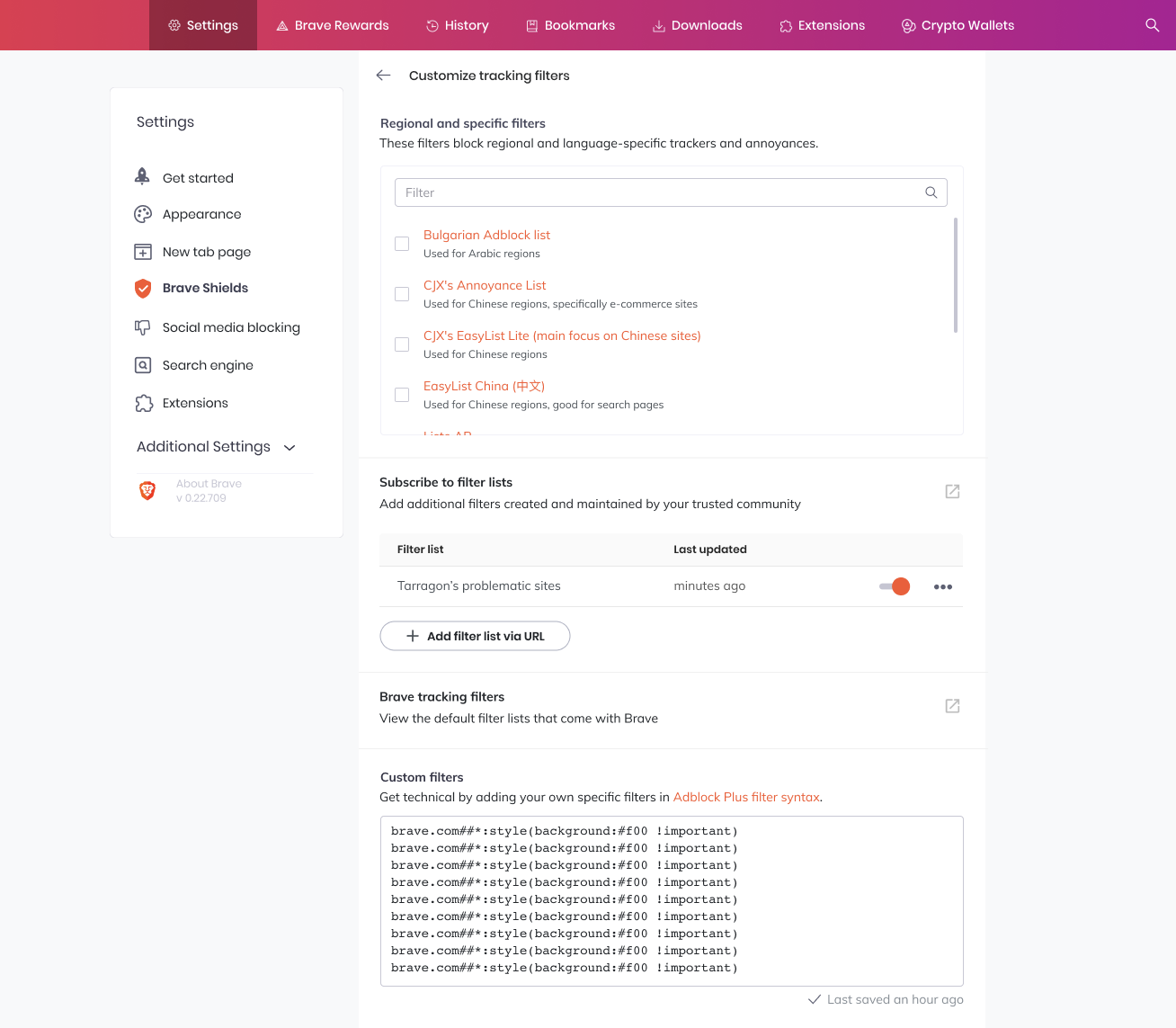
The timestamp shows relative time for last saved..ago:
- Saved
- Last saved a few seconds ago
- Last saved a minute ago
- Last saved a few minutes ago
- Last saved an hour ago
- Last saved a few hours ago
- Last saved a day ago
- Last saved
mm/dd/yy 00:00
Dark theme
Dark theme is supported:
Assets
Figma for css, sizing, layout: https://www.figma.com/file/tLXWGCpNoiJxDZDdpfordj/Desktop-Settings?node-id=2%3A0
Refer to the menu spec for light/dark theme coloring of the dropdown menu: https://www.figma.com/file/z9wmg2FCwuXx9FLbDo5avJ/Platform-UI-Brave-desktop?node-id=135%3A345
 rebron
All 9 comments
@tomlowenthal Can you help fill out some content on the new adblock page?
Regional and specific filtersnow have a one-line description underneathCustom Filtersnow have a one-line description underneath- Each filter now has a one-line description of what they are best used for underneath
 karenkliu
on 24 Mar 2020
karenkliu
on 24 Mar 2020
- Regional and specific filters: "These filters block regional and language-specific trackers and annoyances."
- Custom filters: "Get technical by adding your own specific filters. Make sure to use _Adblock Plus syntax_." where "Ablock Plus syntax" links to https://adblockplus.org/filter-cheatsheet (unless we want to duplicate that page in our own documentation site, cc @Brave-Matt ).
 tomlowenthal
on 25 Mar 2020
tomlowenthal
on 25 Mar 2020
@tomlowenthal,
I'd love to make a nicely formatted copy of this cheat sheet on our Help Center. I feel like we should be linking to our own sources as much as possible (even if "our source" is just a reformatting of something that already exists).
Will write up a draft and share here if interested 👍
 Brave-Matt
on 21 Apr 2020
Brave-Matt
on 21 Apr 2020
@karenkliu Can you update the design section as it relates to https://github.com/brave/brave-browser/issues/9975 I think #9975 has the more recent work.
rebron
on 29 May 2020
@rebron Yep, thanks for catching that. Updated!
karenkliu
on 30 May 2020
cc: @pes10k
rebron
on 16 Jun 2020
Designs updated due to https://github.com/brave/brave-browser/issues/8107
karenkliu
on 26 Aug 2020
Hello, is the new interface for Brave Shield going to be on the Nightly version soon?
 Furax-31
on 18 Nov 2020
Furax-31
on 18 Nov 2020
@Furax-31 while we have some designs, no work has started yet
 bsclifton
on 19 Nov 2020
bsclifton
on 19 Nov 2020
Related issues
 simonhong
·
3Comments
simonhong
·
3Comments
 fmarier
·
3Comments
fmarier
·
3Comments
 jonathansampson
·
3Comments
jonathansampson
·
3Comments
 Sondro
·
3Comments
Sondro
·
3Comments
 AlexCombas
·
3Comments
AlexCombas
·
3Comments
Most helpful comment
@tomlowenthal,
I'd love to make a nicely formatted copy of this cheat sheet on our Help Center. I feel like we should be linking to our own sources as much as possible (even if "our source" is just a reformatting of something that already exists).
Will write up a draft and share here if interested 👍