Brave-browser: Clicking on `Restore account? Import using account seed phrase` does nothing
All 37 comments
Description
Returning to brave://wallet can't use "import using account seed phrase"
Steps to Reproduce
- Go to brave://wallet
- Close browser and go back to brave://wallet (so you're logged out and see Welcome Back! screen)
- Click "Import using account seed phrase"
- Nothing happens, clicking the link has no effect.
Extra note: When I generated the new wallet, during the seed phrase retyping step, the browser crashed, and that's how I encountered the problem to begin with (step 2).
Actual result:

## Expected result:
It should take me to import flow.
Brave version (brave://version)
Version 1.1.23 Chromium: 79.0.3945.88 (Official Build) unknown (64-bit)
 paulwaldmann
on 30 Dec 2019
paulwaldmann
on 30 Dec 2019
Fixed via: https://github.com/brave/devops/pull/2322 cc: @bsclifton
 ryanml
on 3 Jan 2020
ryanml
on 3 Jan 2020
@paulwaldmann thanks for reporting! Restore flow should work correctly now.
ryanml
on 3 Jan 2020
@ryanml anytime, love Brave and what it stands for!
paulwaldmann
on 4 Jan 2020
@ryanml when will the changes be pushed to the stable version? I see that the dev version has been updated but the stable 1.1.23 hasn't changed. Thanks.
paulwaldmann
on 4 Jan 2020
@paulwaldmann there was a networking issue with our JSON RPC, no deployments needed. Are you still seeing the problem? If so, try relaunching Brave. Let me know how that works thank you!
ryanml
on 4 Jan 2020
Restarted browser and laptop, the problem persists.
paulwaldmann
on 4 Jan 2020
@paulwaldmann got it, apologies. I cannot reproduce but I will continue to look in to this issue.
ryanml
on 4 Jan 2020
It would be great if you could provide any errors you see in console, if there are any
ryanml
on 4 Jan 2020
No errors in the console. I've already checked and would have posted it if there were any. If you want, You can join via AnyDesk and have a look by yourself.
paulwaldmann
on 4 Jan 2020
I am getting the same problem, using latest version. I was creating a wallet, wrote down my passphrase, then on the next screen where you have to select the words I found they were not all on the screen. I couldn't scroll, so I refreshed the page. The words disappeared. After that the page didn't work so I came out and went back in. Now I am asked for a password, which I can remember, but when I continue it just returns to the password prompt. Recovery using phrase also fails. I expect you could reproduce this. We need a way to delete corrupted wallets.
 Kevmate
on 9 Jan 2020
Kevmate
on 9 Jan 2020
Hey folks cc: @Kevmate @paulwaldmann a reset feature is in the works, however, this workaround will suffice in the meantime. (Note this will completely reset everything to how it was the first time you used Crypto Wallets)
Navigate to your Application data directory for Brave, (on MacOS for example it is /Users/your-username/Library/Application Support/BraveSoftware/Brave-Browser). Inside that directory navigate to Default/Local Extension Settings/odbfpeeihdkbihmopkbjmoonfanlbfcl and delete the file 000003.log. Now restart Brave completely, and navigate to brave://wallet. You should see the original welcome screen. (If you restart Brave with that tab open you may need to refresh the page once)
ryanml
on 9 Jan 2020
Yes, thanks, that removed the corrupt wallet. I haven't created a new one yet, but the fault is cleared :)
Kevmate
on 10 Jan 2020
In Default/Local Extension Settings/odbfpeeihdkbihmopkbjmoonfanlbfcl there's only 000004.log
and 000003.log can be found in
find . -name 000003.log
./gcbommkclmclpchllfjekcdonpmejbdp/000003.log
./mmeijimgabbpbgpdklnllpncmdofkcpn/000003.log
./aleakchihdccplidncghkekgioiakgal/000003.log
./jidkidbbcafjabdphckchenhfomhnfma/000003.log
./mnojpmjdmbbfmejpflffifhffcmidifd/000003.log
./hoklmmgfnpapgjgcpechhaamimifchmp/000003.log
./eimadpbcbfnmbkopoojfekhnkhdbieeh/000003.log
Which one should I remove?
paulwaldmann
on 11 Jan 2020
I am also experiencing this issue. Steps I took to create the issue:
- Clicked "create new wallet"
- Created a password
- Exited out of the process on the page that asks you to reveal the seed phrase as I wanted to import a wallet not create a brand new one
- Now when I visit the wallet I am presented with the Welcome Back page, unable to log in or import a wallet.
I notice when I try to login the following flashes up extremely briefly before returning to the Welcome Back page:
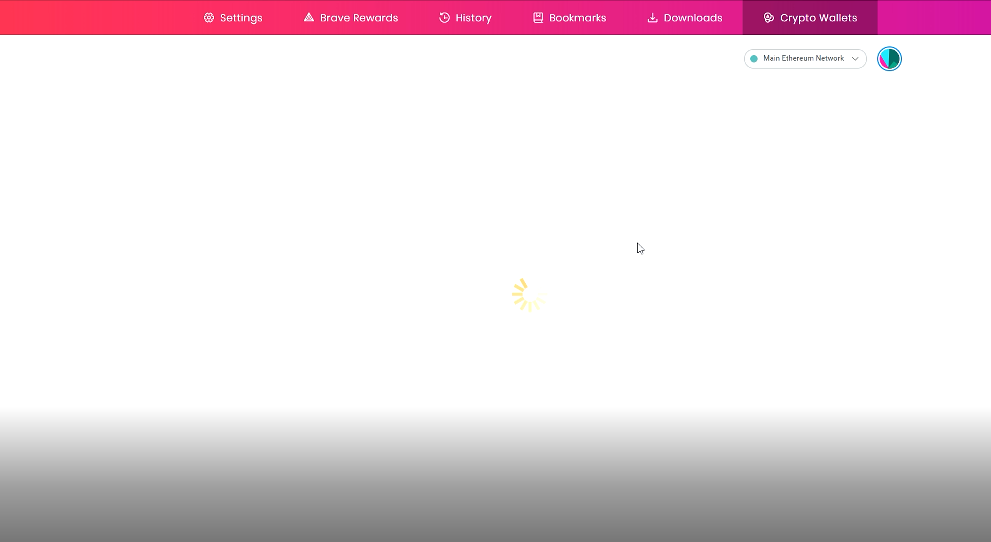
I have tried to fix by deleting the "odbfpeeihdkbihmopkbjmoonfanlbfcl" folder from inside C:\Users\username\AppData\Local\BraveSoftware\Brave-Browser\User Data\Default\Local Extension Settings\, but doing so made no difference to the above behavior.
 dannuttall
on 14 Jan 2020
dannuttall
on 14 Jan 2020
@dannuttall can you try deleting the file I mentioned above, closing the Crypto Wallets tab, and fully relaunching Brave?
Also @paulwaldmann and @dannuttall, would you both mind navigating to brave://components and sharing what version of Crypto Wallets you have? Thanks!
ryanml
on 14 Jan 2020
If you could show me what version you have before relaunching the browser that would be great, I am trying to determine if you have an older version for whatever reason.
ryanml
on 14 Jan 2020
Crypto Wallets - Version: 1.0.15
paulwaldmann
on 14 Jan 2020
@paulwaldmann thanks. And to be clear at this time you are still unable to create/import a wallet?
ryanml
on 14 Jan 2020
Yes, but I also didn't remove any log file as you instructed as the log file in question did not exist.
paulwaldmann
on 14 Jan 2020
@paulwaldmann, try deleting 000004.log, closing the open CW tab, and relaunching Brave
ryanml
on 14 Jan 2020
if this doesn’t work for either of you please follow up with me at rlanese at brave.com for further diagnosis.
ryanml
on 14 Jan 2020
After removing the log file, and relaunching Brave, nothing changed. Same "Welcome Back!" screen, not possible to create a new wallet.
I will eventually just create a new profile if you can't fix it.
paulwaldmann
on 14 Jan 2020
OK I had to restart Brave by killing the process as closing the app doesn't actually close it fully. After doing this I'm allowed to create a new wallet again. However upon hitting create and being prompted to create a password, I get the error "KeyringController - No account found on keychain."

How do I fix this?
dannuttall
on 14 Jan 2020
@dannuttall what OS are you running?
ryanml
on 14 Jan 2020
Windows 10.
I have just realised that the reason I had to kill the process is because I had a Chrome app installed on Brave that was opened in another window, so closing the browser didn't end the process. My bad.
dannuttall
on 14 Jan 2020
@paulwaldmann @dannuttall thank you both for your patience. I've identified the issue and made a fix for account creation/import after reset, as well as fixing import pre reset. https://github.com/brave/ethereum-remote-client/pull/108
ryanml
on 14 Jan 2020
Reopening as it has not deployed yet
ryanml
on 15 Jan 2020
Let's close and move to the project's awaiting deployment column.
 bbondy
on 17 Jan 2020
bbondy
on 17 Jan 2020
I have the same issue and cant fix it.
I have followed the steps deleting file 000003.log and restating Brave which led me to the
"KeyringController - No account found on keychain." error while creating a new profile.
After this error I cant do anything but closing Brave again which leads me to the initial problem situation. "Welcome Back!" screen.
Brave is up to date
Version 1.2.43 Chromium: 79.0.3945.130 (Official Build) (64-bit)
Windows 10
 GitNasi
on 7 Feb 2020
GitNasi
on 7 Feb 2020
Verification passed on
Brave | 1.6.14 Chromium: 80.0.3987.87 (Official Build) nightly (64-bit)
-- | --
Revision | 449cb163497b70dbf98d389f54e38e85d4c59b43-refs/branch-heads/3987@{#801}
OS | Windows 10 OS Version 1803 (Build 17134.523)
Component | 0.1.42
- Reproduced issue from https://github.com/brave/brave-browser/issues/7537#issuecomment-569593551 and https://github.com/brave/brave-browser/issues/7537#issuecomment-574160601 on current release component
1.0.15 - Verified doing an upgrade based on those steps allows to login successfully or import another account using seed words
- Logged #8176 for missing backup seed phrase notification upon upgrade
Verification passed on
Brave | 1.6.14 Chromium: 80.0.3987.87 (Official Build) nightly (64-bit)
-- | --
Revision | 449cb163497b70dbf98d389f54e38e85d4c59b43-refs/branch-heads/3987@{#801}
OS | Linux
Component | 0.1.42
- Reproduced issue from https://github.com/brave/brave-browser/issues/7537#issuecomment-569593551 and https://github.com/brave/brave-browser/issues/7537#issuecomment-574160601 on current release component
1.0.15 - Verified doing an upgrade based on those steps allows to login successfully or import another account using seed words
- Encountered #8176 on Linux as well
Verification passed on
Brave | 1.6.14 Chromium: 80.0.3987.87 (Official Build) nightly (64-bit)
-- | --
Revision | 449cb163497b70dbf98d389f54e38e85d4c59b43-refs/branch-heads/3987@{#801}
OS | macOS Version 10.15.1 (Build 19B88)
Component | 0.1.42
- Reproduced issue from https://github.com/brave/brave-browser/issues/7537#issuecomment-569593551 and https://github.com/brave/brave-browser/issues/7537#issuecomment-574160601 on current release component
1.0.15 - Verified doing an upgrade based on those steps allows to login successfully or import another account using seed words
- Encountered #8176 on Linux as well
 srirambv
on 11 Feb 2020
srirambv
on 11 Feb 2020
I am still stuck here indefinitely:

This is Brave 1.8.86 on Windows 10 1809. Local extension settings folder looks like this (snapshot taken 6:19PM)

 nonkreon
on 4 May 2020
nonkreon
on 4 May 2020
@NejcZdovc ^^
 bsclifton
on 17 May 2020
bsclifton
on 17 May 2020
@nonkreon could you please start browser like this. You can send me logs on nejc[at]brave.com. Thank you
Open the windows command prompt
Change directory with a cd “C:\Program Files (x86)\BraveSoftware\Brave-Browse\Application”
Run the following: brave.exe --enable-logging=stderr --vmodule=*rewards*=6 --v=0 --log-level=1
Copy and paste logs from the command prompt
 NejcZdovc
on 17 May 2020
NejcZdovc
on 17 May 2020
@nonkreon could you please start browser like this. You can send me logs on nejc[at]brave.com. Thank you
Open the windows command prompt
Change directory with a cd “C:\Program Files (x86)\BraveSoftware\Brave-Browse\Application”
Run the following: brave.exe --enable-logging=stderr --vmodule=*rewards*=6 --v=0 --log-level=1
Copy and paste logs from the command prompt
Thank you for your help @bsclifton and @NejcZdovc , interestingly i got 3 separate log files out of these, i'm putting them all here.
Log0: https://pastebin.com/iuTFs836
Log1: https://pastebin.com/6gWf3hJW
Log2: https://pastebin.com/Wpu085WW
What kind of problem have i gotten myself into 😄
nonkreon
on 17 May 2020
@nonkreon could you please start browser like this. You can send me logs on nejc[at]brave.com. Thank you
Open the windows command prompt
Change directory with a cd “C:\Program Files (x86)\BraveSoftware\Brave-Browse\Application”
Run the following: brave.exe --enable-logging=stderr --vmodule=*rewards*=6 --v=0 --log-level=1
Copy and paste logs from the command prompt
Thank you for your help @bsclifton and @NejcZdovc , interestingly i got 3 separate log files out of these, i'm putting them all here.
Log0: https://pastebin.com/iuTFs836
Log1: https://pastebin.com/6gWf3hJW
Log2: https://pastebin.com/Wpu085WW
What kind of problem have i gotten myself into 😄
@NejcZdovc Brave updated today and it only asked to reauthorize my uphold, everything is set back up now. Thanks for the background fixes!
nonkreon
on 21 Jun 2020
@nonkreon great to hear that it was fixed for you
NejcZdovc
on 22 Jun 2020
Related issues
 simonhong
·
3Comments
simonhong
·
3Comments
 moritzhaller
·
3Comments
moritzhaller
·
3Comments
 GeetaSarvadnya
·
3Comments
GeetaSarvadnya
·
3Comments
 Sondro
·
3Comments
bbondy
·
3Comments
Sondro
·
3Comments
bbondy
·
3Comments