Botframework-webchat: Webchat is not rendering on IE 11 starting v4.10.0
Screenshots

Version
WebChat CDN v.4.10.1
Asp.Net Core 3.1
Angular 10
IE 11
Describe the bug
Wen the chatbot is deployed as an Azure Web App, the chatbot does not render on IE 11 and shows white page (please see the image provided above), but It renders in my local machine. The left window is the azure app and right window is my local. There are no errors under the console. The application is using es5 polyfill of webchat (https://cdn.botframework.com/botframework-webchat/4.10.1/webchat-es5.js).
The WebChat works on all other browsers fine in Azure or local.
Now, in the left image under the console window we can see that webchat posted an activity which is an event to trigger bot's welcome message. This is send when store middleware gest DIRECT_LINE/CONNECT_FULFILLED message. It appears that webchat framework is responding but it is not rendering on Azure.
 const store = this.webChat.createStore({}, () => next => action => {
   this.processAction(action);
   return next(action);
 });

  processAction(action) {
    if ('DIRECT_LINE/CONNECT_FULFILLED'.equalsTo(action.type)) {
      // When we receive DIRECT_LINE/CONNECT_FULFILLED action, we will send an event activity using WEB_CHAT/SEND_EVENT
      this.directLine.postActivity({
        from: { id: this.user.id, name: this.user.name },
        name: 'webchat/join',
        type: 'event',
        value: 'token'
      }).subscribe(
        id => console.log(`Posted activity, assigned ID ${id}`),
        error => console.log(`Error posting activity ${error.message}`)
      );
    }
    else if (this.showSpinner && 'WEB_CHAT/SET_SUGGESTED_ACTIONS'.equalsTo(action.type)) {
      // The welcome message is shown, hide the spinner.
      this.showSpinner = false;
    }
  }
 arman-g
All 11 comments
@stevkan, could you take a look?
 tsuwandy
on 15 Sep 2020
tsuwandy
on 15 Sep 2020
Thanks for the report, @arman-g
The first thing to understand is that Web Chat is separate from your bot. You're giving us details about where your bot is running but I feel like those details may be irrelevant. We need to know more about your Web Chat client code than your bot code.
There are some JavaScript language features that aren't available in IE 11, such as arrow functions. I notice that there are arrow functions in the sample code you provided. Does Web Chat work for you if you use only JavaScript that IE 11 supports?
 v-kydela
on 15 Sep 2020
v-kydela
on 15 Sep 2020
Hi @v-kydela I have strip the code to its bare minimum leaving only Web Chat code, the issue is still there. Here is the angular component code below. Please note that Web Chat renders in IE only if app is running locally, it does not render when it is running on azure after the deployment.
import { Component, ElementRef, OnInit, ViewChild, ViewEncapsulation } from '@angular/core';
import { User } from '../shared/entities';

@Component({
  selector: 'app-ap-chatbot',
  templateUrl: './ap-chatbot.component.html',
  styleUrls: ['./ap-chatbot.component.scss'],
  encapsulation: ViewEncapsulation.None
})
export class ApChatbotComponent implements OnInit {

  webChat = window.WebChat || {};
  @ViewChild('botWindow', { static: true }) botWindowElement: ElementRef;

  ngOnInit(): void {

    const directLine = this.webChat.createDirectLine({
      secret: 'MY_SECRET',
      webSocket: true
    });

    this.webChat.renderWebChat(
      {
        directLine: directLine,
        styleOptions: {
          bubbleBackground: 'transparent',
          bubbleBorderRadius: 10,
          bubbleMinWidth: 200,
          bubbleMaxWidth: 700,

          avatarSize: 39,
          avatarBorderRadius: '0%',
          botAvatarImage: '../assets/ap_bot.png',
          botAvatarInitials: '',
          botAvatarBackgroundColor: 'White',

          bubbleFromUserNubOffset: 'bottom',
          bubbleFromUserNubSize: 10,
          bubbleFromUserBorderRadius: 10,
          bubbleFromUserBackground: '#2B4E72',
          bubbleFromUserTextColor: 'White',

          typingAnimationDuration: 60000,
          hideSendBox: true
        },

        userID: 'user_id',
        username: 'user'
      },
      this.botWindowElement.nativeElement
    );

    directLine.postActivity({
      from: { id: 'user_id', name: 'user' },
      name: 'webchat/join',
      type: 'event',
      value: 'token'
    }).subscribe(
      id => console.log(`Posted activity, assigned ID ${id}`),
      error => console.log(`Error posting activity ${error.message}`)
    );
  }
}
@arman-g - I feel like Angular may be the culprit here. Can you try taking that Web Chat code out of the Angular component and testing it in an HTML script element directly? You can follow the samples for help with that.
Also, you still have arrow functions in your call to subscribe. I think it may be a bad idea to call directLine.postActivity before the connection has been fulfilled anyway.
v-kydela
on 15 Sep 2020
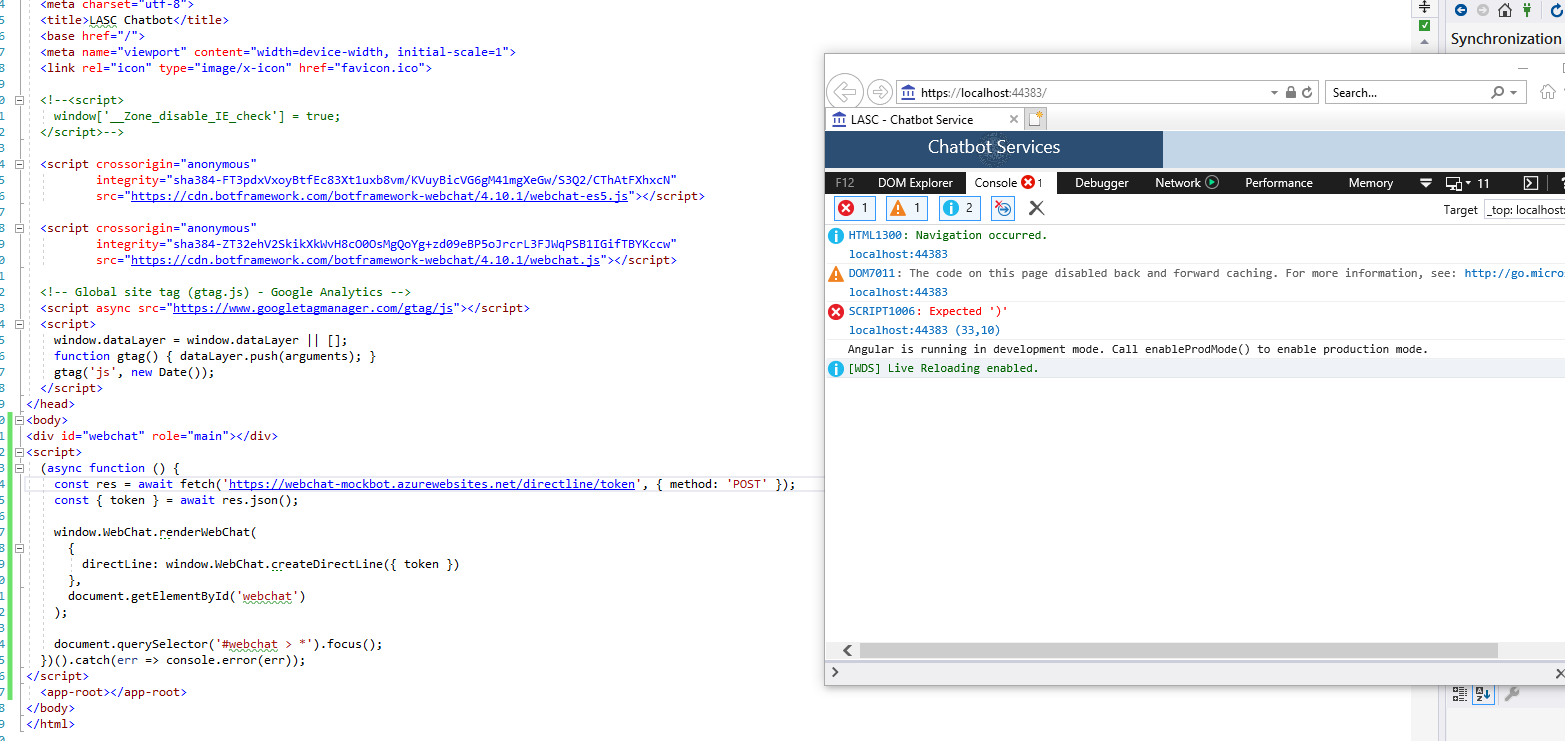
@v-kydela I did try the sample you mentioned and it gives an error on IE. "Error: Expected ')'" please see the image below. The sample works on other browsers.
On the other note I think we can take arrow functions out of the equation since they are used in other components and there is no problem rendering the pages in IE. The app builds for differential loading so it generates all necessary polifills.
I wonder if you guys tested WebChat v4.10.1 on IE in Azure? As I mentioned before, the chatbot works when I run it locally but it does not when it is deployed to Azure.
arman-g
on 16 Sep 2020
I think it may be a bad idea to call directLine.postActivity before the connection has been fulfilled anyway.
Yes agree, that is why I was calling directLine.postActivity in my initial code from the WebChat 'store' middleware shown at the top. And it actually being called as we can see the message under IE console (see the image all the way to the top).
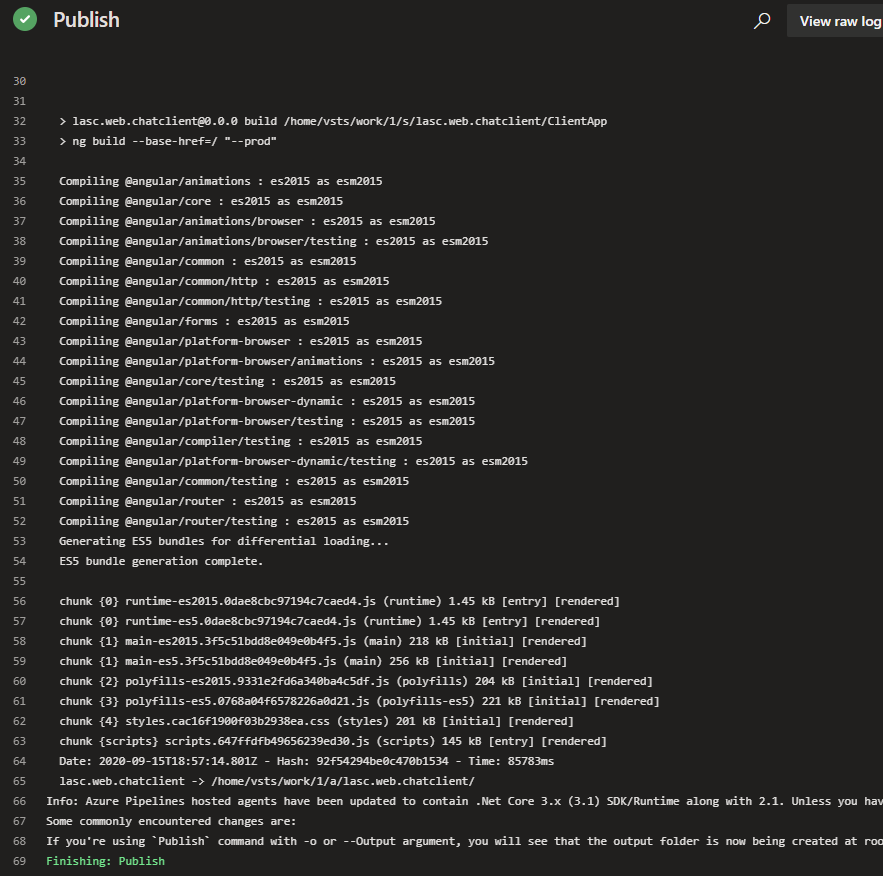
Just to add some more info on this, here is the Azure publish log under CI pipeline if this might give any clue. We can see that it creates ES5 packages for differential loading.
arman-g
on 16 Sep 2020
@arman-g - I feel like you're still not understanding the point I tried to make about the bot being separate from Web Chat. If you think the problem is in your bot then you should be posting in one of the SDK repos, but if the problem is on the Web Chat side then it's irrelevant where your bot is deployed or if it's running locally. You could deploy your bot in an Azure app service and then deploy a website that hosts Web Chat with the bot's Direct Line secret in a totally different resource group on the opposite side of the world. Does that make sense?
Anyway, the particular sample I linked to isn't an es5 sample so you shouldn't expect it to work in IE 11. The point was for you to see if you could get Web Chat working outside of Angular so I posted an HTML sample to use as a guide. If you'd like an actual es5 sample that works in IE 11 then you can try this one.
v-kydela
on 16 Sep 2020
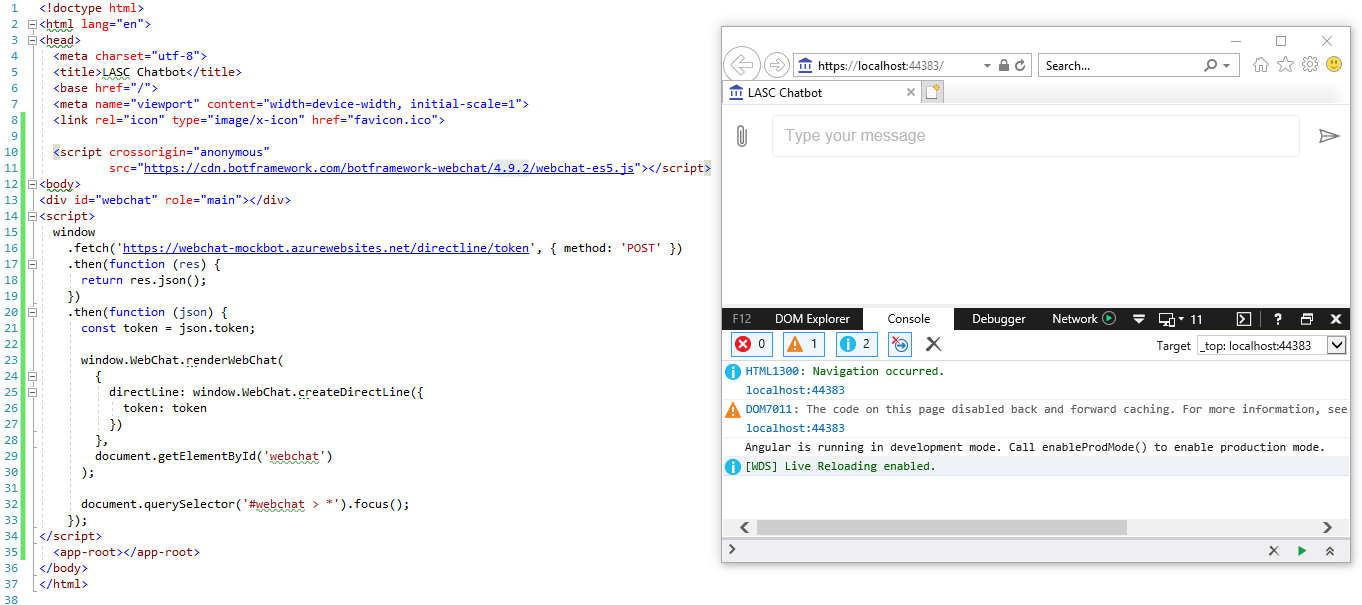
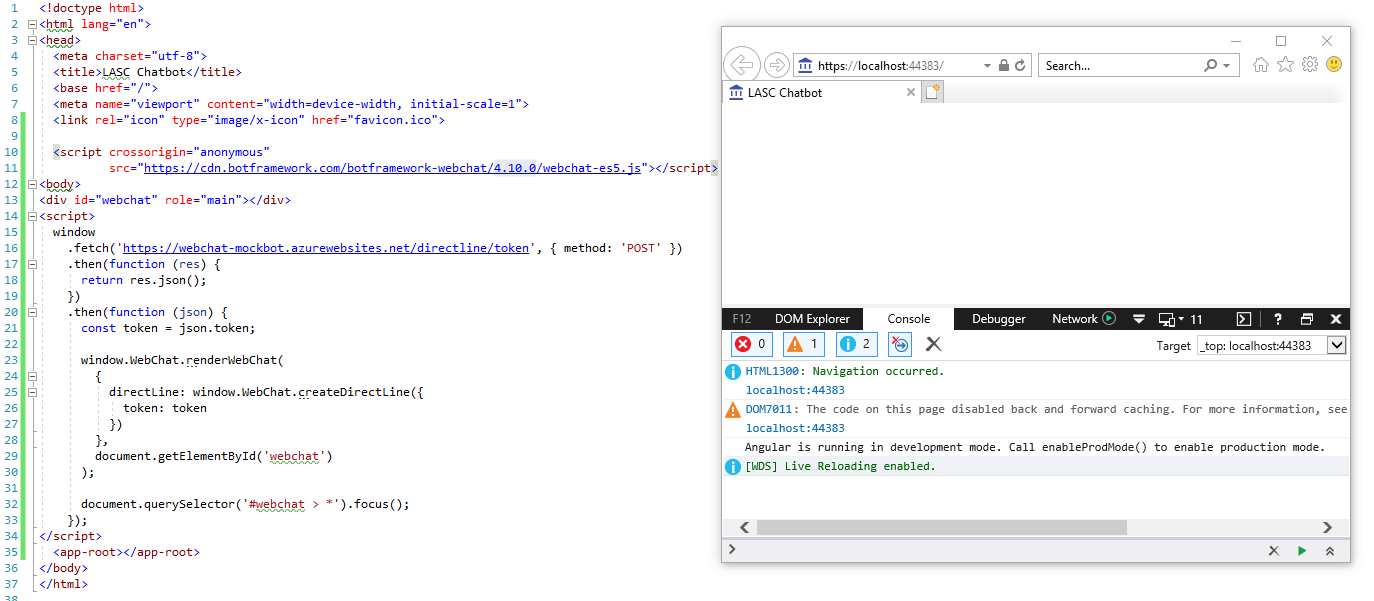
@v-kydela I just tried your posted example in the same application. What I found is that it works in IE 11 for WebChat CDN v4.9.2 but it does not work starting v4.10.0.
It seems something is changed in WebChat v4.10.0. There are no errors under the console but it does not render WebChat (please see the images below).
Using WebChat CDN v4.9.2
Using WebChat CDN v4.10.0
arman-g
on 16 Sep 2020
@v-kydela to further isolate angular dependency I put the code into an html file and run in IE 11. Up to WebChat v4.9.2 it renders fine on IE but starting v4.10.0 it does not.
arman-g
on 16 Sep 2020
@arman-g - I have reproduced your issue using the code you've just uploaded. All you must do to fix the problem is to make sure your page contains the appropriate CSS, as seen in the sample I linked to:
    <style>
      html,
      body {
        height: 100%;
      }

      body {
        margin: 0;
      }

      #webchat {
        height: 100%;
        width: 100%;
      }
    </style>
It seems the latest version of Web Chat will not render if it has no height attribute.
Does this resolve your issue?
v-kydela
on 17 Sep 2020
@v-kydela sure it did, great finding thanks for tracking this down. I can't believe this was a simple css problem, I was pulling out my hair over it :-D
I am not sure if this spouse to be considered a bug or it is by design so I leave it to you to close this issue. Thanks again!
arman-g
on 17 Sep 2020
Related issues
 joshm998
·
3Comments
joshm998
·
3Comments
 GewoonMaarten
·
3Comments
GewoonMaarten
·
3Comments
 corinagum
·
3Comments
corinagum
·
3Comments
 compulim
·
3Comments
compulim
·
3Comments
 naveen-vijay
·
4Comments
naveen-vijay
·
4Comments