Boostnote: Clicking on Check boxes and footnotes take you back to the very top of the note
Current behavior
Checkbox
- While in preview mode, checking/unchecking items takes you back to the beginning of the note

Console Output

Footnote
- While in preview mode, clicking on a footnote's "return to context" takes you back to the beginning of the note
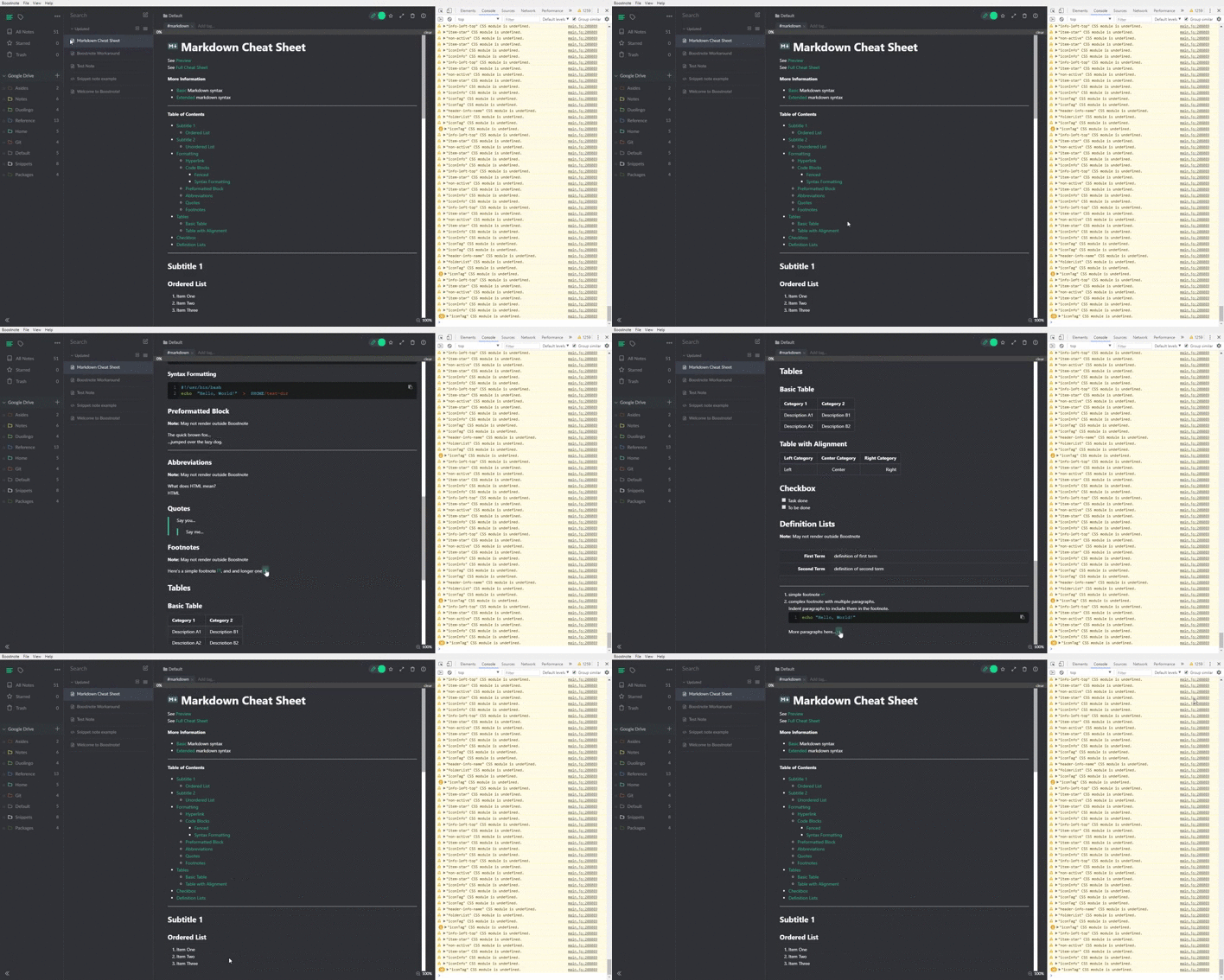
Console Output
none
Expected behavior
- When checking/unchecking items in a checkbox, the note should stay in place and only the movement of the progress bar is expected.
- After viewing a footnote, clicking on "return" should take you back to the context rather than to the beginning of the note.
Steps to reproduce
Checkboxes
- Open a note.
- Add some long place holder text to add some volume to the note.
Do:
- [ ] Item 1
- [ ] Item 2
Toggle preview mode.
- Check/uncheck items.
Footnotes
- Open a note.
- Add some long place holder text to add some volume to the note.
Do:
Here's a simple footnote [^1], and and longer one [^note].
[^1]: simple footnote
[^note]: complex footnote with multiple paragraphs.
Indent paragraphs to include them in the footnote.

```shell
echo "Hello, World!"
Toggle preview mode.
- Click on the footnote
[1]link. - After viewing the footnote, click on
↩︎.
Environment
- Boostnote: 0.12.0
- OS: Windows 10
- Build: 1903
 themattgabriel
All 3 comments
I've created a PR (check the timeline above) to fix the checkbox issue.
But footnotes are caused by a completely different reason. May need a little bit more investigating.
 hikerpig
on 2 Aug 2019
hikerpig
on 2 Aug 2019
I'm experiencing the same issue as #3163, on Mac OS Mojave 10.14.6. There is a brief pause when I click, then the page re-renders, going back to the top of the page rather than where I was on the page. This happens both with the render page toggled full screen, as well as when I use the edit and rendered screen side-by-side.
 beneccles
on 20 Sep 2019
beneccles
on 20 Sep 2019
I highly expect this to be fixed in the next release, which should be soon. Once 0.13 is released could you test if the issue persists? And if it does then feel free to reopen this issue.
 Flexo013
on 20 Sep 2019
Flexo013
on 20 Sep 2019
Related issues
 NonlinearFruit
·
3Comments
NonlinearFruit
·
3Comments
 necan
·
3Comments
necan
·
3Comments
 Ocanamat
·
3Comments
Ocanamat
·
3Comments
 Rokt33r
·
3Comments
Rokt33r
·
3Comments
 ysshah
·
3Comments
ysshah
·
3Comments