Boostnote: Font is blurry. Please use subpixel anti-aliasing.
OS: Windows 10 1709
Resolution: 1366*768 14 inches
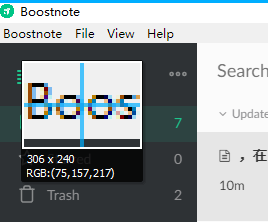
All fonts except Menu bar are blurry. I find boostnote is using grayscale anti-aliased.


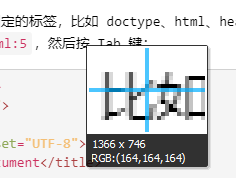
Only fonts in Menu bar are using subpixel anti-aliasing.
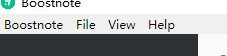
but when I open the html exported by Boostnote in chrome, font is normal.
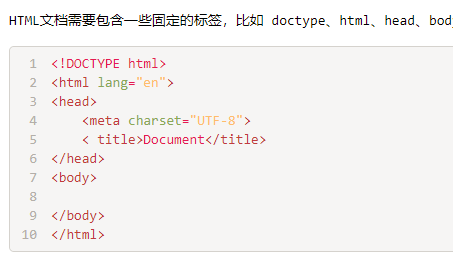
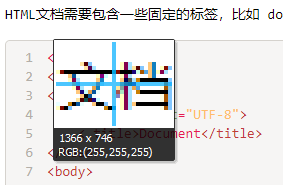
Maybe it's electron's issue, but I found it seems fixed in #6344.
So how to turn on subpixel anti-aliasing on Boostnote?
 necan
necan
All 3 comments
This is an issue with Electron, not Boostnote. When Electron is fixed, Boostnote will be fixed.
You can close this issue and track the progress upstream in https://github.com/electron/electron/issues/8708
 Redsandro
on 10 Feb 2018
Redsandro
on 10 Feb 2018
To solve the problem,
add the backgroundColor: '#fff', parameter
to the const mainWindow = new BrowserWindow({ declaration
in the _%APPDATA%..\Local\boost\app-0.11.12\resources\app\lib\main-window.js_ file.
for example:
const mainWindow = new BrowserWindow({
  backgroundColor: '#fff',  //<-- add this
  x: windowSize.x,
  y: windowSize.y,
  width: windowSize.width,
  height: windowSize.height,
  useContentSize: true,
  minWidth: 500,
  minHeight: 320,
  autoHideMenuBar: showMenu,
  webPreferences: {
    zoomFactor: 1.0,
    enableBlinkFeatures: 'OverlayScrollbars'
  },
  icon: path.resolve(__dirname, '../resources/app.png')
})
Reference: link
 csadam
on 25 Jan 2019
csadam
on 25 Jan 2019
@csadam thanks, it works. But it won't be applied after updating, I have to modify main-window.js again.
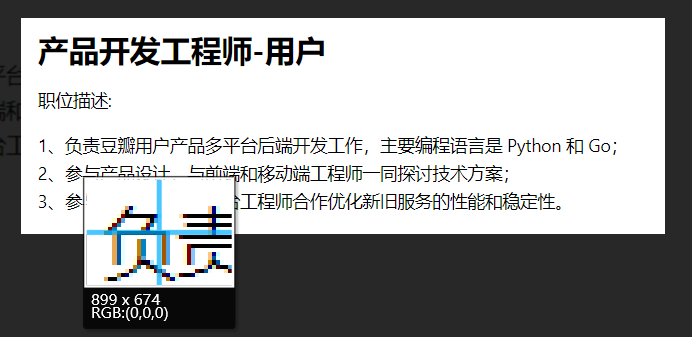
necan
on 29 Jan 2019
Related issues
 croulibri
·
3Comments
croulibri
·
3Comments
 Ocanamat
·
3Comments
Ocanamat
·
3Comments
 ysshah
·
3Comments
ysshah
·
3Comments
 NonlinearFruit
·
3Comments
NonlinearFruit
·
3Comments
 gavvvr
·
3Comments
gavvvr
·
3Comments