Boostnote: Make code font size configurable
I would like to be able to change the font size of the code in the <code> and <pre> elements in the preview. The default is a little too big for my taste (I think it's 14px right now?) - I would like mine to be 12px.
feature request
 ysshah
All 3 comments
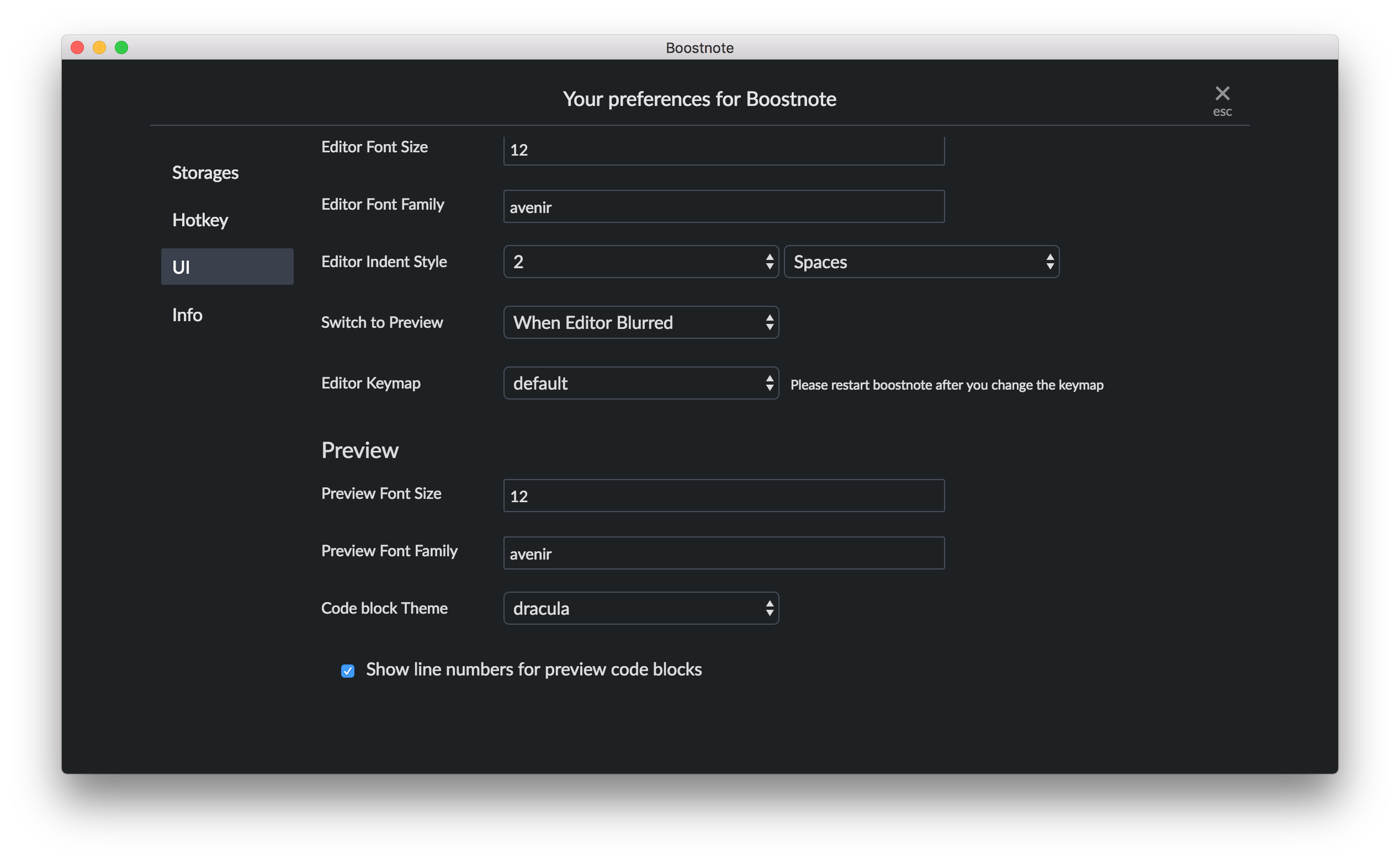
Hi @ysshah , you can change the font size at Preference.
Preferences -> UI -> Preview Font Size
 kazup01
on 23 Oct 2017
kazup01
on 23 Oct 2017
Yes, this changes the font size of the entire preview, but if I decrease this then the regular text becomes too small for me. I would like a way to change only the font size of the code. If I'm the only user who wants this, then it's okay :)
ysshah
on 23 Oct 2017
👍5
😕2
I second @ysshah request. Great software you've got here, everyone :)
 paulojraposo
on 2 Apr 2018
paulojraposo
on 2 Apr 2018
Was this page helpful?
0 / 5 - 0 ratings
Related issues
 necan
·
3Comments
necan
·
3Comments
 cyber-arsenull
·
3Comments
cyber-arsenull
·
3Comments
 mikeparisstuff
·
3Comments
mikeparisstuff
·
3Comments
 DanielRamosAcosta
·
3Comments
DanielRamosAcosta
·
3Comments
 croulibri
·
3Comments
croulibri
·
3Comments
Most helpful comment
Yes, this changes the font size of the entire preview, but if I decrease this then the regular text becomes too small for me. I would like a way to change only the font size of the code. If I'm the only user who wants this, then it's okay :)