Boostnote: Allow for searching (Ctrl+F) in note preview
I can only use the search feature to search matching notes. Given that we have a long note open, do we have a way to search inside the note preview? This is a problem bugging me all the time. I know that we can search inside the editor, but it'll be quite easy if we can search for a keyword in the note preview too.
 deepal
All 8 comments
We currently have no way to search in the preview. Maybe someone can implement it. Can you tell me more why do you need this feature?
 ZeroX-DG
on 26 Nov 2018
ZeroX-DG
on 26 Nov 2018
Actually, I have some long notes in my Boostnote. Whenever I need to find something in the note, I can't find it unless I go to the editor and search, which is painful. As if we search in the browser (Ctrl/Cmd+F), I would like to search for a particular keyword in the preview other than reading it to find what I want. I think this is a common use case for those who have lengthy notes.
deepal
on 26 Nov 2018
More info/details from a similar issue:
Current behavior
Can't search text when markdown preview pane is displayed only.
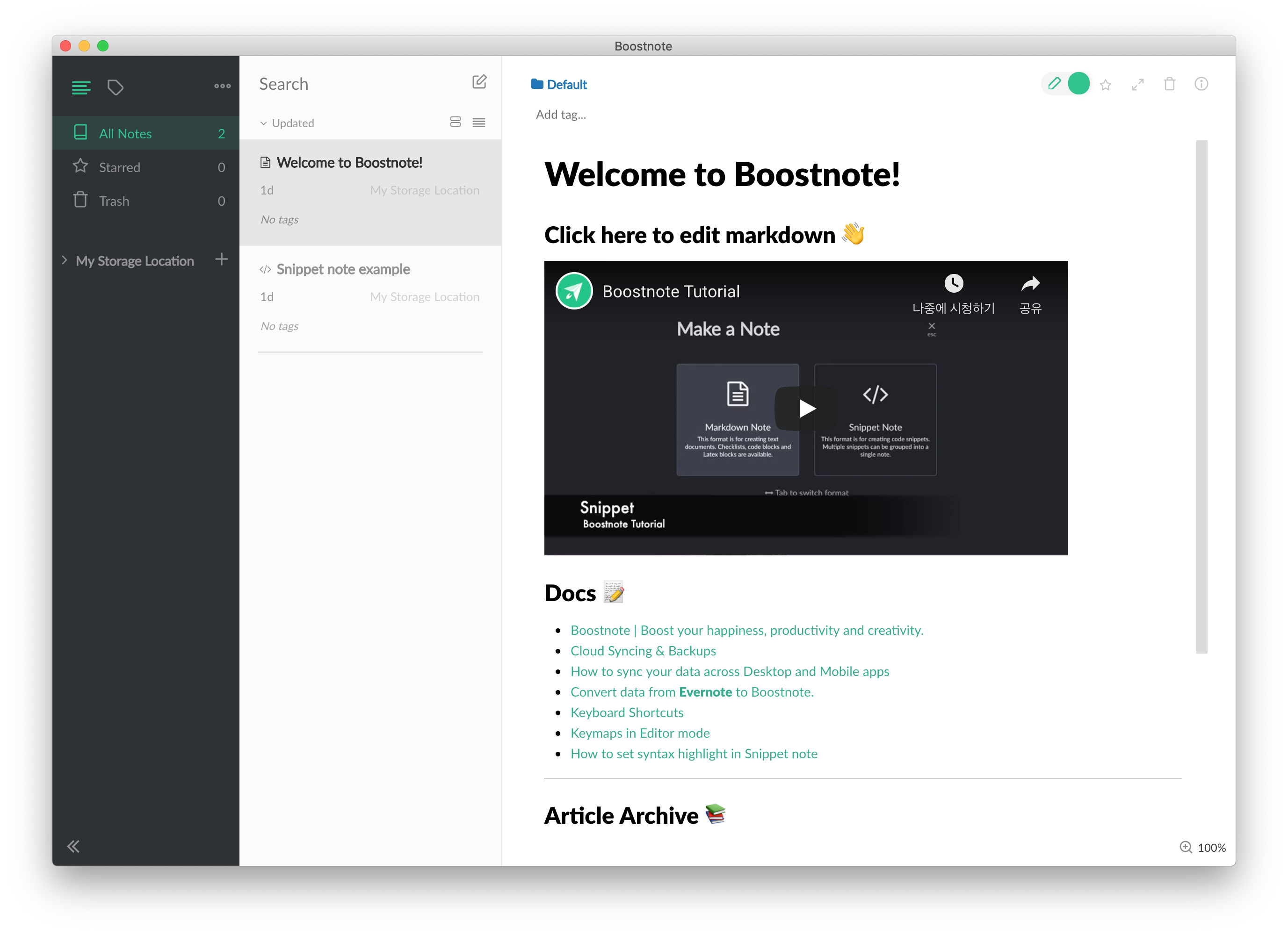
Searching feature is supported only when editor pane is displayed.
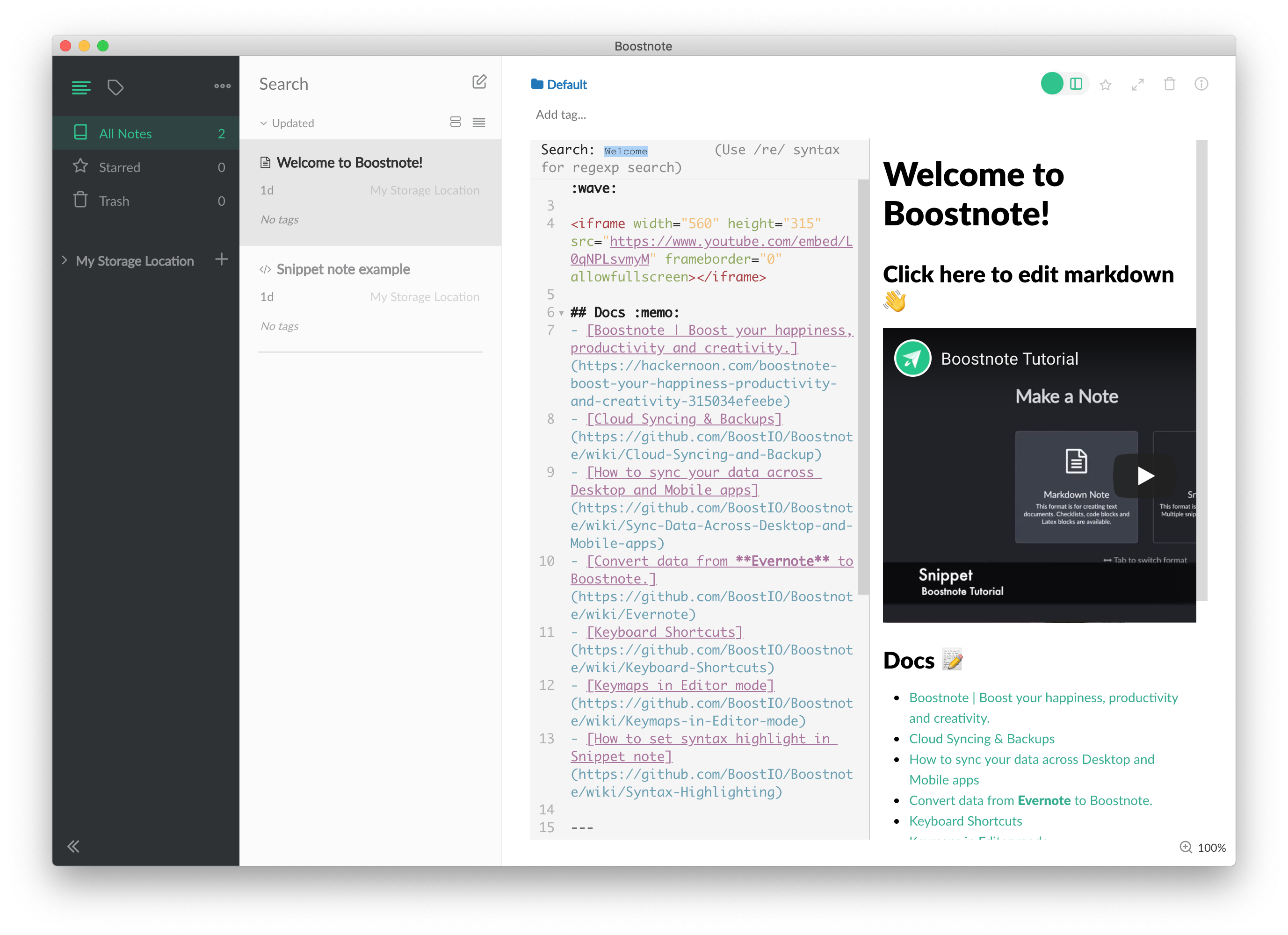
Expected behavior
Search text bar should be displayed within not only text editor pane, but also preview pane.
Steps to reproduce
- Open markdown file.
- Toggle to markdown preview pane only
- Can't search text in the file.
Environment
- Version : 0.12.1
- OS Version and name : macOS Mojave 10.14.6
 Flexo013
on 8 Oct 2019
Flexo013
on 8 Oct 2019
There is a component that supports find matching text in electron app

 TheoXiong
on 1 Dec 2019
TheoXiong
on 1 Dec 2019
Also looking for this behaviour.
 SannePetersNL
on 4 Feb 2020
SannePetersNL
on 4 Feb 2020
how is this going ? I'm looking for this feature for first day using boost note
 hoangpx
on 12 May 2020
hoangpx
on 12 May 2020
Currently there has been no progress on this issue. If you would like to incentivize devs to pick up this issue then consider funding it on IssueHunt: https://issuehunt.io/r/BoostIo/Boostnote/issues/2625
Flexo013
on 18 May 2020
I'm working on it: https://github.com/BoostIO/Boostnote/pull/3583
ZeroX-DG
on 3 Jun 2020
Related issues
 Ocanamat
·
3Comments
Ocanamat
·
3Comments
 necan
·
3Comments
necan
·
3Comments
 ysshah
·
3Comments
ysshah
·
3Comments
 DanielRamosAcosta
·
3Comments
DanielRamosAcosta
·
3Comments
 luong-komorebi
·
3Comments
luong-komorebi
·
3Comments
Most helpful comment
Actually, I have some long notes in my Boostnote. Whenever I need to find something in the note, I can't find it unless I go to the editor and search, which is painful. As if we search in the browser (Ctrl/Cmd+F), I would like to search for a particular keyword in the preview other than reading it to find what I want. I think this is a common use case for those who have lengthy notes.