Blenderproc: generate images with differnt lighting conditions and environment
hello authors,
i have modeled some traffic sign baords in blender, how can i add different lighting conditions (day and night) and different environment effects (snow, fog). is "bop_object_physics_positioning" a good example to start with?
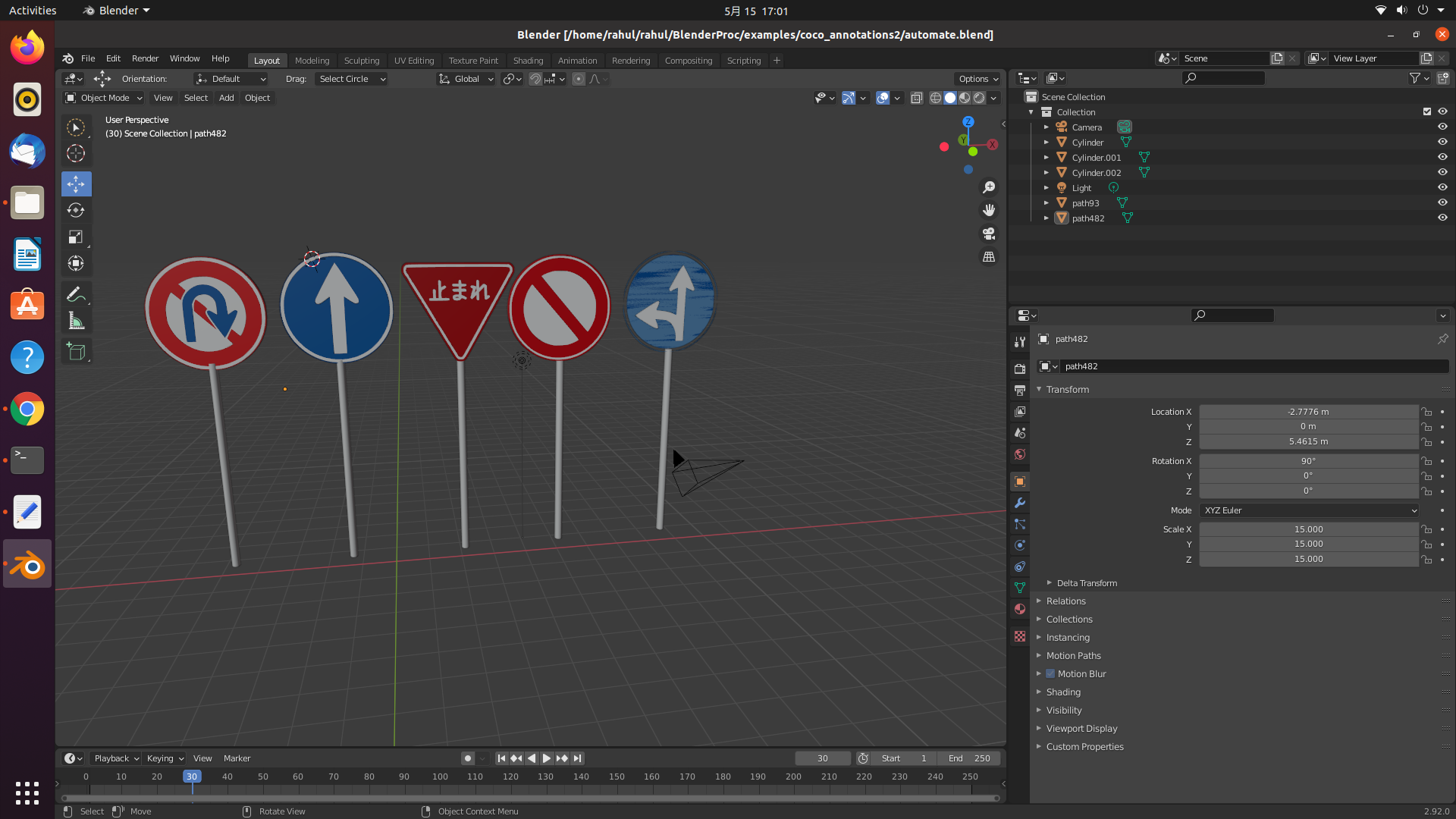
thank you
 soans1994
All 7 comments
@soans1994 Hi,
is "bop_object_physics_positioning" a good example to start with?
Depending on the details of what you are trying to do. There is no avoiding learning the details of the pipeline implementation unless there is a perfectly fitting configuration file for your case, so if you choose some sort of the configuration file as a base, make sure you understand what each module does. Then, I guess, you will see if it fits your case.
I personally would advise you to start from scratch, adding module after module in the debug mode of the BlenderProc, the pipeline would be much more controllable.
how can i add different lighting conditions
There are many answers on a variety of questions provided in the well-documented source code, examples, and github issues history of BlenderProc. In combination such quick search-and-read would reveal the existence of the various light interfaces, as well as the existence of the light_sampling example. Additionally, one may find similar questions that have an answer already provided.
different environment effects (snow, fog)
I am afraid we do not have dedicated modules/functions for that at the moment (@themasterlink, do we?) but you can alwasy try something yourself, just remember that we are alwas open for PRs.
 ideas-man
on 15 May 2021
ideas-man
on 15 May 2021
@ideas-man thanks for the solutions. i read the light sampling documents. how can i add the background scene of a city. if i create a city scene in the same blend file, how can i call this in the config file?
soans1994
on 15 May 2021
blend file
For loading from .blend files refer to the respective Loader (BlendLoaderModule).
ideas-man
on 15 May 2021
@ideas-man
i tried the 3d backround, but, if want to use mutliple street images as background for my synthetic dataset, how can i achieve this?
soans1994
on 22 May 2021
@soans1994 Hi,
Randomize chosen texture between singular pipeline runs (more like reruns as per this explanation) via the sampler.Path (there is an example) or via changing the respective <args:x> value that you set to the run.py (more info in this post).
P.S.: also there is a direct pasting way described here.
ideas-man
on 22 May 2021
@ideas-man thank you for the new updates. I will update the blenderproc repo.
soans1994
on 22 May 2021
I assume this helped. I close this for now.
 themasterlink
on 21 Jun 2021
themasterlink
on 21 Jun 2021
Related issues
 albertotono
·
3Comments
albertotono
·
3Comments
 mikkeljakobsen
·
6Comments
mikkeljakobsen
·
6Comments
 matemato
·
4Comments
matemato
·
4Comments
 shreeramsigdel77
·
4Comments
shreeramsigdel77
·
4Comments
 elientumba2019
·
4Comments
elientumba2019
·
4Comments
Most helpful comment
@soans1994 Hi,
Randomize chosen texture between singular pipeline runs (more like reruns as per this explanation) via the sampler.Path (there is an example) or via changing the respective
<args:x>value that you set to therun.py(more info in this post).P.S.: also there is a direct pasting way described here.