Dear Authors,
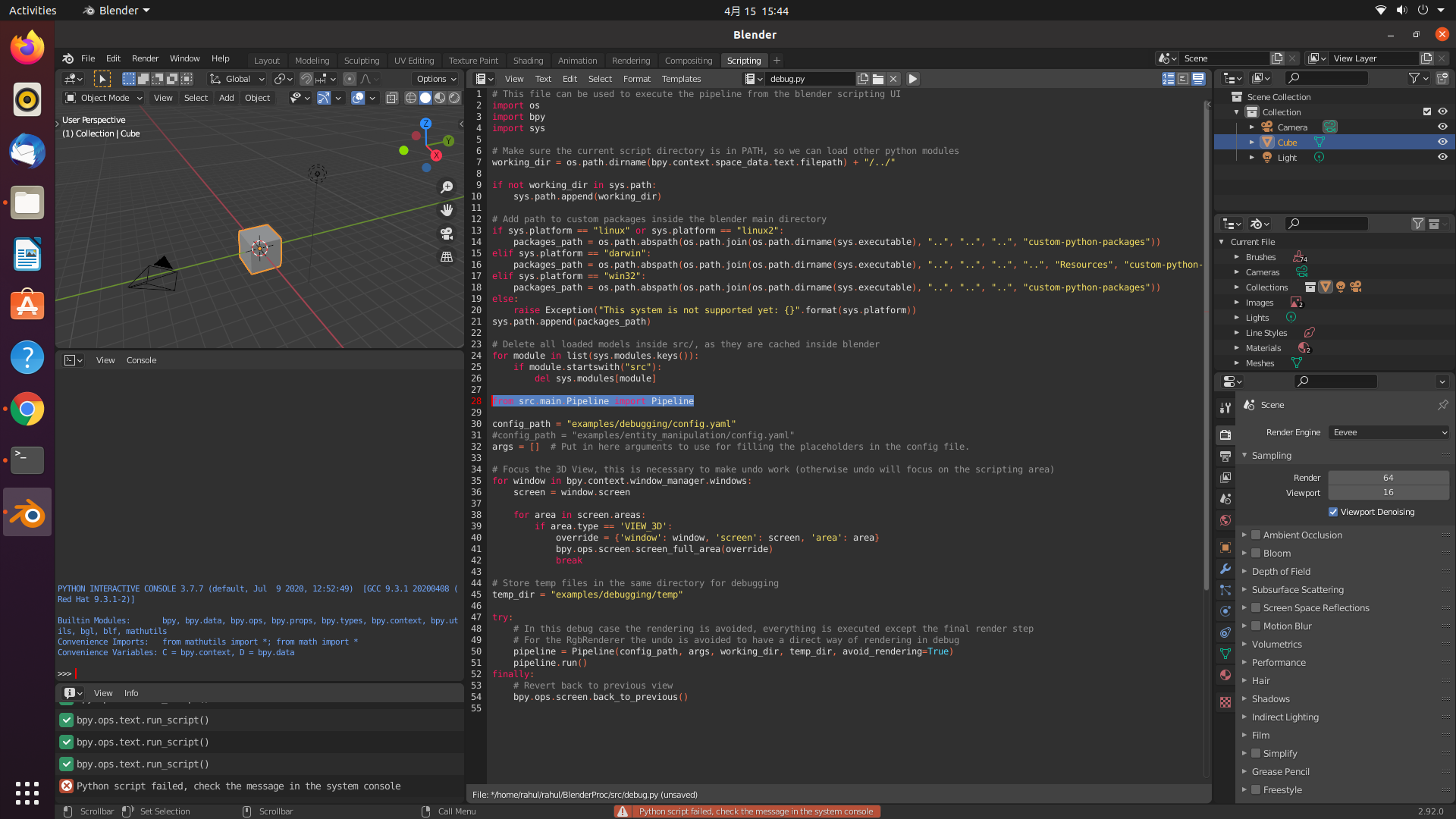
i just tried the debug python code, but i got some error, how can i fix this?
thank you
 soans1994
All 6 comments
You are probably using the wrong blender installation. You need to use the same as it is used when running BlenderProc via python run.py .... Per default it should be at /home/<USER>/blender/blender/blender-2.92.0-linux64/blender.
 cornerfarmer
on 15 Apr 2021
cornerfarmer
on 15 Apr 2021
@cornerfarmer thank you, it worked for me. i was trying the other version before.
Can i use the debug feature to know the camera locations before inputting the camera locations in the config file.
for example:"location": {
"provider":"sampler.Uniform3d",
"max":[10, 10, 8],
"min":[-10, -10, 12]
I want to know how to get the location of camera, if i have a camera path in mind(ex: move camera around an object)
soans1994
on 15 Apr 2021
I don't know, if I fully understood your problem. If you just want to inspect the final camera poses that are later used for rendering, you can simply do that by switching from the Scripting tab back to the Layout tab in blender, click on the camera and then you should see the keyframes in the bottom of the window (the timeline area). By moving the blue playhead you can switch between the frames and inspect the camera poses used there.
Does this answer your question?
cornerfarmer
on 15 Apr 2021
@cornerfarmer i use the command line to run the code as per the documentation.
- How can i run code inside blender using scripting tab, i believe i cannot enter the arguments.
- checking the blue playhead is in the layout tab or the render tab?
soans1994
on 15 Apr 2021
- You can execute a custom config with arguments. You just need to adjust line 30 and 31 of debug.py
- The blue playhead should be in the bottom of the layout tab. See here: https://docs.blender.org/manual/en/latest/editors/timeline.html
cornerfarmer
on 15 Apr 2021
@cornerfarmer thank you for your support
soans1994
on 15 Apr 2021
Related issues
 eugval
·
3Comments
eugval
·
3Comments
 chrisxu1995
·
5Comments
soans1994
·
4Comments
chrisxu1995
·
5Comments
soans1994
·
4Comments
 matemato
·
4Comments
matemato
·
4Comments
 hummat
·
5Comments
hummat
·
5Comments
Most helpful comment