Blenderproc: Irrelevant coco annotations on shapenet with scenenet
Hi again :)
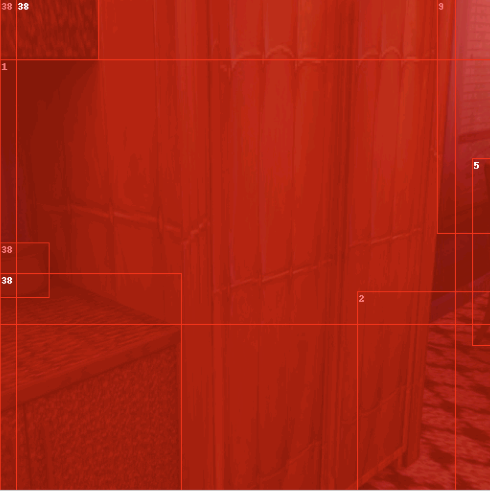
When generating coco annotations on my images I get many bounding boxes -- some of which correspond to reasonable objects and some either erroneous or seemingly related to irrelevant objects such as occluded carpet etc.
How to make sense of the generated bounding boxes such that I get only reasonable ones? (and also is it a bug or as supposed to be?)


 ggaziv
All 3 comments
Hi!
"reasonable" is unfortunately task-dependent. We decided to include everything visible, i.e. the bounding boxes are around the visible segmentation masks. When using the CocoAnnotations in a downstream task, you can usually define which classes you want to learn. E.g. it would make sense to leave out floors, carpets and walls here.
However, you can also filter coco annotations in advance by using the "supercategory" attribute. So in a loader or with the EntityManipulator, you could assign a "supercategory" custom property to the objects for which you want to create Coco Annotations. Then, to filter them, add the "supercategory" name in the config like this:
    {
      "module": "writer.CocoAnnotationsWriter",
      "config": {
        "supercategory": "chairs_and_tables",
        "append_to_existing_output": True
      }
    },
PS: The red visualization is a bug
 MartinSmeyer
on 14 Dec 2020
MartinSmeyer
on 14 Dec 2020
BTW I think the class labels within the generated annotations only correspond to scenenet labels while I would expect to find also labels corresponding to shapenet objects that were loaded into the scene.
If indeed the case, how do I get the label within the specific dataset (scenenet or shapenet depending on the relevant object)?
Thanks !
ggaziv
on 15 Dec 2020
Yes in this example shapenet models are just used as distractors.
ShapeNet has a large number of classes and we have not yet had a usecase to include their mapping. In principle you just need to create and load a label_id_mapping as for scenenet You can either choose non-conflicting category_ids or define a supercategory attribute as described above.
Then change these rows to set the category_id attributes:
https://github.com/DLR-RM/BlenderProc/blob/25b04c0f5a8731a17bbf2ec46a2196b99832368f/src/loader/ShapeNetLoader.py#L90-L92
Happy to accept a PR if you do this.
MartinSmeyer
on 16 Dec 2020
Related issues
 luigifaticoso
·
4Comments
luigifaticoso
·
4Comments
 eugval
·
3Comments
eugval
·
3Comments
 Lotfi-MERAD
·
3Comments
Lotfi-MERAD
·
3Comments
 hummat
·
5Comments
hummat
·
5Comments
 Xiaflowers
·
3Comments
Xiaflowers
·
3Comments
Most helpful comment
Hi!
"reasonable" is unfortunately task-dependent. We decided to include everything visible, i.e. the bounding boxes are around the visible segmentation masks. When using the CocoAnnotations in a downstream task, you can usually define which classes you want to learn. E.g. it would make sense to leave out floors, carpets and walls here.
However, you can also filter coco annotations in advance by using the "supercategory" attribute. So in a loader or with the EntityManipulator, you could assign a "supercategory" custom property to the objects for which you want to create Coco Annotations. Then, to filter them, add the "supercategory" name in the config like this:
PS: The red visualization is a bug