Bforartists: Transform panel in Edit mode - text inside sliders
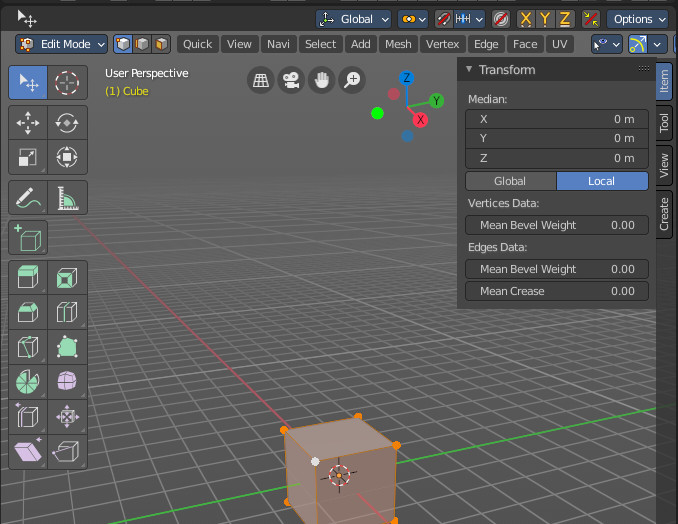
In Edit mode with a primitive object we have some sliders that has still the text of the prop inside of the silders. This is inconsistent with the rest of the UI. Text with the name of the prop should be in front of the sliders.
Mesh object, curve object, surface object, metaball object, bone object, lattice object.
 ReinerBforartists
All 23 comments
Damn, wrong commit -.-
The commit above fixes #1783
ReinerBforartists
on 29 Oct 2020
oh ok
 iyadahmed
on 29 Oct 2020
iyadahmed
on 29 Oct 2020
progress
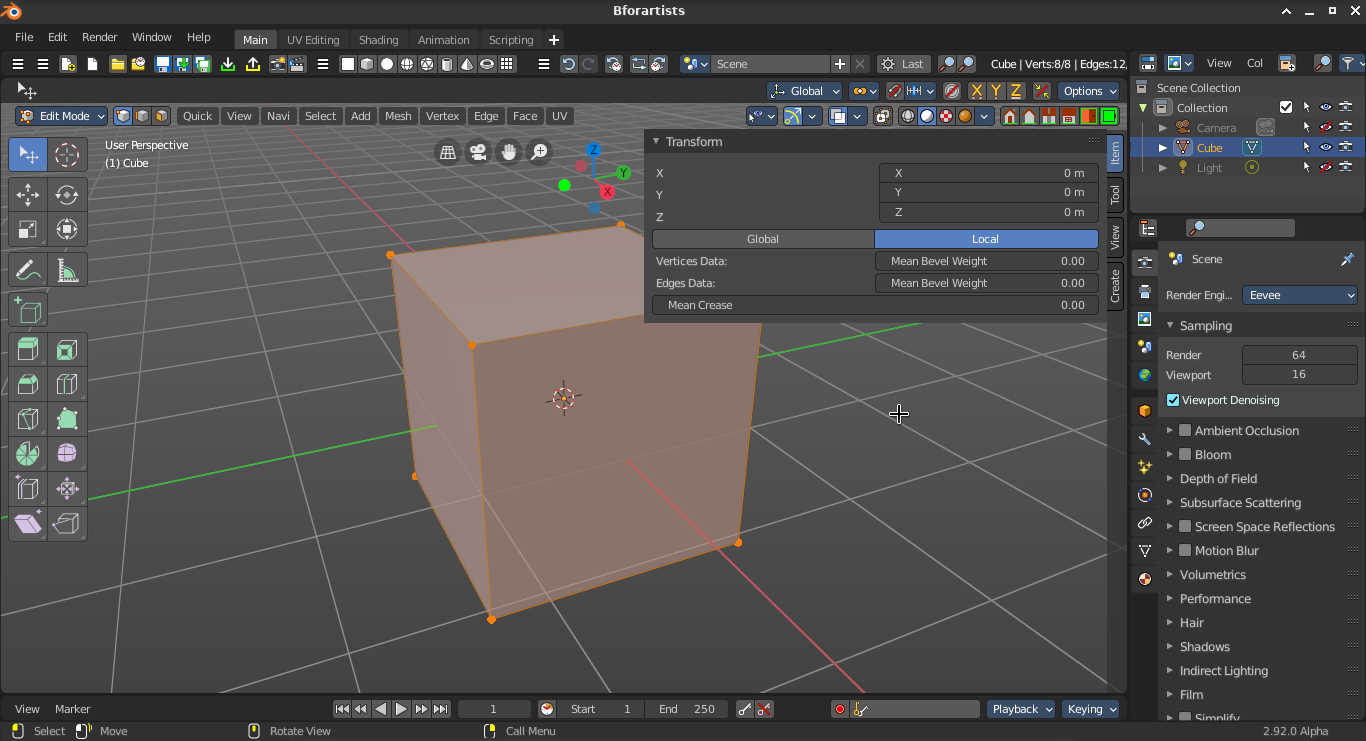
this took a while :)
moral of story, the "lower level" way gives you absolute control, we can change step size and precision for floats, and change a float value directly, the down side is some of the work is manual, but, using the uiLayout for arranging the panel is easy enough, so no probs, we can use uiLayout for arrangment, and the lower level for the actual buttons (they were already used in this panel for example)
iyadahmed
on 29 Oct 2020
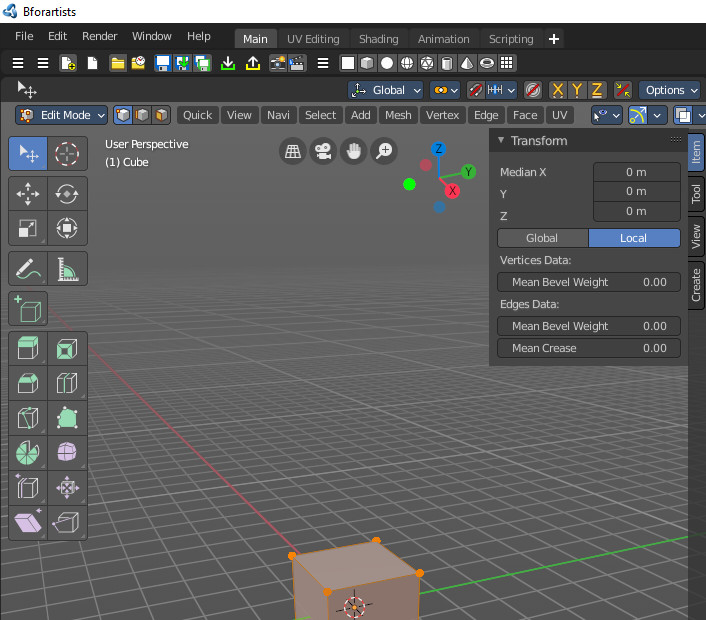
Not sure why, but i still have the text inside the sliders.
Let me do a clean compile first ...
ReinerBforartists
on 30 Oct 2020
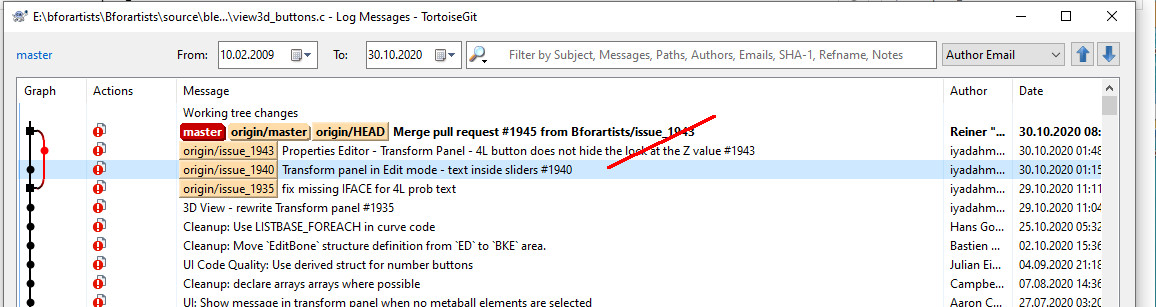
Clean build, same problem. The commit has definitely arrived in the master code.
ReinerBforartists
on 30 Oct 2020
Oh the mean bevel weight and so still not done, my bad 🤦♂️
On Fri, 30 Oct 2020 at 9:40 AM ReinerBforartists notifications@github.com
wrote:
Clean build, same problem. The commit has definitely arrived in the master
code.[image: arrived]
https://user-images.githubusercontent.com/13919702/97673092-7aec1280-1a8b-11eb-8cfb-4220318dda5e.jpg—
You are receiving this because you were assigned.
Reply to this email directly, view it on GitHub
https://github.com/Bforartists/Bforartists/issues/1940#issuecomment-719358824,
or unsubscribe
https://github.com/notifications/unsubscribe-auth/AGC6KLLQCF2QDJLVU3XOOTTSNJUWHANCNFSM4TDRVPZQ
.
iyadahmed
on 30 Oct 2020
No problem. Don't forget the other object types too :)
Mesh object, curve object, surface object, metaball object, bone object, lattice object.
ReinerBforartists
on 30 Oct 2020
working on it, will not :)
iyadahmed
on 30 Oct 2020
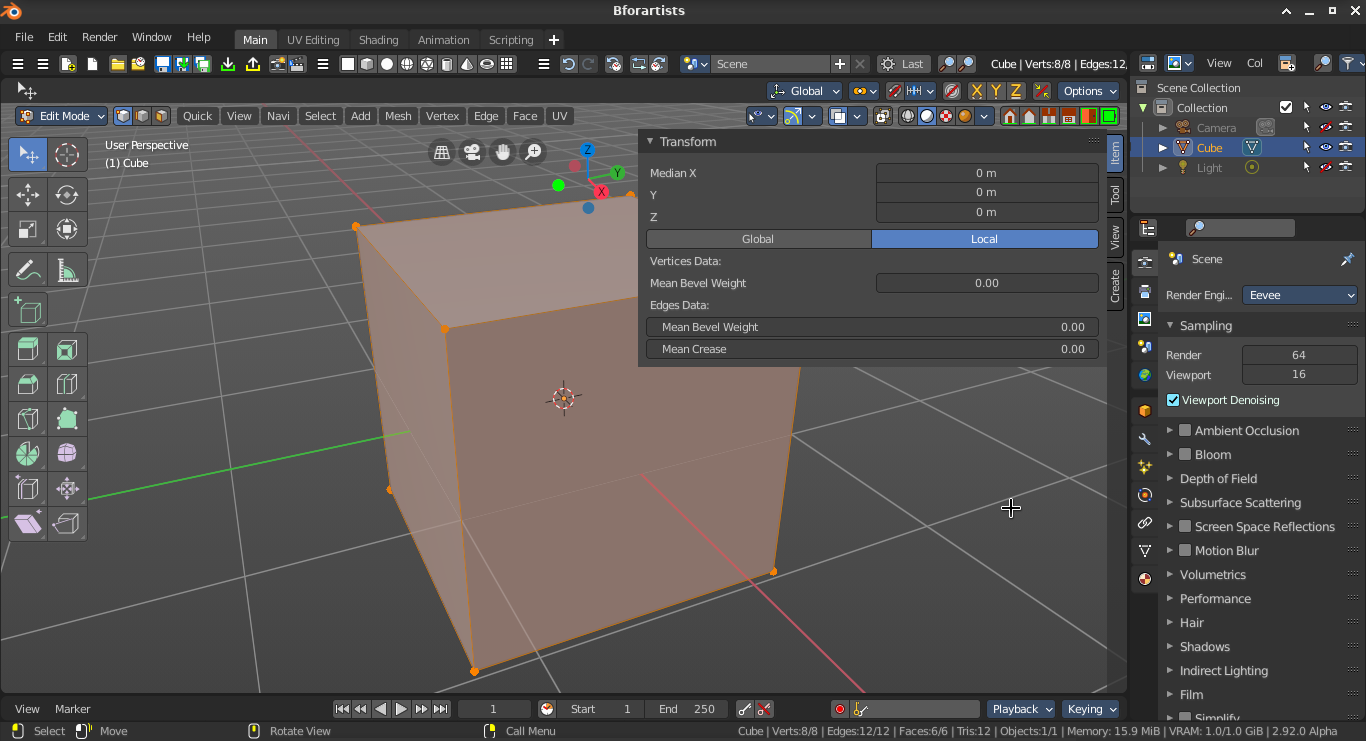
btw what should we do about the label of Vertices/Edges Data and so?
should we indent content or so?
should I continue like this
iyadahmed
on 30 Oct 2020
The cleaner method is indent if possible. But the sidebar is a bit short of space. So it depends how it turns out.
ReinerBforartists
on 30 Oct 2020
ok, great will try indention, I think it will look good
iyadahmed
on 30 Oct 2020
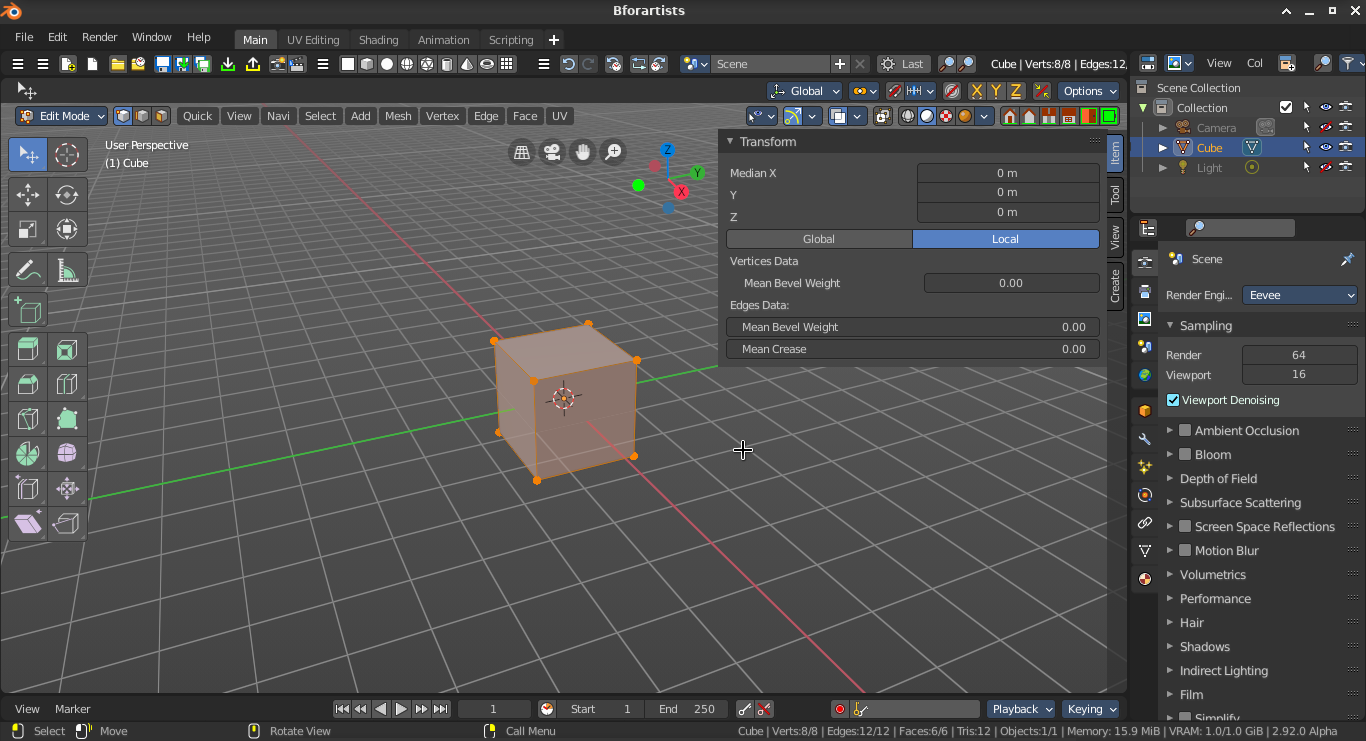
here's how it looks with indention
btw while at it, shouldn't the factor slider have the slider look, I think that is left for another task
iyadahmed
on 30 Oct 2020
Looking good to me :)
Mh, quick idea, we could save some space when we put the term mean into the label. Example:
Vertices Data Mean:
Bevel Weight
Not sure what you mean with a slider look though. These sliders here already looks like any other slider :)
ReinerBforartists
on 30 Oct 2020
great idea, will test out with terms next to label
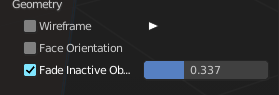
I mean factor sliders have a slider thing when they change, this one seems to not have this effect, it only changes number, no sliding overlay
bevel and crease are factors so they should have this blue overlay
iyadahmed
on 30 Oct 2020
Mesh object, curve object, surface object, metaball object, bone object, lattice object.
it turned out to be a one big big commit :) , each one of these is defined for each object type, not defined in transform panel
e.g for metaball
v3d_editmetaball_buts
v3d_editarmature_buts for armature
v3d_transform_butsR this was the one rewritten #1935
and so on
but working on it
iyadahmed
on 31 Oct 2020
right now working on v3d_editvertex_buts
which was edited in the previous pr #1944
iyadahmed
on 31 Oct 2020
Yeah. I already expected so. But these changes belongs to each other. So we can get away to manage it all in one issue. It does not need to be one big commit. Just make severtal small commits until the main task is done. I usually use the main issue as the commit message plus the actual change then. Example:
My main issue #1234 - changed some sub issue issues
My main issue #1234 - changed some other small things
My main issue #1234 - colored the colors a bit more
And so on.
You could also split the tasks up into the single objects if you want and when you have the feeling that it becomes too much at once. And make a single task for each of them. In this case it all depends of what is more comfortable for you. Allowed is what works :)
The only thing that we should not do is to mix the issues here. When it's a fix that does not belong to the current issue then we need to create another issue for it. Like this one:
great idea, will test out with terms next to label
I mean factor sliders have a slider thing when they change, this one seems to not have this effect, it only changes number, no sliding overlay
bevel and crease are factors so they should have this blue overlay
This would be another job then, which doesn't belong to the current issue to put the text in front of the prop. Please create a new issue for it :)
ReinerBforartists
on 31 Oct 2020
I see, great, will create another issue for labels :)
iyadahmed
on 31 Oct 2020
I see, great, will create another issue for labels :)
forgot about slider effect, will create another one for that too
iyadahmed
on 31 Oct 2020
Mh, it is no slider. It is a value box with slider functionality. I think that's why there is no blue here. To have a distinction to real sliders.
ReinerBforartists
on 31 Oct 2020
oh ok, I meant the bevel/crease factor, it goes from 0 to 1, it would be nice to have the blue overlay
iyadahmed
on 31 Oct 2020
Green :)
ReinerBforartists
on 31 Oct 2020
great :)
iyadahmed
on 31 Oct 2020
Related issues
 Draise14
·
5Comments
ReinerBforartists
·
8Comments
iyadahmed
·
4Comments
iyadahmed
·
8Comments
Draise14
·
5Comments
ReinerBforartists
·
8Comments
iyadahmed
·
4Comments
iyadahmed
·
8Comments
 kungfooman
·
6Comments
kungfooman
·
6Comments