Bforartists: 3D View - Transform panel change 4L button icon
the button looks same, pressed or not
either change icon, or enable emboss
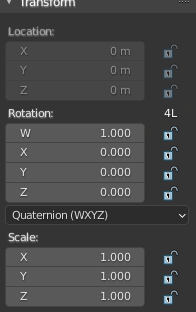
 iyadahmed
All 19 comments
There is no icon here, this is pure text. And it is C code from what i see. So the first quesiton is, color the text or insert an icon? Emboss seems to be the easier method. A real button the cleaner one.
 ReinerBforartists
on 28 Oct 2020
ReinerBforartists
on 28 Oct 2020
I see, I just tried embossing, and it colors the text green if it is not pressed, and white if it was
I think we can just use the lock icon, because this controls the lock_rotations_4d property, so it would be consistent with others
iyadahmed
on 28 Oct 2020
Your task, decide what fits better :)
The lock icon could be misleading here though. How turned out the text color?
ReinerBforartists
on 28 Oct 2020
it was ok, but as you said a real button is better, I guess embossing is the way to go then if lock icon is misleading
iyadahmed
on 28 Oct 2020
but actually the text isn't better it is as misleading, a lock is better on the other hand, and the tooltip is always there
EDIT: still not sure will decide later, when I get to this task
iyadahmed
on 28 Oct 2020
Welcome to UI design. It will not become easier later :D
ReinerBforartists
on 28 Oct 2020
indeed :D XD
iyadahmed
on 28 Oct 2020
What speaks for the text is that Blender has handled it that way. Former Blender user will know and recognize what it is.
When unsure leave it as is. A change for the sake of a change is not good.
ReinerBforartists
on 28 Oct 2020
I agree, I thought so, decided on text
iyadahmed
on 28 Oct 2020
will postpone for now, may reopen again, using text isn't perfect, can't keep fixed size when resizing, but with a icon only it can be, so ideally we would create an icon for 4L, the icon would an image of the text 4L, when the property is fasle the text has a red mark
iyadahmed
on 30 Oct 2020
Related: https://github.com/Bforartists/Bforartists/issues/1943
When we know what the button is good for then we can decide what icon to shape.
ReinerBforartists
on 30 Oct 2020
agree
iyadahmed
on 30 Oct 2020
New icon is in progress.
ReinerBforartists
on 1 Nov 2020
New icon is in progress.
Awesome
iyadahmed
on 1 Nov 2020
Icons are added. And committed to the master.
Name of the icons : 4L_ON and 4L_OFF
Pink background comes from the icon sheet. Is transparent.
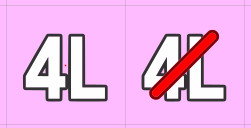
ReinerBforartists
on 1 Nov 2020
great editing the prop icon now
iyadahmed
on 1 Nov 2020
looking great
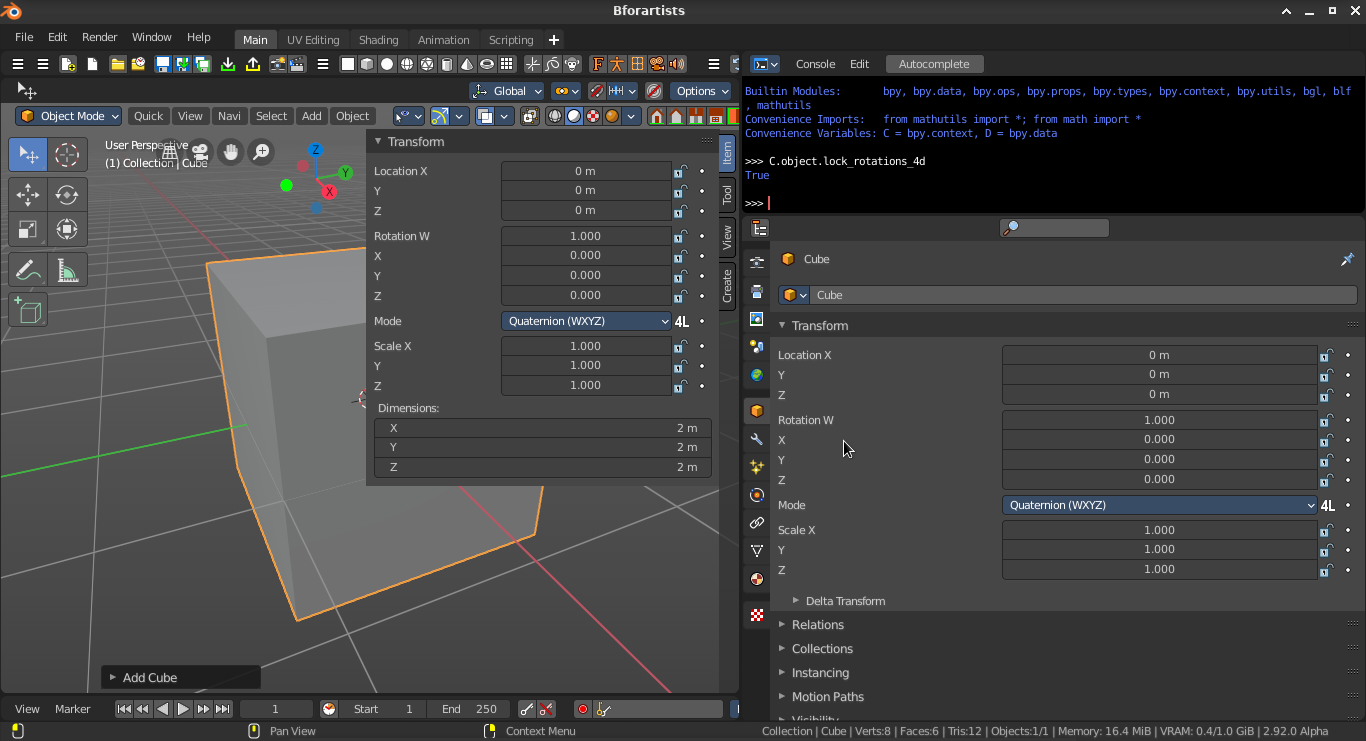
iyadahmed
on 1 Nov 2020
Much better than the previous version. And now you can really say what state is on and what is off :)
ReinerBforartists
on 1 Nov 2020
Indeed, much better after this change :)
On Sun, 1 Nov 2020 at 12:14 PM ReinerBforartists notifications@github.com
wrote:
Much better than the previous version. And now you can really say what
state is on and what is off :)—
You are receiving this because you were assigned.
Reply to this email directly, view it on GitHub
https://github.com/Bforartists/Bforartists/issues/1937#issuecomment-720064246,
or unsubscribe
https://github.com/notifications/unsubscribe-auth/AGC6KLOIHJAWZXWT2SC3CQ3SNUYIBANCNFSM4TCTWSOQ
.
iyadahmed
on 1 Nov 2020
Related issues
iyadahmed
·
7Comments
 Draise14
·
7Comments
iyadahmed
·
6Comments
ReinerBforartists
·
6Comments
iyadahmed
·
8Comments
Draise14
·
7Comments
iyadahmed
·
6Comments
ReinerBforartists
·
6Comments
iyadahmed
·
8Comments