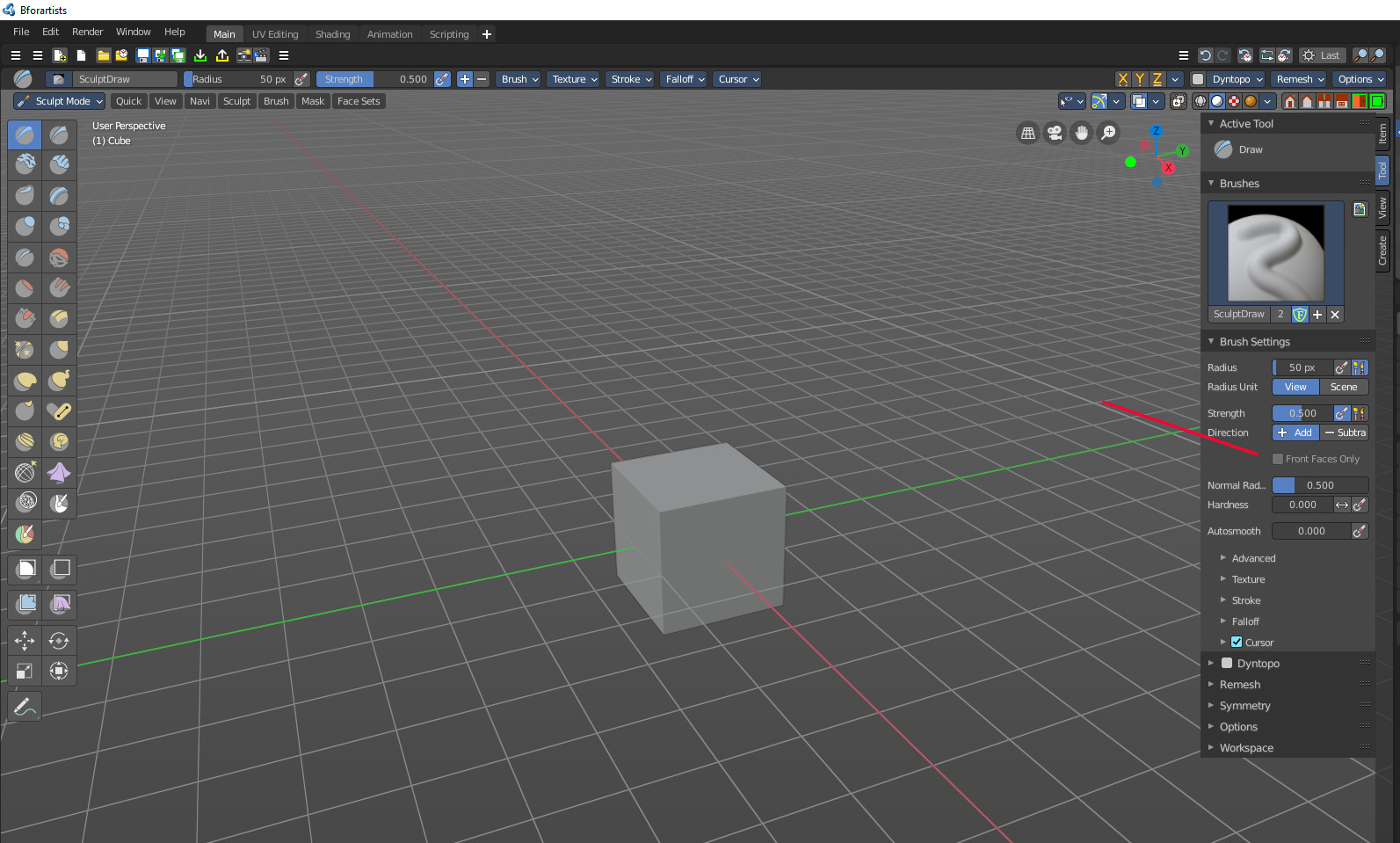
Bforartists: Sculpt Mode - Tool tab - Brush Settings - Align Front Faces Only prop left
We align props at the left side.
Removed part, since we agree about the change to be a good thing:
(And we don't grey out if we don't have to. We don't show the prop then.
There are corner cases where it makes sense to show a greyed out prop. And this prop here could be one of them. So we should discuss this part.)
 ReinerBforartists
All 12 comments
considering grey out, I read in the task "This is one of the rare cases where greyed out would make sense so that the user knows this tool exists.", I also tested with hiding it but realised user might not know the feature exists until changing falloff
given this, not sure about hiding
 iyadahmed
on 21 Oct 2020
iyadahmed
on 21 Oct 2020
I just changed my mind while you have typed your answer ^^
Yes, in this case we can leave this alone. It's a good change.
ReinerBforartists
on 21 Oct 2020
While at it, could you please first make a tracker issue before you start to change something. We work in a team here. And it's especially the small things that can easily conflict then. You change something, i edit the same file, and whoosh we have a merge conflict.
So please, first make a tracker issue here in the tracker. And please give me a chance to read it :)
ReinerBforartists
on 21 Oct 2020
great, working on left align
iyadahmed
on 21 Oct 2020
Have a look at equal looking props. It's in most cases a simple layout.use_property_split = False
And you might need to put a lyout.use_property_split = True at the end so that the rest doesn't go crazy ^^
EDIT, not necessary in this case.
ReinerBforartists
on 21 Oct 2020
oh ok will create an issue for changes, sorry about that
While at it, could you please first make a tracker issue before you start to change something. We work in a team here. And it's especially the small things that can easily conflict then. You change something, i edit the same file, and whoosh we have a merge conflict.
So please, first make a tracker issue here in the tracker. And please give me a chance to read it :)
iyadahmed
on 21 Oct 2020
No problem. Teamwork simply requires some rules, sorry :)
ReinerBforartists
on 21 Oct 2020
While at it, could you please first make a tracker issue before you start to change something. We work in a team here. And it's especially the small things that can easily conflict then. You change something, i edit the same file, and whoosh we have a merge conflict.
So please, first make a tracker issue here in the tracker. And please give me a chance to read it :)
btw sorry for spam, can you help me with creating that, should I just create a new issue, or deal with tracker system?
iyadahmed
on 21 Oct 2020
No, it's no spam. This is the needed communication. Better talk too much than not enough ;)
Simply make a new tracker entry by clicking the green Create New Issue button up right. Like you would create a bug report. It's as simple as this :)
ReinerBforartists
on 21 Oct 2020
No, it's no spam. This is the needed communication. Better talk too much than not enough ;)
Simply make a new tracker entry by clicking the green Create New Issue button up right. Like you would create a bug report. It's as simple as this :)
Great, thanks
iyadahmed
on 21 Oct 2020
Hint: I usually make a screenshot of what the problem is. Sometimes an image explains more than thousand words.
ReinerBforartists
on 21 Oct 2020
Hint: I usually make a screenshot of what the problem is. Sometimes an image explains more than thousand words.
yep :)
iyadahmed
on 21 Oct 2020
Related issues
 Draise14
·
6Comments
iyadahmed
·
6Comments
Draise14
·
6Comments
ReinerBforartists
·
4Comments
Draise14
·
6Comments
iyadahmed
·
6Comments
Draise14
·
6Comments
ReinerBforartists
·
4Comments
 kungfooman
·
6Comments
kungfooman
·
6Comments