Bforartists: Crashbug - removed Default Workspaces in factory settings.
Bug
After adding the toolbar to the layouts, using a factory reset on the default startup.blend file (no matter if Startup is saved without any userpref.blend file overrides) or loading a fresh compilation of Bforartists with new default layout with changes can creates an access violation.

Fresh start, no startup.blend file generated on first use.
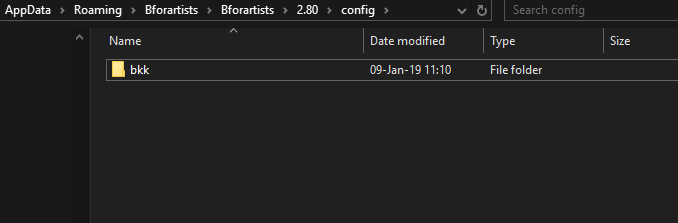
Apparently, the file has trouble saving theme and toolbar settings with the factory settings reset.
Possible solution
This is not a solution, but having the startup.blend file in the %appdata%/Bforartists/2.8/configs/ folder fixes this issue, as the setting for the toolbar apparently is saved in the startup.blend file. But a factory reset and fresh start pulls the user preferences from somewhere else it seems.
Desktop:
Build on the #401_fix_layouts_branch on Windows 10.
 Draise14
All 19 comments
Having the startup.blend file in the %appdata%/Bforartists/2.8/configs/ folder fixes this issue,
This is no solution. Bforartists does not come with that folder :)
Ah, i see lots of fun ahead here -.-
 ReinerBforartists
on 9 Jan 2019
ReinerBforartists
on 9 Jan 2019
Ok. I am trouble shooting now.
- I disabled the toolbar and recompiled. Factory Reset still crashes.
This means.. that maybe a layout I have is corrupt by some other factor. I'm going to now strip it down and try rebuild.
Draise14
on 9 Jan 2019
Ok. It no-longer is crashing with bare bones and new edits, but it's also not really working on factory reset.
Compiled file setup and internal saved preferences
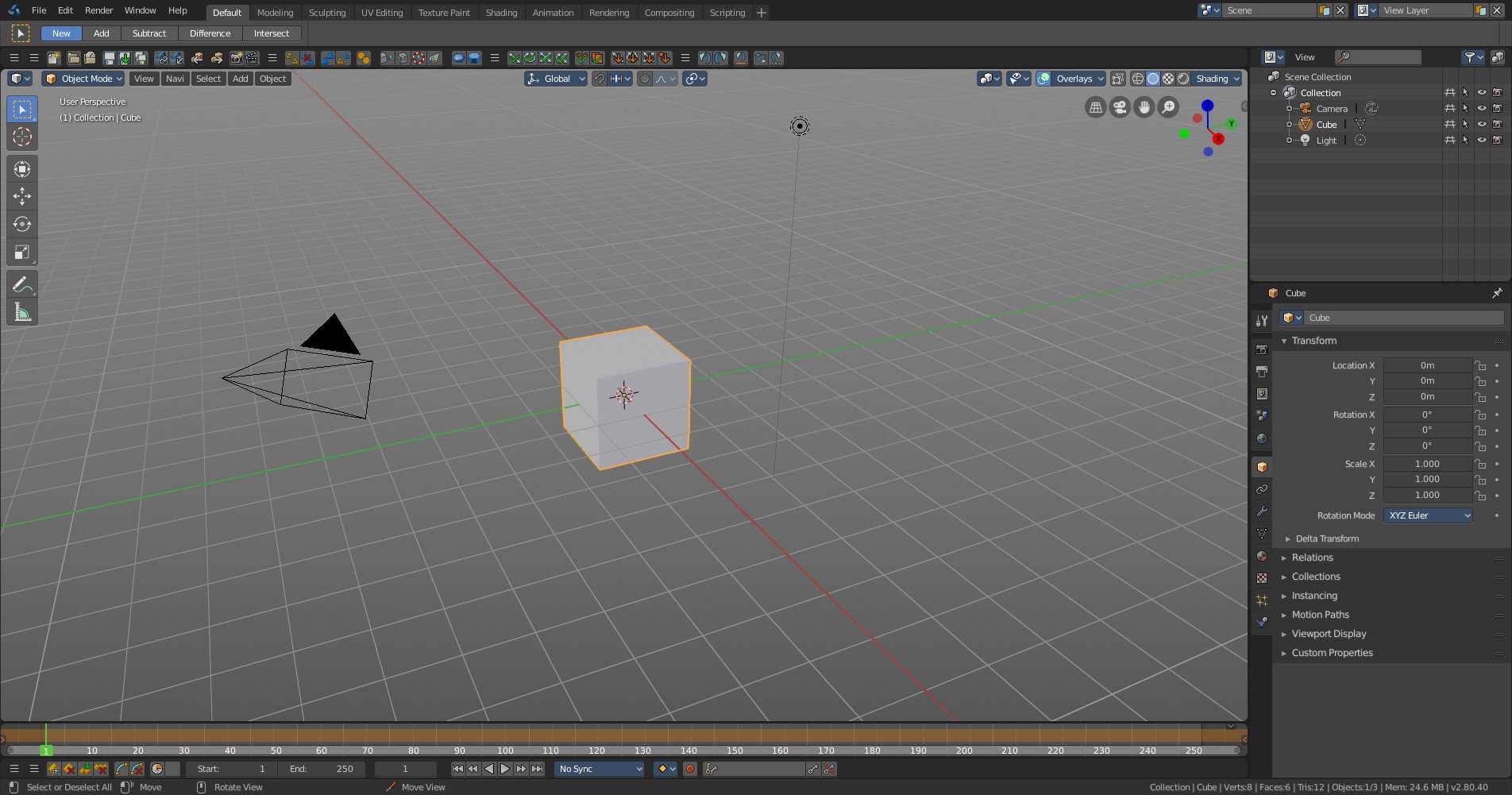
Factory Reset with compiled file

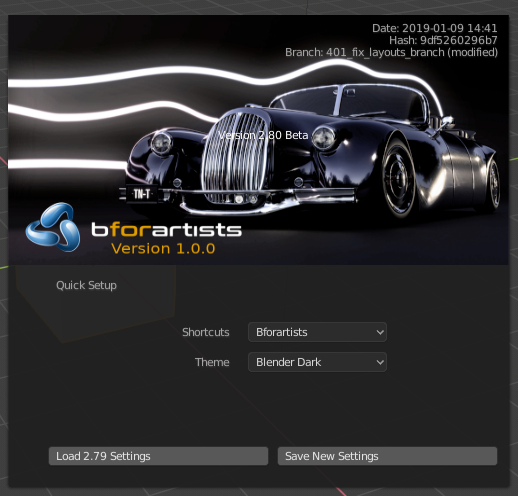
- Toolbar settings didn't save
- Theme didn't save
- Hotkeys did save
- hidden viewport toggles did save
Draise14
on 9 Jan 2019
I'm stuck. I posted for help on the stackexchange, blender artists and blender dev forum.
Maybe I'll try change it in Blender source with a branch and see if that works.. If not, not sure where to report it.
Unassigning.
Draise14
on 9 Jan 2019
Have you found out what caused the crash?
ReinerBforartists
on 9 Jan 2019
No, not yet. Still troubleshooting. Building and building again to trouble shoot a change is time consuming, but I tried rebuilding the layouts from scratch from a factory reset, still no fix.
Next step is disable all addons but necessary, including official ones (Official Pie is throwing up annotation warnings)
Draise14
on 9 Jan 2019
I can't figure it out. I've tried all the combos I can think of. As soon as I save any startup file that's heavily fixed up, save the startup.blend, overwrite the repository copy, then the factory reset gets corrupted on build with the same errors.
Error   : EXCEPTION_ACCESS_VIOLATION
Address : 0x00007FF6FE602DF4
or
Error   : EXCEPTION_ACCESS_VIOLATION
Address : 0x00007FF7BB7CD7F4
Built tests:
- theme is not it
- hotkeys are not it
- activated Toolbar addon is not it
- all other addons deactivated are not it
- removed toolbars are not it
Factors that could be causing a crash
- stored toolbar settings
- double toolbars in workspaces
- other toolbars present in other workspaces (not just a single default bare minimum change)
- topbar closed on some layouts by default
- default workspace may need a certain naming/structure to work, stuck to Blenders defaults
The fact that a working bare minimum workspace change and edit does a factory reset to Blender default theme and toolbar settings resets to default might be a clue..
Draise14
on 10 Jan 2019
I need the exact steps and a build to reproduce the crash. Then we can make a debug build and have a closer look where the crash is coming from.
ReinerBforartists
on 10 Jan 2019
Sure. I will document till I get the crash again and post here today.
But I found a clue:
The default startup has settings stored, but more so the reset has settings programmatically stored in another C file. Brecht was kind enough to point that out for me.
versioning_defaults.c
Location:
\sourceblenderblenloaderintern
Examples
It resets the theme to the blender default:
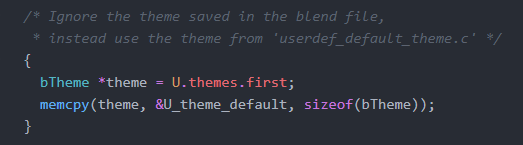
Another issue that may cause the crash - when I rename/remove spaces, there is a check to apply fixes to certain layouts with certain names that could crash - specifically the "UV Editing" layout which I had renamed:
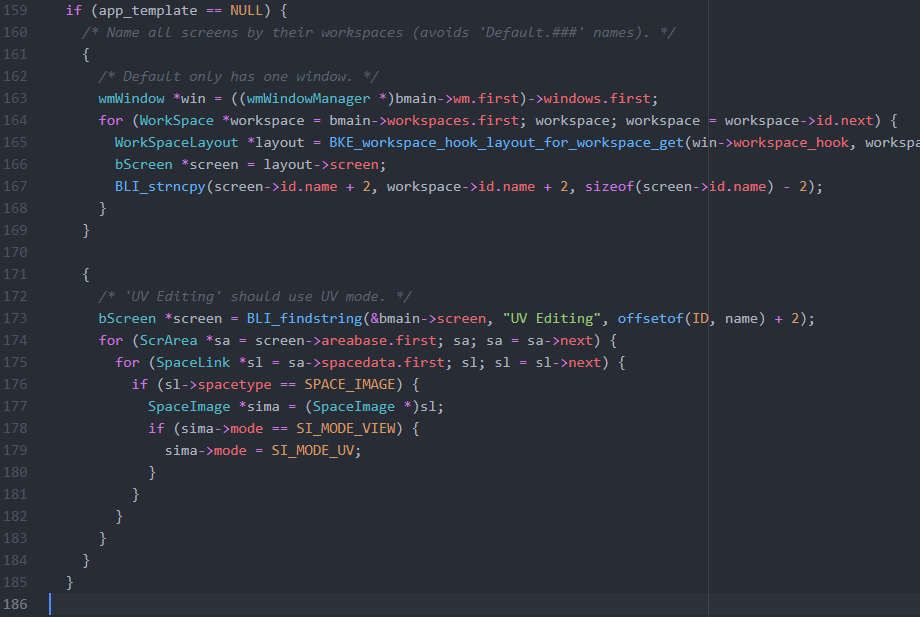
And here the addon prerefences are cleared, thus the toolbar going to default:
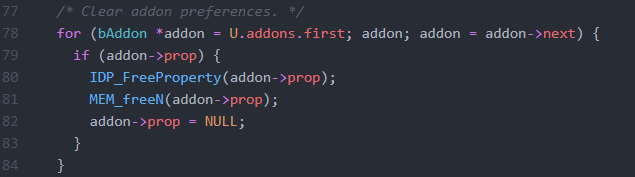
Draise14
on 10 Jan 2019
FOUND THE BUG
How to reproduce:
I removed the "UV Editing" layout and it will make it hard crash when I build the startup.blend file.
- Delete "UV Editing" workspace
- Save startup file
- Navigate to %appdata% config folder and copy Startup.blend file
- copy to /release/datafiles
- build with the new startup.blend
- delete config data
- see it crash and burn
Theme won't preserve due to it set to remove theme to a default (in another file)
Preferences won't preserve due to them being set either individually or reset globally (in another file)
Now what?
This would be a number of sub tasks now, no?
- Rewrite the
userdef_default_theme.cto have Bfoartists default theme - Remove/change the "UV Editing" check to include the default theme workspace's new name
- Add exception/remove addon settings reset (for the toolbar perservation on factory reset)
- Other: remove cycles addon activation, double check default preferences tags, etc
Draise14
on 10 Jan 2019
Thanks. So this is in the 401_fix_layouts_branch, right? I will have a look at it tomorrow.
You have green ligth except for point four. Why do you want to remove Cycles from Bforartists? :D
And too bad that they changed the system so hard. The old method with compiling everything into the startup.blend was definitely more hassle free ...
ReinerBforartists
on 10 Jan 2019
Oh, and please make a own task for each of this steps. As told, one big monster task is not good.
ReinerBforartists
on 10 Jan 2019
Ouch, just reread it. So you catched the bug? And fixed the crash? I am blind XD
ReinerBforartists
on 10 Jan 2019
Aand one more comment. When working with the code base, please add comments what you changed. And best add a "bfa -" prefix in the comment. Then we know it's our code. At least at the C part. In the python files i don't comment every changed operator or changed menu neither.
ReinerBforartists
on 10 Jan 2019
I have found the bug, but not fixed nor changed anything.
I will make new tasks then close this one. Then assign and fix them one by one, I suppose. (in a few hours)
Yes, I will do the commits on the layout and default preferences tasks to 401_layouts_fix_branch
The C code doesn't look so hard and the theme has another script that creates the default theme, so that one is easy. The rest is fairly easy too, I think.
Noted on the comments tip, found your system when looking the other day! Thought it smart. I'll follow through!
Noted on the cycles addon, haha!
_COOL. I'm actually starting to be useful._
Draise14
on 10 Jan 2019
Yeah, great. Good catch :)
I'll unassing now. Nothing to do here for me.
Mh, so we have now two branches that i need to merge? Hint, you can also reuse a branch after it was merged and closed. But that's something for the future.
ReinerBforartists
on 10 Jan 2019
Draise, you have sent me onto the wrong track here ^^
The crash should not happen. And does not happen with Blender. Here you can remove layouts, save the startup file, compile with it, and Blender will then start with the layouts removed. Without any further modifications at the c code.
So this is a bug at our end and needs investigation. Will do a debug build here and check what i find.
ReinerBforartists
on 1 Feb 2019
I have renamed the task to a more useful title.
ReinerBforartists
on 1 Feb 2019
Defaults are now in version 0.1.0. Every further change is a new issue.
The crash itself was never to catch. And has nothing to do with the mentioned C files.
Closing. This task has fulfilled its purpose.
ReinerBforartists
on 6 Feb 2019
Related issues
Draise14
·
7Comments
ReinerBforartists
·
4Comments
 iyadahmed
·
6Comments
ReinerBforartists
·
6Comments
iyadahmed
·
6Comments
iyadahmed
·
6Comments
ReinerBforartists
·
6Comments
iyadahmed
·
6Comments