Azurestorageexplorer: Can't upload folder into root of a blob container via Upload Folder dialog
Storage Explorer Version: 1.1.0
Platform: Mac
Regression From: Regression from a pre-GA version
Steps to Reproduce:
- Click on the Upload Folder menu item
- Select a folder to the root that has lots of subfolders and files (like a static website build folder)
!) It always creates a new folder in the blob container and uploads to that folder. There's no way to directly upload to the root of the container.
EXPECTED: It was originally implemented such that the folder name was filled in to the folder textbox, thus the behavior was the same as currently by default, but the user could clear the textbox to upload directly to the root of the folder. This user experience was changed for some reason.
 StephenWeatherford
All 9 comments
I'm not sure I agree with your expectation. We made the change away from what you've described due to customer feedback stating they were confused and expected the behavior that exists today.
When uploading a folder, customers reported that they expected the "folder" to be uploaded.
When uploading a bunch of files to a folder, please select upload files instead of upload folder. Alternatively, you could Drag and Drop the files you wish to upload to the root.
 JakeRadMSFT
on 11 Jun 2018
JakeRadMSFT
on 11 Jun 2018
Upload files doesn't work with subfolders. Again, the old default behavior was to upload to a folder, but it could be changed. Now you don't have that choice.
Drag/drop ain't accessible.
StephenWeatherford
on 11 Jun 2018
The old behavior was confusing users that wanted to change the path. For example, if they chose to upload a folder "abc" and changed the path to "some/path". They were expecting "some/path" to then get a folder "abc" in it ... not all the files within the folder to get uploaded to some/path.
With a large user base many users have different expectations. We'll revisit the option to let the users opt to "Upload Folder Contents" instead of "Upload Folder".
Hopefully, other users can weigh in with their opinions.
JakeRadMSFT
on 11 Jun 2018
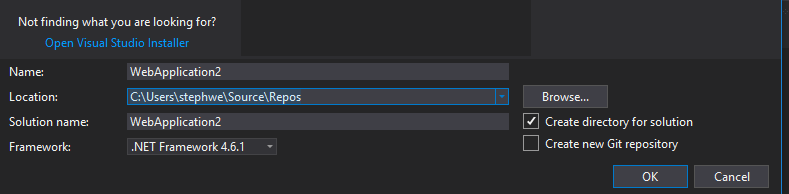
Yep, you're currently catering to one set of expectations while making the other valid expectations impossible. In the case of a static website, current behavior is definitely wrong. Not sure how the old behavior could possibly be misinterpreted, but if so, then yeah, a checkbox is probably the best solution, e.g.:
StephenWeatherford
on 11 Jun 2018
@JakeRadMSFT assuming that your behavior is more "correct", how could I upload my static website to the root of a container in this case?
For those who confused, you could just display the full destination path in the upload dialog and let users to decide to create a new folder or not.
There's already a text box "Upload to folder (optional)", just put a checkbox in front of it.
 kostrse
on 13 Aug 2018
kostrse
on 13 Aug 2018
@kostrse FYI, there are two current work-arounds:
1) drag/drop from file explorer
2) use the Azure Storage extension for vscode, which has specific support for this scenario (which will continue improving for dev scenarios, but will never compete with Storage Explorer in scope): https://marketplace.visualstudio.com/items?itemName=ms-azuretools.vscode-azurestorage
Even if you use these work-arounds, please still chime in if you are confused by this behavior so Jake will know if people are running into it. Thanks.
StephenWeatherford
on 14 Aug 2018
The original issue is no longer true.
 MRayermannMSFT
on 20 Apr 2020
MRayermannMSFT
on 20 Apr 2020
I keep getting bit by this. Tried to upload a static site with subfolders -- all my files uploaded fine, but none of the subfolders uploaded. No message or anything, I was left to discover on my own that some of the files were never processed. This behavior has continued to be really confusing ever since starting to use Storage for static sites about 6 months ago.
It feels like the previous behavior may have had some usability issues, but the solution created other valid usability issues.
 AndrewCraswell
on 24 May 2020
AndrewCraswell
on 24 May 2020
Also for what it's worth, I have no idea how to get the drag and drop solution to work as mentioned above... on Chrome in the portal, there doesn't appear to be any such feature.
AndrewCraswell
on 24 May 2020
Related issues
 sholman
·
3Comments
sholman
·
3Comments
 olgakorichkovskaya
·
4Comments
olgakorichkovskaya
·
4Comments
 ayon1911
·
5Comments
ayon1911
·
5Comments
 niklas-e
·
4Comments
niklas-e
·
4Comments
 jorgklein
·
4Comments
jorgklein
·
4Comments
Most helpful comment
Yep, you're currently catering to one set of expectations while making the other valid expectations impossible. In the case of a static website, current behavior is definitely wrong. Not sure how the old behavior could possibly be misinterpreted, but if so, then yeah, a checkbox is probably the best solution, e.g.:
