Azuredatastudio: PowerShell notebook is sometimes one command behind in results
- Azure Data Studio Version: 1.15.0
Steps to Reproduce:
- Open a PowerShell notebook that has been run before
- Run the first cell.
- 9/10 times this gives some weird result. It's not always the same either. Here's an example:
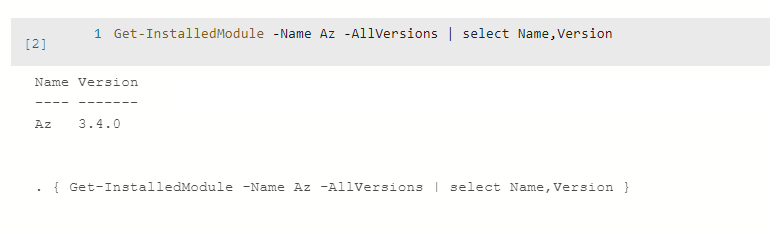
Before I run, just opened the notebook that has been run previously:
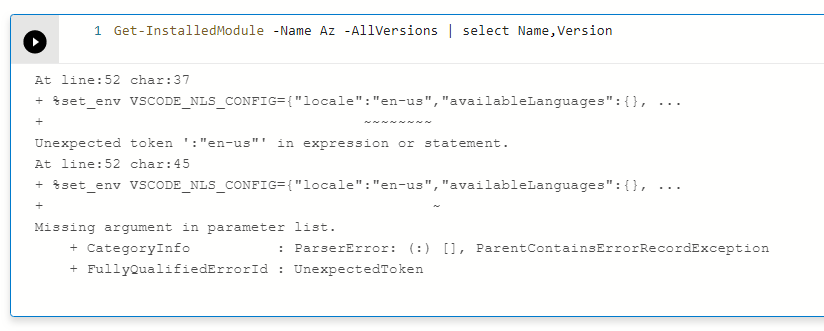
Now, I run the cell once:
Now, I change nothing and run the same cell again:
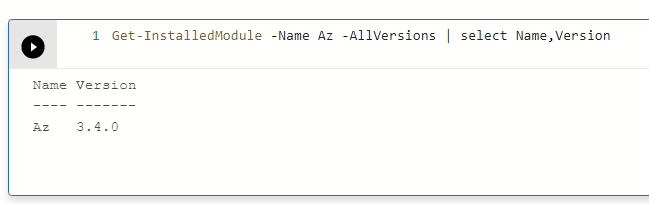
But now, all my other cells' results are off by one. Like, if I now run the next cell, the first time I run it:
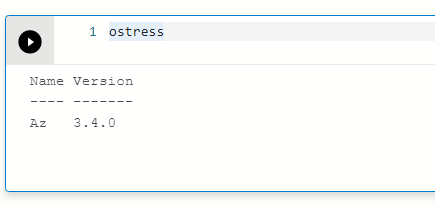
But the second time it works. If I don't run it a second time, the result will carry through to the next cell I run. E.g. below:
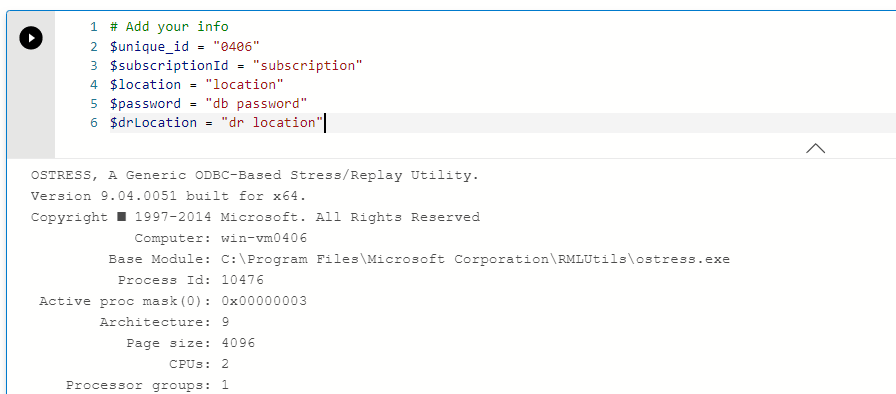
I really want to use these PowerShell notebooks but this bug is blocking in a big way. Feel free to reach out to me (antho@). FYI @chlafreniere @yualan
Thanks,
Anna
 amthomas46
All 16 comments
@amthomas46 which version of the python kernel do you have? The python package is called "powershell-kernel", and 0.1.3 is the latest.
Just making sure that you're on latest 😄
 chlafreniere
on 13 Feb 2020
chlafreniere
on 13 Feb 2020
Ah, I am one behind, I will update and try again and then update here. Thank you!
amthomas46
on 13 Feb 2020
OK so I've tried this a few times. Most times it works! Every once in a while, I still have some weirdness.
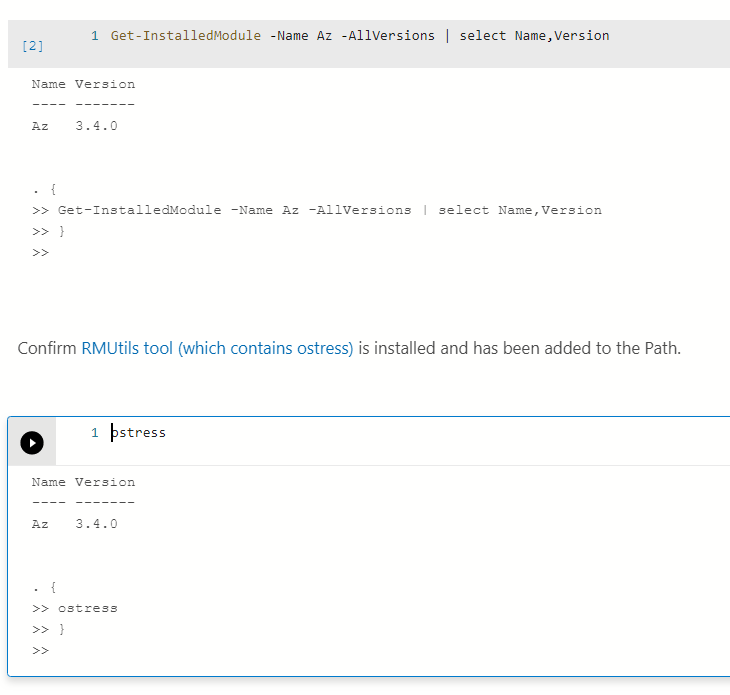
It actually seems like I can repro it if I click "Run" on a cell, before the kernel has loaded.
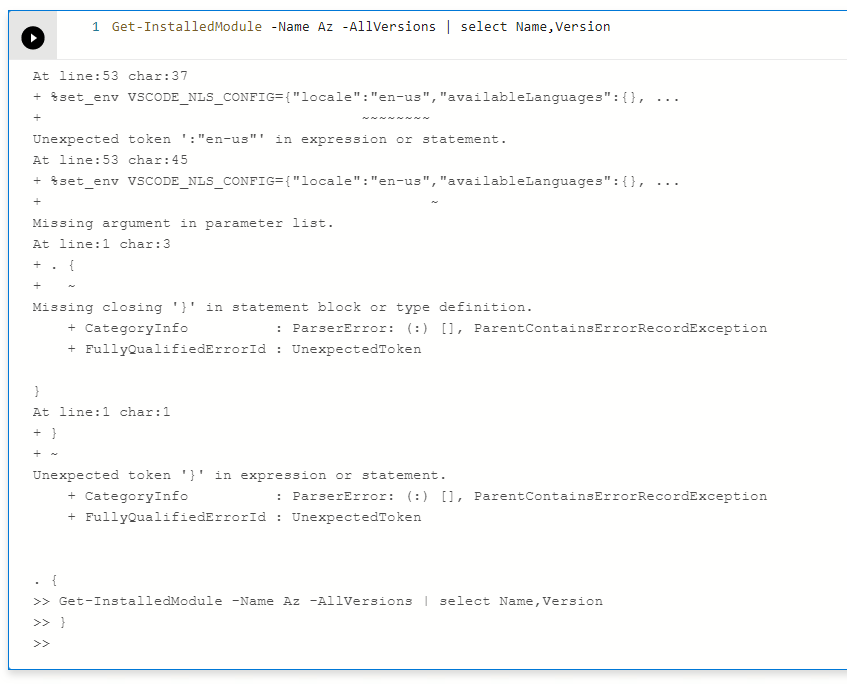
Then it's the same behavior as I describe initially.
Now that I know when this will happen, I think I am unblocked. But, perhaps eventually clicking the Run button too soon in a PS notebook shouldn't result in an error for the lifetime of the active notebook.
Thanks so much for your quick help, Chris!
amthomas46
on 13 Feb 2020
Just adding an update since I'm doing lab environment testing. With a "fresh" install on a new machine, this issue persists. It seems the default version for the powershell kernel is 1.2
amthomas46
on 4 Mar 2020
I'm suffering from this too. But, for me, it happens 100% of the time
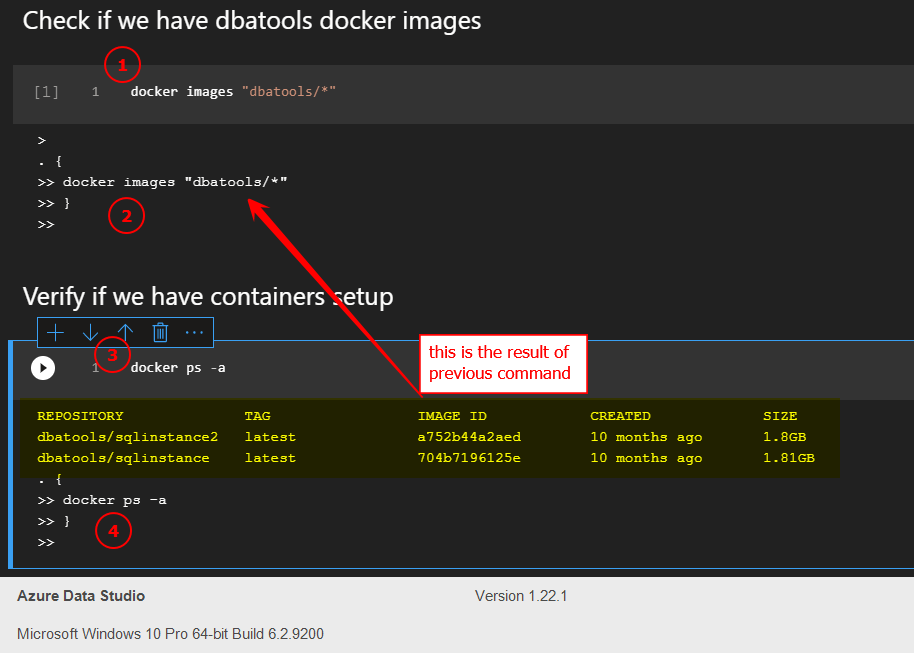
@amthomas46 do you also still get this behaviour on the latest version? 1.22.1?
also happening with insiders version 1.24.0
 ClaudioESSilva
on 12 Oct 2020
ClaudioESSilva
on 12 Oct 2020
Hi @ClaudioESSilva, we just updated the PowerShell Kernel. Using the python package manager in ADS you can search for the new version of the "powershell-kernel", and 0.1.4 (latest) which can be installed.
Please go ahead and try this new version, and let us know if this issue persists. Also please make sure that the kernel loads properly, before running the cell as that is something @amthomas46 noticed.
 VasuBhog
on 12 Oct 2020
VasuBhog
on 12 Oct 2020
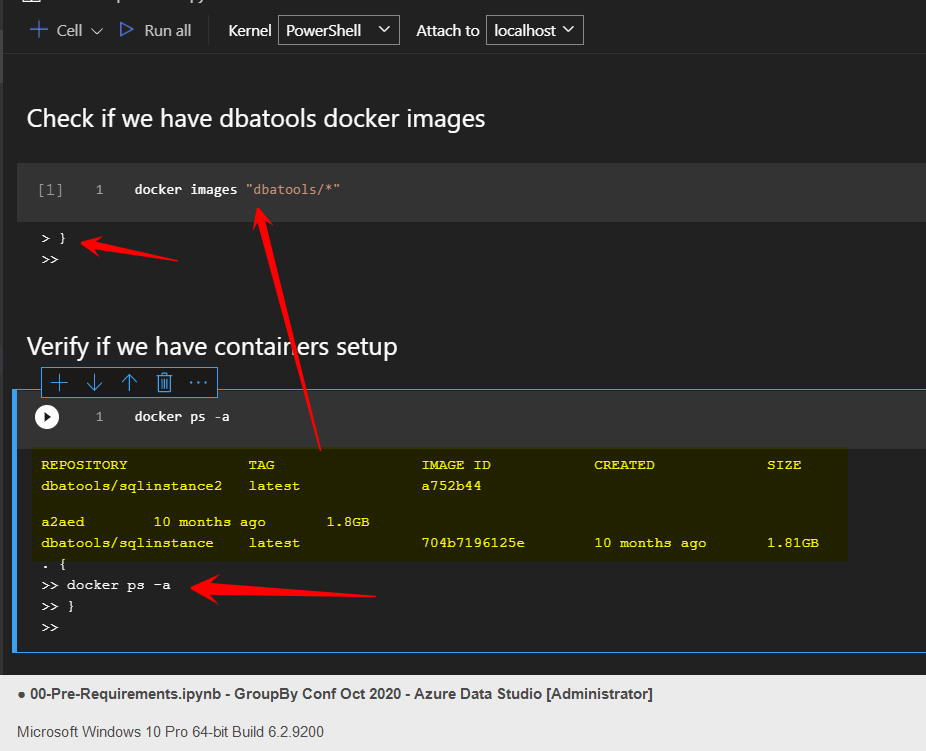
Hi @VasuBhog thanks for the feedback.
I have installed it, close and open ADS. But I have the same behaviour.
´
How do I know when the kernel loads properly?
I tried to run it only after "PowerShell" appears on the dropdown box.
ClaudioESSilva
on 12 Oct 2020
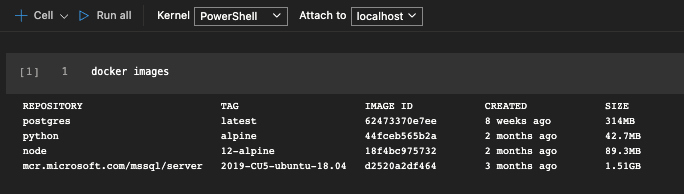
Hi @ClaudioESSilva I'm sorry to hear that. I am not able to repro on my machine shown below (using ADS 1.22.1). However, another possibility is that pip is still caching a previous version of the kernel.
The best way to know PS kernel has loaded (at the moment) is by giving it a few seconds to start up and ensuring that it is "PowerShell" and not "Loading kernels..". If you can do a quick check to see if commands like Write-Host "Hello World" also have the same issue that would be something we will investigate.
I would do a pip uninstall powershell-kernel via the terminal in ADS. After successful uninstallation, I would close ADS and reopen it. Once you switch the kernel to Powershell, the package manager should prompt you to install powershell-kernel. Please install it and see if the issue persists.

VasuBhog
on 12 Oct 2020
Hi @VasuBhog,
It seems much better. Working 9/10.
I have done the uninstall, close ADS and reopen.
Open a notebook, waited for about 30 sec
1st block of code was ok. However, when running a 2nd one (on the same notebook) wasn't
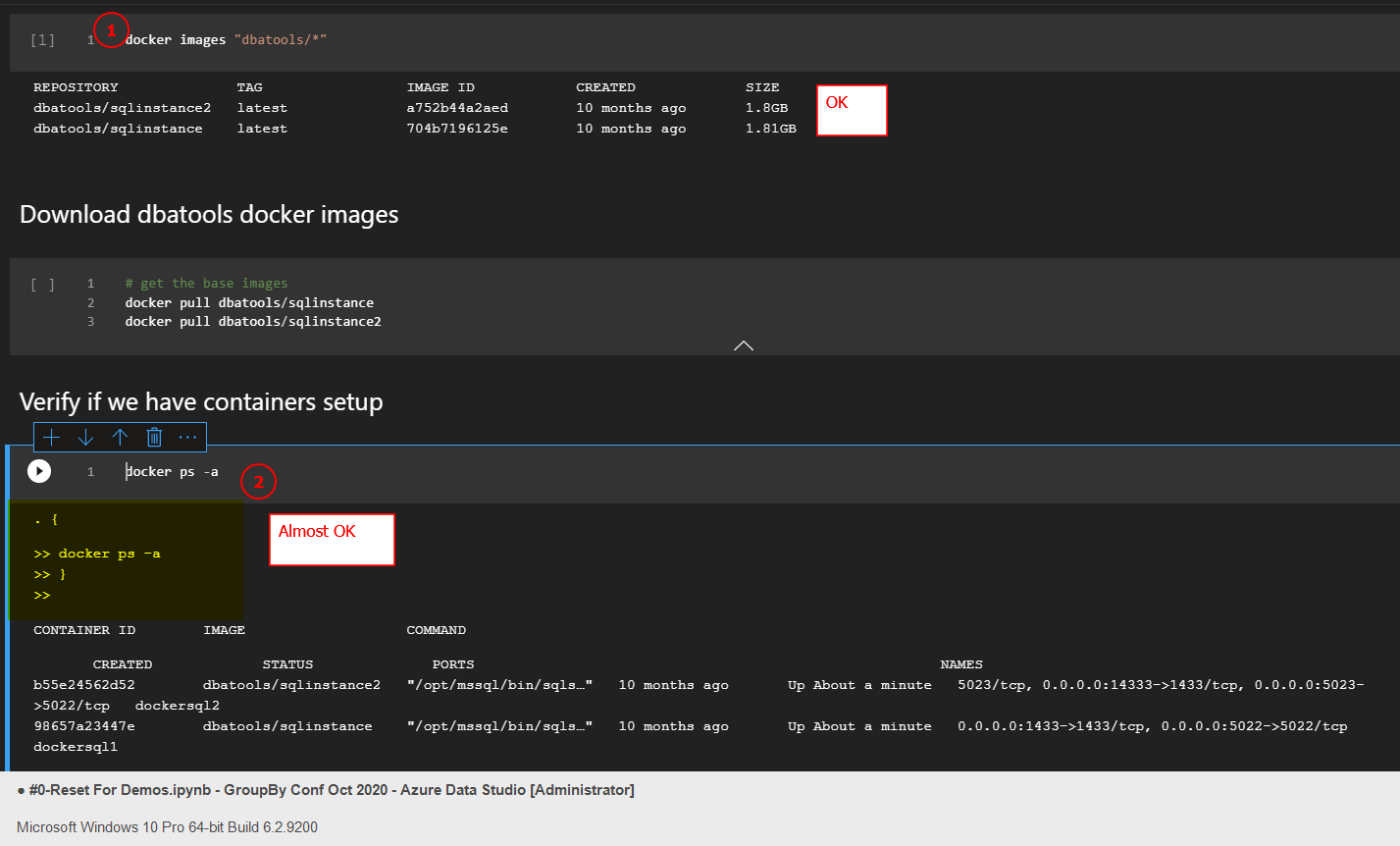
Created a new one, typed
docker ps -aworked correctly.
Closed and reopen, it's working.
3.
Closed again. Opened ADS, open notebook, waited for the integrated console, run and it worked.
NOTE:
The pattern seems to be the 1st time I open ADS, open notebook and when "PowerShell" appears on the kernel but the integrated console is not yet fully loaded, it misbehaves.
I will be doing some runs on the next days. I will be back with more feedback.
Thank you!
ClaudioESSilva
on 13 Oct 2020
@ClaudioESSilva that is great to hear!
Thank you for the feedback, will look into if it is tied to the integrated console loading. Glad it is working, and look forward to any other feedback you may have :)
VasuBhog
on 13 Oct 2020
I just wanted to add that I am now facing the same issue yet again. I was on the most recent 0.1.4 for powershell-kernel. I uninstalled like you said, but now in a new notebook:
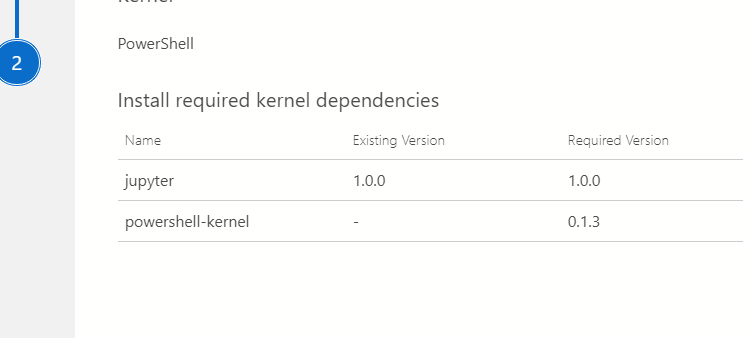
so that's the older package? so then I had to go in and update it. And then it worked.
I'm not sure what triggered the regression but it was in 0.1.4
amthomas46
on 19 Oct 2020
Hi @amthomas46, we currently tell ADS to use the 0.1.3 version, as we would like to get more feedback from users who upgrade and test the 0.1.4 version. We plan to upgrade ADS to utilize the new version (0.1.4) in the November release, once we have more feedback.
You can install the new version of the powershell-kernel (0.1.4) via python package manager in ADS.
VasuBhog
on 19 Oct 2020
Ah OK that makes sense. Well, for your testing, I have had some issues like above with 0.1.4. If I can get another repro, I'll ping you.
amthomas46
on 19 Oct 2020
I have been running my demos after change to 0.1.4.
I haven't seen any rollback to the 0.1.3.
However, I can say that still happens. Would say 1/10 of the times.
I try to find a pattern so I can share in which conditions I see it happening.
ClaudioESSilva
on 20 Oct 2020
Just to put here some examples that happened during my GroupBy presentation.
https://youtu.be/dggyVt9RSCM?t=628
You can see the behaviour explained before and also the breaks that happen during the streaming of data (a different bug I would say)
ClaudioESSilva
on 18 Nov 2020
@ClaudioESSilva, thank you for letting me know! I will continue to investigate this issue. It seems, for now, the most reliable method thus far is to ensure that the _PowerShell Integrate Console_ is shown in the Terminal after running the first cell. If not then this can cause issues, and indicate that the powershell kernel has not fully loaded.
VasuBhog
on 17 Dec 2020
Related issues
 jacobzed
·
3Comments
jacobzed
·
3Comments
 Ungerfall
·
3Comments
Ungerfall
·
3Comments
 RobLW
·
3Comments
RobLW
·
3Comments
 squillace
·
3Comments
squillace
·
3Comments
 haydnlj
·
3Comments
haydnlj
·
3Comments