Azuredatastudio: Triggers - no way to script or modify
- SQL Operations Studio Version 0.31.4
Commit e026ab85a72c190cc4ccc834503aa9fe36dd6407
Date 2018-07-18T02:14:21.826Z
Shell 1.7.12
Renderer 58.0.3029.110
Node 7.9.0
Architecture x64
Steps to Reproduce:
- In "Servers" navigate to a table in a database
- Expand Triggers
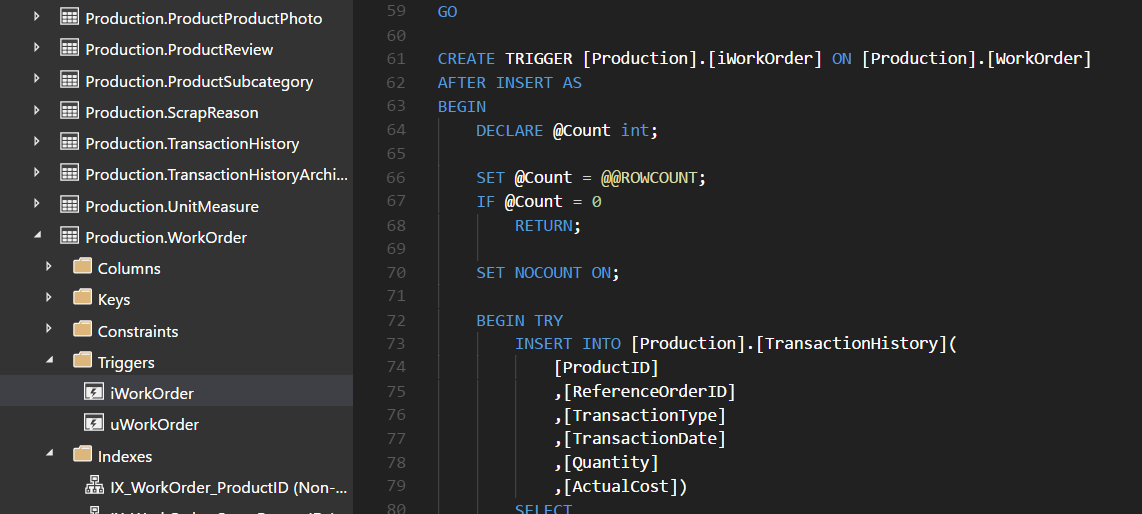
- Right click a trigger - there are no options to script or modify so therefore there is no easy way view the details of a trigger like there is in SSMS.
 peterlukerow
👍6
>All comments
@peterlukerow currently you can get the script for a table trigger by using the Script as Create command on the table node.
The trigger code will be included in the overall table script. I'll leave this active as a suggestion to allow scripting the trigger directly.
 kburtram
on 31 Jul 2018
kburtram
on 31 Jul 2018
👍3
Was this page helpful?
0 / 5 - 0 ratings
Related issues
 borgdylan
·
30Comments
borgdylan
·
30Comments
 yualan
·
28Comments
yualan
·
28Comments
 orofino
·
58Comments
orofino
·
58Comments
 waldyd
·
30Comments
waldyd
·
30Comments
 anand348
·
24Comments
anand348
·
24Comments
Most helpful comment
@peterlukerow currently you can get the script for a table trigger by using the
Script as Createcommand on the table node.The trigger code will be included in the overall table script. I'll leave this active as a suggestion to allow scripting the trigger directly.