Azuredatastudio: "Results" pane doesn't have horizontal scroll bar
- SQL Operations Studio Version: sqlops 0.23.6 (8a3011756318a2ded1e6e84332230a2b2bf9c544, 2017-11-06T21:51:43.232Z)
- OS Version: Windows_NT x64 10.0.16299
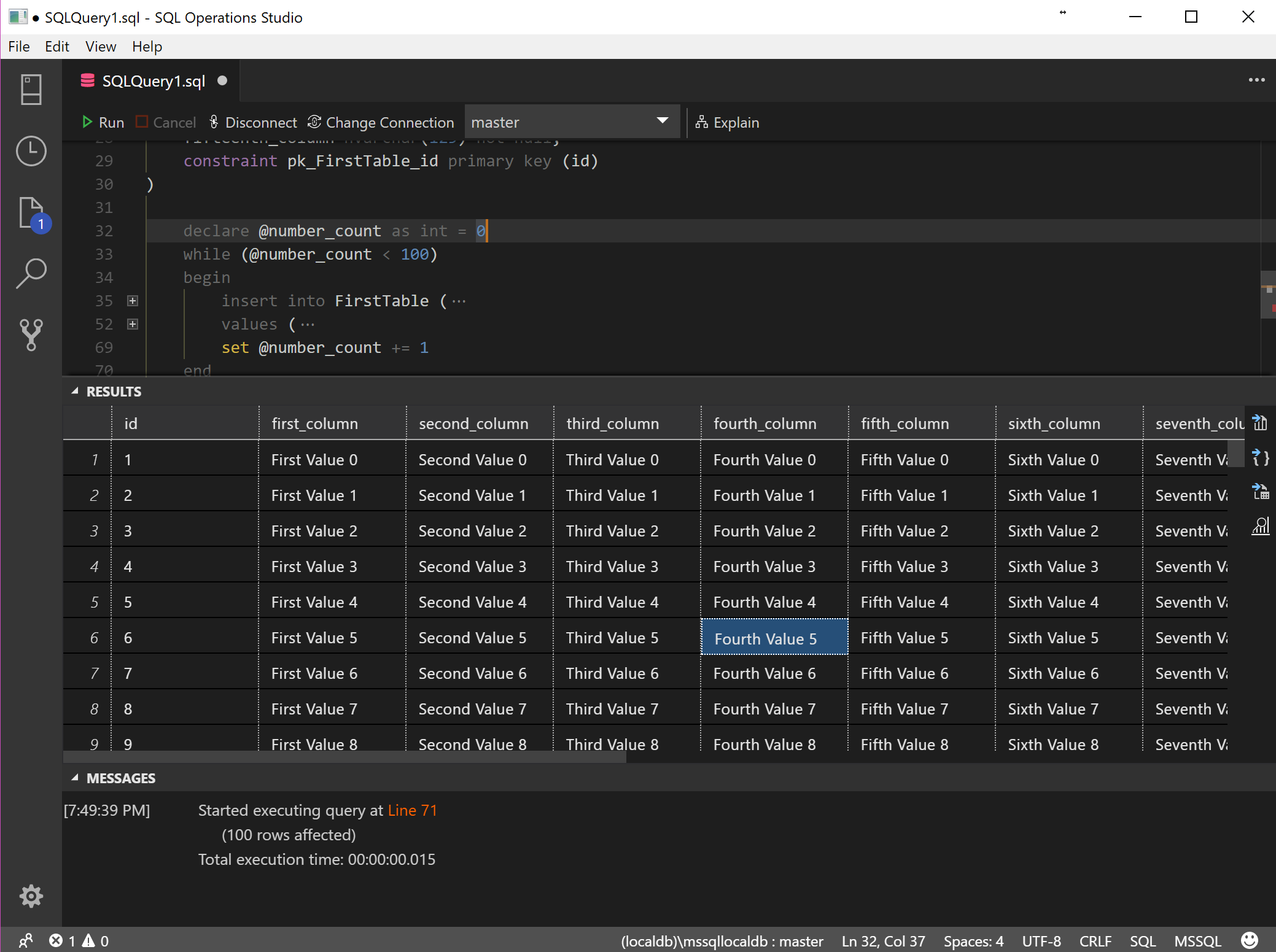
"Results" pane doesn't have horizontal scroll bar.
 JohnyL
All 6 comments
@JohnyL Horizontal scrollbar is implemented and it's in auto-hide mode. In some cases, the horizontal scrollbar is hard to activate. marked as a ux bug.
 erickangMSFT
on 27 Nov 2017
erickangMSFT
on 27 Nov 2017
@JohnyL could you please provide a screenshot so we can see the issue more clearly? Thanks!
 kburtram
on 29 Nov 2017
kburtram
on 29 Nov 2017
Yes, here's a picture :)

JohnyL
on 30 Nov 2017
Version 0.26.7
Commit 723c7cb3bfd80d87fc8a1141632089cd4808495c
Date 2018-02-16T21:34:47.034Z
Architecture x64
OS Version: Windows 10 Home 64-bit
Just to further this ticket a bit, the scroll bar is visible, at least in version 0.26.7, but only after a certain amount of rows are visible.

 mjcataldi
on 25 Feb 2018
mjcataldi
on 25 Feb 2018
@mjcataldi Confirm that scroll bar now appears (even when there are no rows).
JohnyL
on 25 Feb 2018
I think the issue is there are two vertical scrollbars. One for the Results Pane and one for each resultset data grid. In @JohnyL first screen shot it looks like the Results Pane scrollbar needs to be dragged to the bottom in order to see the resultset data grid horizontal scrollbar. Please reactive if this is not the case, or this is still an issue. Thanks!
kburtram
on 13 Apr 2018
Related issues
 ottadvantage
·
3Comments
kburtram
·
3Comments
ottadvantage
·
3Comments
kburtram
·
3Comments
 IObsequious
·
3Comments
IObsequious
·
3Comments
 blackTay
·
3Comments
kburtram
·
3Comments
blackTay
·
3Comments
kburtram
·
3Comments
Most helpful comment
I think the issue is there are two vertical scrollbars. One for the Results Pane and one for each resultset data grid. In @JohnyL first screen shot it looks like the Results Pane scrollbar needs to be dragged to the bottom in order to see the resultset data grid horizontal scrollbar. Please reactive if this is not the case, or this is still an issue. Thanks!