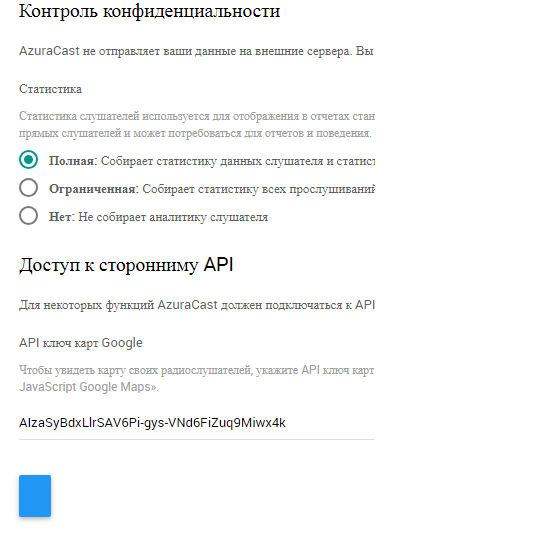
Azuracast: does not display a button in the settings
does not display a button in the settings
 susl16c
All 12 comments
Maybe after a few months you make a button, it's horrible not comfortable in the work?
susl16c
on 25 Sep 2018
@susl16c This appears to be caused by a missing translation for the "Save Changes" text. We're not deliberately stopping a button from being displayed on the form, this has to do with your specific localization. It should be fixed in CrowdIn, then reported back here so I can reimport the fixed version.
 SlvrEagle23
on 25 Sep 2018
SlvrEagle23
on 25 Sep 2018
Yes, but why is it displayed elsewhere correctly?

Your native language also displays
susl16c
on 25 Sep 2018
@susl16c When is the last time you updated your AzuraCast instance? I'm testing locally and I see "Save Changes" showing properly even on Russian localization, just the exact same as it does for any other page.
SlvrEagle23
on 25 Sep 2018
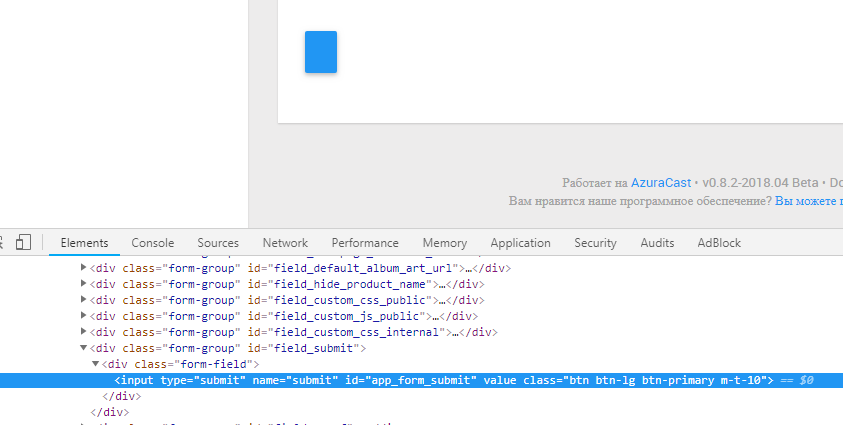
I just updated everything today and saw that there are not any changes for a long time and decided to write here.
susl16c
on 25 Sep 2018
@susl16c Are you using a custom translation?
I can verify that on the settings and branding pages, "Save Changes" is the exact text used on the submit button, the same as any other page.
I did find one minor issue with the branding page that should've been fixed as of this morning. That shouldn't be related to this issue, though.
SlvrEagle23
on 25 Sep 2018
for my language I use my translation, but I showed you the result in English and this translation is not mine, but it is laid by you and there the same thing is displayed.
I think if it would be the case in translation, then the button did not appear anywhere, and then this happens in some places only.
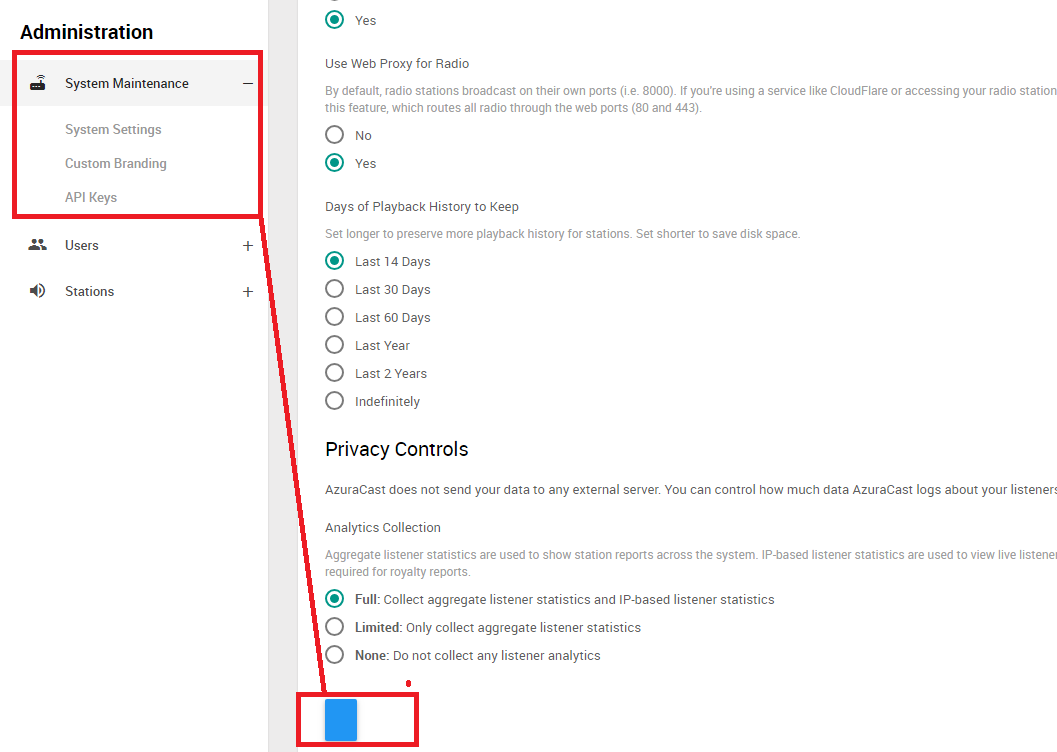
It appears only in this section
susl16c
on 25 Sep 2018
@susl16c Looking at the demo site along with my own local installation, this isn't happening on any language.
There may be something wrong with your translation files, but at this point unless you can show me another instance that's doing the same thing (or some further logs indicating why yours is doing that) I'm closing this as "can't reproduce".
SlvrEagle23
on 25 Sep 2018
What other magazines do you need to tell me I will show?
susl16c
on 25 Sep 2018
@susl16c If you're on a traditional install, you may want to try running composer install --no-dev manually at the /var/azuracast/www folder. This shouldn't be necessary for the Docker installation.
It's possible that your AzuraForms dependency has fallen out of date.
SlvrEagle23
on 25 Sep 2018
I last night completely re-installed the whole project and restored from backups nothing had changed, as there was no button so it is not, I use Centos 7 +docker
susl16c
on 26 Sep 2018
@susl16c After quite some time, I finally was able to see the error for myself on a production instance of AzuraCast that I was managing. I found the source of the problem and it should be fixed now.
SlvrEagle23
on 18 Oct 2018
Related issues
 adamderann
·
3Comments
adamderann
·
3Comments
 verdantsquare
·
3Comments
verdantsquare
·
3Comments
 RemBdev
·
4Comments
RemBdev
·
4Comments
 TogarUshindi
·
3Comments
TogarUshindi
·
3Comments
 Blazedallup
·
3Comments
Blazedallup
·
3Comments