Installation method
Traditional
Describe the bug
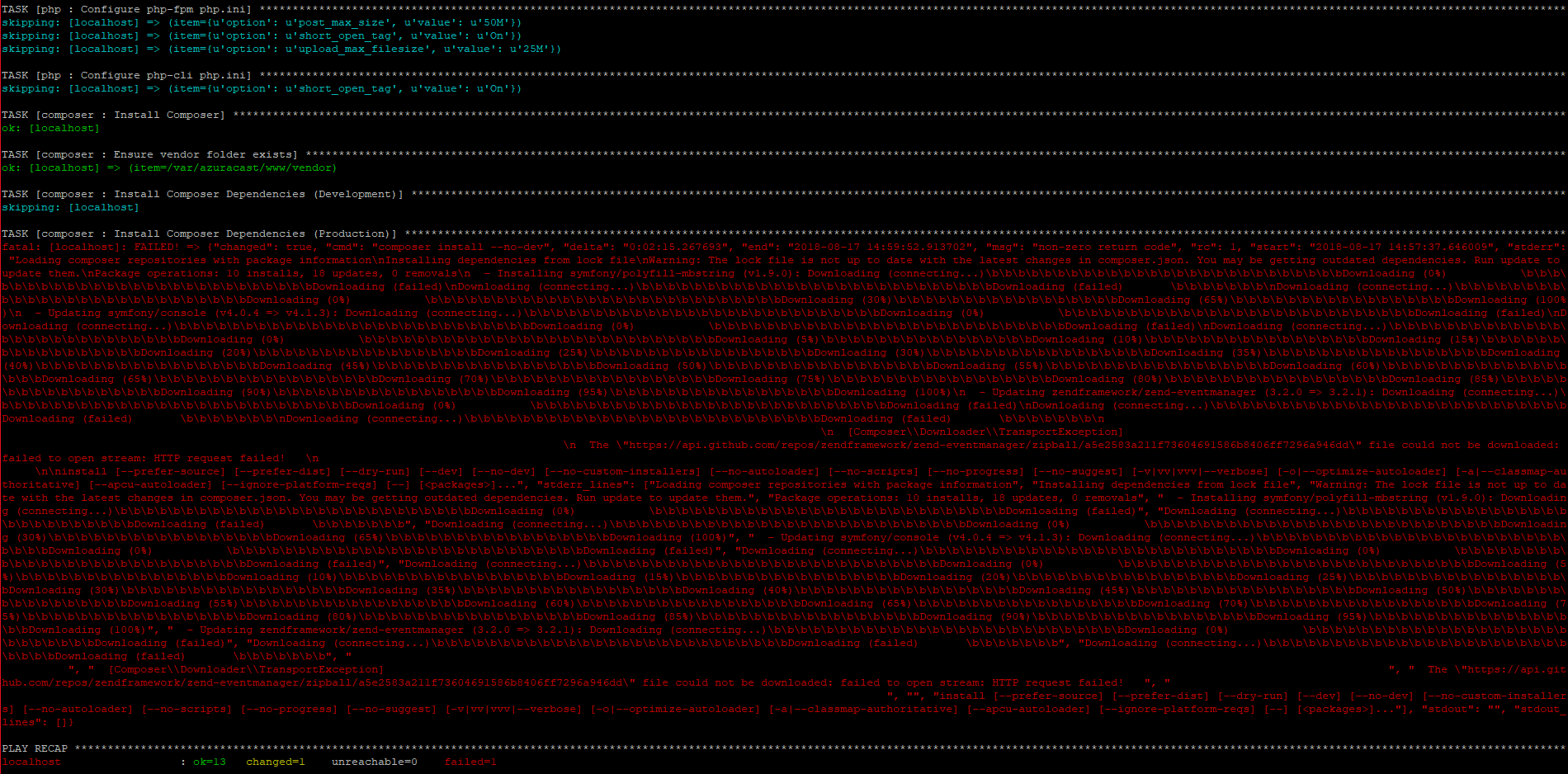
Error during update. I was updating my AzuraCast and it is giving a fatal error. (I have a backup of my server, but i would like to update for bugfixes.)
Screenshots
Additional context
Add any other context about the problem here.
TASK [php : Configure php-cli php.ini] ******************************************************************
skipping: [localhost] => (item={u'option': u'short_open_tag', u'value': u'On'})
TASK [composer : Install Composer] ******************************************************************
ok: [localhost]
TASK [composer : Ensure vendor folder exists] ***************************************************************
ok: [localhost] => (item=/var/azuracast/www/vendor)
TASK [composer : Install Composer Dependencies (Development)] *********************************************************
skipping: [localhost]
TASK [composer : Install Composer Dependencies (Production)] **********************************************************
fatal: [localhost]: FAILED! => {"changed": true, "cmd": "composer install --no-dev", "delta": "0:04:04.086291", "end": "2018-08-17 14:53:32.820236", "msg": "non-zero return code", "rc": 255, "start": "2018-08-17 14:49:28.733945", "stderr": "Loading composer repositories with package information\nInstalling dependencies from lock file\nWarning: The lock file is not up to date with the latest changes in composer.json. You may be getting outdated dependencies. Run update to update them.\nPackage operations: 9 installs, 19 updates, 2 removals\n - Removing symfony/event-dispatcher (v4.0.4)\n - Removing symfony/yaml (v4.0.4)\n - Updating symfony/polyfill-mbstring (v1.7.0 => v1.9.0): Downloading (connecting...)\b\b\b\b\b\b\b\b\b\b\b\b\b\b\b\b\b\b\b\b\b\b\b\b\b\b\bDownloading (failed) \b\b\b\b\b\b\b\nDownloading (connecting...)\b\b\b\b\b\b\b\b\b\b\b\b\b\b\b\b\b\b\b\b\b\b\b\b\b\b\bDownloading (failed) \b\b\b\b\b\b\b\nDownloading (connecting...)\b\b\b\b\b\b\b\b\b\b\b\b\b\b\b\b\b\b\b\b\b\b\b\b\b\b\bDownloading (failed) \b\b\b\b\b\b\b\n \n [Composer\Downloader\TransportException] \n The \"https://api.github.com/repos/symfony/polyfill-mbstring/zipball/d0cd638f4634c16d8df4508e847f14e9e43168b8\" file could not be downloaded (HTTP/1.1 302 Found) \n \n\ninstall [--prefer-source] [--prefer-dist] [--dry-run] [--dev] [--no-dev] [--no-custom-installers] [--no-autoloader] [--no-scripts] [--no-progress] [--no-suggest] [-v|vv|vvv|--verbose] [-o|--optimize-autoloader] [-a|--classmap-authoritative] [--apcu-autoloader] [--ignore-platform-reqs] [--] [
PLAY RECAP **************************************************************************
localhost : ok=13 changed=6 unreachable=0 failed=1
 RemBdev
All 4 comments
@RemBdev It looks like this is a temporary Composer issue. Please try again later and it may be resolved.
 SlvrEagle23
on 17 Aug 2018
SlvrEagle23
on 17 Aug 2018
Thank you, trying again later worked for this error. But at the end of the update an new error occurred. @SlvrEagle23
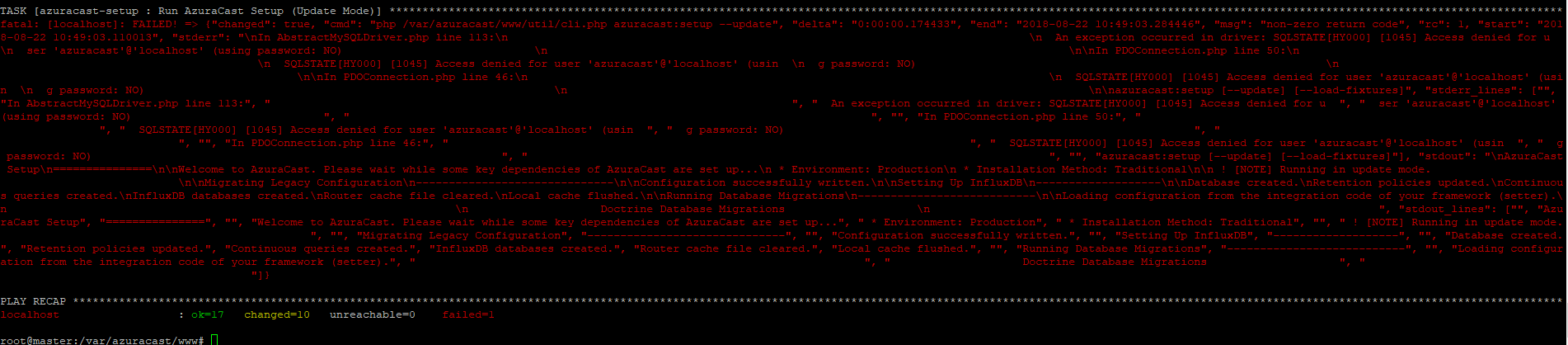
TASK [azuracast-setup : Run AzuraCast Setup (Update Mode)] **********************************************************
fatal: [localhost]: FAILED! => {"changed": true, "cmd": "php /var/azuracast/www/util/cli.php azuracast:setup --update", "delta": "0:00:00.174433", "end": "2018-08-22 10:49:03.284446", "msg": "non-zero return code", "rc": 1, "start": "2018-08-22 10:49:03.110013", "stderr": "\nIn AbstractMySQLDriver.php line 113:\n \n An exception occurred in driver: SQLSTATE[HY000] [1045] Access denied for u \n ser 'azuracast'@'localhost' (using password: NO) \n \n\nIn PDOConnection.php line 50:\n \n SQLSTATE[HY000] [1045] Access denied for user 'azuracast'@'localhost' (usin \n g password: NO) \n \n\nIn PDOConnection.php line 46:\n \n SQLSTATE[HY000] [1045] Access denied for user 'azuracast'@'localhost' (usin \n g password: NO) \n \n\nazuracast:setup [--update] [--load-fixtures]", "stderr_lines": ["", "In AbstractMySQLDriver.php line 113:", " ", " An exception occurred in driver: SQLSTATE[HY000] [1045] Access denied for u ", " ser 'azuracast'@'localhost' (using password: NO) ", " ", "", "In PDOConnection.php line 50:", " ", " SQLSTATE[HY000] [1045] Access denied for user 'azuracast'@'localhost' (usin ", " g password: NO) ", " ", "", "In PDOConnection.php line 46:", " ", " SQLSTATE[HY000] [1045] Access denied for user 'azuracast'@'localhost' (usin ", " g password: NO) ", " ", "", "azuracast:setup [--update] [--load-fixtures]"], "stdout": "\nAzuraCast Setup\n===============\n\nWelcome to AzuraCast. Please wait while some key dependencies of AzuraCast are set up...\n * Environment: Production\n * Installation Method: Traditional\n\n ! [NOTE] Running in update mode. \n\nMigrating Legacy Configuration\n------------------------------\n\nConfiguration successfully written.\n\nSetting Up InfluxDB\n-------------------\n\nDatabase created.\nRetention policies updated.\nContinuous queries created.\nInfluxDB databases created.\nRouter cache file cleared.\nLocal cache flushed.\n\nRunning Database Migrations\n---------------------------\n\nLoading configuration from the integration code of your framework (setter).\n \n Doctrine Database Migrations \n ", "stdout_lines": ["", "AzuraCast Setup", "===============", "", "Welcome to AzuraCast. Please wait while some key dependencies of AzuraCast are set up...", " * Environment: Production", " * Installation Method: Traditional", "", " ! [NOTE] Running in update mode. ", "", "Migrating Legacy Configuration", "------------------------------", "", "Configuration successfully written.", "", "Setting Up InfluxDB", "-------------------", "", "Database created.", "Retention policies updated.", "Continuous queries created.", "InfluxDB databases created.", "Router cache file cleared.", "Local cache flushed.", "", "Running Database Migrations", "---------------------------", "", "Loading configuration from the integration code of your framework (setter).", " ", " Doctrine Database Migrations ", " "]}
PLAY RECAP **************************************************************************
localhost : ok=17 changed=10 unreachable=0 failed=1
RemBdev
on 22 Aug 2018
@RemBdev Try running the updater again. I found and fixed an issue that was causing the newer configuration file to not persist properly.
If your Traditional installation is very new, it may have actually wiped out your configuration file, in which case, if you held onto the database or MySQL root password, it may be helpful in recreating the missing file (/var/azuracast/www/env.ini), otherwise you may have a somewhat trickier situation.
SlvrEagle23
on 22 Aug 2018
Thank you it worked, you are amazing. There is some coffee on the way for you're amazing product and support.
RemBdev
on 22 Aug 2018
Related issues
 susl16c
·
3Comments
susl16c
·
3Comments
 TogarUshindi
·
3Comments
TogarUshindi
·
3Comments
 Tolarion
·
4Comments
Tolarion
·
4Comments
 oussamatn
·
3Comments
oussamatn
·
3Comments
 bebjakub
·
3Comments
bebjakub
·
3Comments
Most helpful comment
@RemBdev It looks like this is a temporary Composer issue. Please try again later and it may be resolved.