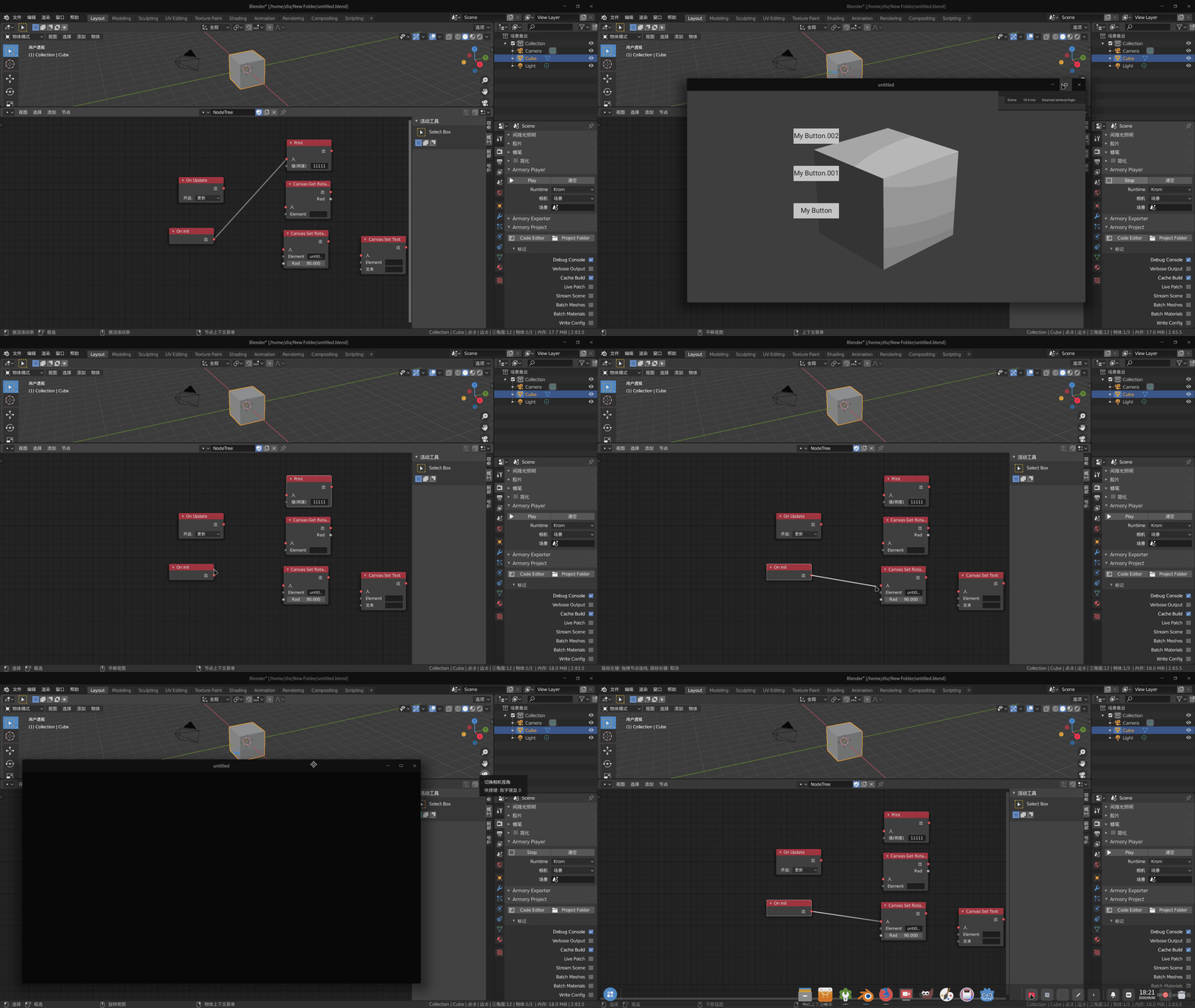
Armory: When the “init” node connects to the “canvas” node and then runs the project, the screen is black
os:deepin 20
cpu:ryzen3 2200g
blender:2.83.5
armorysSDK:2020.9
Even if you create a default new project run, this problem still occur
 haizhou37
All 7 comments
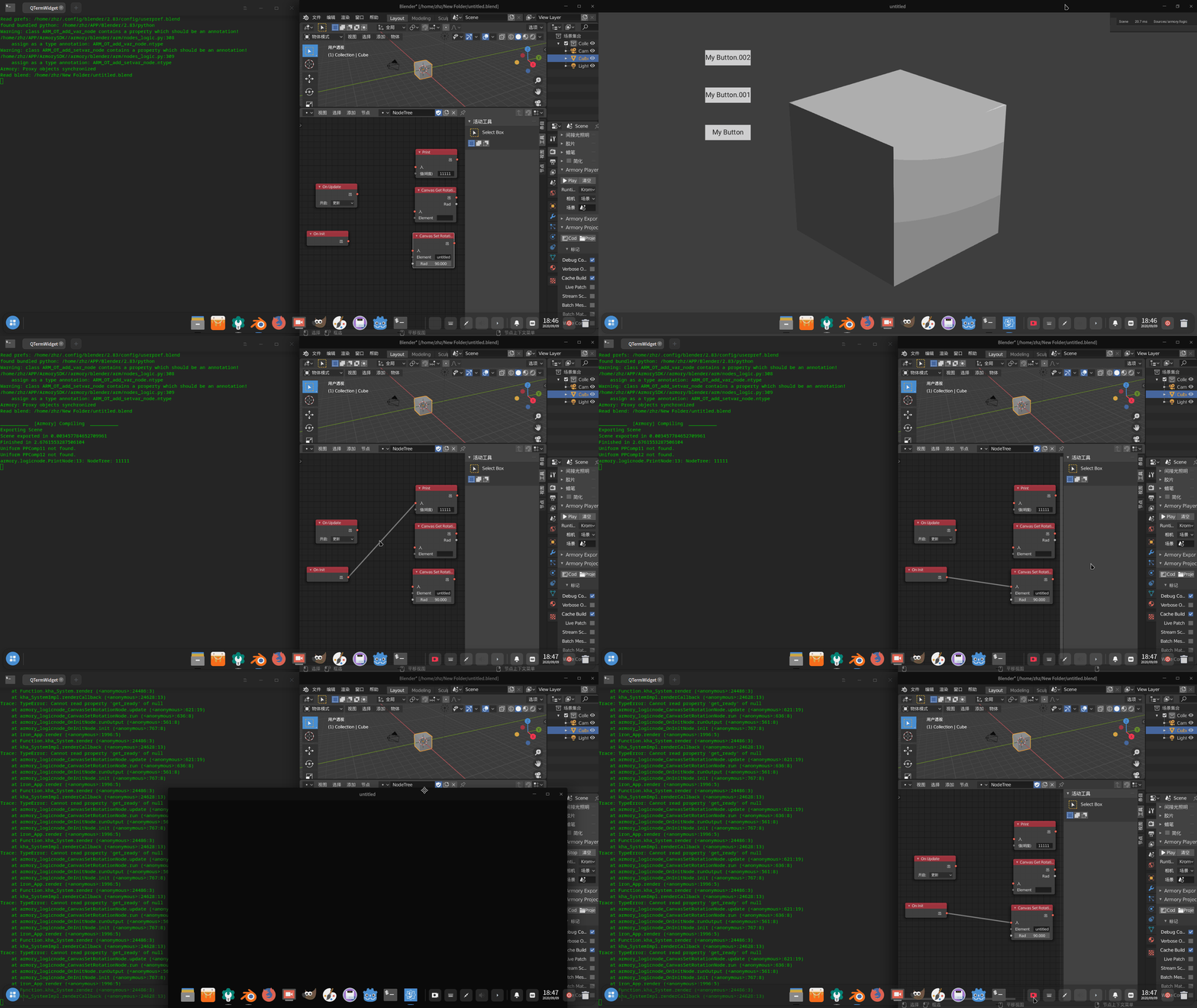
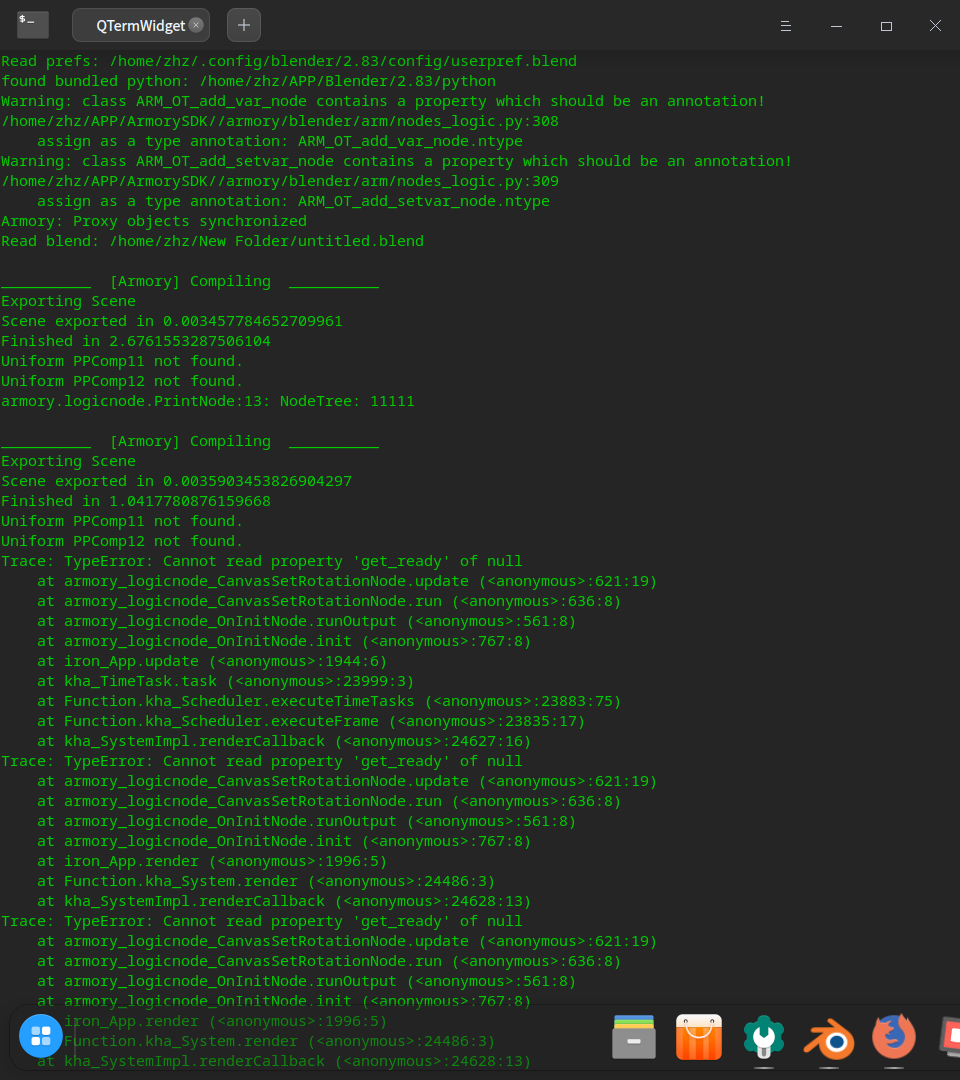
Is there an error message when you start Blender from a terminal and run the game?
This might be related to https://github.com/armory3d/armory/issues/1181
 MoritzBrueckner
on 6 Sep 2020
MoritzBrueckner
on 6 Sep 2020
Is there an error message when you start Blender from a terminal and run the game?
This might be related to #1181
haizhou37
on 9 Sep 2020
Do you have the canvas trait on an object other than the active camera? If yes, thats the problem and moving it to the active camera or changing the trait to a scene trait will solve the issue. Thanks for reporting this!
Nonetheless this should not happen. We should probably restrict Canvas traits to scenes to prevent this. Even if restricted to scenes and cameras this could cause problems when the active camera is changed.
MoritzBrueckner
on 9 Sep 2020
Do you have the canvas trait on an object other than the active camera? If yes, thats the problem and moving it to the active camera or changing the trait to a scene trait will solve the issue. Thanks for reporting this!
Nonetheless this should not happen. We should probably restrict Canvas traits to scenes to prevent this. Even if restricted to scenes _and_ cameras this could cause problems when the active camera is changed.
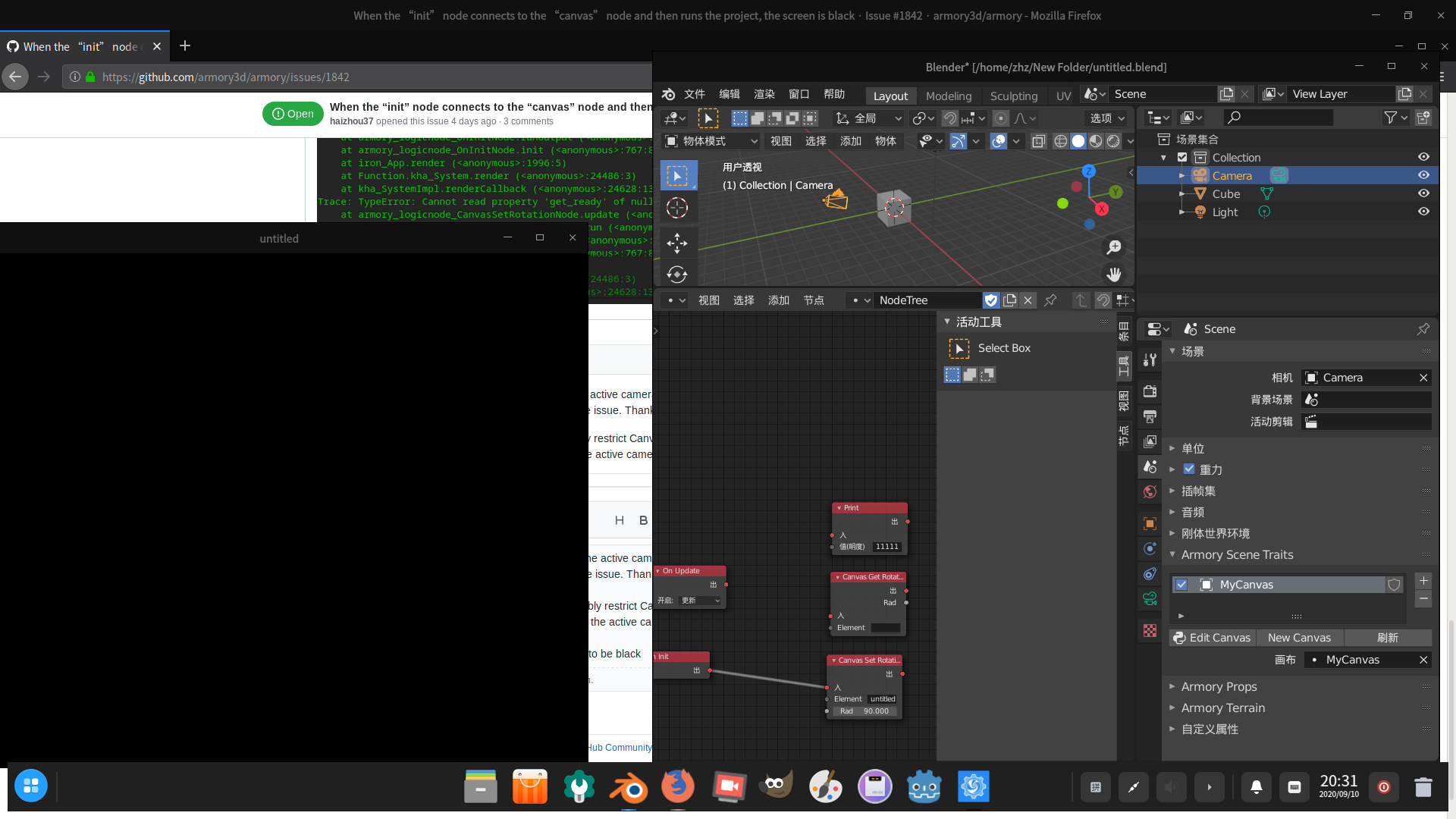
Do you mean as shown in the picture? But it's still going to be black
haizhou37
on 10 Sep 2020
Did you run a clean build? I can only reproduce this error when the canvas trait is on another object other than the active camera or a scene.
If a clean build doesn't help, can you send a test project (including the canvas file) please?
MoritzBrueckner
on 10 Sep 2020
Did you run a clean build? I can only reproduce this error when the canvas trait is on another object other than the active camera or a scene.
If a clean build doesn't help, can you send a test project (including the canvas file) please?
New Folder.zip
haizhou37
on 11 Sep 2020
Thanks! This was due to an empty or nonexisting element name (so actually there were two different bugs, the one above with the trait applied to a wrong object and then this) and will be fixed in https://github.com/armory3d/armory/pull/1859.
MoritzBrueckner
on 11 Sep 2020
Related issues
 BrahRah
·
3Comments
BrahRah
·
3Comments
 Amir-Arsalan
·
4Comments
Amir-Arsalan
·
4Comments
 e1e5en-gd
·
3Comments
e1e5en-gd
·
3Comments
 GrahamWilkins
·
3Comments
GrahamWilkins
·
3Comments
 guzzard
·
4Comments
guzzard
·
4Comments
Most helpful comment
Thanks! This was due to an empty or nonexisting element name (so actually there were two different bugs, the one above with the trait applied to a wrong object and then this) and will be fixed in https://github.com/armory3d/armory/pull/1859.