Description
The emission shader behaves very strange. Here is how a almost-white, Strength 1 shader looks like in
Cycles:
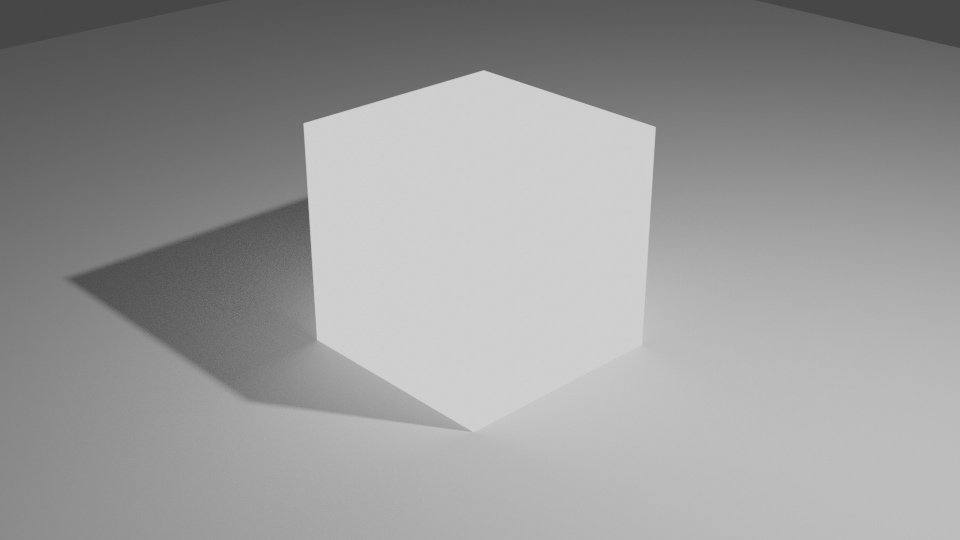
Eevee:
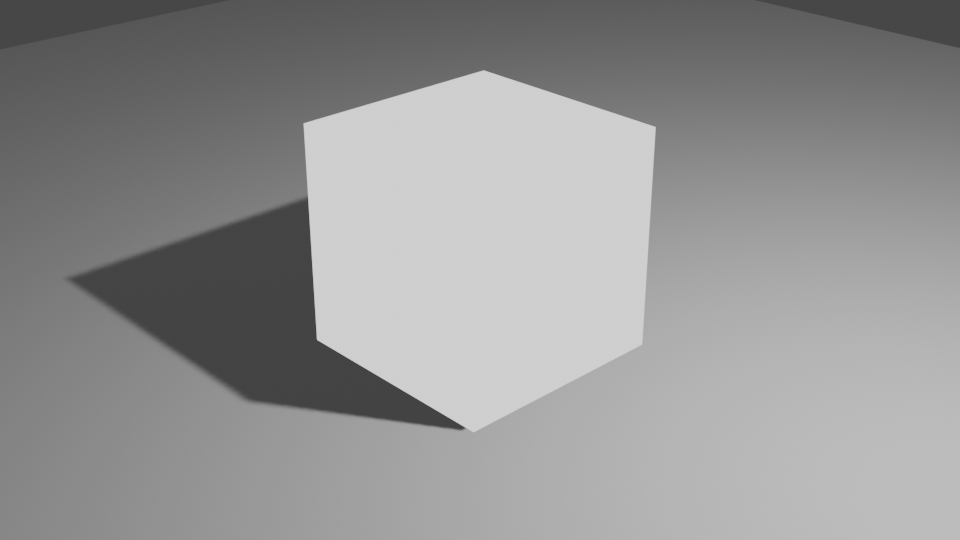
aaaaand Armory:
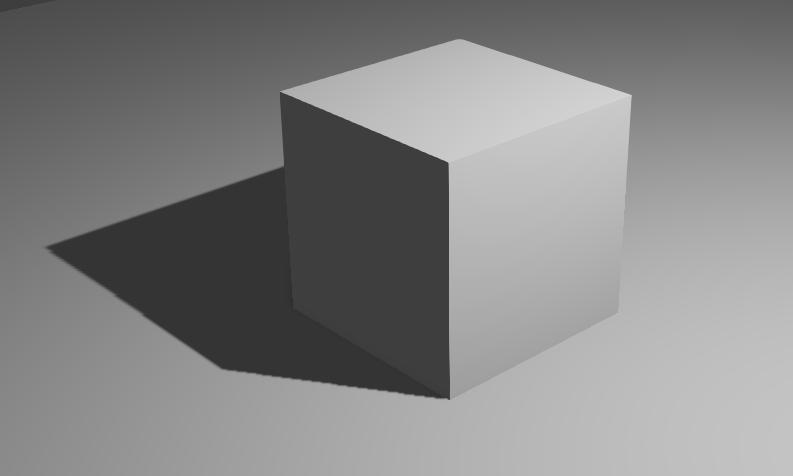
It is still totally shaded!
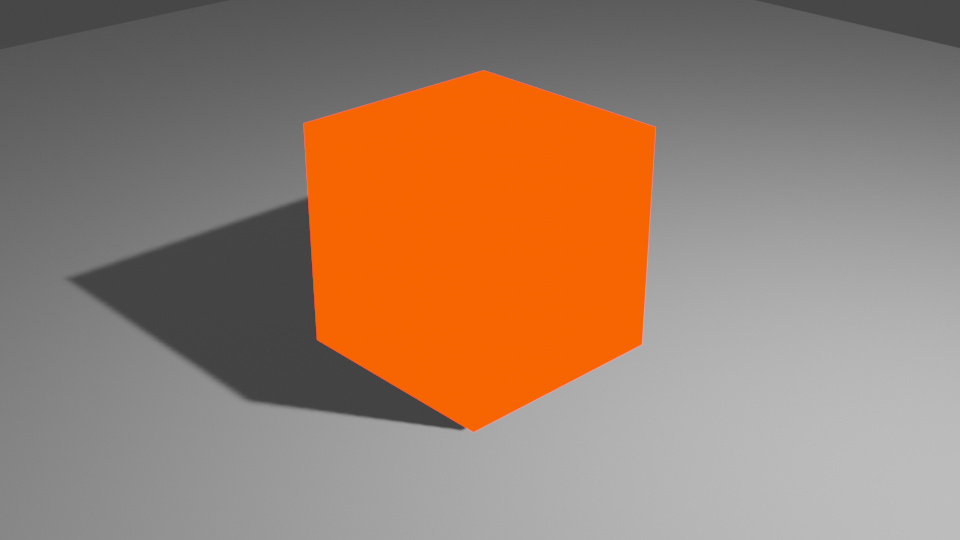
If I change the Strength to 5, color to red, and turn off shadows the result in Armory looks like this:
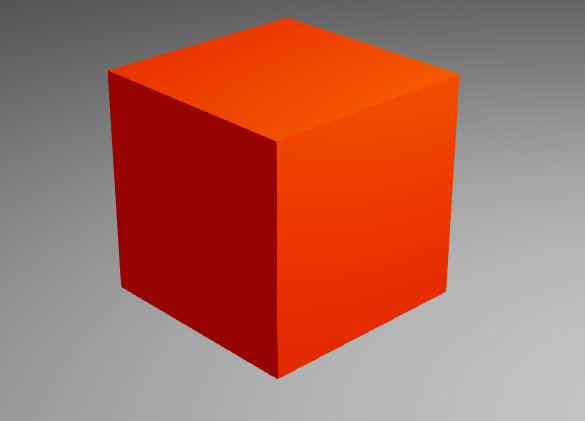
when it should look like:
Expected behavior
The emission shader should behave just like it does in Blender, display its input without shading it in any way, with the "Strength" value acting as a sort of Gain to the appearance. This way when the Strength is set to 1 it can be used for baked materials, which should always ONLY show the color of its texture, not show extra shading created by armory. The solid shading mode is not versatile enough for this, since not all objects in a baked scene are static.
System
Blender: 2.82
Armory: latest git
OS: Win 10
Graphics card: Gtx 1060
 Simonrazer
All 5 comments
So I did some research about this topic now and it looks like we need to store emission values in a buffer too. Currently it's just multiplied with the base color in the material's shader (so before the lighting is applied) which results in the above screenshots. I found this page from the unity documentation: https://docs.unity3d.com/2020.1/Documentation/Manual/RenderTech-DeferredShading.html which says that the lighting is added to the emission buffer which makes sense but it's not done in Armory.
The current buffer layout is the following:
fragColor[0] = vec4(n.xy, roughness, packFloatInt16(metallic, matid));
fragColor[1] = vec4(basecol, packFloat2(occlusion, specular));
which equals to
| | R8 | G8 | B8 | A8 |
| -- | -- | -- | -- | -- |
| 0 | Normals | Normals | Roughness | Metallic/MatID |
| 1 | Basecolor | Basecolor | Basecolor| Occlusion/Specular |
@luboslenco
Maybe we can pack roughness and emission together with packFloat2()? Does it make more sense (semantically) to combine roughness/metallic and emission/matid? I'm pretty new to graphics programming and I'm not sure if we would loose too much precision here, also this might require much rewrite work and I don't know if I'm able to do that. It would look like this:
| | R8 | G8 | B8 | A8 |
| -- | -- | -- | -- | -- |
| 0 | Normals | Normals | Roughness/Emission | Metallic/MatID |
| 1 | Basecolor | Basecolor | Basecolor| Occlusion/Specular |
Also, would the following line in material shaders still be required then?
// That's how it works currently
if (emission > 0) { basecol *= emission; matid = 1; }
What do you think about it? Is there a better solution maybe?
 MoritzBrueckner
on 18 Jul 2020
MoritzBrueckner
on 18 Jul 2020
This appears to be a problem in ArmorPaint as well.
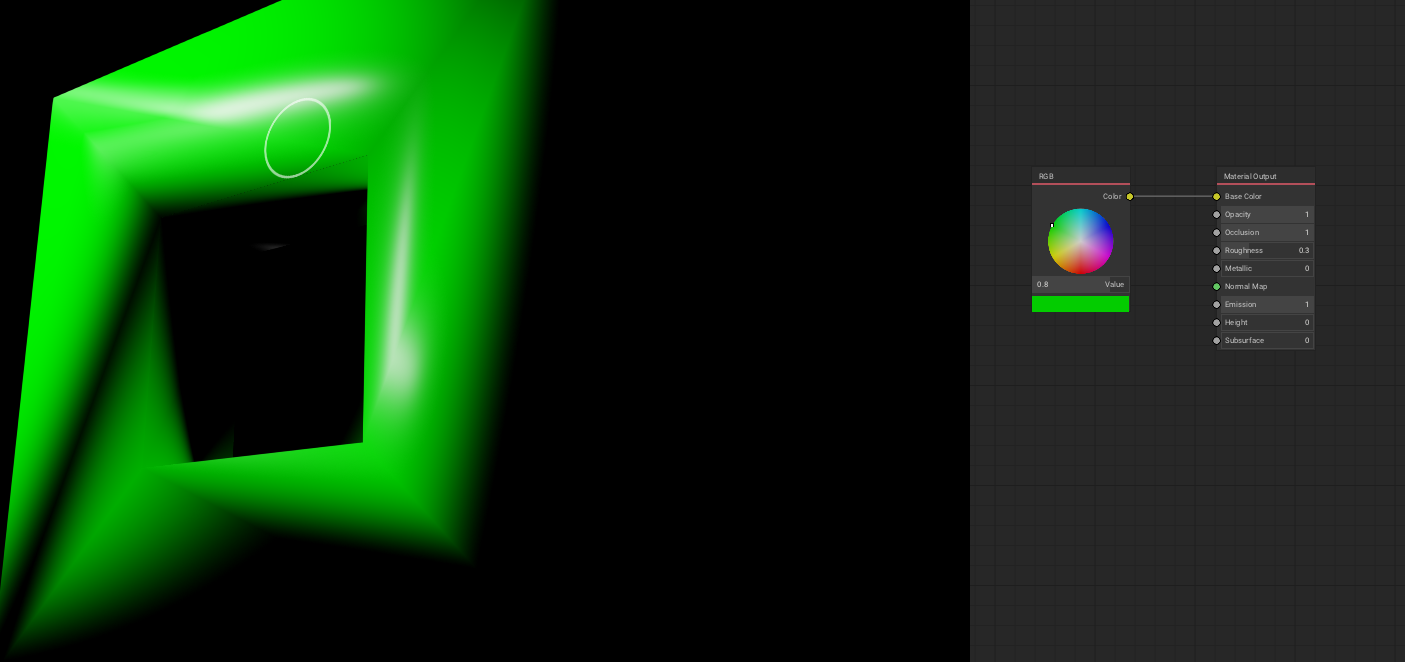
If ArmoryPaint is still "Armory in production" fixing it in Armory will fix it in ArmoryPaint?
Simonrazer
on 20 Jul 2020
Pushed a fix at https://github.com/armory3d/armory/commit/fbe144deccaebc5a897ef7fa971809fd01d5c5ec.
@MoritzBrueckner yeah I think it was packed like roughness/metallic before but there were some issues with roughness precision. Right now it's done in a way that material id triggers the emission code in deferred light shader. The material id reading was wrong which I addressed now. When strong enough, the emission should also get picked up by bloom shader.
If ArmoryPaint is still "Armory in production"
Don't see why there is a need for "if".
 luboslenco
on 20 Jul 2020
luboslenco
on 20 Jul 2020
Now it works, thanks!
Simonrazer
on 21 Jul 2020
Thank you very much!
However, there is still one issue with the current approach. The emission value in the principled node does not work as expected. When the emission color is not (0, 0, 0), there is no shadow on the object and it's not mixed with the actual shading. Using a mix shader also doesn't really work here.
MoritzBrueckner
on 21 Jul 2020
Related issues
 knowledgenude
·
3Comments
knowledgenude
·
3Comments
 mushroomeo
·
4Comments
mushroomeo
·
4Comments
 SeleDreams
·
3Comments
SeleDreams
·
3Comments
 Amir-Arsalan
·
4Comments
Amir-Arsalan
·
4Comments
 donalffons
·
3Comments
donalffons
·
3Comments
Most helpful comment
Pushed a fix at https://github.com/armory3d/armory/commit/fbe144deccaebc5a897ef7fa971809fd01d5c5ec.
@MoritzBrueckner yeah I think it was packed like roughness/metallic before but there were some issues with roughness precision. Right now it's done in a way that material id triggers the emission code in deferred light shader. The material id reading was wrong which I addressed now. When strong enough, the emission should also get picked up by bloom shader.
Don't see why there is a need for "if".