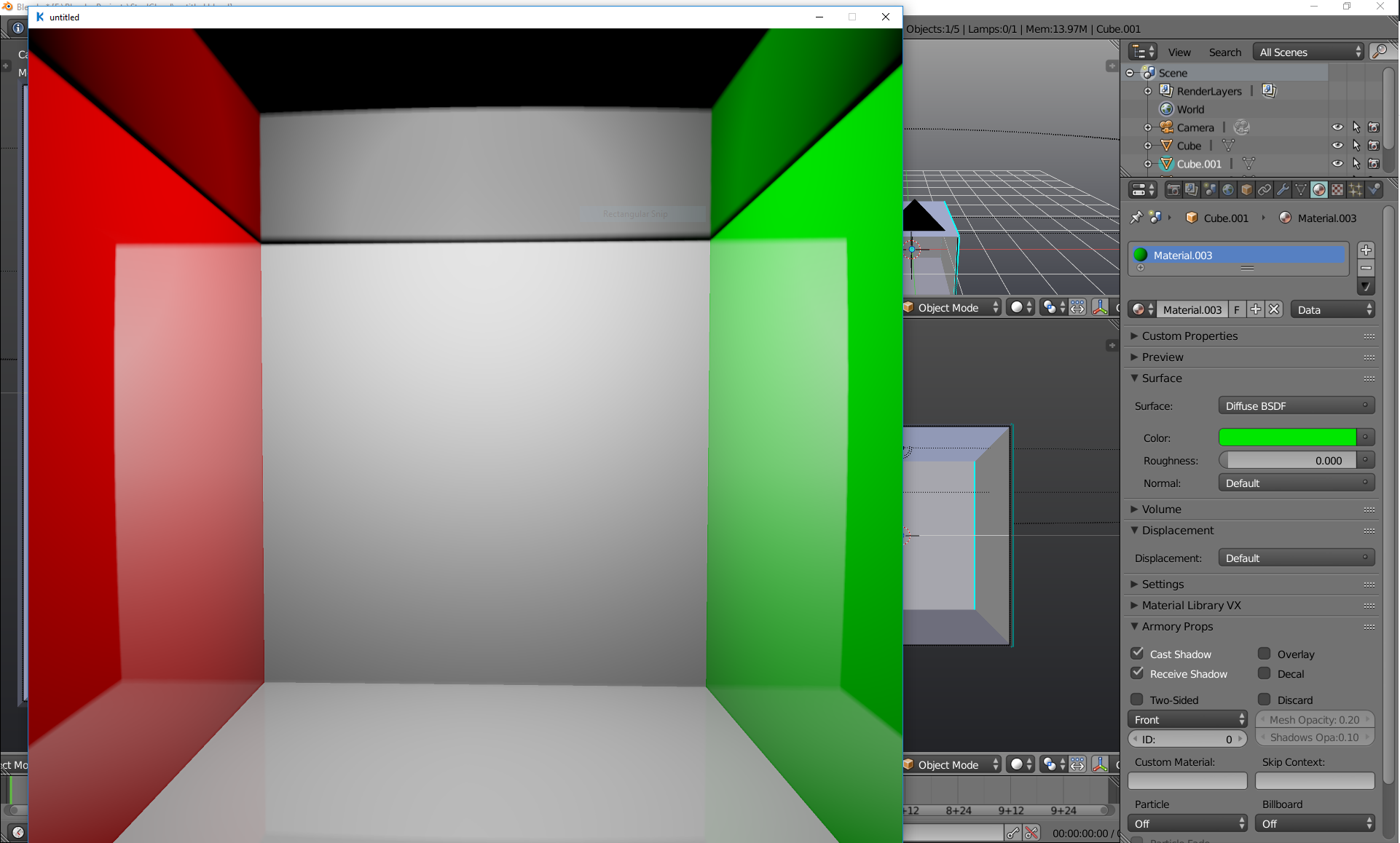
Happens in both viewport and stand alone player. Have tried invalidating material caches and rebuilding scene without any luck.
 SCLDGit
All 18 comments
Also metallic/glossy materials are way too rough/dark in comparison:
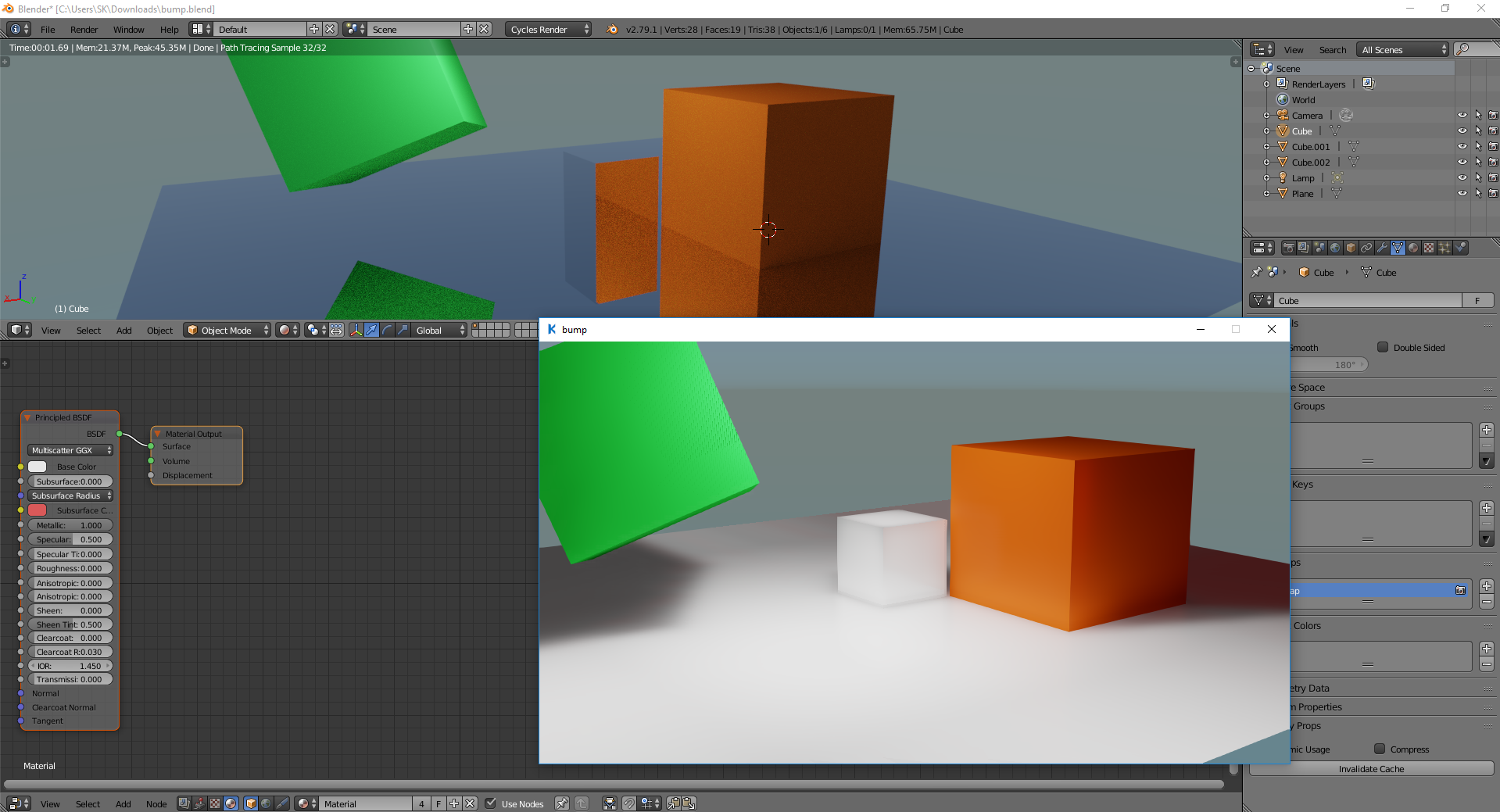
with VXGI
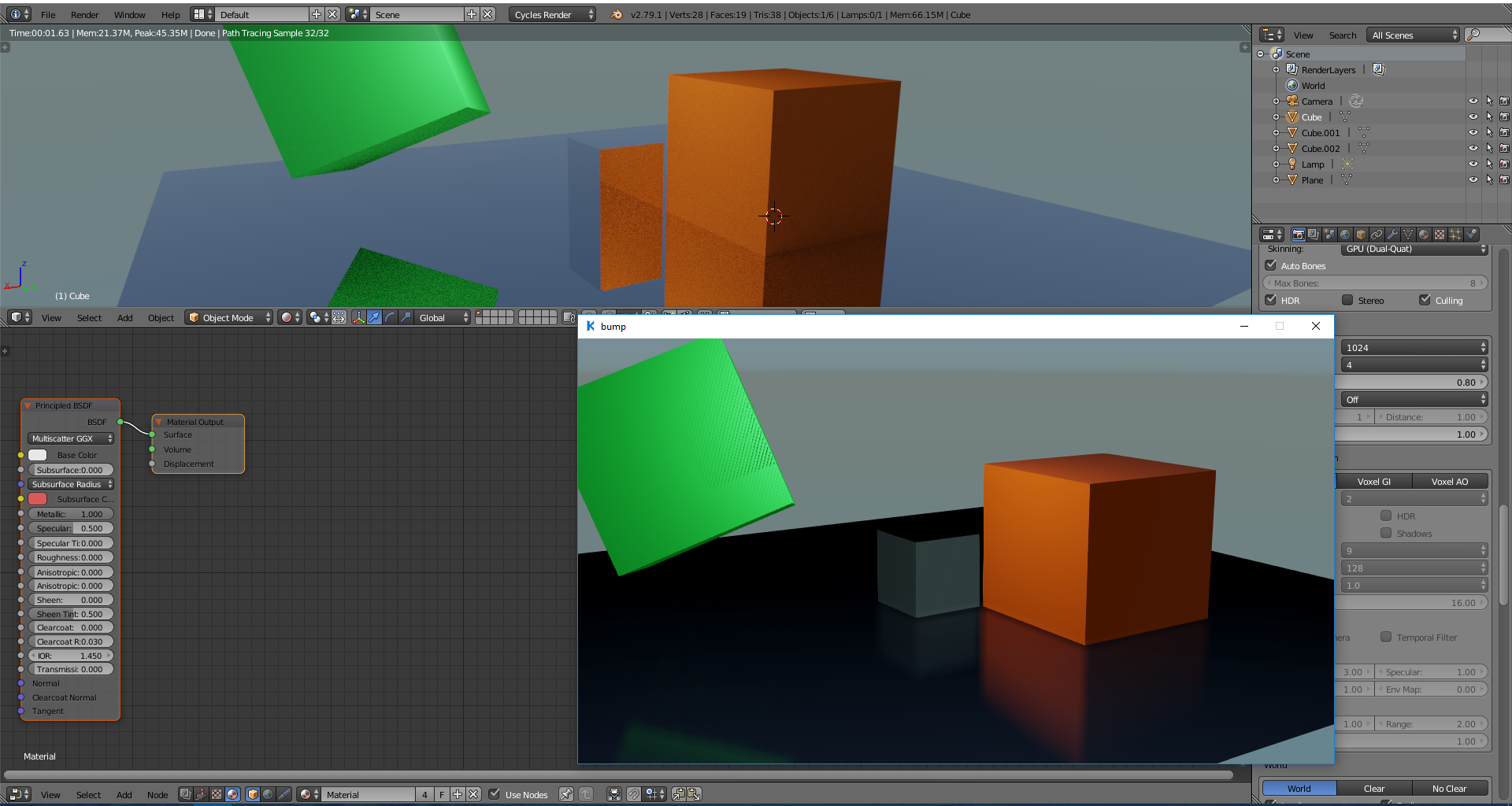
without VXGI
I understand that for real proper reflections we have to wait for 2.8 but especially that stuff gets so dark is problematic.
refl.zip
 Simonrazer
on 13 May 2018
Simonrazer
on 13 May 2018
Dark part is i guess because of less light/ no sky
 gamergamesz
on 14 May 2018
gamergamesz
on 14 May 2018
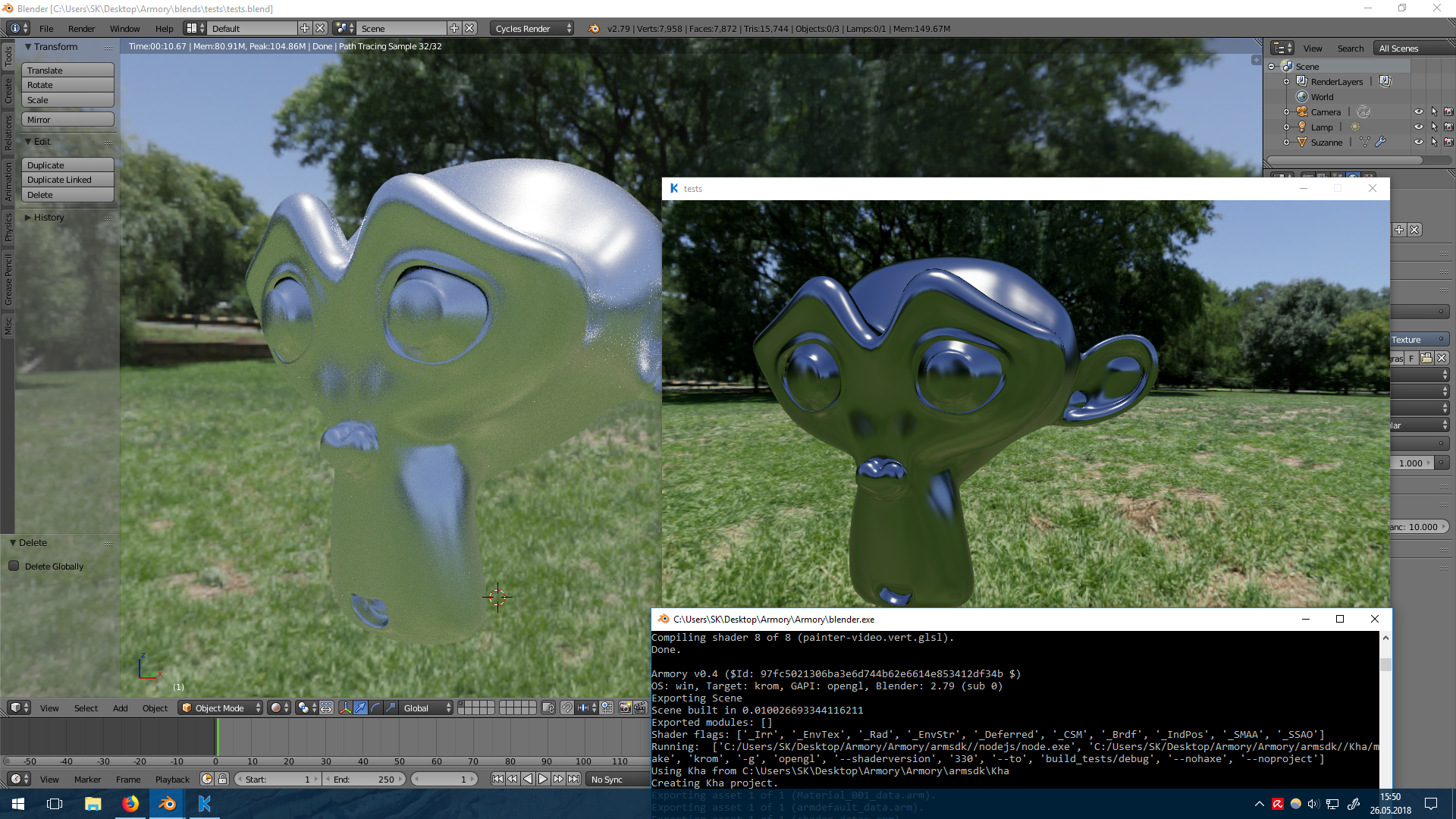
Something needs to change there, fully metallic principled shader with 0.294 roughness. It needs more white or something, but this looks off.
Simonrazer
on 26 May 2018
And what happens when you set roughness to 1.0?
edit: the darkening could be a colorspace issue. Are your colors and textures linear or sRGB?
 Megalomaniak
on 31 May 2018
Megalomaniak
on 31 May 2018
The original issue Screen space reflections present even on purely diffuse materials should be fixed in 0.4.
 luboslenco
on 1 Jun 2018
luboslenco
on 1 Jun 2018
For me things aren't reflective enough i mean at lower roughness it still is rough
gamergamesz
on 6 Jun 2018
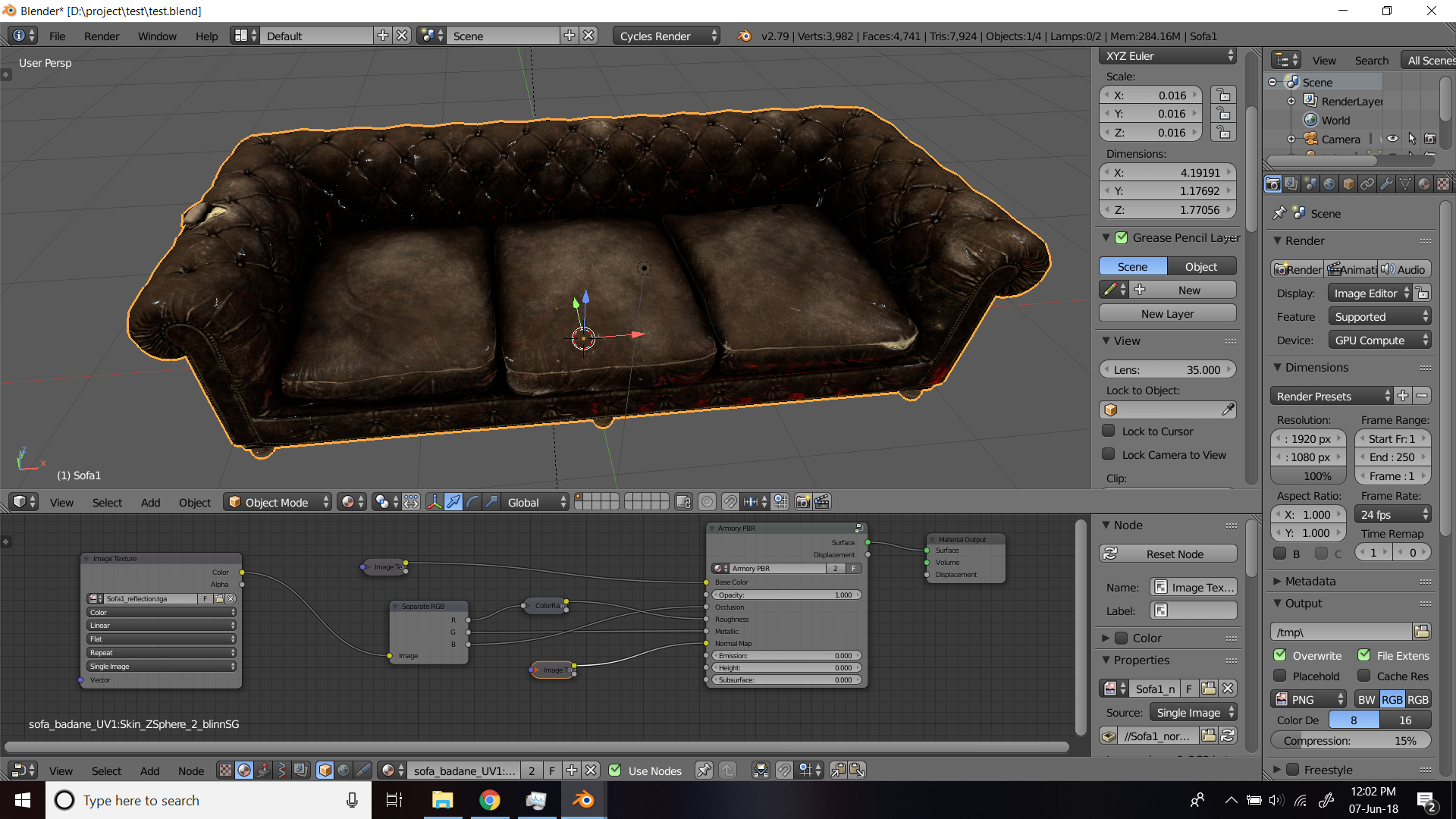
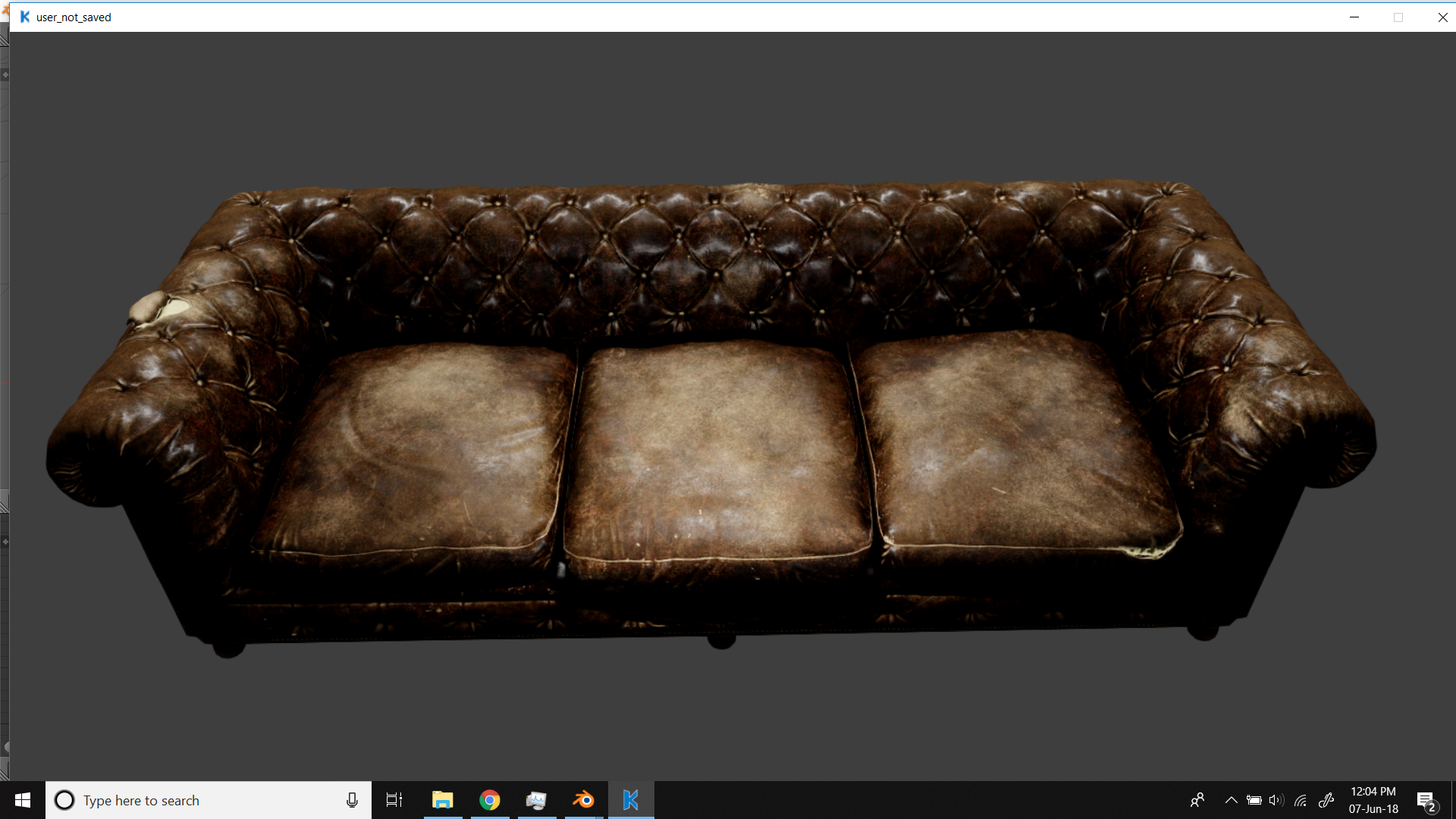
To support the above statement I run some test.
(Voxel AO, SSR were on)
I am using Aidin Salsabili free sofa asset https://gumroad.com/l/WtZsr
cycle's roughness
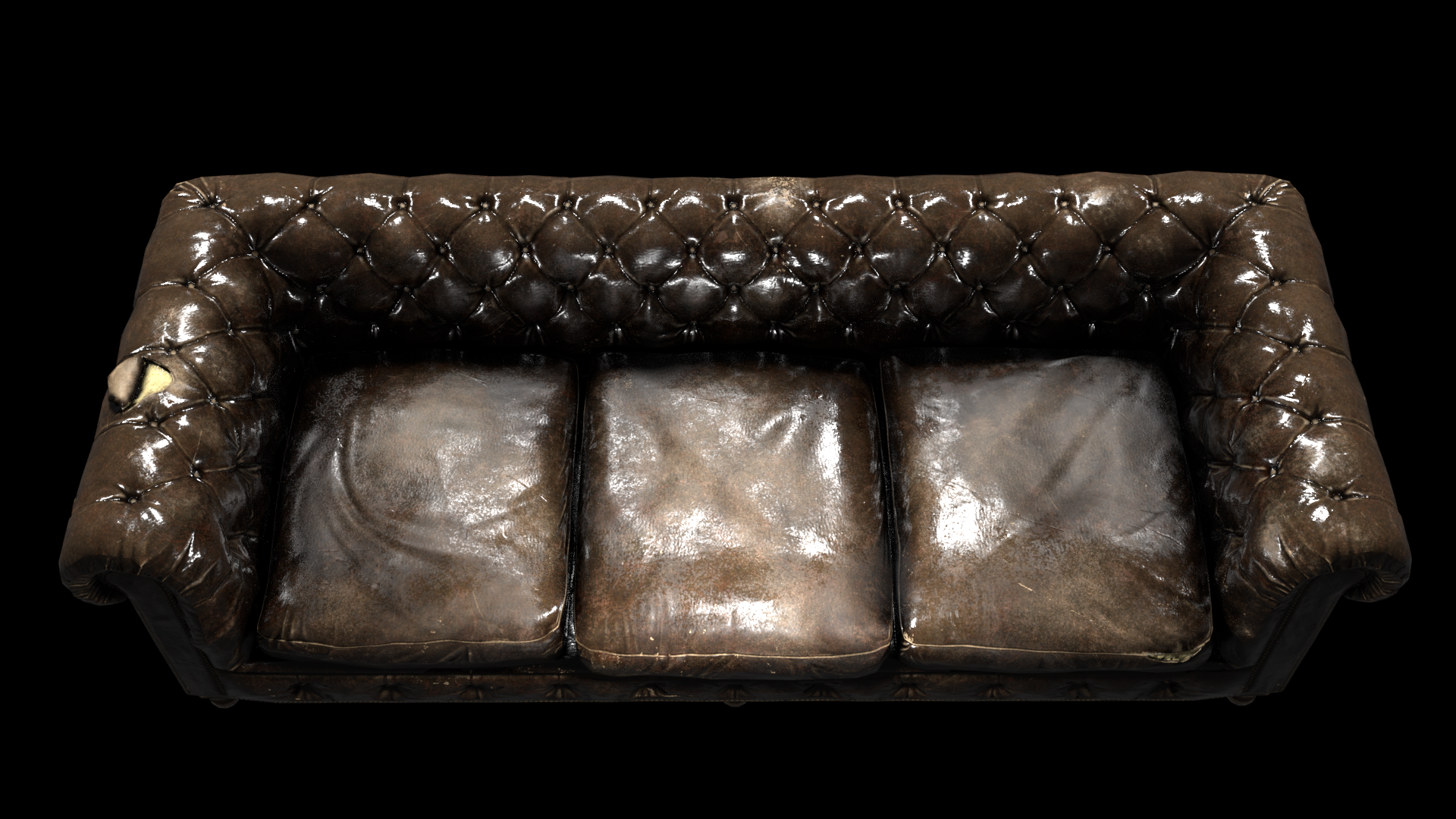
roughness in material mode
Armory reflection
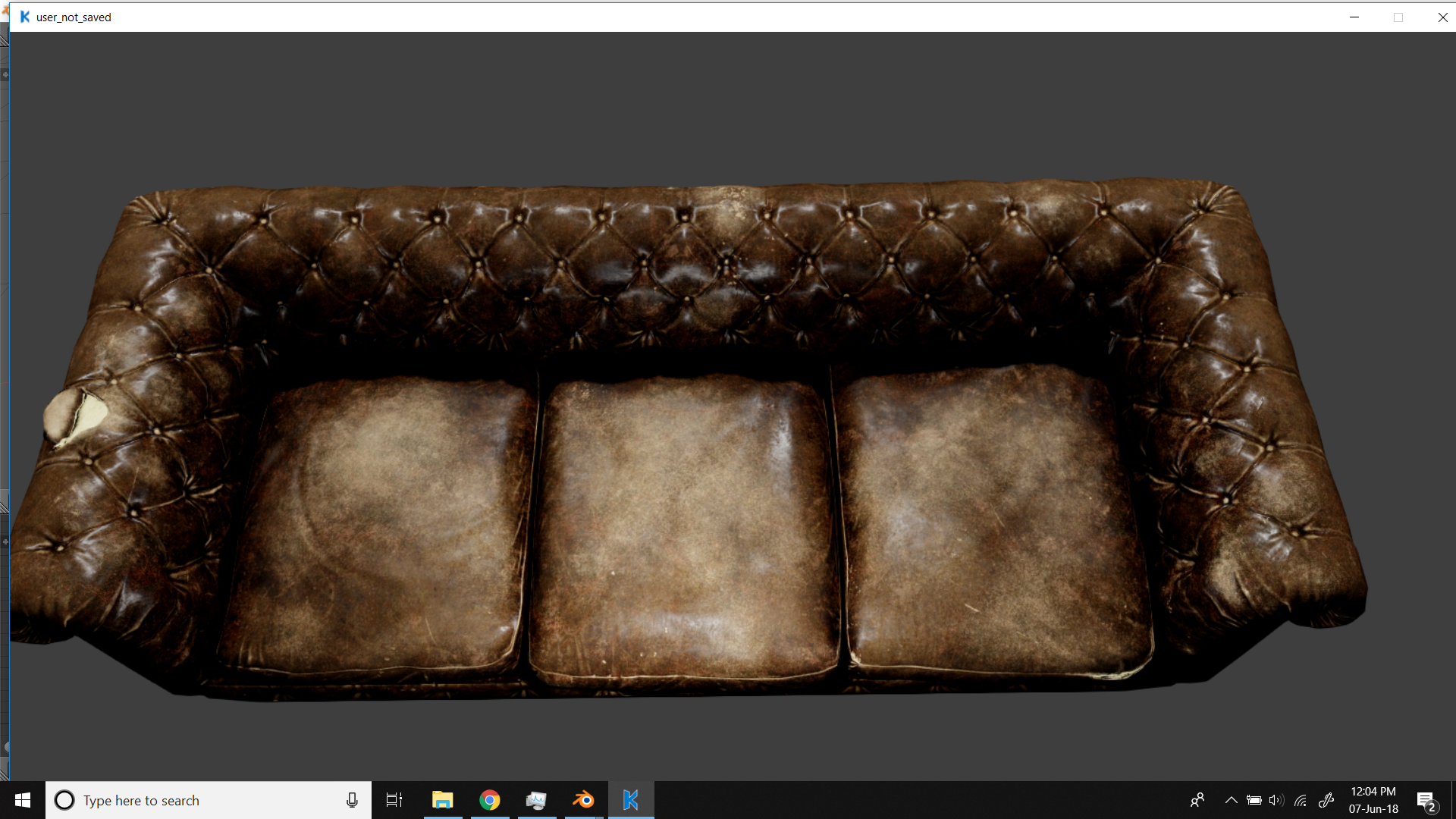
gamergamesz
on 7 Jun 2018
The roughness is the same, but the reflection intensity and color is different in your case. Could be caused by differences in tonemapping. If you set it to filmic in scene tab for cycles you should see more similar images. This is the case where it's all about tone mapping and brightness of light source, I believe.
 adriansnetlis
on 7 Jun 2018
adriansnetlis
on 7 Jun 2018
I guess not!
It feels it like the specularity is more widespread rather than sharp!
filmic
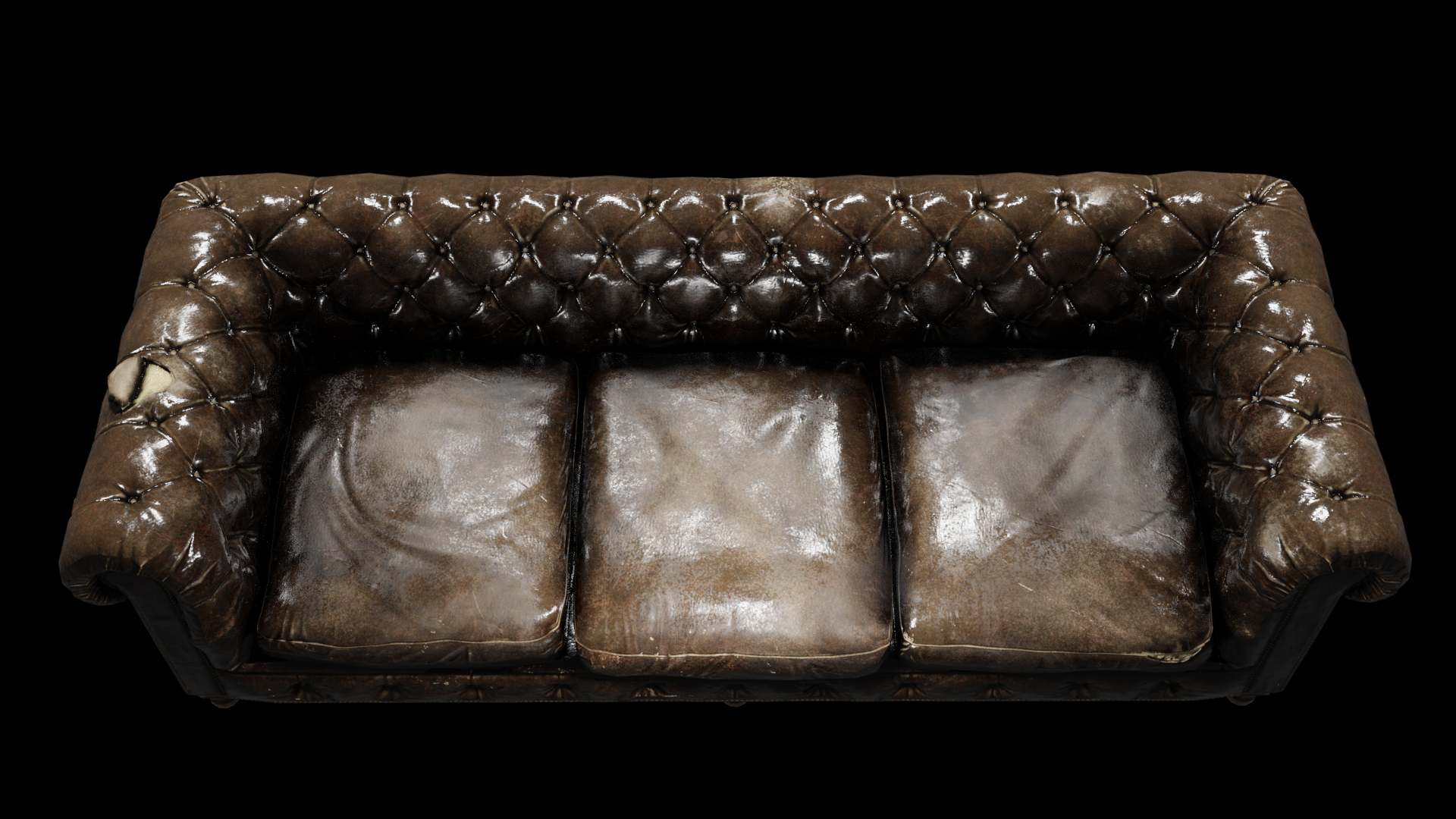
gamergamesz
on 7 Jun 2018
But it looks like a difference in reflection intensity rather than roughness. Could you show both Cycles and Armory node setups?
My guesses:
- Armory handles fresnel differently than Cycles resulting in lower amount of reflected light at straight angles (unlikely).
- In Cycles material there is clearcoat which apparently significantly increases the reflectivity of leather, meanwhile, as far as I know, Armory does not support clearcoat?
- Another option is that cycles could have light with radius that reflects full intensity over wider area while Armory reflects full intensity in only infinitely small points. This could create less bright reflections in Armory. Here got to ask Lubos - did you implement spherical area lights for point lamps?
adriansnetlis
on 7 Jun 2018
In Cycles material there is clearcoat which apparently significantly increases the reflectivity of leather, meanwhile, as far as I know, Armory does not support clearcoat?
Probably this. I just downloaded v04 and the couch model so will see what I can come up with.
Megalomaniak
on 7 Jun 2018
Well yes - reflection intensity is the word.
Node are same for both and i have posted the setup in above screenshot, iam using armory pbr group.
Iam not using clearcoat.
NOTE - iam using colour ramp for some wild reflection to differentiate the break in roughness.
Well even in eevee reflection intensity is more than armory, i'll post a screenshot of it ASAP
gamergamesz
on 7 Jun 2018
Why color ramp for the roughness? I thought Armory used the same roughness scaling as Cycles (and in case it didn't, roughness scales usually go by squares so squaring/squarerooting the roughness would give you what you're looking for, most likely.
By the way, I just compared some Armory and Cycles renders myself and I can confirm that the difference in reflections is because in Armory spherical area lights are not implemented yet. So directional/point lights act as infinitely small points. Setting radius to 0 in Cycles should produce the same results. I guess we just wait for Lubos to implement spherical area lights.
adriansnetlis
on 7 Jun 2018
Hmm, thanks for the info looks like i need to test it with the spot light for the satisfaction.
As for the colour ramp i used it to change the roughness(both were rendered on same node setup)
gamergamesz
on 7 Jun 2018
Nope even spot produces the same result even tried 0 radius for point and sun won't give the same result
Spot light
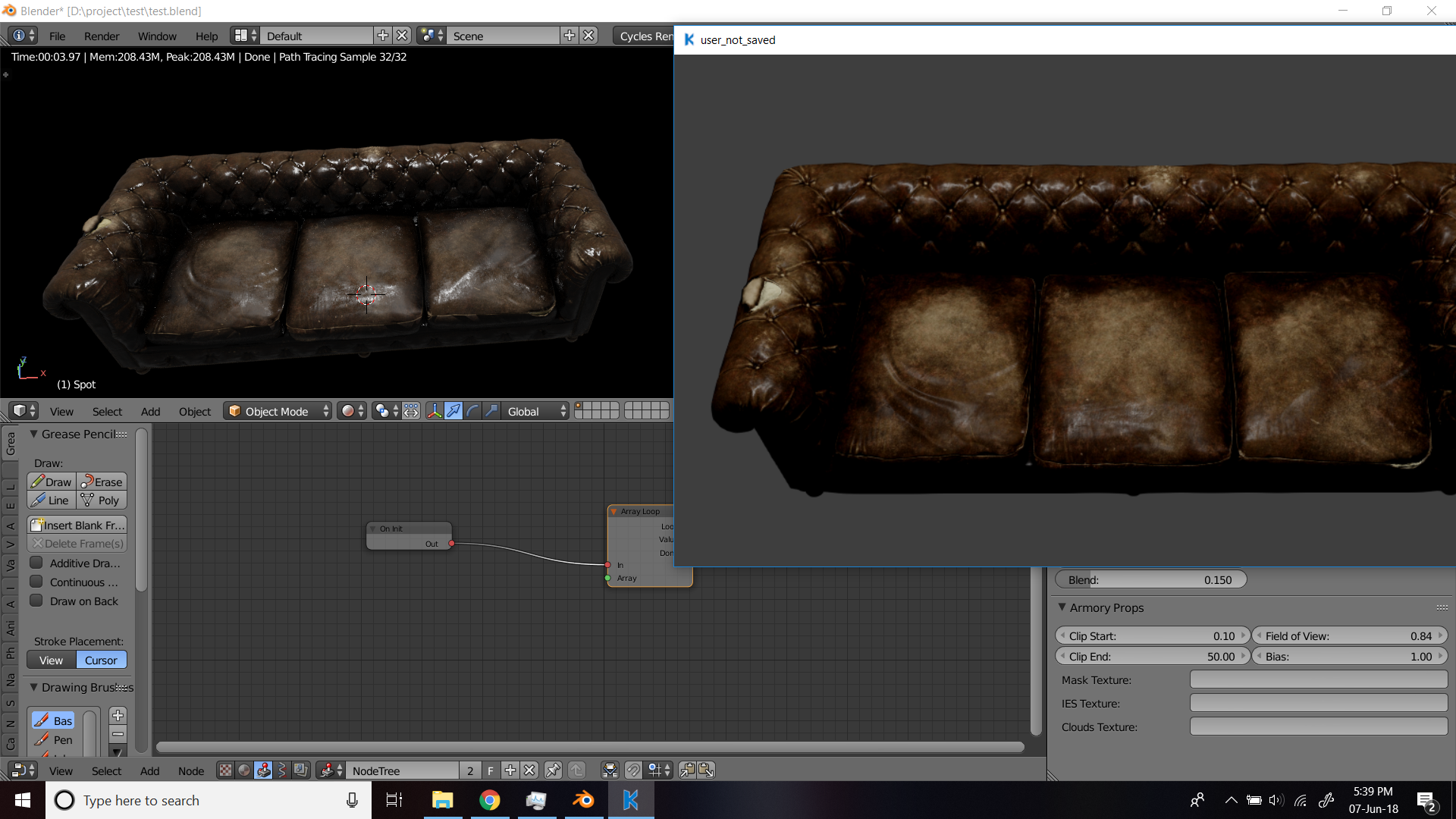
point and sun at 0 size
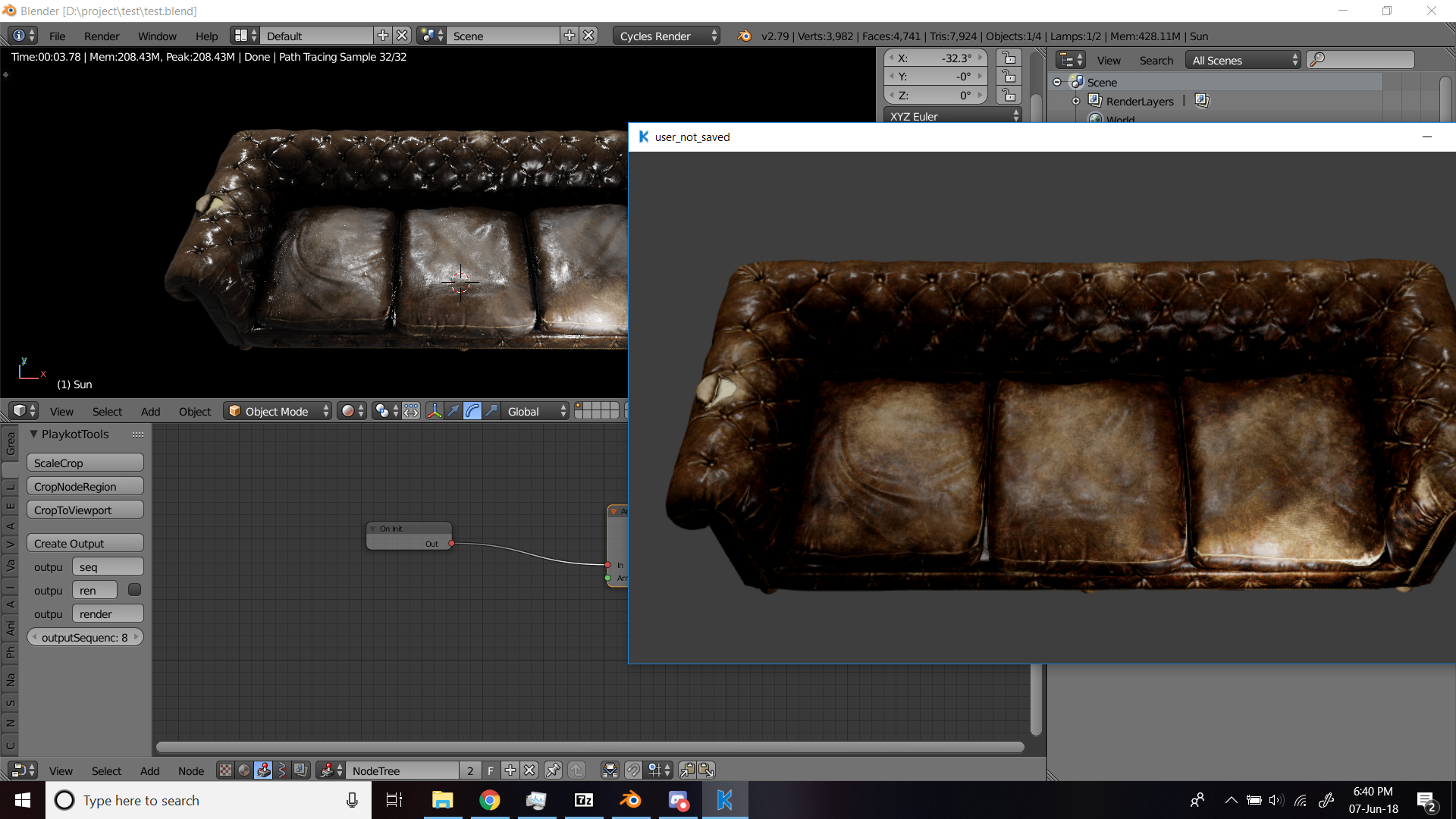
EEvee
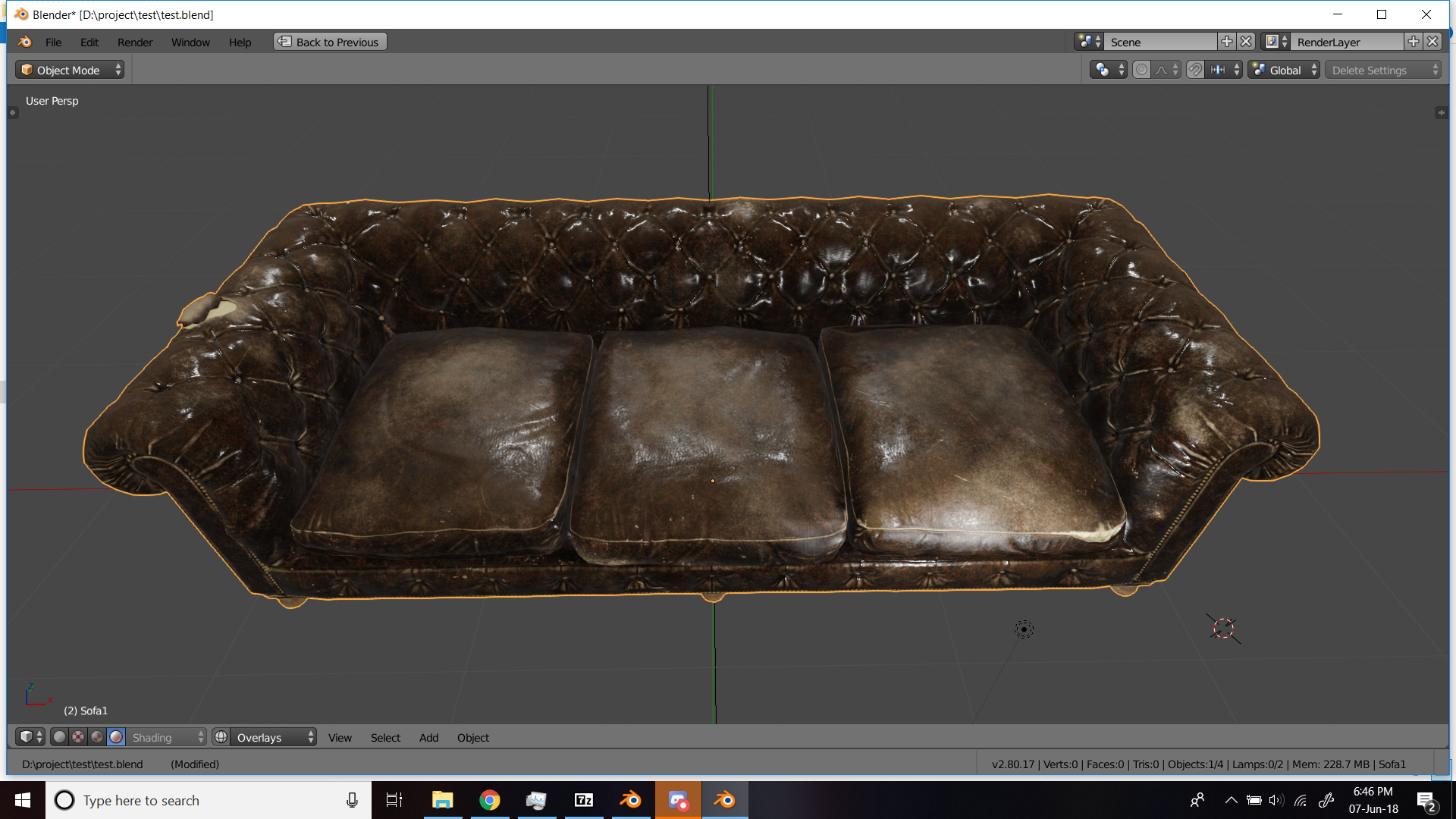
gamergamesz
on 7 Jun 2018
Eevee would have been almost identical to cycles if there was black background. I don't understand why there is such difference in Armory. Looks like the specular model is different, yields less bright reflections. I thought that both Armory and Cycles used GGX-Smith based model.
adriansnetlis
on 7 Jun 2018
@luboslenco any light on this issue?
gamergamesz
on 10 Aug 2018
Firstly, Armory does need spherical area lights. They're not too hard to implement and they improve things a lot.
Anyways, I am wondering what if Armory for some reason applies fresnel twice?
Like:
specular *= fresnel
color = mix(diffuse, specular, fresnel)
Something like that. Not sure. That would make sense why metals are darker.
However, most likely not, because metals are dark at grazing angles.
Anyways, the specular reflections are too dark (out of colorspace, unnecessarily multiplied by something, non-HDR or something else). They need to be fixed to be the right brightness.
adriansnetlis
on 10 Aug 2018
Related issues
 mushroomeo
·
4Comments
mushroomeo
·
4Comments
 GrahamWilkins
·
3Comments
GrahamWilkins
·
3Comments
 knowledgenude
·
3Comments
knowledgenude
·
3Comments
 donalffons
·
3Comments
donalffons
·
3Comments
 Sanva
·
3Comments
Sanva
·
3Comments
Most helpful comment
Something needs to change there, fully metallic principled shader with 0.294 roughness. It needs more white or something, but this looks off.
